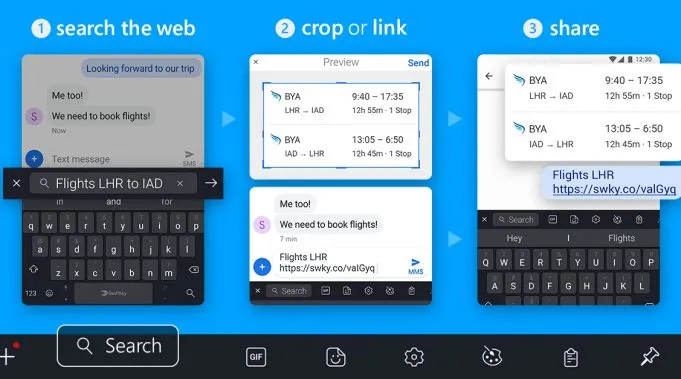
SwiftKey for Android today added a handy new search feature for sharing content from the web without leaving your conversations. Powered by Bing, the feature lets you quickly perform a web search from SwiftKey's toolbar, then either crop a screenshot of the results or share the link directly with your contacts.
The search function lives in the SwiftKey toolbar and can be accessed by tapping the "+" symbol on its upper-left portion. From there, you can type what you want to search for into the toolbar, and Bing will serve up the results. If you want to share a quick screenshot, you can either send off a picture of the full page or crop it to get exactly what you want.
Search is available with the latest update to SwiftKey for Android in the following countries: U.S., UK, Canada, France, Germany, Australia, Japan, Brazil, India, Italy, and Spain.