


Xbox PC has had a ton of updates in the past few weeks, including new modes on all Windows 11 PCs, and some specific new features for the Xbox Ally range. I figured it was time I put them through their paces.
Microsoft's new Xbox Mode is available now to Xbox Insiders on PC. You can enable it by downloading the Xbox Insider hub from the Microsoft Store and by joining the PC Gaming test therein. After that, update your apps from the Microsoft Store and run Windows Update, and the new Xbox features should start to appear.
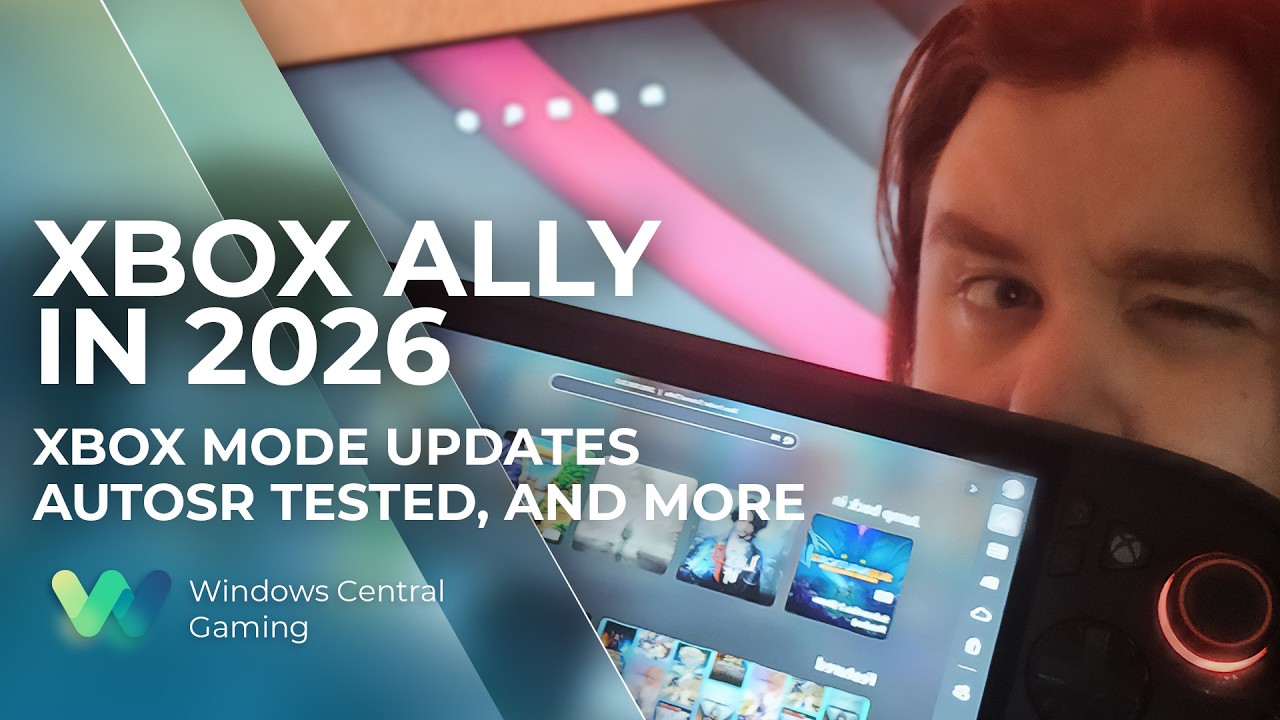
Beyond that, we also have AutoSR on the Xbox Ally X, which has some real potential to boost the usability of this type of device. We also have a huge range of improvements to the docked experience, giving the Xbox Ally and other Windows 11 PCs a Nintendo Switch-like experience when connected to a TV or other external display.
There are still a lot of issues, and many of the features are in a "preview" state, but there have been strides in the right direction. May there be many more.
The Xbox Ally is a fantastic device, held back by polish problems

I use my Xbox Ally almost every day before bed, and it has become part of my regular gaming rotation. Sometimes I feel like I'm the only "gaming journalist" actively using one of these things over something like the Steam Deck or the Nintendo Switch, and I can fathom a couple of reasons as to why that might be.
The Xbox Ally still has a ton of polish issues, and it revolves around the Xbox PC mode, which is now available more broadly on other devices. The Xbox Mode is basically the Xbox PC store, albeit with some added benefits. It wipes out the desktop environment and creates a controller-friendly task switcher system, alongside a compact Xbox Guide-like Xbox Game Bar, which lets you easily navigate different gaming-specific settings with a controller.
The problem is it's all still a bit sluggish on the Xbox Ally. It works much better on a more powerful system, but it's undeniably slow to get going on initial boot and the like. Sometimes the cursor can rubber band and queue up several navigation cues into a frenzy, sending you through store pages you never intended to even click on.

Thanks to the new features in the Xbox Game Bar, you can now navigate even more Windows settings using your controller. Last year, when you docked your Xbox Ally to a TV, you had to reach for a mouse or use awkward touch controls to set up the display properly. Now, it should output automatically to an external display by default, and set the Xbox Ally screen to off.
However, there are still issues. The Xbox Ally seems to have a hard time detecting external controllers in some cases and struggles to figure out when to switch between the embedded controller and an external controller, creating conflicts. In Lies of P, I couldn't get an external controller working at all, no matter what I tried, whether it was rebooting the game, turning the embedded controller on and off, or setting the controller to desktop, "auto," or gaming.
Indeed, there's a lot of weirdness when running games from the Xbox Store like this. Some games glitch out when the new Xbox achievements pop, for example, as they expect to be the in-focus window. Xbox achievement pop-ups, while nice looking now, take away focus from the game, creating jitters and slowdown. Indeed, even the volume rocker pop-up can confuse and upset games on the Xbox Ally sometimes.
Nowhere did the inconsistency bug me as much as trying to get AutoSR to work on the Xbox Ally range. The new feature could be a game-changer for devices like this, but today it's quite immensely limited — it is in a preview mode at the moment, though.
AutoSR is a fantastic feature, held back by strange complexities
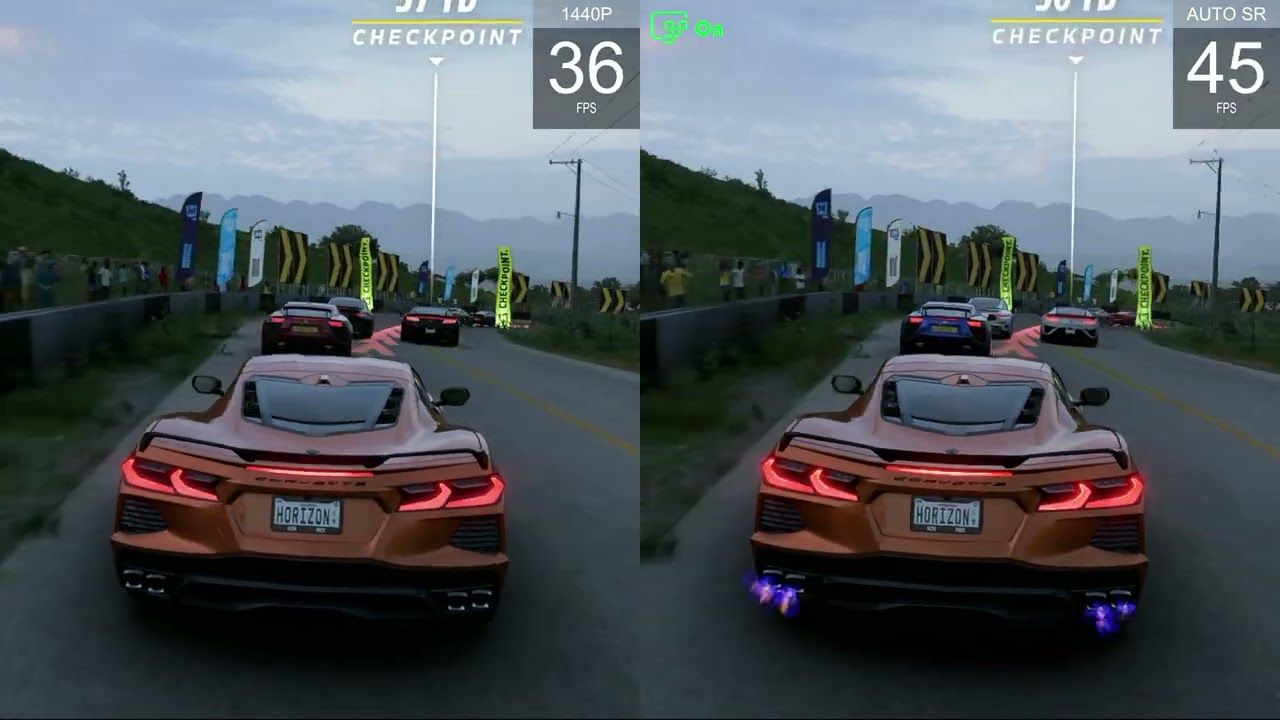
AutoSR is difficult to show in video due to compression and the like, seeing is believing though, and I now believe.
AutoSR uses the Xbox Ally X's NPU to take a lower-resolution render and upscale it to more crisp HD-style presentation. On hardware-limited devices like the Xbox Ally, having the ability to upscale the visuals on intensive games to boost performance is a bit of a game-changer. When it works, that is.
Some games require a restart to get AutoSR going, which is a bit irritating and inconvenient. Others seem to require full screen, while others will run it in a borderless windowed mode. And in certain games, it just straight up doesn't work. Forza Horizon 6, for example, seems to drop AutoSR every time you hit a loading screen, requiring a full client restart to get it going again.
When it does work, it's pretty damn impressive. As a myopic nerd, it's akin to going from taking my glasses off to putting them back on. Silent Hill 2 is very poorly optimized on the Xbox Ally X, so upscaling the resolution with AutoSR was a great way to reclaim some performance. In optimized games like Lies of P, it did even better (let's ignore the fact that Lies of P couldn't detect my controller for a second ... though).
But that's the problem really... if Xbox wants to create a convenient and easy "console-like" experience with the Xbox Mode on Windows and the Xbox Ally X's new docking features — we're quite a far cry from that casual convenience that typifies the medium. I wish more of this stuff "just worked" out of the box.
Xbox Helix could be a fantastic console, if it can hide its PC idiosyncracies

Whether it's weird bugs and anomalies with the Xbox PC store, inconsistent support from developers and publishers, or its discoverability and search issues ... there's still a long way to go for the Xbox PC effort.
The worrying thing for me and others I speak to is the fact that the next-gen Xbox, known as Project Helix, is supposed to run on a version of this. It's supposed to be a Windows-first device, powered by the Xbox PC store, loading into Xbox Mode rather than a more traditional console gaming environment — albeit with access to your existing Xbox console games.
Increasingly, I think today's paradigm for "Xbox PC gaming" is nowhere near where it would need to be. Consoles are supposed to be convenient and casual experiences. Xbox has laid the groundwork to eliminate a lot of the PC-style complexity that often comes with Windows gaming, such as pre-compiled shaders and auto-graphics profiles in some games ... but I can't help but wonder if Microsoft can truly put the work in to get Windows to where it needs to be by Helix's launch.
Xbox CEO Asha Sharma said internally recently that players were frustrated with how Xbox shows up on PC, and pledged to fix it.
Microsoft has a big initiative called Windows K2, which is, in part, designed to boost the platform's performance and usability. Microsoft has refocused a lot of its efforts on its neglected consumers, who, post-COVID, have been way-sided in the name of artificial intelligence and hyperscaling. At some point last year, Microsoft CEO Satya Nadella seemed to remember that it still has human customers too, and began prioritizing fixes to Windows, Xbox, and other aspects of Microsoft's neglected consumer operations.
Don't get me wrong, I love my Xbox Ally X. I use it every day, as noted. The pace of updates has been incredibly impressive. You can feel how hard the teams over there are working. Even with the collection of small issues, it's a great device overall. But I am also someone who is patient enough to navigate a Windows PC gaming experience. Windows is a very powerful tool. It can also be very idiosyncratic, inconvenient, and unstable at times.
Xbox CEO Asha Sharma said internally recently that players were frustrated with how Xbox shows up on PC, and pledged to fix it. I'm eager to see what Xbox PC will look like in six months or even a year from now, knowing how much more Microsoft is taking an interest in it again.

Join us on Reddit at r/WindowsCentral to share your insights and discuss our latest news, reviews, and more.

