What you need to know
- Microsoft PowerToys will soon have a tool to extract text from images.
- The feature will allow users to select a rectangular region, click a word, or right-click an image.
- As it's currently in its early stages of development, it could be quite some time before it rolls out to general availability.
A new tool for Microsoft PowerToys will allow the app to extract text from images. The feature, referred to as PowerOCR on GitHub, is in its early stages.
OCR stands for Optical Character Recognition. Some of Microsoft's other applications, such as OneNote, support to feature. Within Office, it's a versatile tool that can be used to pull text from business cards and printouts. PowerToysOCR should provide similar functionality but across a wider breadth of content since it can be used within any application.
"This PR introduces a new PowerToy to perform OCR anywhere on screen by selecting a rectangular region, clicking a word, or right-clicking an image file and selecting PowerOCR," reads the GitHub page about the feature.
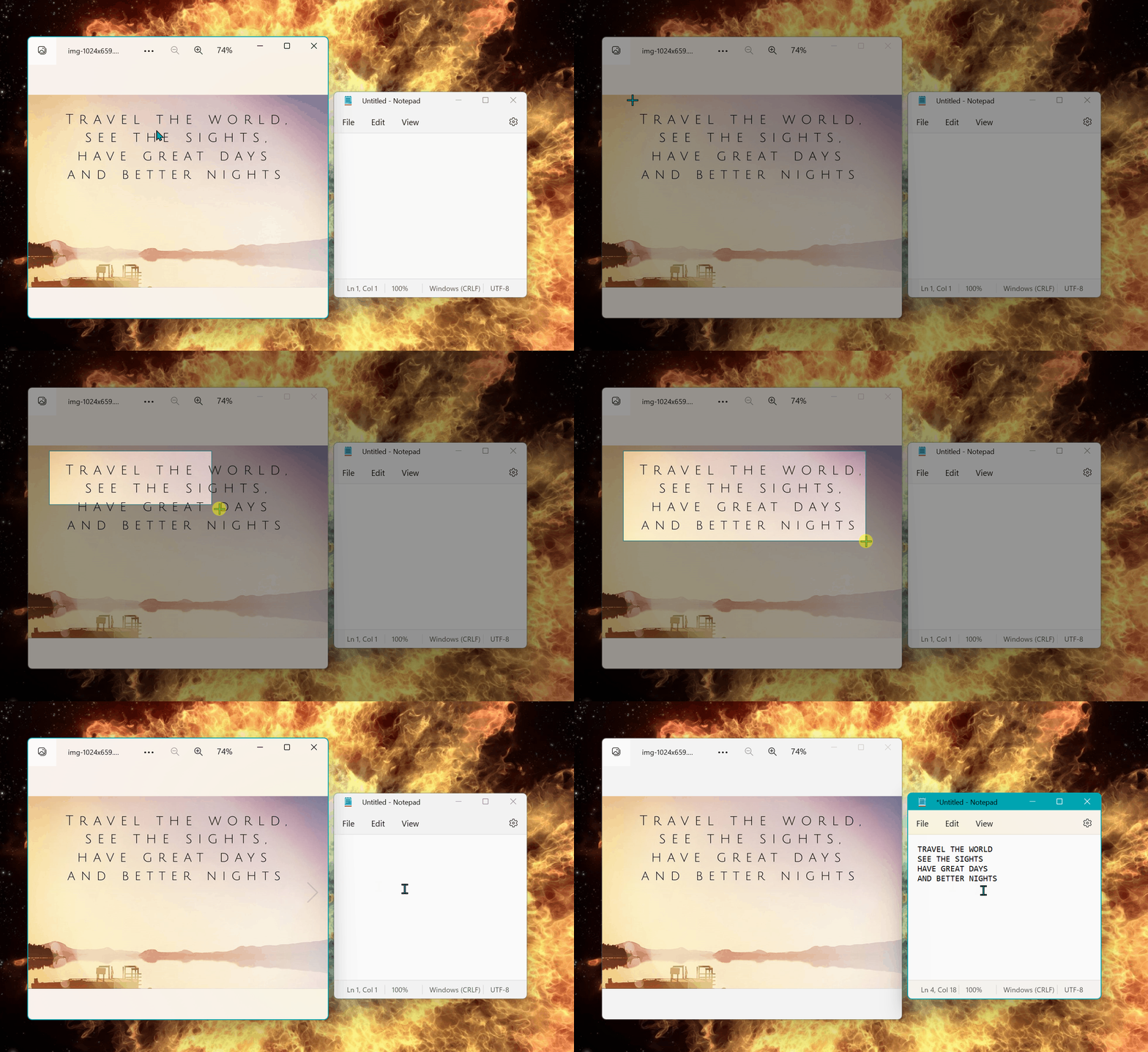
A brief video shows PowerOCR in action. In the future, users will be able to select a rectangular region, click a word, or right-click an image to extract text.
PowerOCR is in its early days, so it will likely be a while before it rolls out to general availability. "As of the first week in July, there is much more that needs to be done to make this PowerToy ready for prime time, but this is the MVP if anyone wanted to pull and build just this tool. Most of the code is copied from my repository Text Grab," notes the summary of the feature's pull request.
In the future, the following should be added to PowerOCR:
- Work on multi-monitor
- Capture cursor to keep within each monitor
- Add Right-click image option
- Add Tests
- Connect to the installer
- Add settings page
At the moment, the tool only works within a region of a selection on a single screen.