Geekom's mini PCs have received some of the highest ratings here at Windows Central and at our sister sites, so I'm always happy to take the opportunity to highlight any available discounts.
Amazon Prime Day has dropped several major deals into my lap this week, with savings ranging from 15% to 33% and prices starting as low as $371. Yes, these are full PCs that only need a monitor, keyboard, and mouse, for only a few hundred dollars.
Whether you're in search of a new PC for home use, a new PC to handle school work, or a new PC to connect to your living room TV for streaming, there's a suitable (and discounted) Geekom mini PC right here.
- See more Geekom Prime Day deals at Amazon US
- See more Geekom Prime Day deals at Amazon UK
- See more Geekom Prime Day deals at Best Buy
- See the best Amazon Prime Day deals as chosen by Windows Central's editors
Update June 25 @ 2:10PM ET: I've added an extra Geekom A5 Pro deal, and I've checked to make sure all other deals are still live. — Cale Hunt
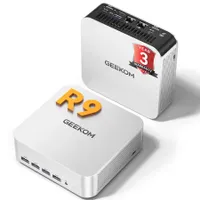
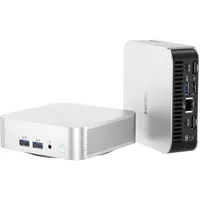
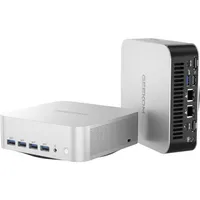
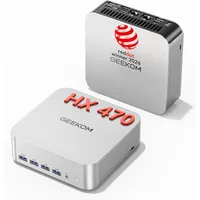
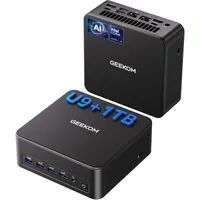
Which discounted Geekom mini PC should I choose on Prime Day?
The answer to which discounted Geekom mini is right for you depends, of course, on your specific needs.
Those who simply need a capable mini PC to handle general tasks like email, web browsing, streaming, Word, Excel, and the like will be able to get away with spending the least money.
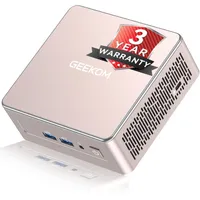
In this case, the Geekom A5 — discounted from $437 to $371 — makes a lot of sense thanks to its AMD Ryzen 5 7430U CPU, 16GB of RAM, and 512GB M.2 SSD. The Geekom A5 Pro or Geekom A6, discounted from $649 to $524, also makes sense if you want a metal chassis, a faster CPU, improved cooling, and USB4 ports.
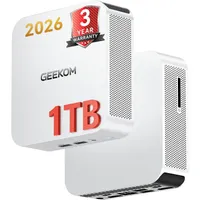
On the other end of the spectrum is the Geekom A9 Max, featuring a cutting-edge AMD Ryzen AI 9 HX 470 CPU, 32GB of DDR5 RAM, and 2TB of M.2 SSD storage. It's comparatively pricey even with a 15% discount, but it's the right choice for gaming and AI workloads.

My personal pick for those shopping during Prime Day is the Geekom A8, sitting near the middle of the pack to balance performance, features, and cost. It's also the mini PC I'd buy a student for use in the dorm room.
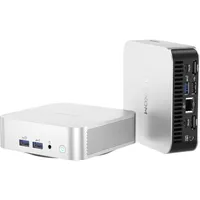
Right now, a model with an AMD Ryzen 7 8745HS CPU, 16GB of DDR5 RAM, and a 1TB M.2 PCIe 4.0 NVMe SSD costs $585 rather than the usual $689. Its memory and storage are both upgradeable after purchase, and the Ryzen chip is rather capable thanks to its 8 cores and 4.9GHz boost clock.
Windows Central's Harish Jonnalagadda reviewed both the Geekom A7 and A8 at the same time, handing them a Best Award and 4.5 stars. He noted,
"Having used the A7 and A8 extensively, the only limitation I can think of is that they have a solitary M.2 slot. There isn't much else that is missing on either model, and they both deliver standout performance in day-to-day productivity tasks as well as demanding image and video editing workflows."
These Geekom deals are expected to run from June 23 until June 26, so don't wait too long if one catches your eye. It's also worth mentioning that deal prices seem to fluctuate depending on stock availability, so early birds might get a better price.
- See more Geekom Prime Day deals at Amazon US
- See more Geekom Prime Day deals at Amazon UK
- See more Geekom Prime Day deals at Best Buy
- See the best Amazon Prime Day deals as chosen by Windows Central's editors

Join us on Reddit at r/WindowsCentral to share your insights and discuss our latest news, reviews, and more.