


HP's OmniBook Ultra 16 is an outstanding laptop with fast storage and better battery life, but its size and weight must be considered. Regardless, at the end of the day, this is the laptop I'd buy if I could save a few hundred dollars.
Pros
- A lot more RAM and storage in the baseline model
- 5.1MP webcam with human presence detection
- A more natural OLED appearance
- Slightly better battery life
- Faster PCIe 5.0 storage
Cons
- About a pound heavier
- Not as many ports
- No ambient light sensor, two-stage backlight, no Haptic Signals
- Display not as bright or high-res

ASUS's ProArt P16 is the more complete RTX Spark laptop, though it does fall behind the OmniBook Ultra 16 in areas like storage and battery life. If pricing is similar, this is the laptop I recommend to most people.
Pros
- Lighter and thinner with superior audio
- Gorgeous OLED display that gets brighter
- Superior port selection and arrangement
- Starts at a lower regular price
- Deeper key travel, three-stage backlight, ambient light sensor
Cons
- Baseline config is lacking compared to HP
- 3K display option is hard to find
- Slower PCIe 4.0 storage
- Battery life not as good
The Windows Central team has now added a new HP OmniBook Ultra 16 with RTX Spark laptop review to the collection, giving me the details I need to put together an in-depth comparison.
HP's laptop is going up against the ASUS ProArt P16, which at first glance is thinner and lighter despite its similar display size. This comparison goes much deeper than surface level, however, and it should help you make the right laptop decision.
ASUS ProArt P16 vs. HP OmniBook Ultra 16: Specifications and price
Before I go into more depth below, here's a quick-reference table of the specs that make up the ASUS ProArt P16 and HP OmniBook Ultra 16 with NVIDIA RTX Spark chips inside.
| Row 0 - Cell 0 | ASUS ProArt P16 |
HP OmniBook Ultra 16 |
CPU |
NVIDIA N1X |
NVIDIA N1X |
GPU |
NVIDIA RTX |
NVIDIA RTX |
RAM |
24GB, 32GB, 48GB, 64GB, 128GB LPDDR5X unified |
32GB, 64GB, 128GB LPDDR5x unified |
Storage |
512GB, 1TB, 2TB M.2 PCIe 4.0 NVMe SSD |
1TB, 2TB M.2 PCIe 4.0 NVMe SSD |
Display |
16 inches, 3840x2400 or 2880x1800, OLED, 16:10 aspect ratio, 120Hz VRR, touch |
16 inches, 2880x1800, OLED, 16:10 aspect ratio, 120Hz VRR, touch |
Wireless |
Wi-Fi 7 |
Wi-Fi 7 |
Camera |
FHD with IR |
5MP with IR |
Audio |
6x speakers (Dolby Atmos) |
4x speakers (DTS Virtual:X) |
Battery |
99.9Wh |
99Wh |
Ports |
3x USB4, 1x USB-A 3.2 (Gen 2), HDMI 2.1, SD card reader, 3.5mm audio |
2x USB4, 2x USB-A 3.2 (10Gbps), HDMI 2.1, 3.5mm audio, microSD card reader |
Dimensions |
13.94 x 9.57 x 0.51-0.63 inches |
14.01 x 10.1 x 0.62 inches (355.8mm x 256.5mm x 15.7mm) |
Weight |
3.9 pounds (1.77kg) |
4.89 pounds (2.22kg) |
Colors |
Nano Black, Neo White |
Eclipse Gray |
The ASUS ProArt P16 starts at $2,799.99. This model has the 18-core CPU, 5120-core GPU, 24GB of RAM, a 512GB M.2 PCIe 4.0 NVMe SSD, and a 4K OLED touchscreen.
HP's OmniBook Ultra 16 starts at $3,199.99. This model has the same 18-core CPU and 5120-core GPU, but it bumps RAM up to 32GB and includes a faster (and roomier) 1TB M.2 PCIe 5.0 NVMe SSD. Its OLED touchscreen tops out at a 2.8K resolution.
HP's laptop has been discounted nearly the entire time it's been on sale, and at the time of writing, it's $500 off the regular price. That brings it down to $2,699.99, or $100 cheaper for twice as much storage and 8GB of extra RAM.
Looking at high-end models, you can outfit an ASUS ProArt P16 with the 20-core/6144-core RTX Spark chip, 128GB of RAM, and 2TB PCIe 4.0 SSD for about $6,999.99.
An HP OmniBook Ultra 16 with the same RTX Spark chip, 128GB of RAM, and 2TB PCIe 5.0 SSD comes out to $6,159.99 before any discounts, ultimately making it the cheaper option for workstation diehards.
Does the OmniBook Ultra 16's extra weight pay off?

HP and ASUS have both been creating some killer laptops lately, and in terms of high-end Windows hardware, both of the new RTX Spark laptops comfortably find a spot.
The biggest difference between the two PCs in terms of design? Weight and size. The OmniBook Ultra 16 has a slightly larger footprint, and it's just a bit thicker. Not a big deal unless you're aiming to buy as compact as possible (which might warrant a look at the ASUS ProArt P14 with RTX Spark).
What really stands out is the weight. The OmniBook Ultra 16 weighs a pound more than the ProArt P16, and when performance is so similar (as you'll see below), I know I'd be more inclined to grab the more mobile PC.
Counterpoint: Windows Central Editor-in-Chief Daniel Rubino reviewed both the HP and ASUS laptops, and he thinks "the OmniBook Ultra 16's overall build quality is a smidge better than the ASUS ProArt P16."
The three-piece CNC-machined aluminum chassis feels exceptionally solid. Eclipse Gray looks fantastic and has a lovely texture that also does an unusually good job resisting fingerprints.
Daniel Rubino, Windows Central Editor-in-Chief
Despite the additional bulk, HP's OmniBook Ultra 16 couldn't prove that it was more thermally efficient. In fact, in our tests, ASUS's laptop actually ran a few degrees cooler under load than the OmniBook.


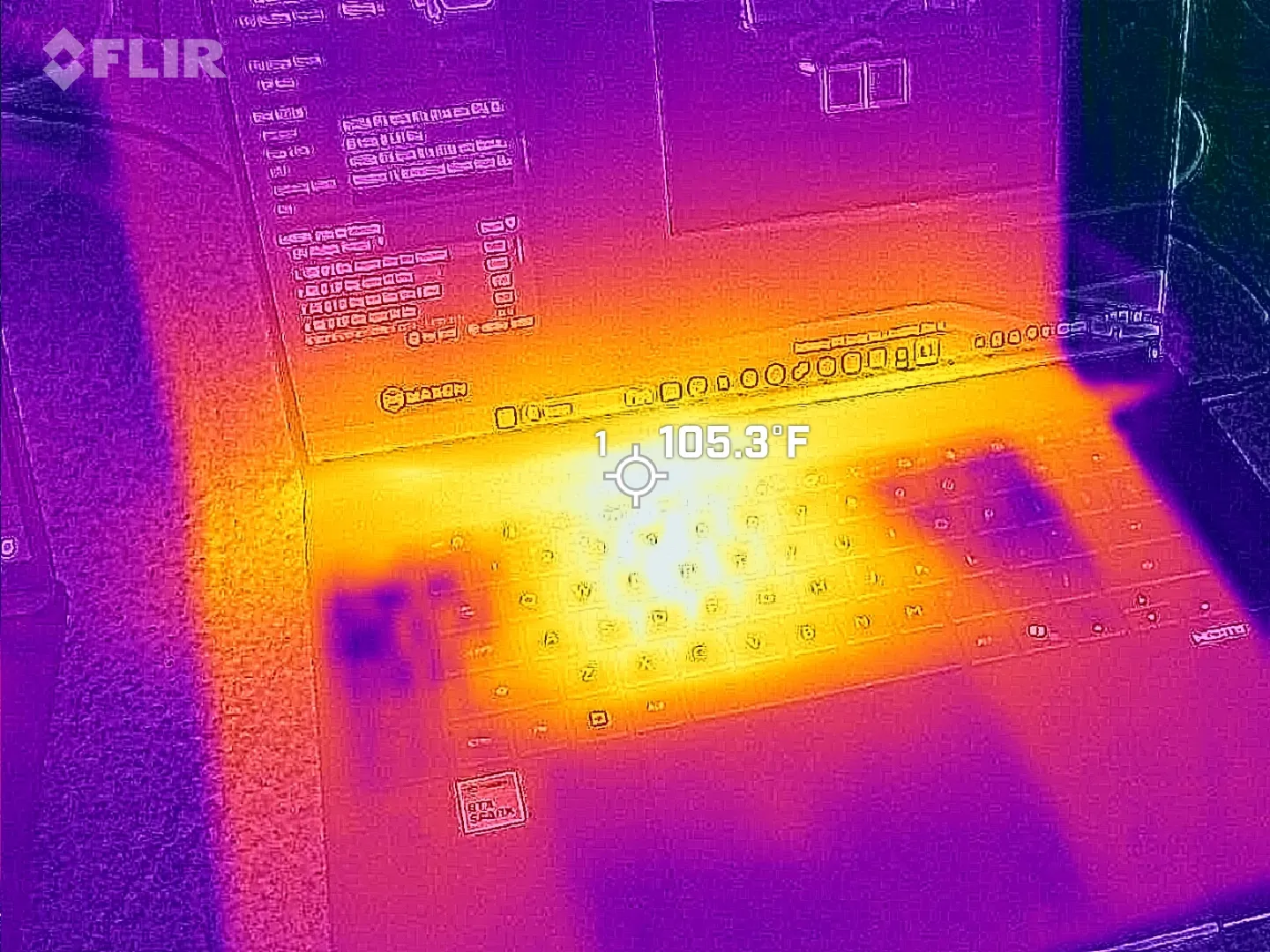

The difference isn't one you'd notice in day-to-day life, especially because the fans generally remain below 50dB.
Which laptop has more ports?

The ProArt P16 comes with three USB4 ports, an SD card reader, HDMI 2.1, dual USB-A 3.2 (10Gbps), and a 3.5mm audio jack.
ASUS configures the laptop to have two USB4 ports on the left side and one on the right, giving you some additional flexibility with charging and accessories.
The OmniBook Ultra 16 has just two USB4 ports, and both are on the left side. HP also drops the full-size SD card reader down to microSD. It otherwise has similar dual USB-A (10Gbps) ports, HDMI 2.1, and a 3.5mm audio jack.
I'm in favor of the way ASUS laid out its ports, and the additional USB4 hookup for charging or data is always nice to have.
Which keyboard and touchpad do we like best?

The ProArt P16 arrives with a chiclet-style keyboard with deep 1.7mm key travel, three-stage backlighting, and an ambient sensor for automatic adjustments. Below, a massive haptic touchpad makes good use of space and is compatible with Windows 11 Haptic Signals.
HP's OmniBook Ultra 16 arrives with a lattice-free setup, with minimal gaps between keys. As Rubino put it in his review, "It looks great, feels precise, and is genuinely fun to type on."
It only sports a two-stage backlight, unfortunately, and there's no ambient light sensor like on the ProArt P16. HP's haptic touchpad also doesn't support Windows 11 Haptic Signals, which means you won't feel Windows 11's nifty haptic system.
Audio and cameras
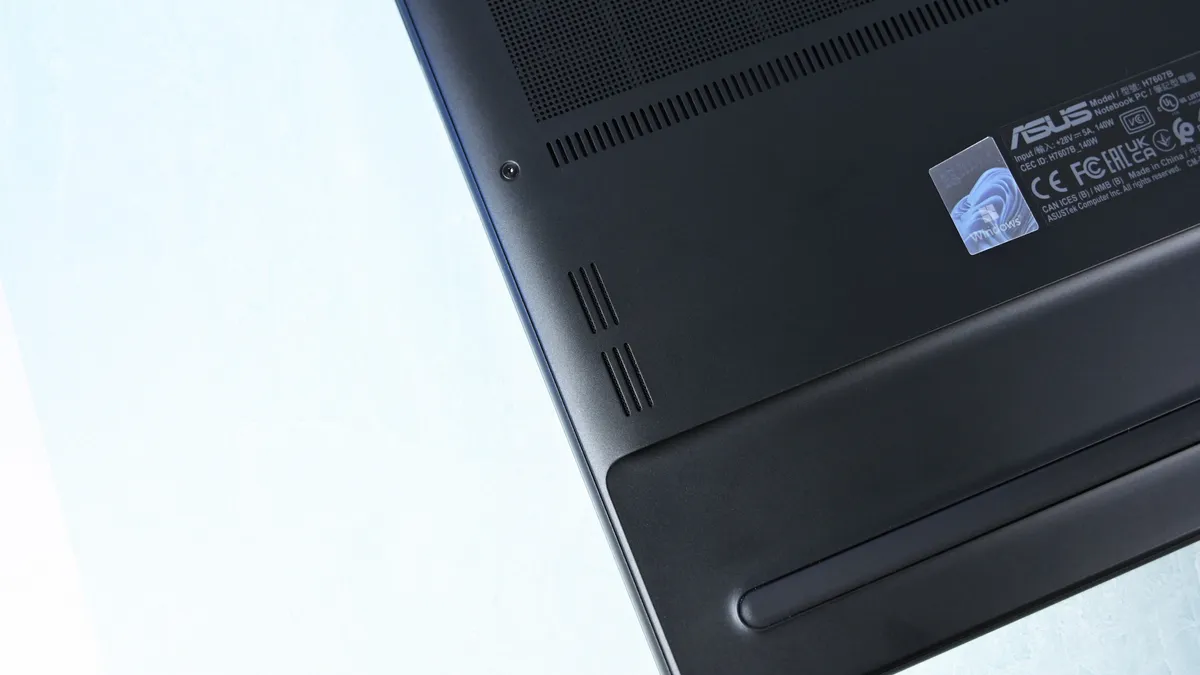
ASUS's ProArt P16 has a six-speaker setup, including two tweeters and four woofers. They're split between down-firing cutouts on the bottom of the PC and top-firing cutouts flanking the keyboard.
Audio is some of the best we've ever heard from a Windows laptop, and Dolby Atmos compatibility takes tuning one step further.
The OmniBook Ultra 16 comes with four speakers, again split between top- and bottom-firing designs. Rubino called HP's audio "roughly comparable to ASUS," and says that DTS:X tuning is a decent alternative to Dolby Atmos.

As for the cameras, the conclusion is that neither is very remarkable. ASUS immediately falls behind with a 2.1MP sensor compared to HP's 5MP camera, meaning less resolution in general use.
Both laptops have human presence detection to boost privacy and efficiency.
Is a 4K display upgrade really worth it?

ASUS offers two 16-inch OLED display options (3K and 4K), although it seems like the higher-res version is the one that's most often for sale. That's where I'll focus.
The 4K panel hits about 1600 nits of peak HDR brightness, falling back to 700 nits for SDR. It has a 16:10 aspect ratio, 0.2ms response time, 120Hz variable refresh rate, 100% DCI-P3 color, touch, and stylus support for inking.
HP's lone 16-inch OLED screen has a lower 2880x1800 resolution, though it hits the same 120Hz refresh rate and includes touch. It hits 500 nits SDR and up to 1,100 nits in HDR content, also with 100% DCI-P3 color.
In reviewer Daniel Rubino's opinion, "HP's [display] looks slightly more natural" compared to ASUS's display, while "colors appear clean and balanced without becoming excessively saturated."
HP's laptop skips auto-brightness and adaptive color, two features in the ASUS PC that can keep your screen looking as good as possible no matter the ambient conditions.
NVIDIA's RTX Spark platform doesn't differ much

The thing about this first generation of RTX Spark PCs is that performance really doesn't differ much as long as you have the same tier of chip, whether that's the 18-core or 20-core CPU.
We've tested a bunch of these laptops from different brands, and I don't recommend buying one or the other based on small benchmark differences. You'll get the same tier of performance no matter what.
The one exception is storage. All of HP's laptops come with faster PCIe 5.0 drives, whereas the ProArt P16 sticks with slower PCIe 4.0 hardware. This difference is significant, as you can see in the charts below.


Battery life is also quite similar across the HP and ASUS laptops. Windows Battery Report showed the OmniBook Ultra 16 as hitting roughly 11 hours and 18 minutes of real-world usage, like web browsing, email, messaging, writing, etc.
The ASUS ProArt P16 hit 9 hours and 58 minutes in the same report. It does seem like HP's laptop can last a bit longer, but it really depends on your habits.
Where ASUS has HP beat is with standby efficiency. The ProArt P16 "resumes almost instantly and loses very little battery while sleeping," according to Rubino, whereas HP's laptop takes a bit longer to wake up.
ASUS ProArt P16 vs. HP OmniBook Ultra 16: Which RTX Spark laptop should you buy?

The ASUS ProArt P16 received a higher 4.5-star score in our review compared to the OmniBook Ultra 16's four stars. Does that mean everyone should opt for the ASUS and call it a day? Absolutely not.
I'd say that HP's OmniBook Ultra 16 is the better value overall once you get past the introductory pricing (which ASUS keeps down with less/slower hardware).
HP also offers a great webcam, a more natural OLED appearance, and what seems like longer runtimes for general use. These are all good reasons to buy the HP laptop.
But ASUS brings a better selection of ports, a brighter display, deeper key travel, and, most importantly, a lighter and more compact design. It weighs about a pound less than the OmniBook Ultra, making it much easier to carry around. Best part? It doesn't harm performance.
The bottom line? ASUS has the more complete package, but HP's OmniBook Ultra 16 isn't far behind. And considering HP's laptop has been on sale practically since it launched, saving several hundred dollars should easily make up the difference.
HP's OmniBook Ultra 16 is an outstanding laptop with fast storage and better battery life, but its size and weight must be considered. Regardless, at the end of the day, this is the laptop I'd buy if I could save a few hundred dollars.
ASUS's ProArt P16 is the more complete RTX Spark laptop, though it does fall behind the OmniBook Ultra 16 in areas like storage and battery life. If pricing is similar, this is the laptop I recommend to most people.

Join us on Reddit at r/WindowsCentral to share your insights and discuss our latest news, reviews, and more.

