Windows Central Verdict
The ASUS ProArt P16 combines NVIDIA's powerful RTX Spark platform with up to 128GB of unified memory, outstanding OLED displays, superb thermals, and a remarkably thin 3.9-pound chassis. It's an extraordinary Windows workstation, but most people shouldn't buy one.
Reasons to buy
- +
Remarkably thin and light for its performance
- +
Up to 128GB unified memory with RTX graphics
- +
Excellent 3K and 4K OLED displays
- +
Superb keyboard and haptic touchpad
- +
Outstanding thermals and speakers
- +
Fantastic port selection
- +
Secondary PCIe 5.0 SSD slot
Reasons to avoid
- -
Expensive
- -
SSD performance trails competitors
- -
Battery life falls short of Snapdragon X2 and Apple M5
- -
128GB configuration forces you into the unnecessary 4K display
Why you can trust Windows Central Our expert reviewers spend hours testing and comparing products and services so you can choose the best for you. Find out more about how we test.
The ASUS ProArt P16 with RTX Spark is one of the best Windows laptops I've ever used. It's also one of the easiest to recommend to the wrong person.
That distinction matters when laptops start at $2,799.99 and go up to nearly $7,000, but I have a good reason for this caveat.
ASUS has designed this new ProArt P16 (H7607) primarily for people who create more than they consume: developers, engineers, AI enthusiasts, 3D artists, video editors, and professionals experimenting with increasingly sophisticated local AI and agentic workflows.
Indeed, NVIDIA's RTX Spark N1X combines a 20-core Grace CPU, 6,144-core Blackwell RTX GPU, native CUDA support, and up to 128GB of unified LPDDR5X memory. ASUS says the latter configuration can even run LLMs with up to 120 billion parameters.
If CUDA, local inference, LLMs, agentic workflows, GPU memory, or ComfyUI mean absolutely nothing to you, there are better laptops for your money.
If those terms interest you, even if you're just starting to learn about them, things get much more interesting, and you'll want to read on.

I've been part of Windows Central since 2007, having reviewed and covered many keyboards, gaming accessories, laptops, and PCs from all sorts of companies from the perspective of a Windows enthusiast and unabashed PC lover. I also run this site and have seen a lot in nearly 20 years here!
ASUS and NVIDIA had no input, nor did it see the contents of this review, prior to publication.
ASUS ProArt P16: Price and specifications
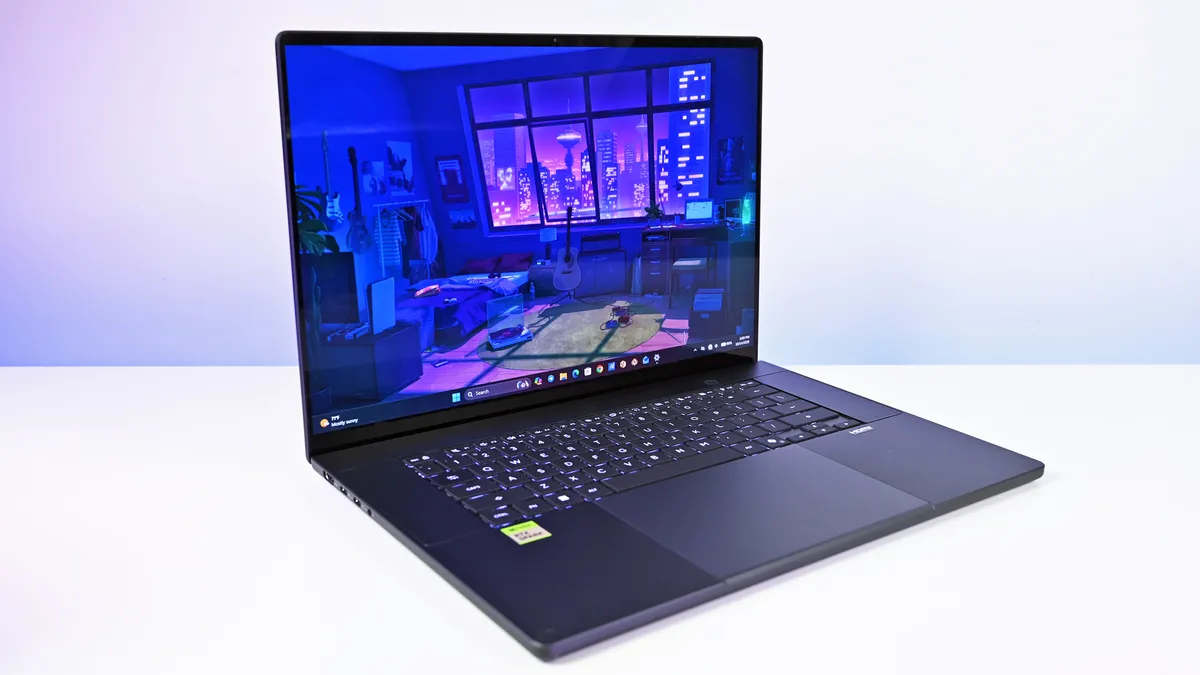
I focused on two configurations for this review. My 3K Nano Black unit packs 64GB RAM and a 1TB SSD for $4,399.99, while the top model jumps to 128GB RAM, 2TB storage, and a 4K OLED for $6,999.99.
ASUS also offers Nano Black and Neo White, although configuration choices are strangely interdependent. Changing color can alter the display and Windows edition, so pay attention when ordering. ASUS currently lists Windows 11 Home and Pro, 3K and 4K OLED options, and memory capacities reaching 128GB.
Interestingly, Best Buy offers a model with 4K OLED, 32GB of RAM, and 1TB of storage in that Nano Black ($3,399). While it's not cheap, it is still one of the more affordable models, and I think it's one of the more intriguing configurations for the general creator category.
But you can go even lower, as Best Buy's $2,799 model still has that 4K OLED, but 512GB of storage (you can add more later) and 24GB of RAM (obviously, RAM is the cost multiplier here in late 2026).
And don't confuse this H7607 model with the existing (and slightly older) AMD-powered ProArt P16 H7606. RTX Spark makes the H7607 a fundamentally different computer.
ASUS ProArt P16: Design and hardware
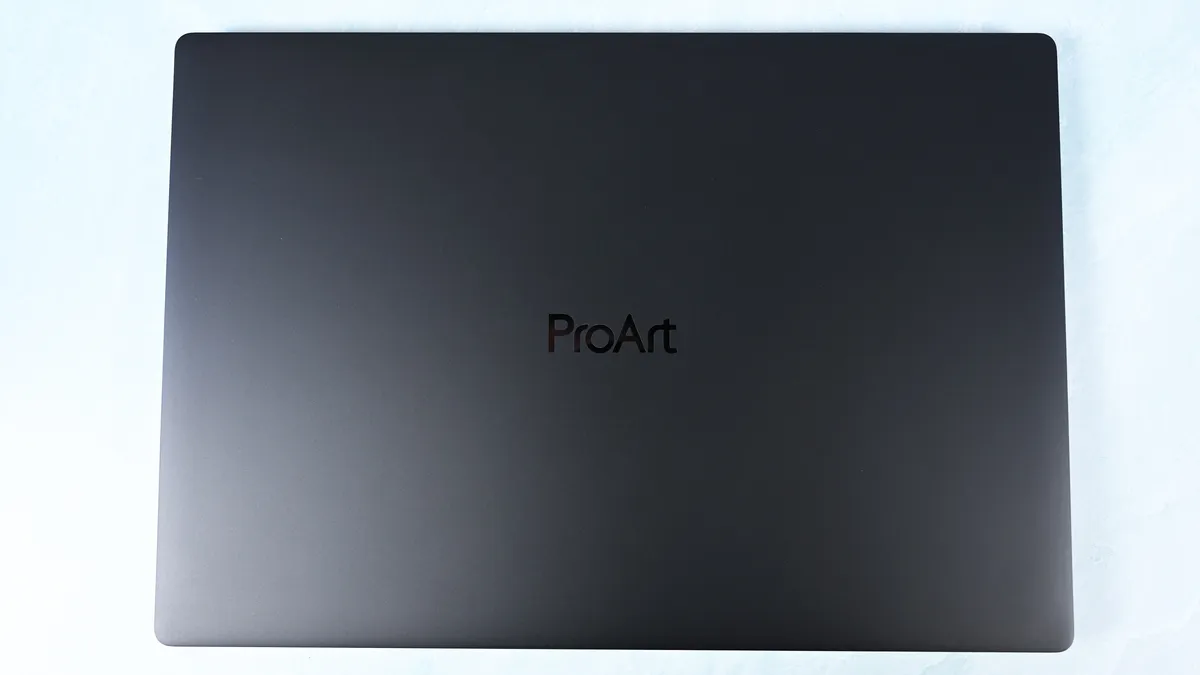
This may be ASUS's greatest achievement with the ProArt P16.
At just 3.9 pounds, it's remarkably light for a 16-inch workstation, undercutting the 4.5-pound Surface Laptop Ultra, 4.7-pound 16-inch MacBook Pro, and especially HP's surprisingly hefty 4.9-pound OmniBook Ultra 16 RTX Spark.
You absolutely feel the difference.
The ProArt measures just 0.51 to 0.63 inches thick, yet ASUS still squeezes in an enormous 99.9Wh battery.
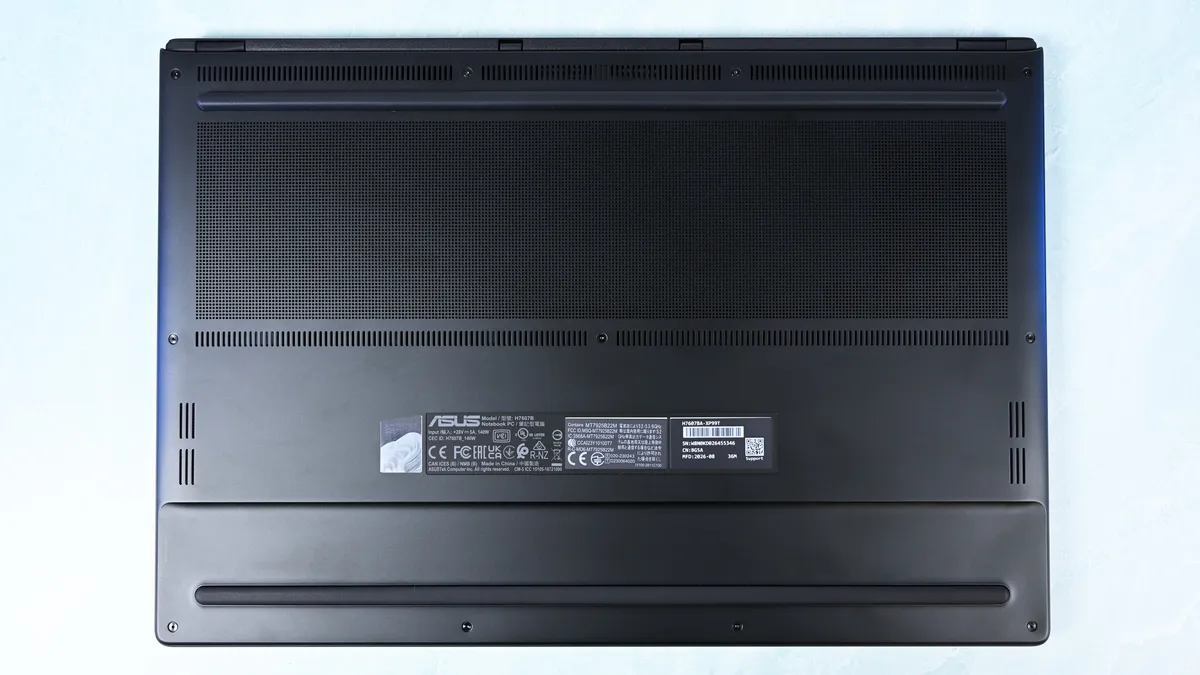
Build quality is excellent. I'd give Microsoft and HP a very slight advantage for pure premium feel, but ASUS wins enough other categories that I hardly care. For instance, Nano Black's fingerprint-resistant coating also works surprisingly well. As someone who despises smudgy black laptops, I appreciate details like this.
Thermals are even more impressive. Under sustained heavy workloads, my thermal camera recorded around 105°F across the keyboard deck and approximately 120°F near the rear exhaust. That's a few degrees cooler than both the Surface Laptop Ultra and HP OmniBook Ultra 16 RTX Spark in my testing. Fan noise never exceeded 50dB under extreme workloads.
For something this thin, that's outstanding, since I expected sacrifices in both areas, not the opposite.
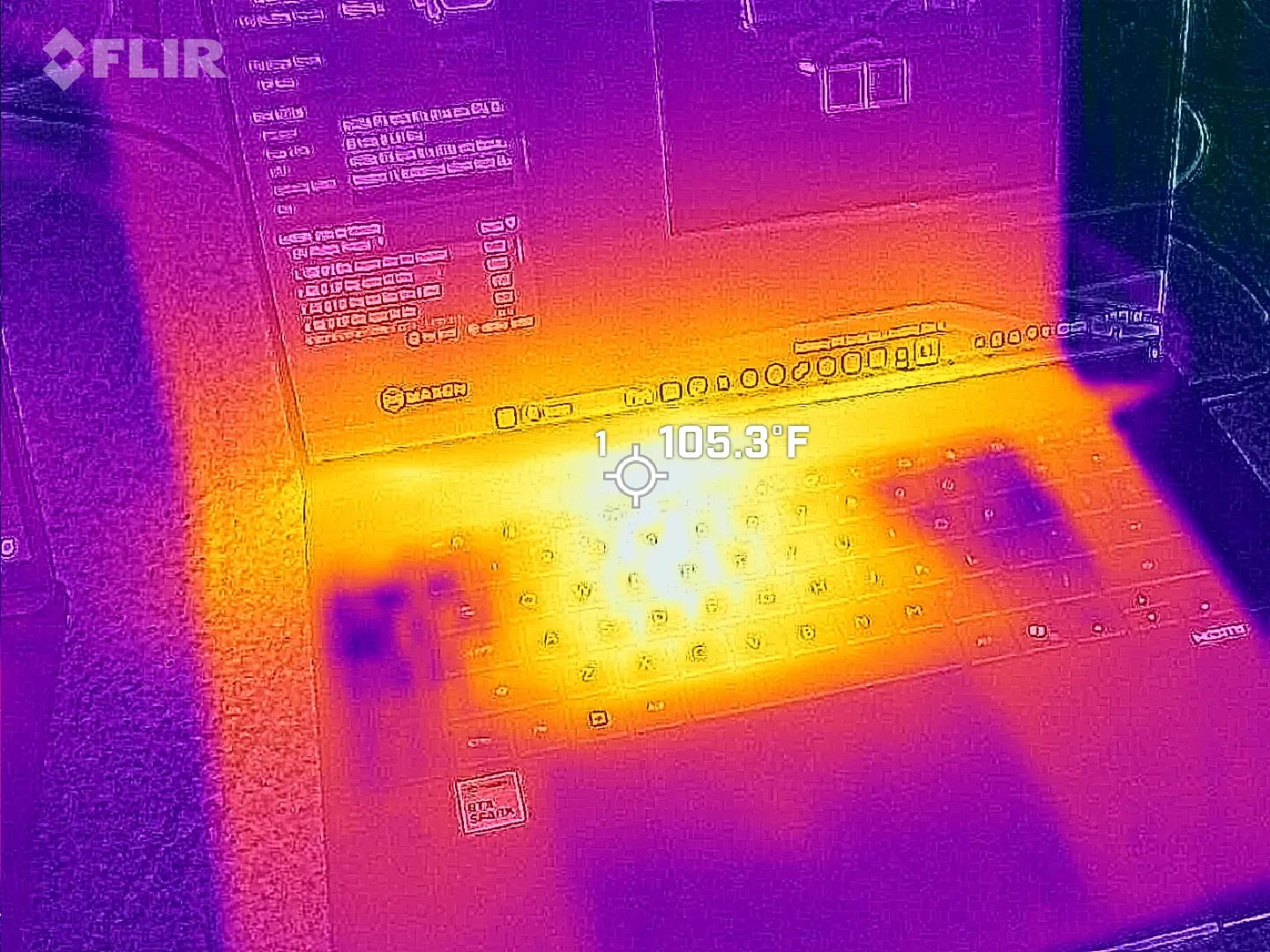
Image credit: Daniel Rubino
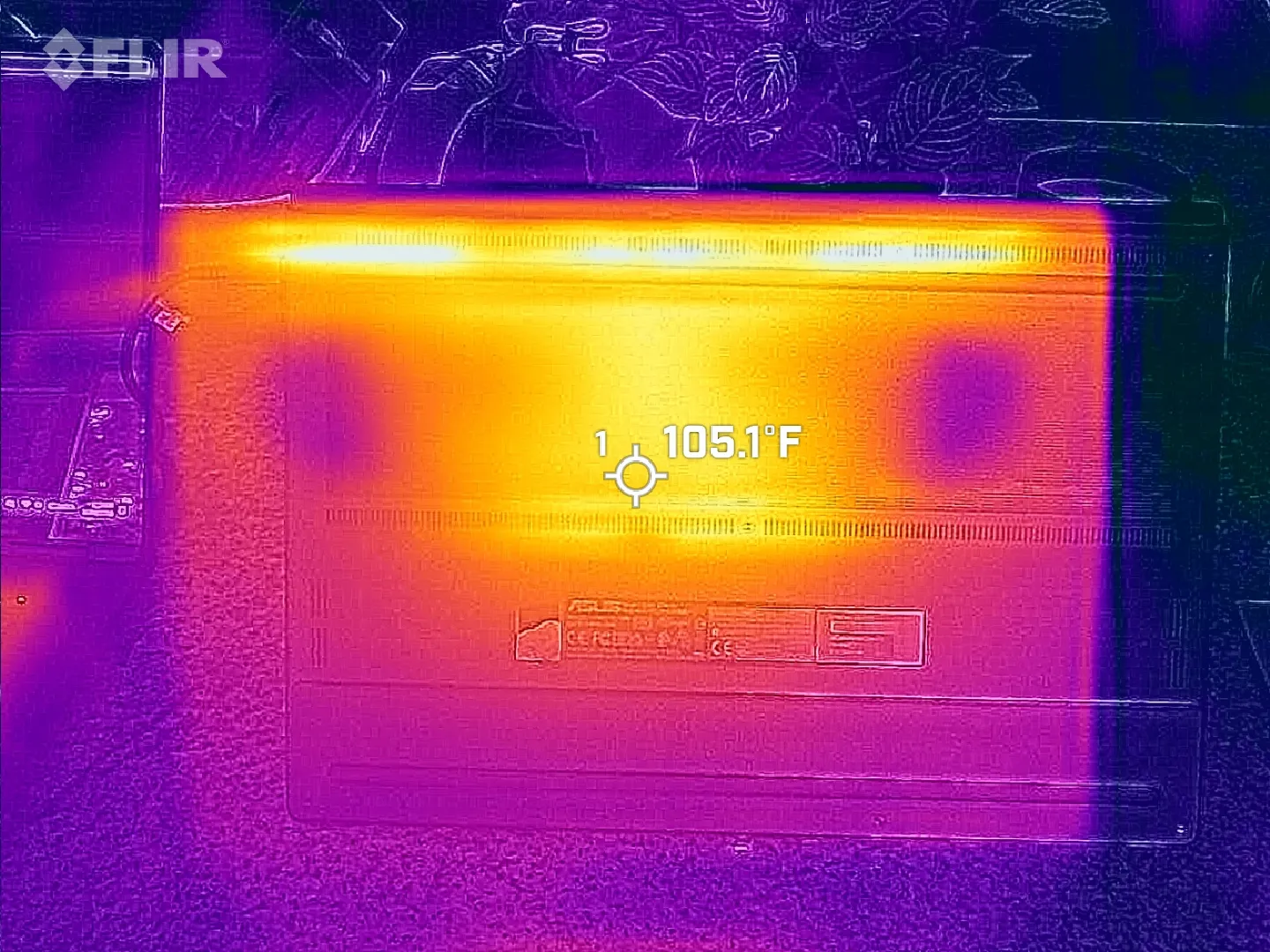
Image credit: Daniel Rubino
Connectivity is arguably best-in-class for RTX Spark laptops. It has three USB4 Type-C ports, with two on the left and one on the right, so I can charge from either direction, plus USB-A, HDMI 2.1b, a headphone jack, and a full-size SD card reader. To me, this is the right port configuration for this demographic on an RTX Spark laptop. I wish more companies would split Type-C ports on either side for easier charging, but some still don't.
All these small conveniences add up.
ASUS ProArt P16: Display, keyboard, touchpad, and audio
Both displays are gorgeous 16-inch OLED touchscreens with 100% DCI-P3 coverage, HDR support, and variable refresh rate from 30 to 120Hz. The 3K panel runs at 2880 x 1800 and peaks at 1,100 nits for HDR, while the 4K increases resolution to 3840 x 2400, hits 1,600 nits HDR, and gains ASUS's excellent anti-reflection treatment.
Here's my controversial advice: I'd get the 3K display.
Placing both laptops together, I routinely guessed incorrectly when trying to identify them by resolution alone. Pixel peeping exposes the difference, but at normal viewing distances, 3K is plenty for 16 inches.
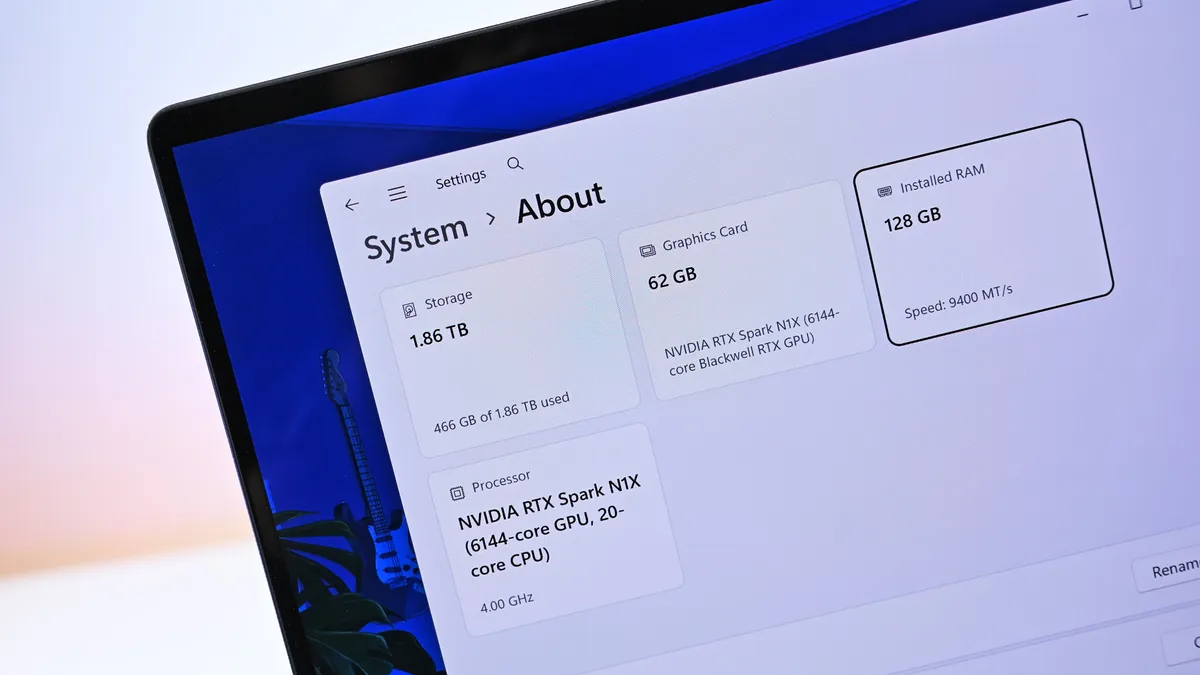
Unfortunately, ASUS forces the 4K configuration if you want 128GB RAM (unless you go through Best Buy, which has a 32GB model). I wish there were a 3K anti-reflective, 128GB option. That said, as someone who is a stickler for glossy displays, the 3K one is pretty good for glare, considering how much it bothers me.
I've also encountered extremely subtle flickering on my 4K unit. ASUS tells me a fix is coming, but I could also have a bum unit, so I have to have a chat with them about it.
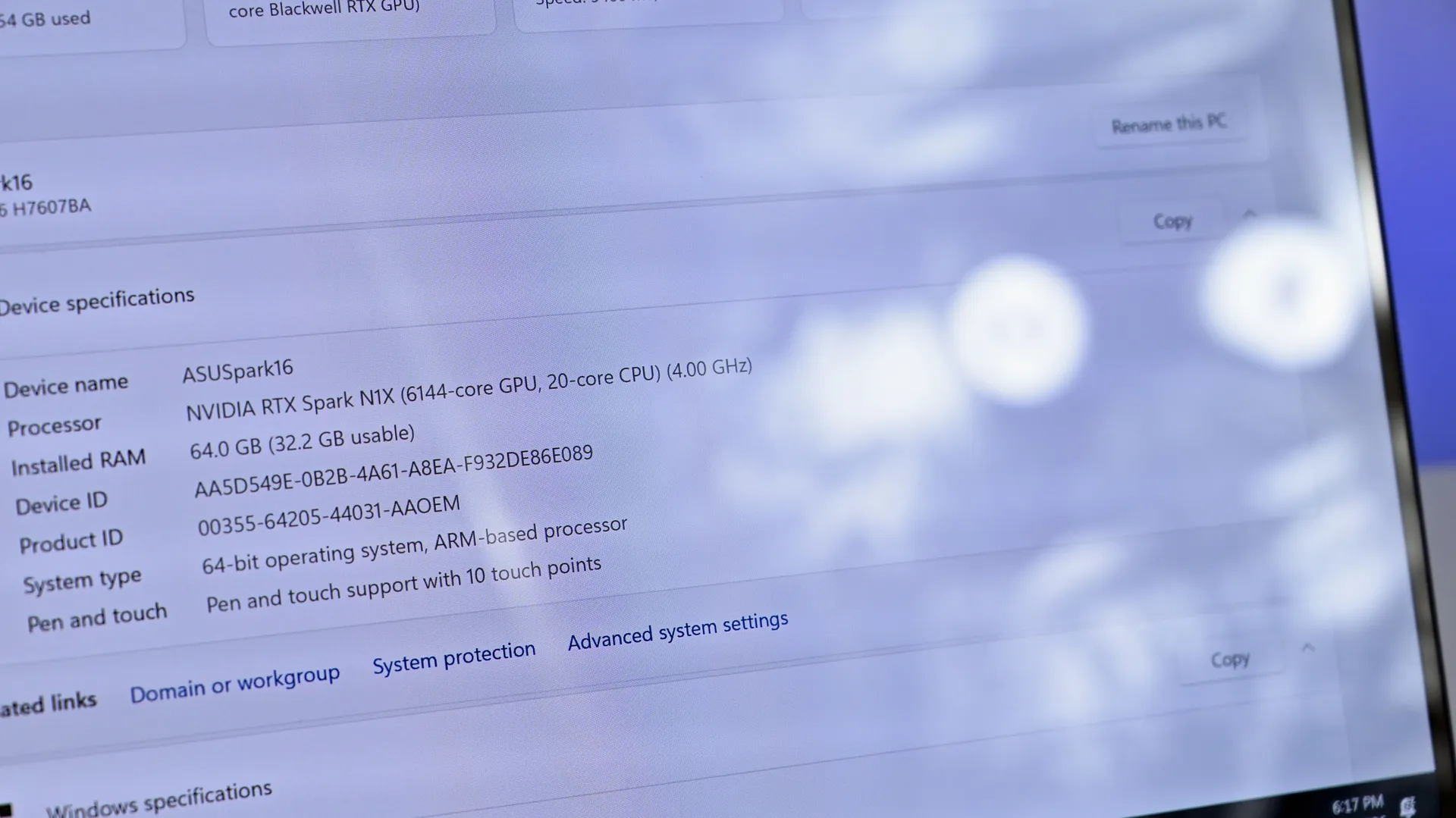
Image credit: Daniel Rubino
ProArt P16: 3K glossy
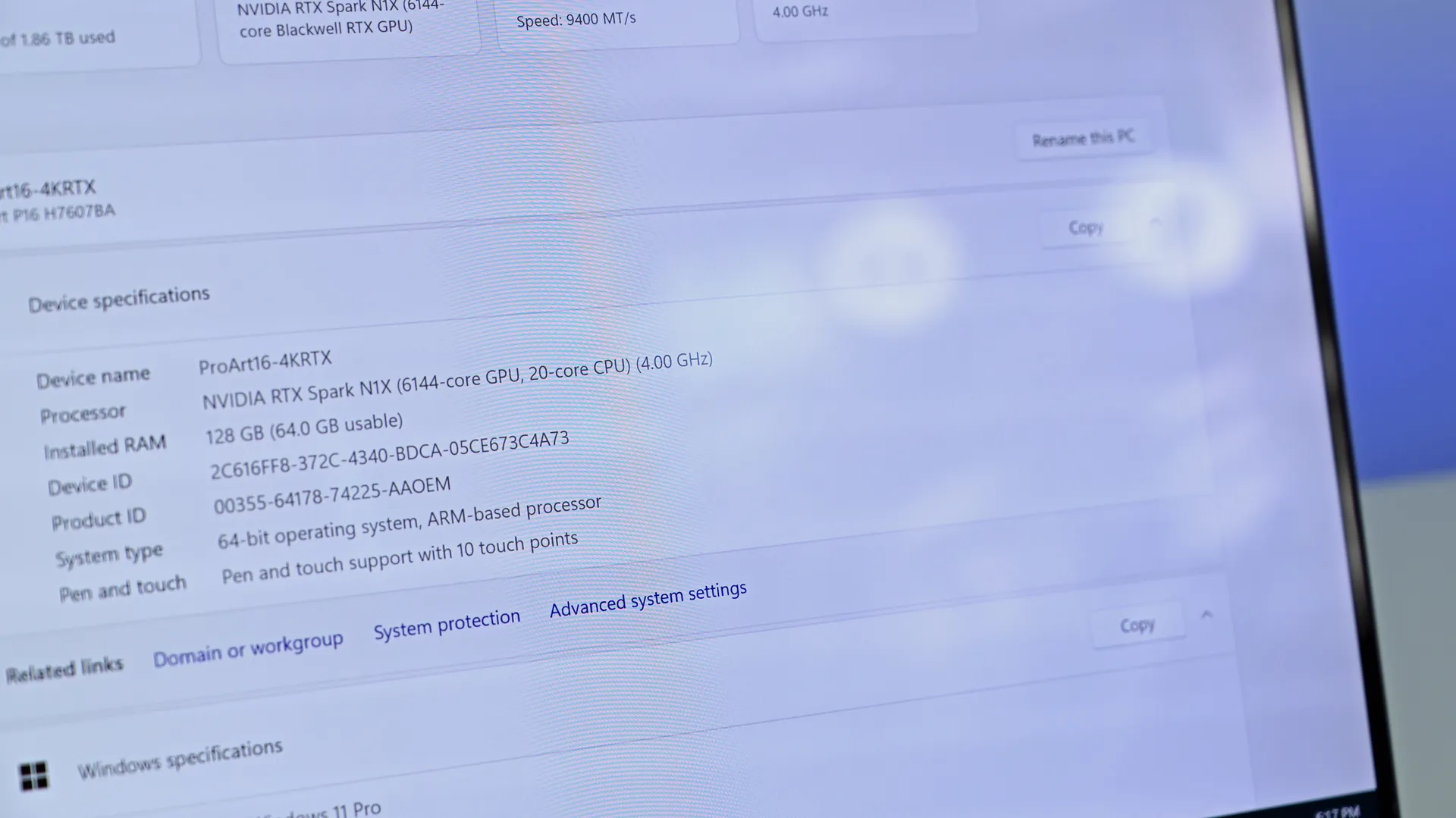
Image credit: Daniel Rubino
PortArt P16: 4K anti-reflective
ASUS deserves enormous credit for its display controls, though. MyASUS (its main control and configuration app) provides profiles, color gamut controls, OLED flicker-free dimming, pixel refresh, burn-in mitigation, and other OLED Care options. You can even directly adjust memory allocation to the integrated GPU, which is particularly relevant on a unified-memory machine.
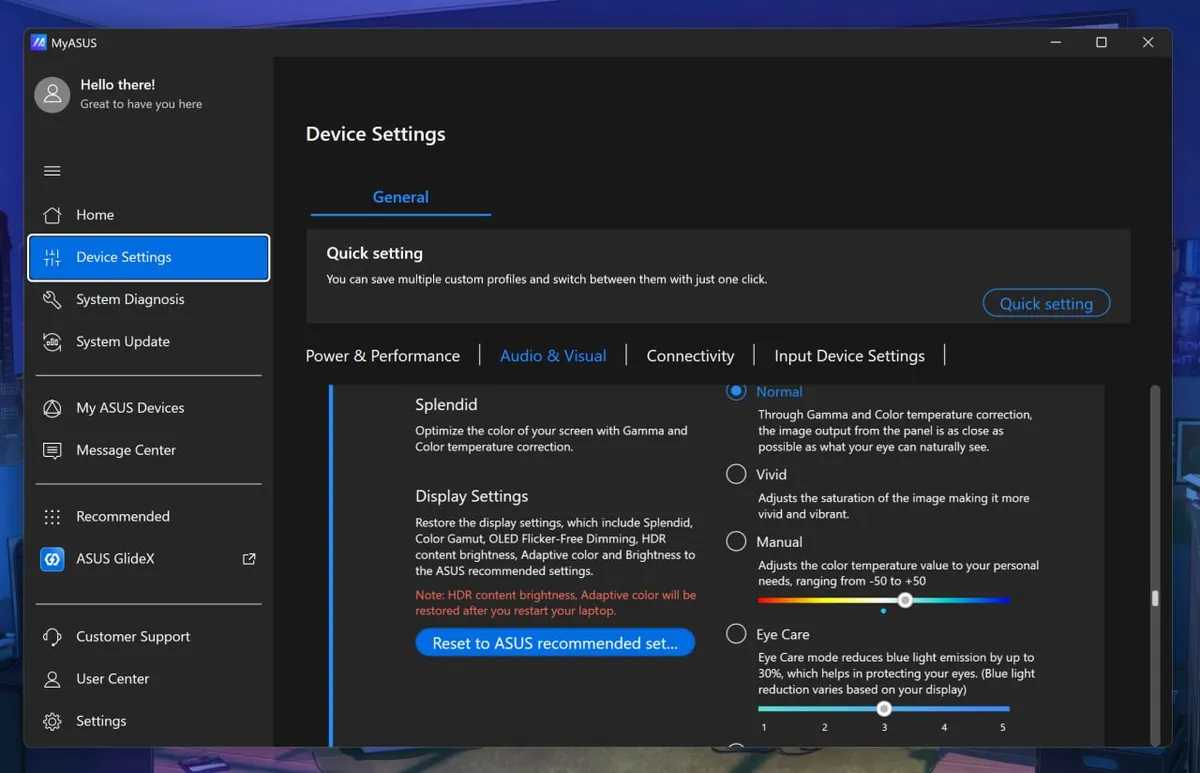
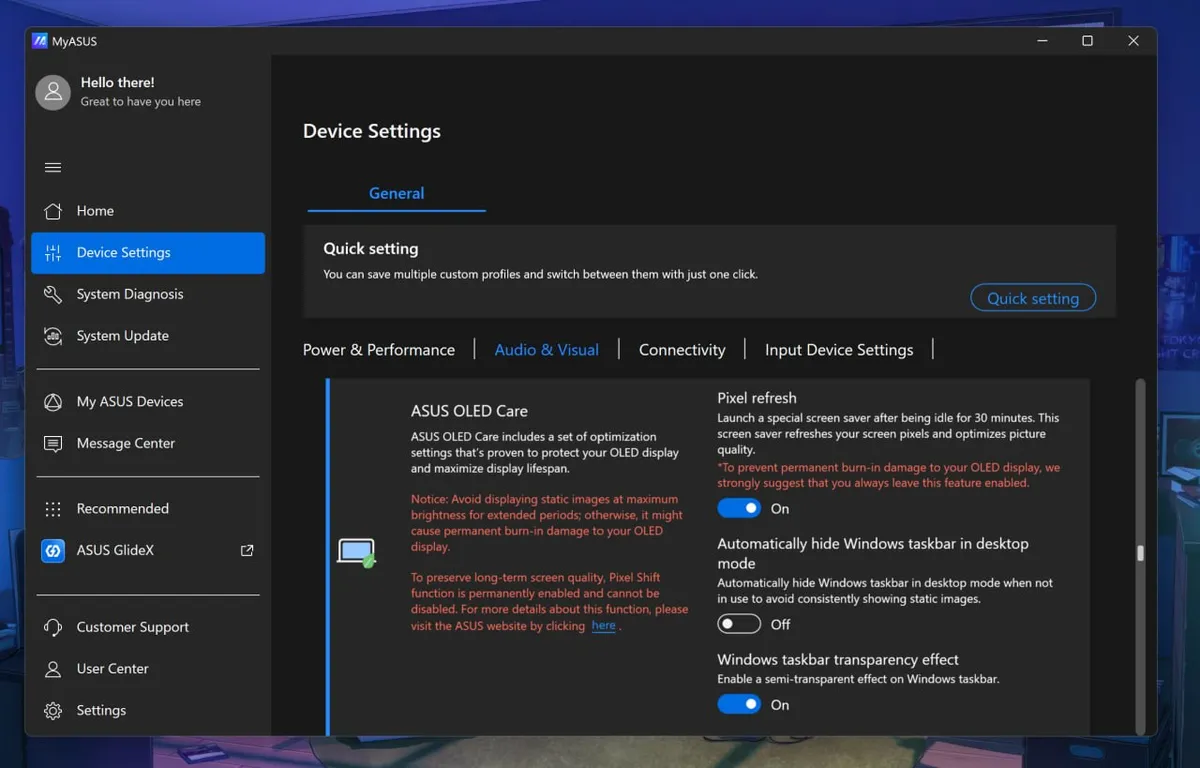
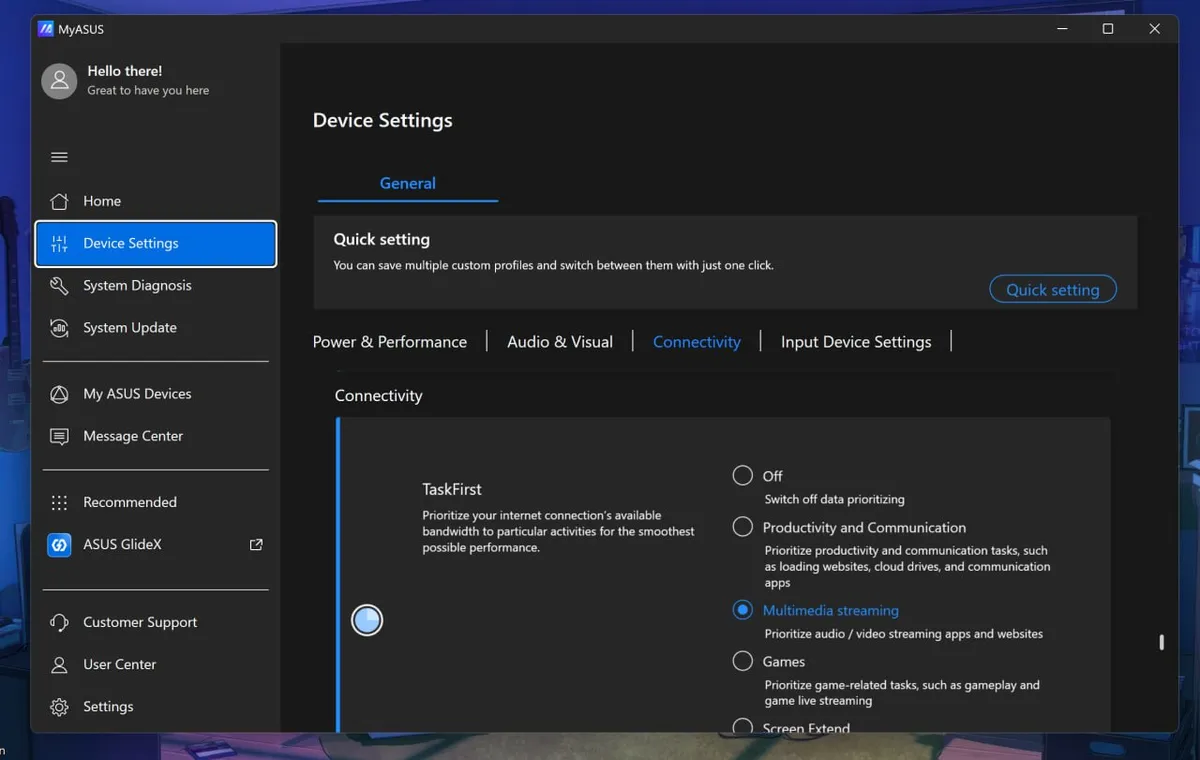
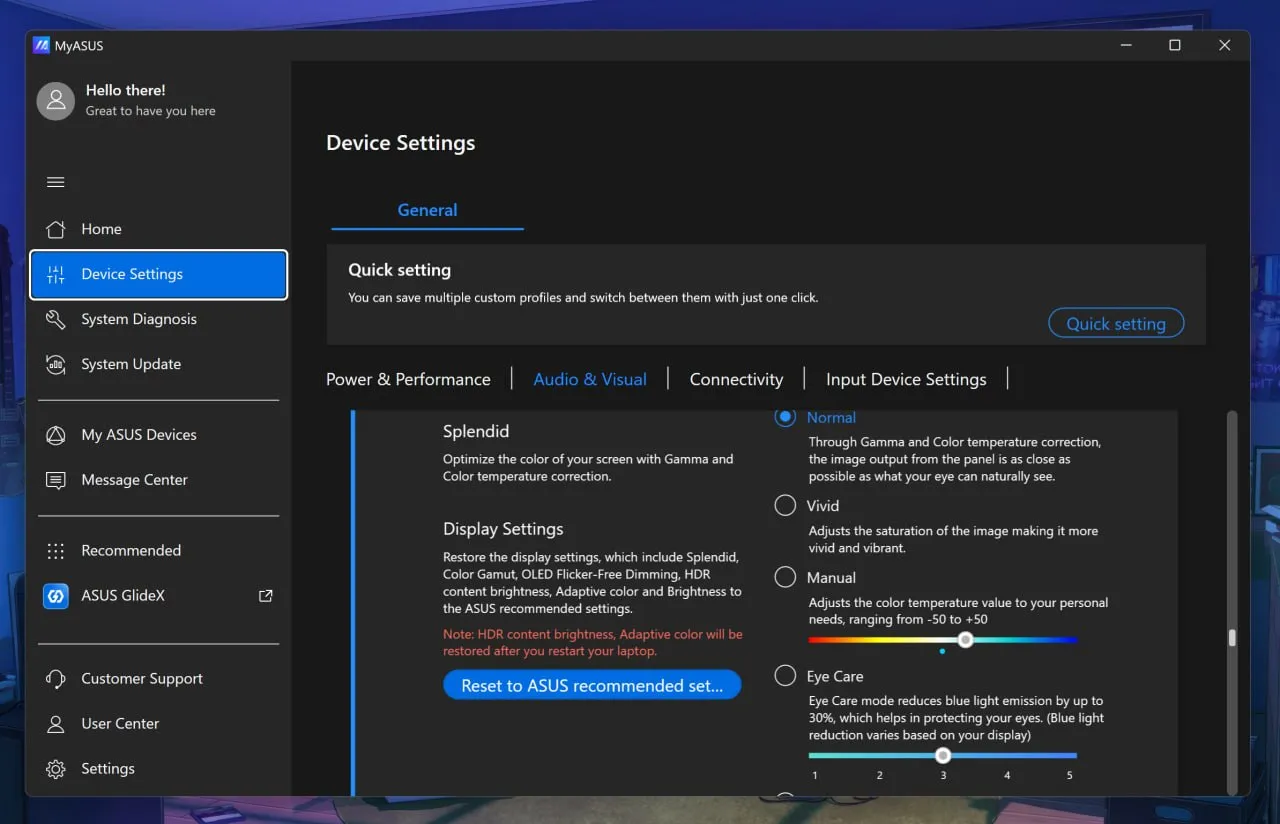
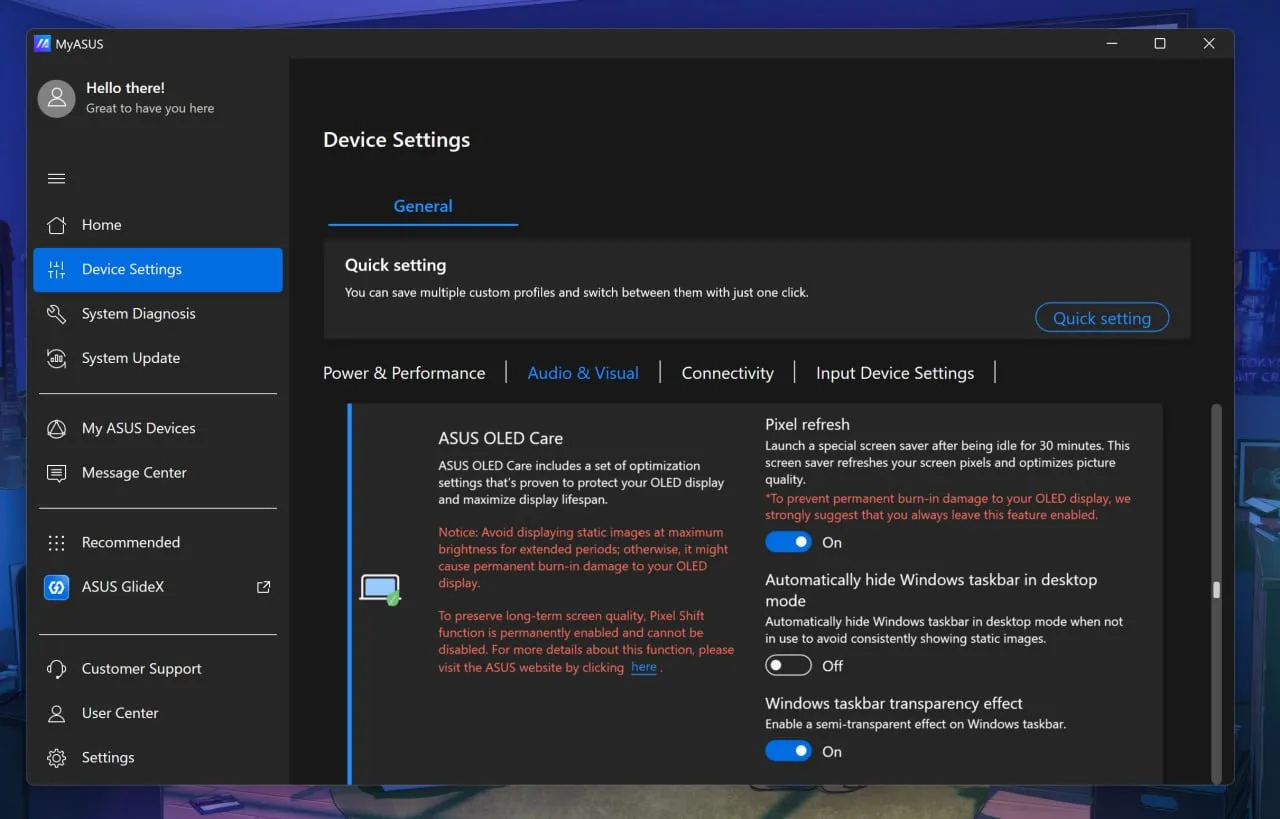
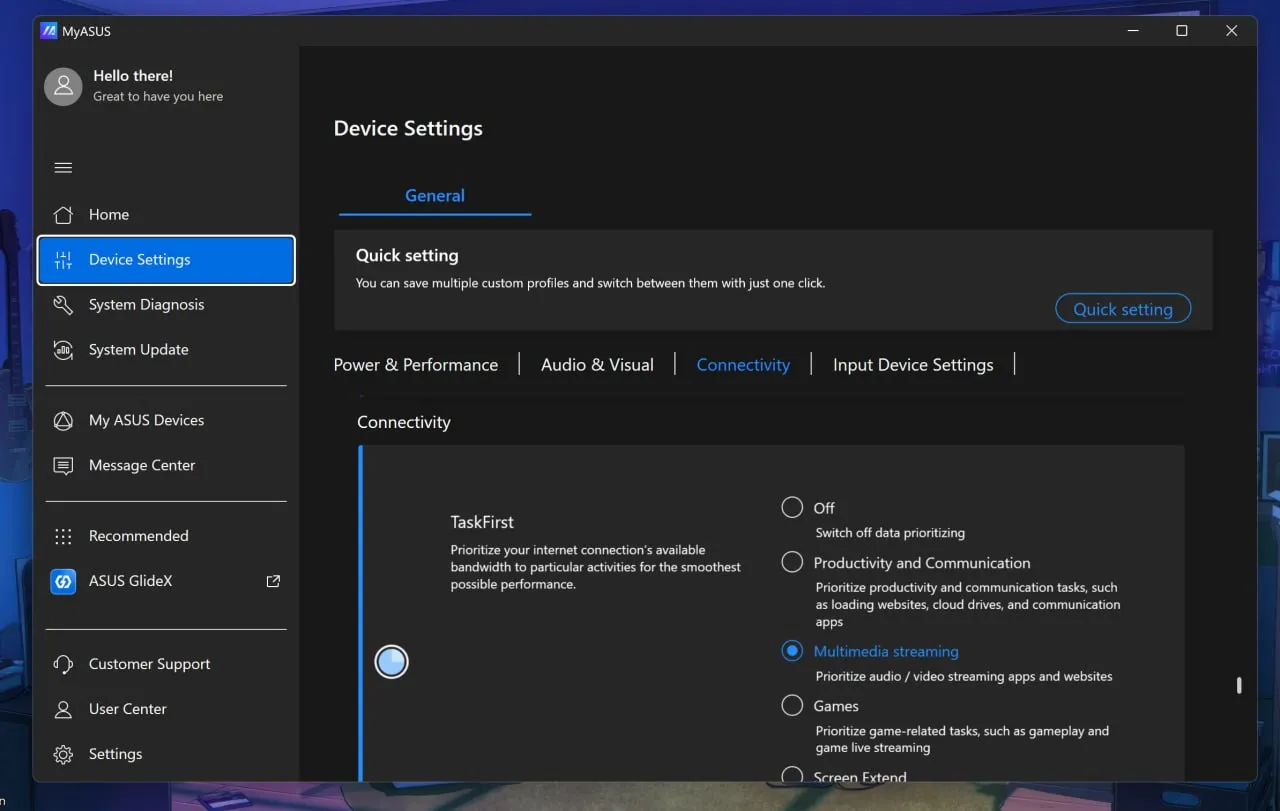
Overall, I think ASUS has the best out-of-the-box software, at least compared to HP and Microsoft, with the most configuration options for audio, connectivity, display, gestures, and more, not to mention direct driver updates from ASUS, warranty info, etc. I rarely praise OEM apps, but this is the way to do it.
This is also the part where I lament some pre-installed junkware, except I didn't find any on either laptop. These are relatively clean installs (except for whatever you dislike about Microsoft's inbox apps).

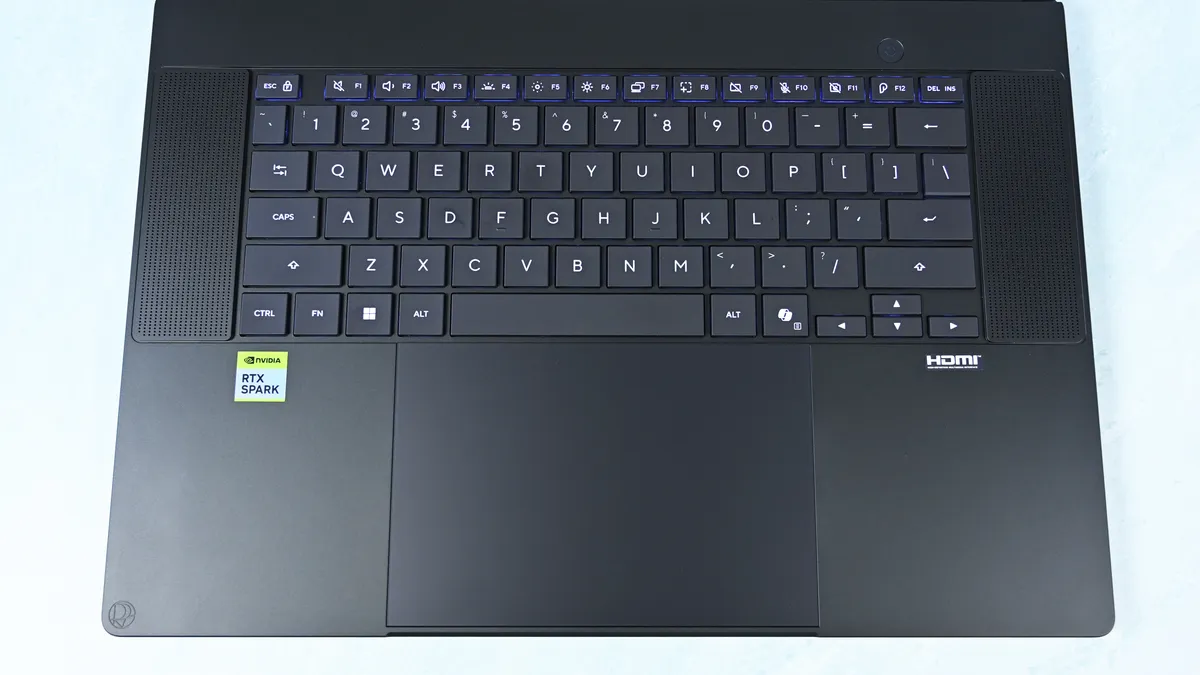
The keyboard is similarly excellent, with springy keys, 1.7mm travel, and a three-stage backlight with automatic sensing.
The enormous haptic touchpad might be even better. Haptic feedback feels superb; it supports Windows Haptic Signals, and ASUS adds gestures for brightness, volume, playback, and ScreenXpert. Those gestures are quirky, but also completely optional.
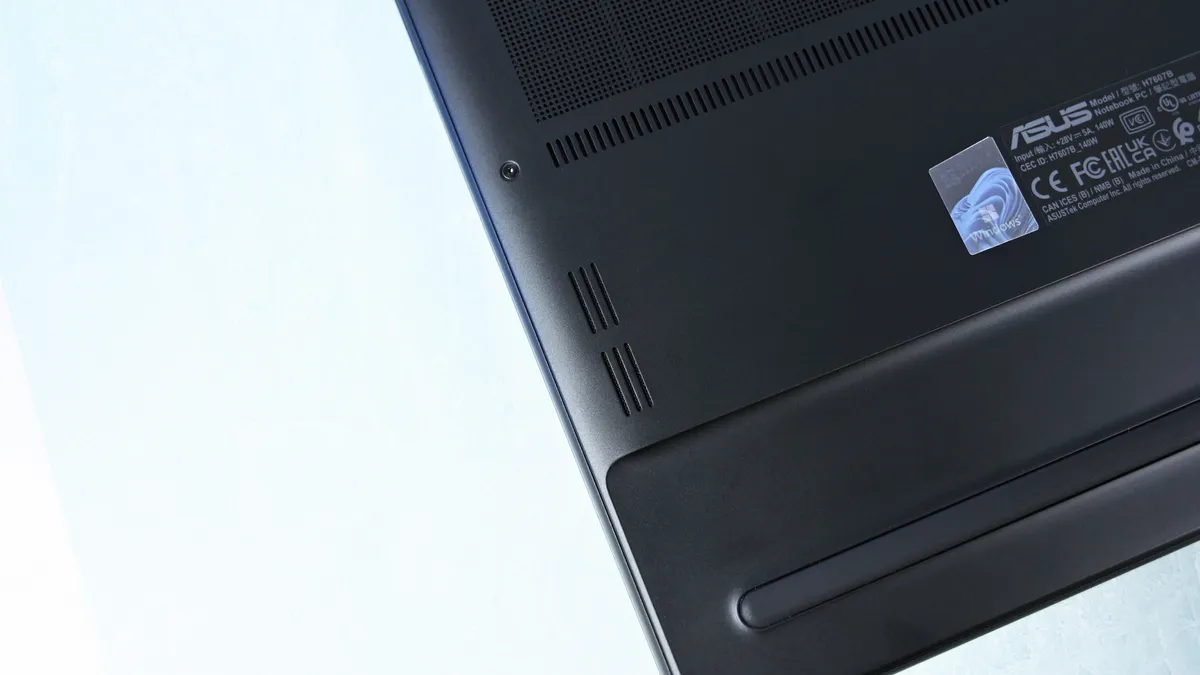
The four-speaker Dolby Atmos system is outstanding, and among the best I've heard from a Windows laptop. The 2.1MP webcam is less impressive on paper, particularly against HP's 5MP camera, but ASUS's processing produces a surprisingly sharp picture. Microsoft still wins this category with Surface.
There's even support for the optional $129 ASUS Pen 2.0. Using a pen on a traditional clamshell laptop remains awkward, but it's surprisingly handy for signing documents, marking up images, or quickly diagramming something.
ASUS ProArt P16: RTX Spark and performance
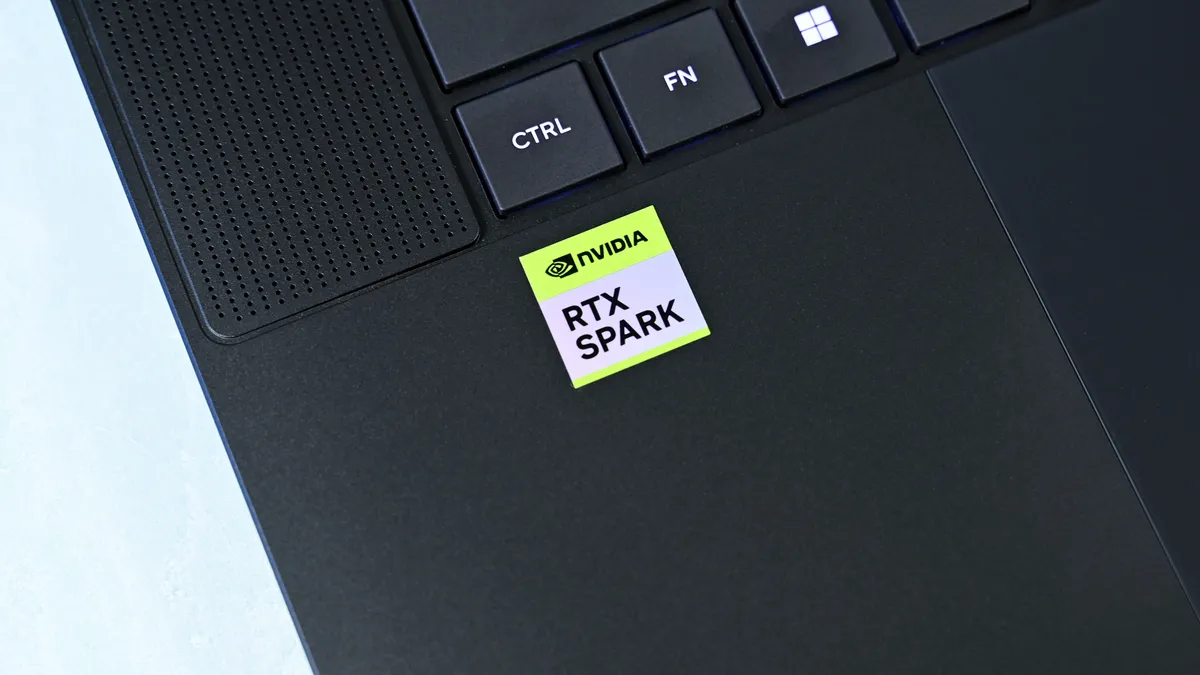
Unified memory allows the CPU and GPU to access the same large pool rather than dividing system RAM and dedicated GPU VRAM into much smaller fixed buckets. With up to 128GB available, that changes what can realistically be done locally with large AI models, complex 3D scenes, development workloads, high-resolution video, and anything else that can consume enormous amounts of GPU memory.
Then there's CUDA, NVIDIA's massively established parallel computing platform and ecosystem. For developers and creators, CUDA acceleration is fundamental to everything from AI frameworks and local inference to scientific computing and applications like Blender. Having massive unified memory alongside a CUDA-capable Blackwell RTX GPU is what makes RTX Spark particularly interesting.
I've already been experimenting with Osaurus and Hermes, combining models including Gemma 4 26B A4B, GPT-OSS-20B, Qwen3VL-8B, and Raptor 0.6 4B. I'm still learning local AI and agentic computing myself, and I'll be updating this review and writing more about that journey as I figure out what works, what doesn't, and what you can realistically accomplish locally.
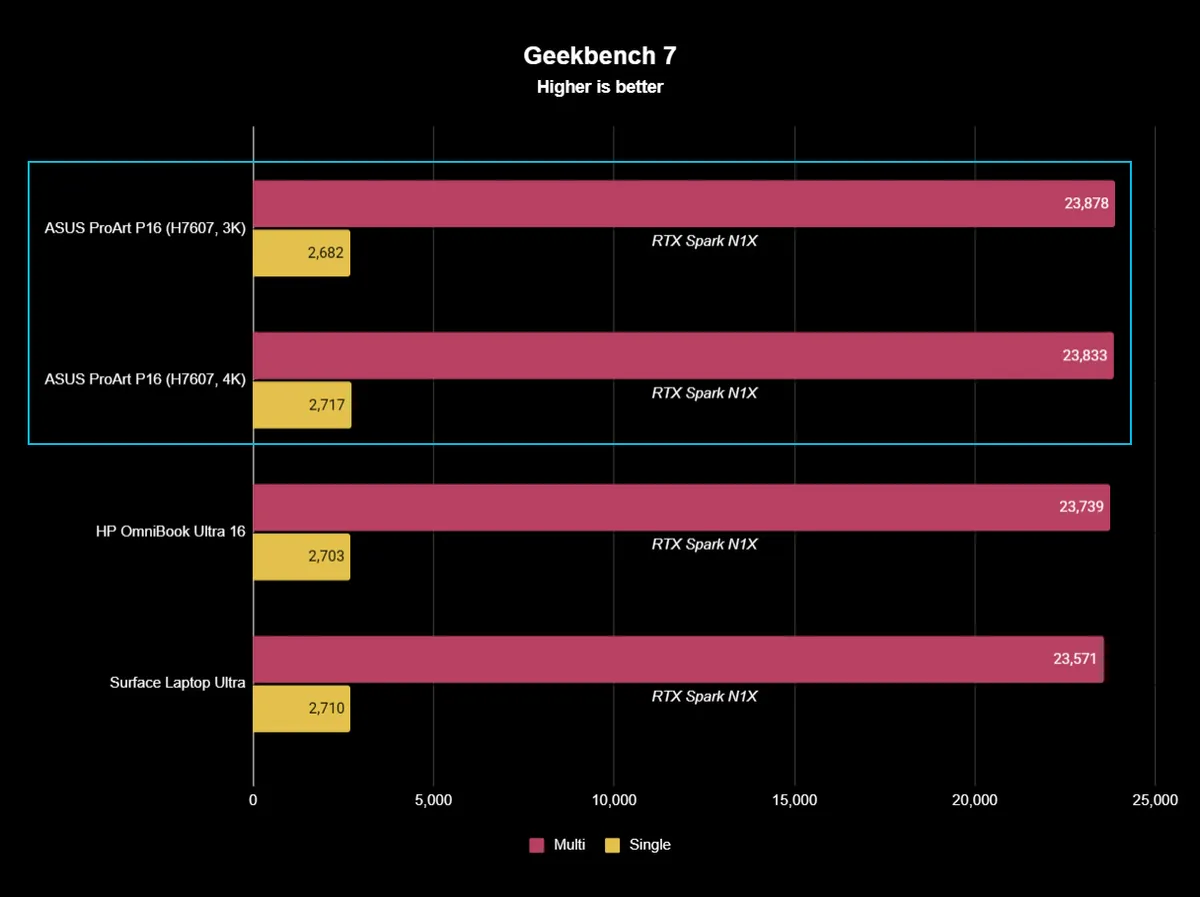


Looking across all my benchmarks, however, there's another interesting conclusion: which RTX Spark laptop you buy matters considerably less for raw performance than you might expect.
The ProArt P16, Surface Laptop Ultra, and HP OmniBook Ultra 16 (review forthcoming) trade places depending on the benchmark, but they're generally clustered surprisingly close together. In Geekbench 7, for instance, the ASUS actually posts the best multi-core result of the three, while single-core performance is separated by barely anything. CUDA testing is essentially a three-way tie. The 4K ASUS scored 187,547 against HP's 187,569, a difference so tiny it is meaningless.
That's good evidence of how consistent NVIDIA's N1X platform is between manufacturers.


Graphics benchmarks reveal somewhat more variation. The ProArt P16's 11,840 result in 3DMark Time Spy trails the Surface Laptop Ultra's 12,771 and HP's 13,080 by around 7% and 9%, respectively. Speed Way and Steel Nomad tell roughly the same story, with ASUS usually sitting a few percentage points behind Microsoft and HP.
Yet even that isn't universal. In the heavier Time Spy Extreme test, the ProArt P16 actually beats both of them, scoring 6,006 compared to 5,857 for Surface and 5,492 for HP.
In other words, I wouldn't declare any of these RTX Spark laptops the definitive performance winner. We're talking about variations of the same extraordinarily powerful NVIDIA platform, and the rankings shift depending on the workload.
It's also worth remembering what ASUS has achieved physically. At 3.9 pounds and as little as 0.51 inches thick, the ProArt P16 is substantially lighter than its RTX Spark rivals while still maintaining excellent temperatures and relatively restrained fan noise. Some performance variation could plausibly be the consequence of fitting N1X into a thinner, lighter thermal envelope, but ASUS certainly hasn't compromised performance enough that I'd choose a much heavier laptop based on these benchmark differences alone.

The one performance result I would criticize is the SSD.
Both ASUS configurations are well behind the competition. Sequential reads hover around 7,300 MB/s, compared with 10,389 MB/s on the HP and a massive 14,647 MB/s on the Surface Laptop Ultra. Writes vary considerably between my ASUS configurations, too, from 4,124 MB/s on the 3K model to 6,720 MB/s on the 4K machine. Microsoft reached 12,711 MB/s.
Those ASUS numbers aren't slow in isolation, and Windows still feels exceptionally responsive, but this is a $2,800 to $7,000 workstation. Faster storage should come with the territory. At least ASUS provides a second PCIe 5.0 M.2 slot for expansion, so you can add a seriously fast SSD later.

Image credit: Daniel Rubino
Left-side ports on ASUS ProArt P16.

Image credit: Daniel Rubino
Right-side ports on ASUS ProArt P16.
Gaming performance is also surprisingly good. I've played Gears of War: E-Day at maximum settings without issue, while Minecraft Dungeons II looked and played fantastic aside from occasional frustrating stutters. NVIDIA's latest Game Ready Driver appears to have fixed the latter on my machine, which suggests some of RTX Spark's early gaming quirks may improve as drivers mature.
And RTX Spark is legitimately fast here. Time Spy places the ProArt P16 ahead of the RTX 5070-equipped Dell 16 Premium, while Steel Nomad and Speed Way put it comfortably ahead of an RTX 5050 Laptop GPU. A conventional gaming laptop remains the smarter purchase if gaming is your priority, but RTX Spark owners certainly don't need a second computer just to play PC games.


Ultimately, that's the performance story of the ProArt P16: ASUS gives up remarkably little despite building one of the lightest and thinnest RTX Spark laptops I've tested. Its N1X CPU and CUDA performance are right up there with Surface and HP; GPU performance is sometimes a little behind and sometimes ahead, and the only consistent disappointment is the SSD.
For a machine that's almost a full pound lighter than HP's OmniBook Ultra 16, I'll happily make that trade.
ASUS ProArt P16: Battery life

Battery life is good given what's inside (a 99.9 WHr battery, the legal limit), though Apple and Qualcomm still have an obvious efficiency advantage here, and I expect NVIDIA to improve over the coming years.
The Windows Battery Report recorded 9 hours and 58 minutes of real-world usage averaged over several weeks, including web browsing, video, messaging, and lighter creative work, basically standard laptop work with more focus on multimedia production and some lighter local AI work.
Hammer the GPU continuously with rendering, AI, or gaming and expect substantially less. Physics eventually wins.
Still, I can't say I've ever had a Windows laptop this powerful, this capable, and this thin/ligyht, and still get that kind of "regular" battery life.
Standby performance is exceptional. Leaving the ProArt P16 overnight resulted in less than 1% battery loss over 14 hours, finally making this Windows laptop behave the way I expect a modern premium portable PC to.
The included 140W USB-C charger is slightly bigger than HP's, though still compact, and ASUS gets bonus points for the excellent thick braided cable.
ASUS ProArt P16: Should you buy it?

✅You should buy this if ...
- You know the benefits of unified memory and CUDA
- You want the best RTX Spark laptop
- You want to learn about cutting-edge agentic AI workflows
- You need a light, very capable workstation for 3D creation, video editing, or coding
❌You should not buy this if ...
- You think this is just a gaming laptop in disguise
- You don't know what agentic AI is and don't care to learn about it
- You spend most of your time consuming content instead of creating it
So, should you buy the ASUS ProArt P16 with RTX Spark? Probably not.
And I mean that as a compliment.
The ProArt P16 H7607 is a specialized workstation for people operating near the frontier of what portable Windows computers can do. Someone mainly browsing the web, writing documents, editing the occasional photo, or even gaming can get an excellent laptop for dramatically less money.
But developers, creators, 3D professionals, AI researchers, and people seriously experimenting with local models and agentic workflows finally have what Windows has desperately needed: a thin, premium laptop that combines massive unified memory with NVIDIA RTX graphics and CUDA.
That's a really big deal.

ASUS then wraps that technology in what is arguably the best RTX Spark chassis on the market. And I mean that. ASUS has been killing it on design and features over the last 3 years.
At 3.9 pounds, the laptop almost feels impossibly light (for its class). The OLED display is beautiful, the keyboard and haptic touchpad are excellent, the speakers are outstanding, the ports are plentiful, the thermals are exceptional, and ASUS offers a level of hardware customization through MyASUS that competitors should copy.
Even the weird stuff is charming. My $4,399 3K review unit included ASUS's excellent $99 ProArt MD301 mouse and a protective sleeve, while the $6,999 128GB machine inexplicably included neither. ASUS notes that bundled accessories vary by country and territory, so your experience may differ.

One caveat: Those 24GB and 32GB Best Buy models are, I think, perfect, more general laptops for creators who want a premium Windows 11 experience with the latest technology. That's an easy recommendation if you can afford it.
The SSD should be faster, battery life can't match the best Snapdragon X2 or Apple Silicon laptops, and $7,000 is still an extraordinary amount of money for any laptop (though about $150 cheaper than a similarly spec'd MacBook Pro 16).
Yet none of those complaints change my overall impression.
The ASUS ProArt P16 is one of the best laptops I've ever used. For the relatively small group of people who can actually exploit everything RTX Spark offers, it may also be one of the most exciting Windows PCs in years.
And if you're simply curious about local AI and want to learn where personal computing may be heading next, the ProArt P16 deserves a spot very near the top of your shortlist.


The ASUS ProArt P16 combines NVIDIA's powerful RTX Spark platform with up to 128GB of unified memory, outstanding OLED displays, superb thermals, and a remarkably thin 3.9-pound chassis. It's an extraordinary Windows workstation, but most people shouldn't buy one.

Join us on Reddit at r/WindowsCentral to share your insights and discuss our latest news, reviews, and more.