




Windows 11 has a new search box on the way, or at least a slightly larger one. The search box within the Windows 11 Start menu will be four pixels taller if a change that's currently in preview ships to everyone.
That's four more entire pixels of height dedicated to searching for files or using the improved search capabilities of Windows 11. The change, which was accidentally included in release notes for a preview build, was the butt of jokes. But I think it also shows something bigger (pun intended).
Windows 11 has had design inconsistencies for years. Context menus are a mess and the operating system has a mix of features that originated in different decades. The Windows K2 initiative aims to reduce the pain points of Windows 11. As part of the push, Microsoft will also iron out inconsistencies.
Biggest News of the Week

An upcoming change to Windows 11 will see the default search box in Start and on the Taskbar appear larger as Microsoft increases its height by 4 whole pixels.

A new recovery option coming to Windows 11 will let you reinstall the OS and your drivers using the internet without a USB key, even when Windows itself is unbootable.

A bloated file is eating up dozens, or even hundreds, of gigabytes of storage on Windows 11 PCs. Microsoft has a fix ready to roll out, but users should be careful trying to manually delete the file in the meantime.
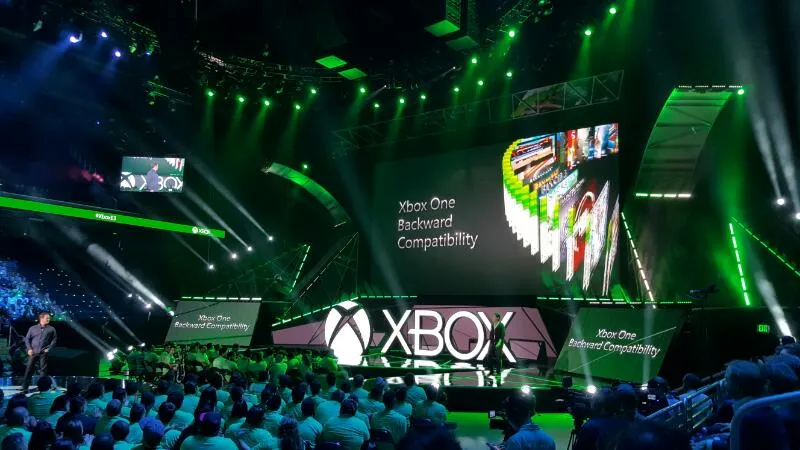
Microsoft's VP of Xbox Platform Kevin LaChapelle, who led the creation of Xbox Backwards Compatibility and Xbox Cloud Gaming, has been laid off.

Here are seven hand-picked Windows 11 version 26H2 features that matter most, from Start menu improvements to better search, security, and updates.

BleachBit is an open-source Windows 11 cleaner with advanced cleanup options. Check out the recommended settings, secure deletion, and safe usage tips.
With the development of Windows 11, if design consistency is thought about at all, it's an afterthought. The OS is several operating systems in a trenchcoat, resulting in a mismatched design.
But even within individual apps or settings, Windows 11's design lacks polish. The infamous one pixel border around apps infuriates some people and has been a hot-button topic for years.
If you look hard enough, you'll find tiny issues throughout the design of Windows 11. Windows not aligning or inconsistent menus do not break the operating system, but they do make it look unpolished. If Microsoft wants to convince people it cares about Windows 11, the OS needs to look like a finished product.
The context menus in Recall / Click To Do having even more rounded corners in the latest Windows 11 preview build can only mean one of either two things: Windows is about to get ROUNDER or Windows is back to not caring about UI consistency pic.twitter.com/uAs7KevA16February 18, 2025
Small changes like resizing the search box in the taskbar, which appears to have been done to align with Copilot Search, add up. Attention to detail matters.
While the Windows K2 initiative may be felt most through its impact on RAM usage or other elements that affect performance, it can also give Windows 11 a refreshed look that improves the overall computing experience.
Shopping with Sean
A growing number of Windows 11 laptops are on sale. If you need a budget-friendly convertible, a premium-quality clamshell laptop under $1,000, or a brand-new laptop with a Snapdragon X2 and a beautiful OLED display, there are sales worth a look.

Join us on Reddit at r/WindowsCentral to share your insights and discuss our latest news, reviews, and more.

