


Logitech’s new Signature Comfort Plus keyboard and mouse promise softer, more ergonomic work thanks to built‑in cushions. I’ve relied on Logitech gear for years, so I’m curious whether this new comfort‑first pair can actually dethrone my current setup.
The Signature Comfort Plus M850 L mouse features a palm cushion that lets you rest your hand and arm while gripping your mouse. It's a novel idea, though I think you'll still want to pair it with a comfortable mouse pad.
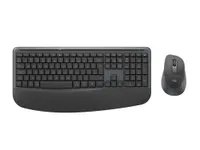
The Signature Comfort Plus MK880 keyboard has a cushioned palm rest, which is more common in keyboards, though far from ubiquitous. When used in tandem, the accessories should reduce strain and allow you to work at a desk for longer periods of time.
Both of Logitech's new accessories have the suite of features I've come to expect from the company, such as multi-device and multi-OS compatibility. It's always been simple to switch between connected devices when using modern Logitech hardware.
Logi Options+ and Logi Tune are supported as well, allowing you to personalize your experience. You can even program a key to launch your AI tool of choice.
The Signature Comfort Plus MK880 keyboard will start shipping in June and costs $99.99. The Signature Comfort Plus M850 mouse also launches in June, but it costs $49.99. You can also buy a combo with both for $109.99.
Should I upgrade to the new Logitech mouse and keyboard?
Don't mistake my relaxed attitude toward Logitech's new accessories as disinterest. It's just that Logitech has made rock-solid gear for so long that it feels unnecessary to run through the basics.
A Logitech K860 and Logitech MX Vertical have sat on my desk for years. I've used them to write hundreds of articles for Windows Central. They're part of my ultimate ergonomic setup, and I recommend them frequently to colleagues and anyone willing to listen.
Both the mouse and keyboard have held up well over the years, making it difficult to even consider replacing either of them. The keyboard is still responsive and comfortable to use, and I've grown accustomed to its split-key design. The vertical mouse has also cemented its way into my workflow.
When Logitech's email about its new keyboard and mouse reached my desk, I became intrigued. The Signature Comfort Plus M850 L mouse and Signature Comfort Plus MK880 keyboard are built with ergonomics in mind, but they take different approaches to the Logitech accessories I already own.
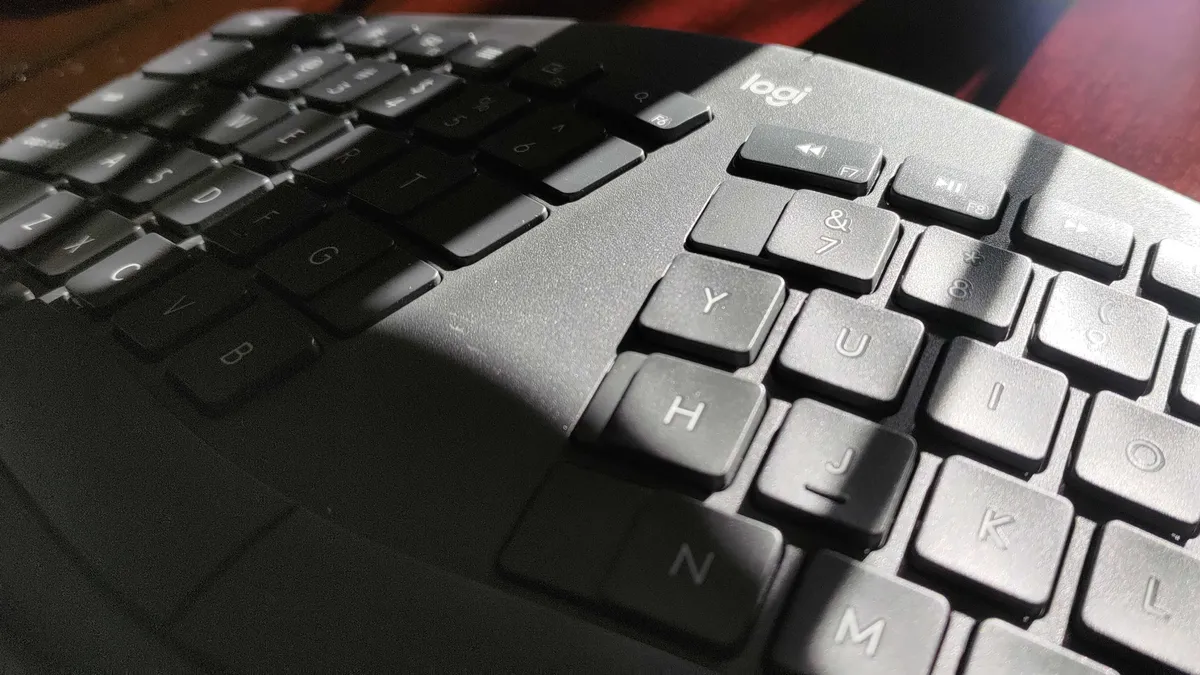
The Logitech K860 is a split-key design that forces you to type correctly, or at least without reaching across the midline to press keys. That split lets your hands and wrists rest at a natural angle.
The Signature Comfort Plus MK880 has straight keys that align in rows, but the body has a curve along the Z-axis. That means your hands can rest along its cushioned palm rest without having to relearn how to type.
The Signature Comfort Plus M850 looks comfortable to hold and has a built-in palm cushion. I can't use a flat mouse all day because my wrists get sore, but Logitech's new mouse has a sculpted design to go along with its cushion. It's not a vertical mouse, but it seems like a better option than most traditional mice.
I need to get my hands on the new Logitech accessories and plan to do so soon. I'll check back in after going hands-on with the accessories.

Join us on Reddit at r/WindowsCentral to share your insights and discuss our latest news, reviews, and more.

