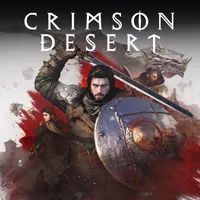
Crimson Desert, the popular and long-awaited new open-world action-adventure game from Pearl Abyss, is big. Like, really big. In fact, its colossal map is bigger than that of Skyrim's and Red Dead Redemption 2's combined, and based on what reviews say, you'll be trekking through the vast regions and biomes of Pywel for upwards of 200 hours if you want to see all that it has in store for you.
For some, that's an exciting prospect — an opportunity to truly get lost in a world that's prepared to reward you with exciting discoveries around every forest, hill, and mountain. For others, though, it's pretty daunting, especially if you have a limited amount of time to play or struggle to pick a direction when you're faced with the chance to pick any one you'd like.
For the latter folks — or anyone that's simply struggling to find a specific place or thing — interactive maps are a great resource, as they show you where everything in open-world titles like Crimson Desert is and makes it easy to figure out where you'll find certain points of interest, items to loot, and more. That saves time and gives you some guidance, even if it also robs you of the joy of discovery. Tradeoffs!
Just a single day after Crimson Desert's release, a comprehensive interactive map has already been created, and is available to use now.
Crimson Desert: Interactive map of Pywel

That map is the Crimson Desert interactive map from MapGenie.io, which has become my go-to source for these things ever since I realized they were a thing. MapGenie has an interactive map for pretty much every open-world game out there, and it got one up for Crimson Desert within hours.
Its community of cartographers have already mapped out hundreds of landmarks, key locations, and other points of interest, and I'm sure in a few days' time, the entirety of Pywel will be charted and visible.
Using the map is very intuitive; it's got simple controls for scrolling and zooming in and out on both mouse and a touchscreen, and you can select the name of each of the game's six regions to zero in on a specific one. It's also got toggleable filters for each type of POIs, and a search bar you can use for finding specific spots.
All in all, MapGenie's interactive maps tend to be the best there are, so if you're interested in using one for Crimson Desert, this is definitely the one I recommend. Others will pop up, of course, but I've never seen interactive maps with more thorough information or a more user-friendly interface than MapGenie's.

Join us on Reddit at r/WindowsCentral to share your insights and discuss our latest news, reviews, and more.