I recently got into playing Microsoft Flight Simulator 2024, and I get it. I really do. There's a massive dedicated community around this Microsoft franchise, and even as a beginner I see why. The sky is the limit, and yes, pun intended.
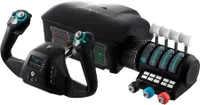
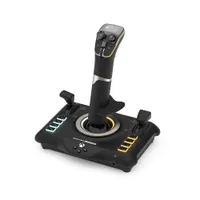
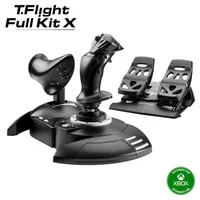
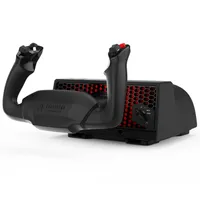
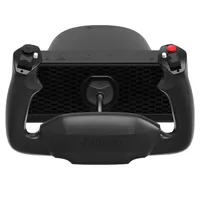
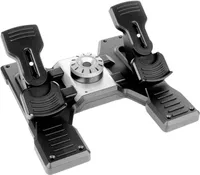
You can quite happily get along and have a great time playing on PC, Xbox or PS5 with just a controller, but I guarantee the bug will catch and catch quickly. Before long you'll want to up the ante and make the experience more realistic. I'm not saying you'll build a full cockpit, not right away at least! But you'll probably be yearning for a flight stick, yoke, maybe even some rudder pedals.
If you're looking for a game to really sink some time into, this is one of the best decisions you could make, even if you've never thought it would be for you. While Amazon Prime Day is going on, it is also a perfect time to jump in with both feet and get yourself some good hardware to get started with or upgrade an existing setup.
Flight stick FAQ
Should I buy a flight stick or a yoke?
This mostly depends on your knowledge of aircraft, as each control type varies in real life. Some small planes use a yoke, while some large airliners, notably the Airbus ones, will use a stick. It depends what you think you'll be more comfortable with, or how close to realism you're trying to get.
Do I need to buy rudder pedals?
Not necessarily. While it does offer a realistic experience and appeals to intermediate players and above, you can usually emulate these controls with flight sticks that allow twisting. Pedals are generally more useful for anyone buying a yoke, but they match up with traditional flight sticks, too. If you're a new player, don't worry about pedals.
Do all flight sticks work on Xbox and PS5?
No. While flight sticks and yokes made for consoles will generally work on PCs that meet MSFS' spec requirements, the same is not true for the opposite. Always check for explicit compatibility confirmation before buying any peripheral if that's your intended platform. Windows PC players don't have to worry as much.

Join us on Reddit at r/WindowsCentral to share your insights and discuss our latest news, reviews, and more.