Windows Wrap: Microsoft’s new Copilot Reminders show us what not to do — abandon a once-great app

Scooby Doo unmasking meme featuring Microsoft Copilot and Microsoft To Do.
And they would have gotten away with it too, if it weren't for those meddling users who remember 2020. (Image credit: Microsoft | Warner Bros. | Image upscaled by Reddit user Polguilo)

Microsoft recently paused its push to integrate Copilot into in-box apps on Windows 11. While many praised that move, including myself, I'm actually arguing for Microsoft to breathe life into an abandoned app by adding Copilot.

I promise there's a method to the madness.

Windows Wrap badge

This week Microsoft began gradually rolling out a new "Reminders" feature for Copilot. The addition adds features like recurring reminders, automating repeated tasks, and cross-device notifications for reminders. But wait, aren't those all things we've had for years in Microsoft To Do and other apps?

Reminders is still in its early stages — having not even been formally announced by Microsoft — but its rollout serves as a reminder that Microsoft already has an app for this: Microsoft To Do.

It's hard to tell if Microsoft has reinvented the wheel because its teams don't talk to each other or if Microsoft To Do is just abandonware.

A comment by "IDon't Know" on our article covering Copilot Reminders sums up the "new" feature:

"Neato, AI can do a simple task that has already been easily achieved many times over with various apps and devices for years now."

Copilot Reminders are at worst completely redundant when looking at other tools from Microsoft and third-party developers. At best, Copilot Reminders are AI spice looking to be served up on the dish that is Microsoft To Do. Unfortunately, that dish is cold.

Microsoft To Do was once a great app for task management. It actually is still quite good at that task, but it has seemingly been abandoned by Microsoft.

The app still mentions Cortana and uses the Windows 10 logo for goodness' sake. X user @XenoPanther highlighted the sad state of affairs over at Microsoft To Do

I can hear the comments now. "Sean, you blast Microsoft for integrating AI into apps. Aren't you happy to see an app left untouched by Copilot?"

I'm against Microsoft forcing AI into apps where AI is unneeded. Notepad doesn't need Copilot (or to rely on servers that can result in the app not launching).

AI is fine when it's useful. I wouldn't mind some Copilot integrations with Microsoft To Do if those tools improved task management.

It’s a bizarre sight: Microsoft is currently tearing through the Windows attic, brushing the dust off ancient utilities like Notepad and Paint to jam Copilot buttons into every available pixel. Yet, for some reason, Microsoft To Do — an app that actually sits at the intersection of productivity and planning — remains locked in a 2020 time capsule.

Weekly Windows Wrap: The Big News

Weekly Windows Wrap: How-to guides

Sales on Windows 11 PCs

Some of the best PC deals we've seen this year end this weekend. Best Buy's deal on the ASUS Vivobook 14 is especially attractive because it gets you a good Windows laptop for less than $450. The Lenovo Slim 7x deal from Best Buy also expires at the end of the weekend.
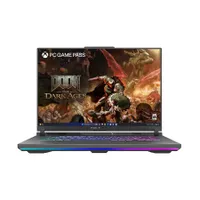
ASUS ROG Strix G16 16" FHD 165Hz Gaming Laptop (AMD)
High-powered gaming 💻
Save 20% ($400)
ASUS ROG Strix G16 16" FHD 165Hz Gaming Laptop (AMD): was $1,999.99 now $1,599.99 at Best Buy


"The latest ASUS ROG Strix G16 takes full advantage of AMD's most powerful mobile processors to offer excellent performance and a consistent gaming experience, and may end up being an underrated value-play in the premium gaming laptop segment this year." ~ Zachary Boddy, Former Staff Writer

Windows Central Review: ⭐⭐⭐⭐½

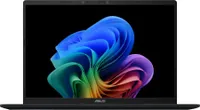
ASUS Vivobook 14 Laptop (Snapdragon X CPU, 16GB RAM, 512GB SSD, Quiet Blue)
All work, no fuss 💻
Save 40% ($300)
ASUS Vivobook 14 Laptop (Snapdragon X CPU, 16GB RAM, 512GB SSD, Quiet Blue): was $749.99 now $449.99 at Best Buy


The ASUS Vivobook 14 is a pure workhorse laptop that will clear out your office work and online research assignments in no time, thanks to its Snapdragon X processor, 16GB RAM, 512GB SSD, and more.

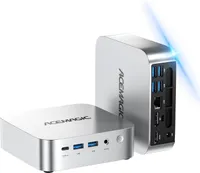
ACEMAGIC K1 Mini PC Windows 11 Pro
For workers
Save 31% ($180)
ACEMAGIC K1 Mini PC Windows 11 Pro: was $579.99 now $399.99 at Amazon


ACEMAGIC's K1 Mini PC is an effective, budget-friendly mini-PC for productivity apps, thanks to its Intel Core i5-12600H processor with 12 cores and 4.5Ghz max clock speeds, a 512GB SSD, 16GB of RAM (DDR4 3200MHz), and plenty of ports — use code URCXKQ9Q

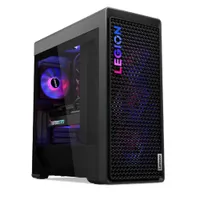
Lenovo Legion Tower 7i (Gen 10)
RTX 5070 Ti in stock!
Save 30% ($1,130)
Lenovo Legion Tower 7i (Gen 10): was $3,769.99 now $2,639.99 at Lenovo USA

"The Legion Tower 7i earns its place at the top of the Lenovo Legion family with excellent and reliable performance. It's a beast for those who want the best and don't want to attempt to build it themselves." ~ Zachary Boddy, Former Staff Writer

Windows Central Review: ⭐⭐⭐⭐½

eCoupon code: LEGION4PRESIDENT

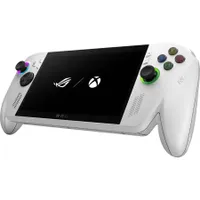
ASUS ROG Xbox Ally
Portable Xbox gaming
Save 18% ($110)
ASUS ROG Xbox Ally: was $599.99 now $489.99 at Amazon


"The ROG Xbox Ally is a modest handheld that offers performance that's more on the level of the Steam Deck, making it one of the most direct competitors to Valve's device." ~ Rebecca Spear, Former Gaming and News Editor

Windows Central Review: ⭐⭐⭐⭐

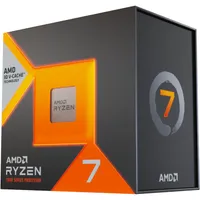
AMD Ryzen 7 7800X3D 8-Core, 16-Thread Desktop Processor
Powerful PC CPU
Save 14% ($63.01)
AMD Ryzen 7 7800X3D 8-Core, 16-Thread Desktop Processor: was $449 now $385.99 at Amazon


"Dominate any game at any level, the Ryzen 7 7800X3D offers ultimate performance with 8 cores, 16 threads, and up to 5.0GHz boost clock backed up with 96MB L3 cache." ~ Ben Wilson, Senior Editor

Windows Central Review: ⭐⭐⭐⭐½

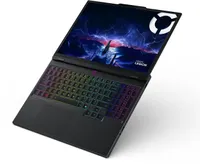
Lenovo Legion 5i laptop (15.1", GeForce RTX 5060 GPU, Intel Core i7-14700HX, 16GB RAM, 512GB SSD)
Mid-range price, high performance
Save 9% ($120)
Lenovo Legion 5i laptop (15.1", GeForce RTX 5060 GPU, Intel Core i7-14700HX, 16GB RAM, 512GB SSD): was $1,299.99 now $1,179.99 at Newegg


The Lenovo Legion 5i is a solid mid-range gaming laptop equipped with state-of-the-art, graphics-fidelity boosting hardware, including a GeForce RTX 5060 Laptop GPU, an Intel Core i7-14700HX CPU, 16GB of RAM, a 15.1-inch OLED display with a 165Hz refresh rate, and more.

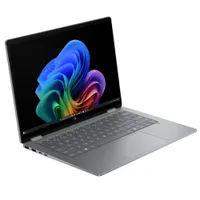
HP OmniBook X Flip 14"  Laptop (Intel Core Ultra 7 Series 2 CPU)
2-in-1 laptop 💻
Save 33% ($350)
HP OmniBook X Flip 14" Laptop (Intel Core Ultra 7 Series 2 CPU): was $1,049.99 now $699.99 at Best Buy


"Good hardware and plenty of configuration options seal the deal, and frequent sales make the OmniBook X Flip 14 even more enticing." ~ Zachary Boddy, Former Staff Writer

Windows Central Review: ⭐⭐⭐⭐

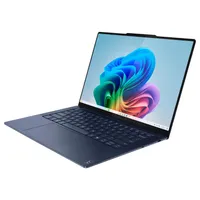
Lenovo  Yoga Slim 7X (Gen 9)
Powerful and affordable
Save 35% ($450)
Lenovo Yoga Slim 7X (Gen 9): was $1,299.99 now $849.99 at Best Buy


"This new-generation Windows on ARM device is sleek, beautiful, rocks an incredible OLED display, boasts amazing performance and long-lasting endurance, and does everything you need it to for hundreds less than you'd expect." ~ Zachary Boddy, Former Staff Writer

Windows Central Review: ⭐⭐⭐⭐⭐

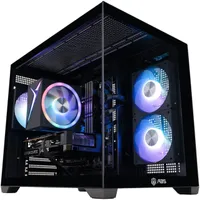
ABS Flux II Aqua
RTX 5060
Save 29% ($400)
ABS Flux II Aqua: was $1,399.99 now $999.99 at Newegg


The ABS Flux II Aqua features an Intel Core i5-14400F CPU, an NVIDIA RTX 5060 GPU, 32GB of DDR4 RAM, and a 1TB M.2 PCIe 4.0 NVMe SSD. It's a solid option for any gamers who want a smooth experience with less demanding games, and it's $400 cheaper than normal. You can take an additional 5% off the sale price by using code ABS5NOW at checkout.


Click to follow Windows Central on Google News

Follow Windows Central on Google News to keep our latest news, insights, and features at the top of your feeds!


Sean Endicott
News Writer and apps editor

Sean Endicott is a news writer and apps editor for Windows Central with 11+ years of experience. A Nottingham Trent journalism graduate, Sean has covered the industry’s arc from the Lumia era to the launch of Windows 11 and generative AI. Having started at Thrifter, he uses his expertise in price tracking to help readers find genuine hardware value.

Beyond tech news, Sean is a UK sports media pioneer. In 2017, he became one of the first to stream via smartphone and is an expert in AP Capture systems. A tech-forward coach, he was named 2024 BAFA Youth Coach of the Year. He is focused on using technology—from AI to Clipchamp—to gain a practical edge.

You must confirm your public display name before commenting

Please logout and then login again, you will then be prompted to enter your display name.