


Enjoy our content? Make sure to set Windows Central as a preferred source in Google Search, and find out why you should so that you can stay up-to-date on the latest news, reviews, features, and more.
Windows 11 will finally add an Agenda view to the Notification Center. Similar functionality existed in Windows 10 and worked well for years, but it did not make its way to Windows 11. Unfortunately, a small detail about the new version of the feature will upset some users.
It appears that the Agenda view feature will be a WebView2 component, which could result in more CPU usage and a less-than-native appearance. Windows Latest performed several tests to investigate the nature of the feature.
Since Agenda view is in preview, it did not work for Windows Latest. But attempting to use it loaded details from Outlook within a WebView2 shell. As a result, CPU and memory usage went up, seemingly as a result of the Windows Shell Experience Host process running to power the experience.
It's normal for the startup process of an app to cause a spike in computing demand that ends quickly. During their testing, Windows Latest saw "GPU Process" and "Utility" end after closing the Notification Center.
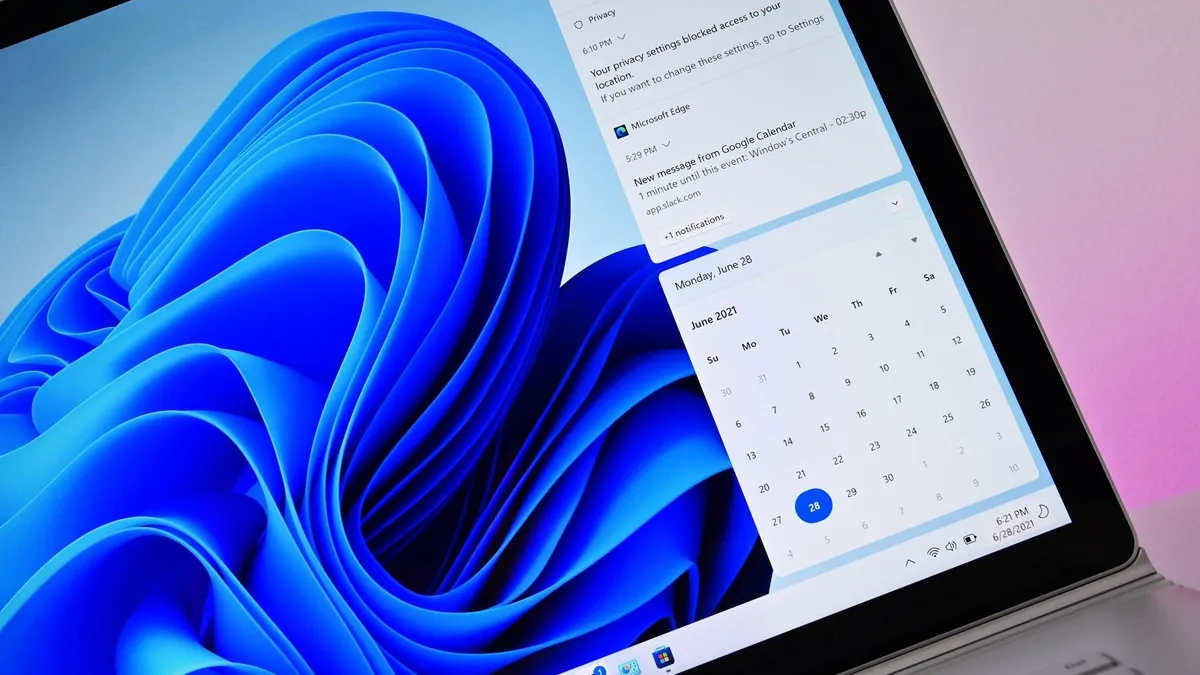
The fact that Agenda view is powered by the web could mean more system resources need to be allocated to it when compared to a native experience, even if the spike in CPU and memory usage is short lived.
Additionally, WebView2 components do not feel native on Windows 11. The font and other UI elements in WebView2 make features using the technology look like parts of the web living on your PC.
Many, including myself, have been frustrated by the fact that a useful Windows 10 feature was lost in the transition to Windows 11. At one point, I even paid for an app to add a functional calendar flyout to Windows 11. Hopefully, that will not be necessary once Agenda view ships to the operating system.
The new Agenda view is not identical to the previous iteration, though one could argue that it is better. It supports interacting with scheduled meetings, as you'd expect, but it can also engage with Microsoft 365 Copilot.
The latter of those features could be viewed positively or negatively, depending on the user. Our Managing Editor Jez Corden recently highlighted that "nobody wants to buy or use [Microsoft's] shoddy AI products."
Presumably, you'll be able to use the new Agenda view to simply view and interact with calendar events without AI.

Follow Windows Central on Google News to keep our latest news, insights, and features at the top of your feeds!

