


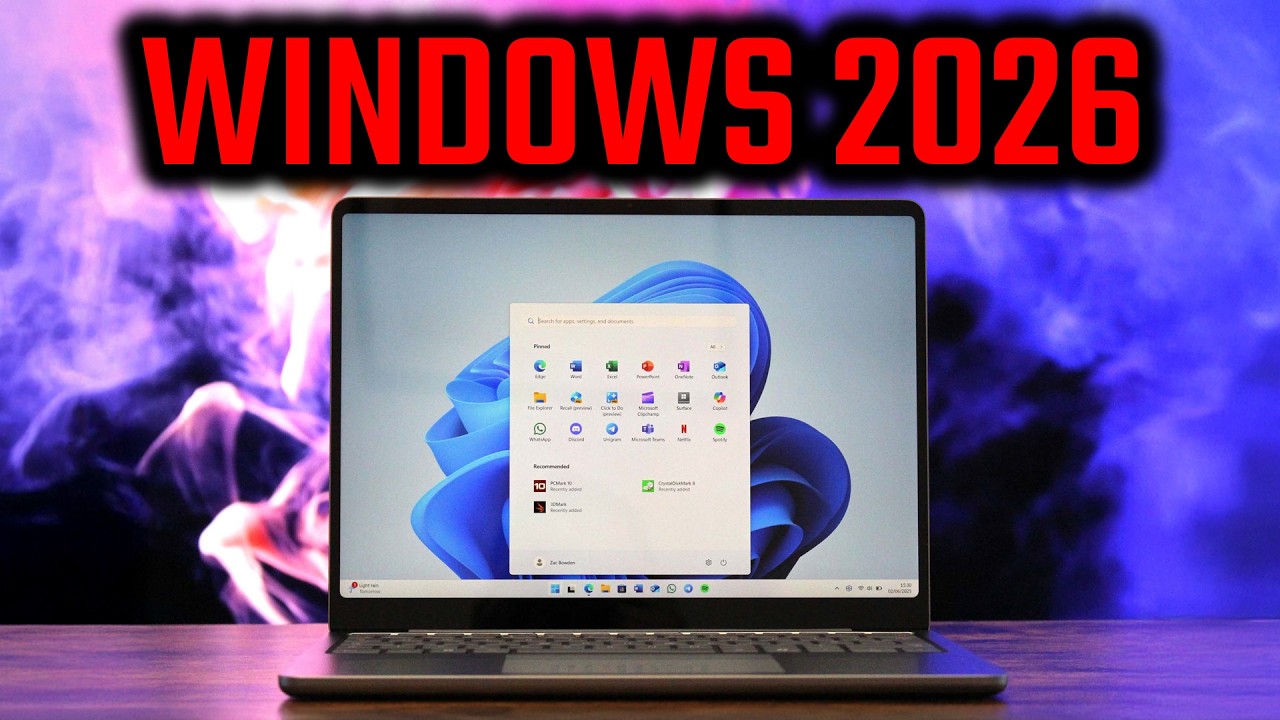
2026 is well and truly here, which means it's time to look ahead and prepare for what's to come this year for Windows 11. Microsoft is currently cooking up a number of new experiences, changes, and features for Windows 11 users that are expected to debut in the coming months, and we've gone hands-on to check out as many of them as we can.
Some of these features have already been announced and are confirmed to be coming soon, and others are yet to be announced and may be canceled at any time. Either way, we've tried to make this as all encompassing as possible, though there's likely even more features to come that we're yet to know about.
Microsoft is also expected to launch two new versions of Windows 11 this year, version 26H1, which will be available exclusively on new PCs with a Snapdragon X2 SoC this spring, and version 26H2, which is expected to come to everybody this fall.
Ask Copilot on the Taskbar

It was only a matter of time, but this year Microsoft is expected to begin rolling out an optional change to the Taskbar on Windows 11 that will allow users to set Copilot as their default search box. The new experience replaces the traditional Windows Search box with a new interface that floats above the Taskbar when clicked on.
From here, you can immediately search for your apps or files, initiate an AI conversation with Copilot, or search the web. The interface is more responsive than the old Windows Search, and removes much of the clutter, including internet search results unless you explicitly click to search the web.
Modern Run Dialog

It's coming as a shock to us all, but we're pretty sure Microsoft is gearing up to unveil a brand new Run dialog for Windows 11 this year. Rebuilt from the ground up using Microsoft's modern Windows UI tools, this new Run box will be an optional feature you can enable that replaces the legacy Run box with something that looks native to Windows 11's design language.
Unlike the old dialog, the new Run box is chromeless, forgoing the titlebar in favor of a clean interface that prioritizes the run command you want to input. It will also display a list of recently run commands so you can quickly select another command that you've ran previously.
It's nice that this new interface will be optional. You'll be able to turn it on or off via the Windows Settings app, so if for whatever reason you don't like the modern design, you can easily revert back to the legacy interface instead.
Agenda View on Taskbar

This is a feature that Windows 11 users have been asking for since the OS debuted in 2021. Originally available on Windows 10, Microsoft is restoring the ability to see upcoming events and reminders in the calendar flyout on the Taskbar on Windows 11 this year. Hooray!
The feature will be tied to the Outlook app on Windows 11, which when signed into will sync your events into the Outlook calendar and mirror them in the calendar view on the Taskbar. You'll be able to see your events for the day selected, add new events, and even jump into meetings or calls if associated with an event on your agenda.
This feature is super useful for when you quickly want to check what's on your schedule for the day, but don't want to open and wait for the Outlook app to load up. Unfortunately, it seems like the UI will be powered by WebView instead of native Windows UI, but this is better than nothing I suppose.
Xbox Full Screen Mode for PCs

It was first made available on Windows-powered handhelds, but this year, Microsoft is expected to bring the new Xbox full screen experience to all Windows 11 PCs. That means you'll be able to turn your own PC into an Xbox PC, prioritizing gamepad input and performance optimizations that ensure your games run the best they can.
The new Xbox full screen mode essentially replaces the Windows 11 desktop when it's enabled. When you login, instead of seeing the Start menu and Taskbar, you'll instead be greeted by a UI that looks similar to the Xbox Dashboard. That UI is actually the Xbox app running in fullscreen, and has been optimized to make jumping into a game quick and easy.
The optimizations don't stop there, either. When enabled, Windows will set all your start up apps and services to disabled, which is designed to free up system resources and improve game load times and reduce frame stuttering. This is configurable by the user, but it does help improve performance and battery life somewhat.
You can switch between the Xbox interface and Windows desktop at a moments notice using the Xbox guide button, too. This experience really does improve Windows for gamers, and when it launches on PCs later this year, gaming PCs are going to be in a much better position than they are currently.
Windows Widgets

Microsoft is also planning to roll out an updated version of the Windows Widgets Board in 2026 that replaces the classic MSN news feed with one powered by Copilot Discover. This new feed features an updated UI that's more Copilot-esq with rounded news boxes and fonts, paired with an AI-powered algorithm that's supposed to be better and presenting news you actually want to read.
This new design also places Windows Widgets themselves into a dedicated tab that you can switch to if you want to only see Widgets, and aren't interested in the Copilot Discover feed. Here, widgets take up the entire panel, letting you resize and move them around as you please.
This is different from how the Widgets board currently works, which places your widgets in their own column next to the news feed. This makes it so you can't really customize the layout, but that will be changing with the new Widgets board.
Agentic Features

In 2026, Windows 11 will become agentic ready, which means AI developers will be able to tap into Windows and build tools that can automate processes for you using AI assistants.
Microsoft has already confirmed that Copilot will be one of the first AI assistants to tap into this new agentic Windows platform, dubbed Copilot Actions. You'll be able to hand-off tasks to Copilot, which will then complete them in its own mini desktop environment which you will be able to view directly in the Copilot app.
These agentic Windows capabilities will be off by default, meaning you must manually enable the option to allow agentic AI to function on your PC first before features like Copilot Actions will work.
Video wallpapers?
It looks like Microsoft is working on bringing native video wallpaper support to Windows 11! Welcome back, DreamScenes https://t.co/8bHYHiF4V6 pic.twitter.com/pqmjxZWfNqSeptember 20, 2025
Microsoft has been spotted testing the ability to set videos as your desktop wallpaper on Windows 11 in the last few months, which hopefully means we'll see such a feature materialize officially this year.
The ability to set videos as your wallpaper on Windows isn't new. Microsoft originally offered the ability with Windows Vista Ultimate, via a feature called DreamScenes. Unfortunately, DreamScenes never made it to Windows 7, and the abililty to set video wallpapers as your desktop background has been missing ever since.
In the early implementations that have been seen on Windows 11, users will be able to set .MP4 files as your wallpaper, just like an image. You can select the video file via the Windows Settings button, and the video will begin playing in a loop as your desktop background.
Copilot Chat in File Explorer

It was probably inevitable, but it looks like Microsoft might be bringing the ability to chat with Copilot directly within the File Explorer this year. This feature should make it easier to discuss files with Microsoft's AI, getting an overview of documents or making changes without actually opening the file in question.
This feature is yet to be confirmed, but a hidden button was spotted in recent Windows 11 preview builds pointing to a "Chat with Copilot" button being added to the File Explorer. So from here, we can deduce that Microsoft is at the very least experimenting with such functionality.


Follow Windows Central on Google News to keep our latest news, insights, and features at the top of your feeds!

