What you need to know
- Microsoft just announced the availability of Microsoft Defender for Individuals.
- The service can be used starting today on Windows, macOS, iOS, and Android.
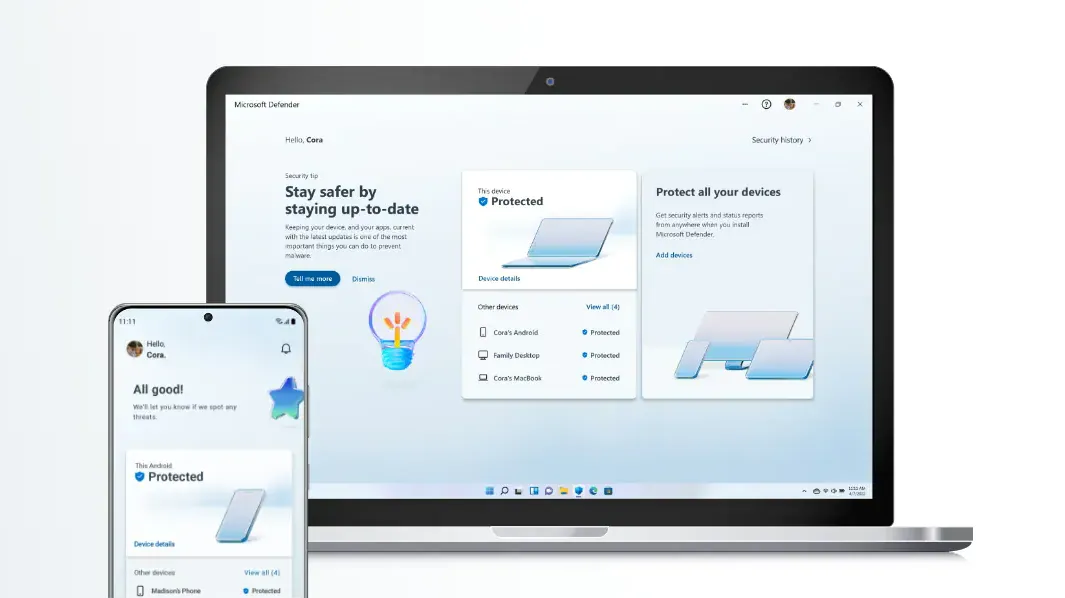
- Microsoft Defender for individuals gathers several security protections together into a single dashboard.
- To use Microsoft Defender for individuals, a Microsoft 365 Personal or Family plan is required.
Today, Microsoft announced a new security product that aims to help simplify personal device security. It's called Microsoft Defender for individuals, and it brings together various security elements into a single dashboard. For example, the tool can show the protections of some of the best antivirus software, including Norton and MacAfee. Importantly, it's able to protect a wide range of devices, not just PCs running Windows.
Apps for it are available starting today on Windows, macOS, iOS, and Android. Microsoft Defender is included with Microsoft 365 Family or Personal plans.
Vasu Jakkal, CVP Microsoft Security, Compliance, Identity & Privacy, highlighted that since people use a variety of devices that security efforts can be split. "To help keep your data private and devices secure, people often turn to multiple security products, with scattered security monitoring and device management. This fragmentation makes keeping up with increasing online threats even harder."
Microsoft Defender for individuals protects devices and offers security tips to shore up any security gaps. It also includes continuous anti-virus and anti-phishing protection for data and devices.
Microsoft highlighted four ways that Microsoft Defender for individuals provides protection:
- Manage your security protections, and view security protections for everyone in your family, from a single, easy-to-use, and centralized dashboard.
- View your existing antivirus protection (Norton, MacAfee, etc.). Defender recognizes these protections within the dashboard.
- Extend Windows device protections to iOS, Android, and Mac devices for cross-platform malware protection on the devices you and your family use the most.
- Receive instant security alerts, resolution strategies, and expert tips4 to help keep your data and devices secure.
Microsoft plans to bring more forms of protection to the tool in the future, including "features like identity theft protection and secure online connection."