


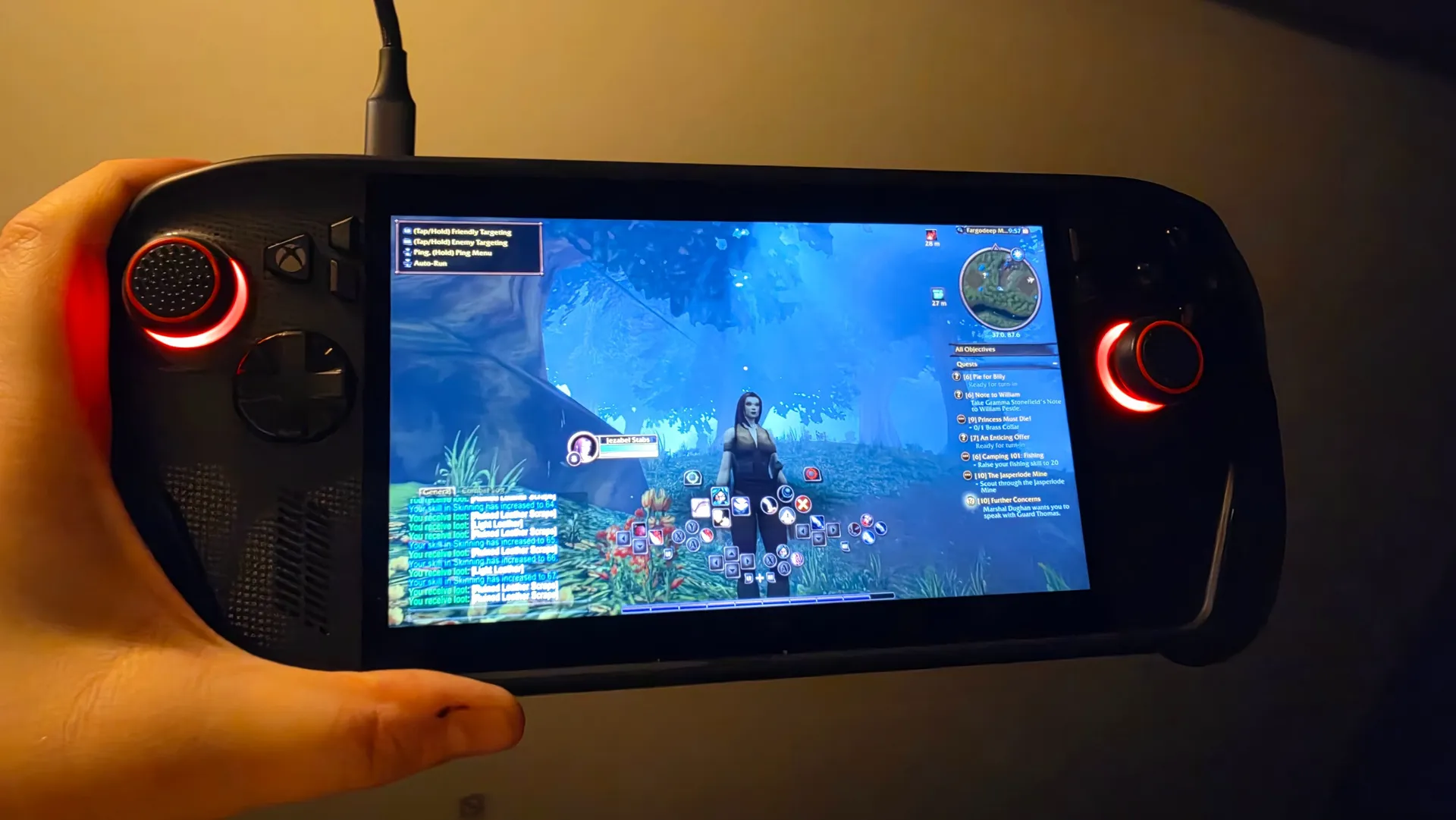
World of Warcraft Forever brought about a ton of changes to the classic formula, but the biggest was probably gamepad support.
People have been playing World of Warcraft with a controller for many years thanks to third-party addons, such as ConsolePort, but with WoW: Forever, Blizzard actually brought native support directly into the client.
World of Warcraft Forever is essentially a remix of the original game, adding new quests, boosted environmental visuals, and a range of other new features. It's available as part of the subscription, with no upfront purchase necessary, although you can buy a deluxe pack with a bonus race and other goodies.
Thanks to the gamepad interface, it has become a top game for me on Xbox Ally and other similar PC gaming handhelds, but by Blizzard's own admission, it's still listed as a "beta" in the settings menu.
So, how does it stack up in practice? Here are some thoughts on World of Warcraft's gamepad support, and where we might be heading with all of this.
A great start, and quite viable for some classes
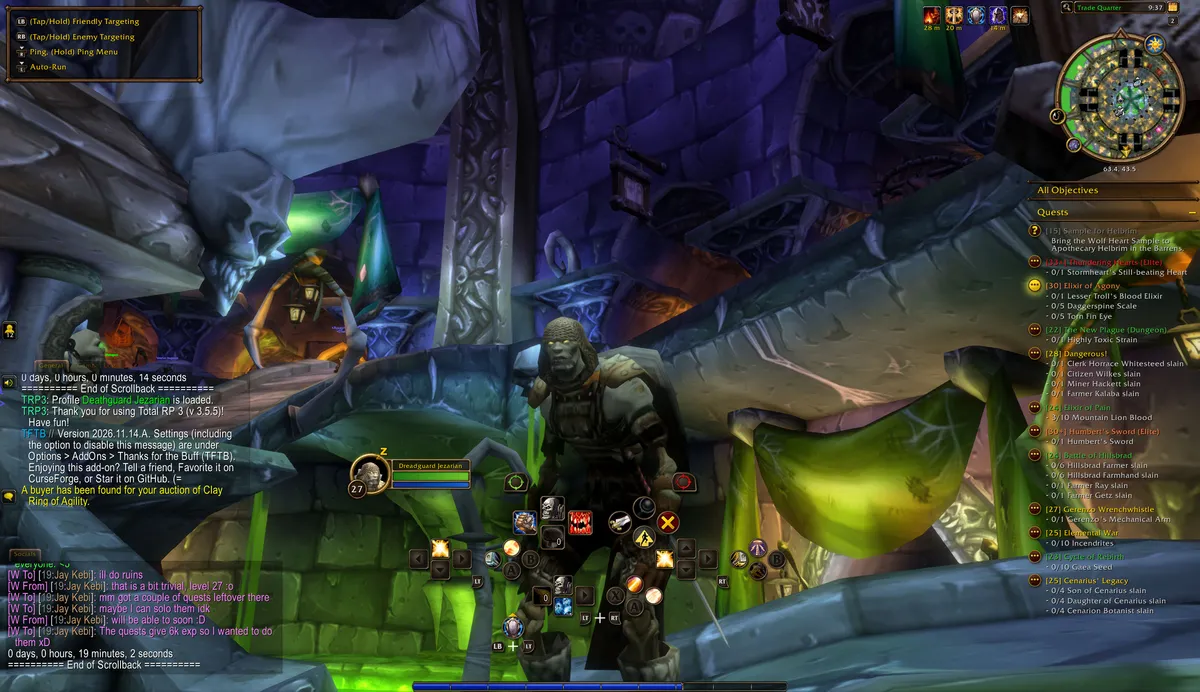
World of Warcraft Forever borrows from other similar MMORPG solutions on console, making heavy use of shift-buttons to add keybinds. The game has been developed PC-first for literally decades, optimized for mouse turning and controller support. In World of Warcraft's main retail arm, playing my warlock is basically like playing a musical instrument, with over 20 keybinds for spells, abilities, potions, and macros.
World of Warcraft Forever takes the game back to basics, with far fewer spells and abilities to wrap your head around, generally speaking, at least. It was a smart starting point for the development of the feature, given WoW Forever's less demanding approach to combat.
The way it works is pretty simple. Interactions, jumping, and anything core to general gameplay are mapped to ABXY by default. Then, you get three pages of shift-enabled keybinds by holding down the right trigger, the left trigger, or both together.
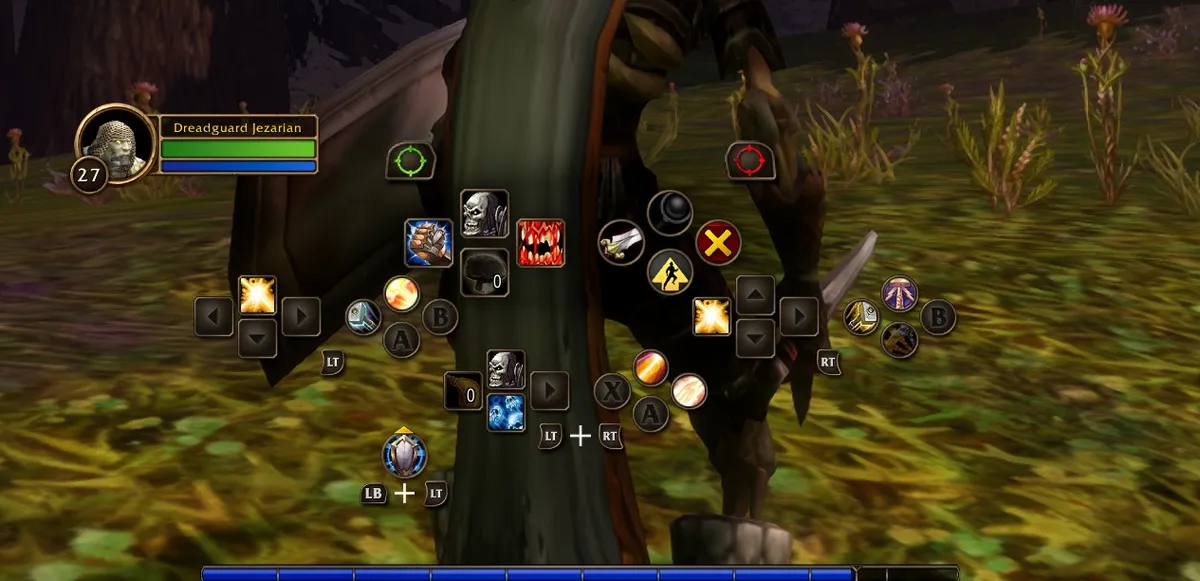
The left bumper targets friendly players, and the right bumper targets enemy players. If you hold it down, you can choose what you're targeting with the joystick. If you hold both bumpers down, you can access a range of quick settings such as opening bags, controlling camera zoom, launching the chat log, and so on.
It's really well done overall. I was particularly surprised by how easy it was to target friendly players for healing, and building up muscle memory for your abilities and skills goes by fairly quickly. It can be a bit fiddly and annoying to customize the UI like this, though. The touch screen on my Xbox Ally X helps a lot in scenarios where the gamepad hits limitations, but that's going to be problematic for users who don't have access to a device like this ... yet want to play on gamepad primarily.
Indeed, there are a range of shortcomings in general with the gamepad implementation at present, ranging from general usability and polish to design aspects that should probably be altered entirely.
Some parts need a rethink and improvements with Windows 11
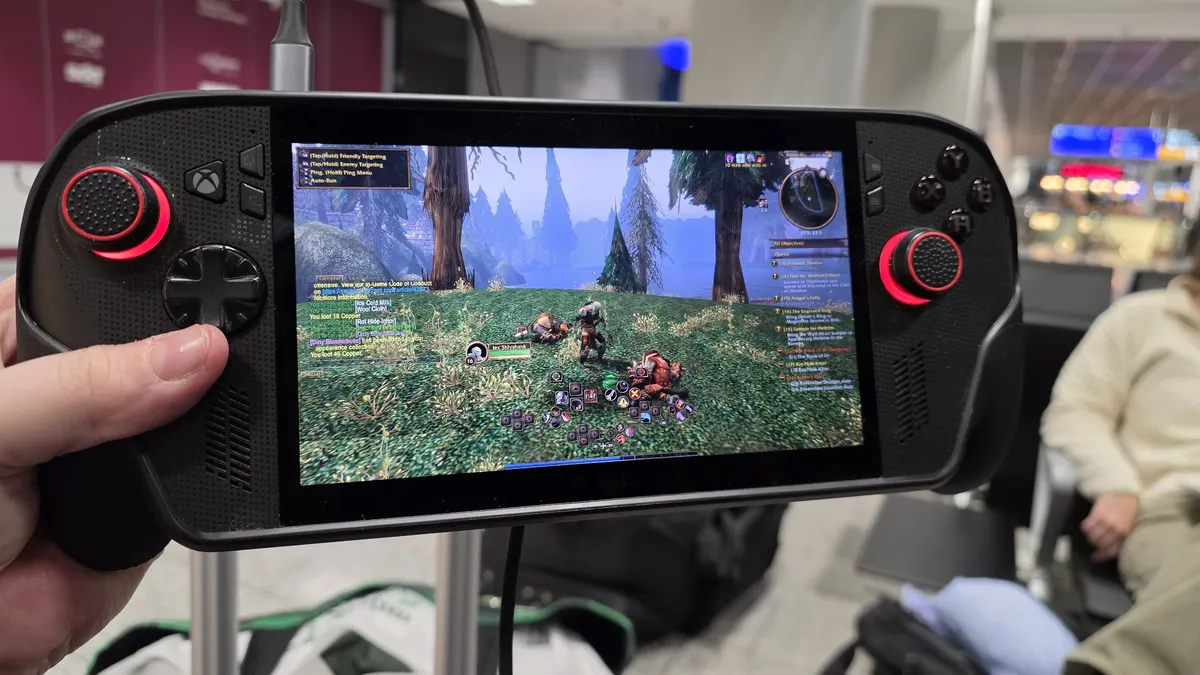
A lot of it can be changed, of course. You can set up custom keybinds and the like, but by default I think Blizzard could have a bit of a rethink about how it handles some inputs.
The d-pad doesn't lend itself well to most classes in my view. Any keybind that asks you to take your thumb off the movement joystick is probably not as viable for most classes. It's fine if you need to stand still to cast the ability, but for instant abilities or melee classes you're never really going to want to remove your thumb from the ability to move around.
Controllers in general are at a disadvantage over mouse and keyboard for this reason, but back buttons on "Elite"-style premium controllers have begun to mitigate and close the gap here. Being able to select buttons without moving your thumbs from the movement sticks is a big boost in competitive games like Overwatch, and pretty crucial for certain heroes like Jetpack Cat where you need to ascend and descend in flight while also maintaining full movement.
It's a similar pitfall potentially in WoW in scenarios where, ideally, you'd want to keep moving while attacking, such as chasing down a monster or enemy player, or avoiding an area attack while still placing heals or shields on friendly players.
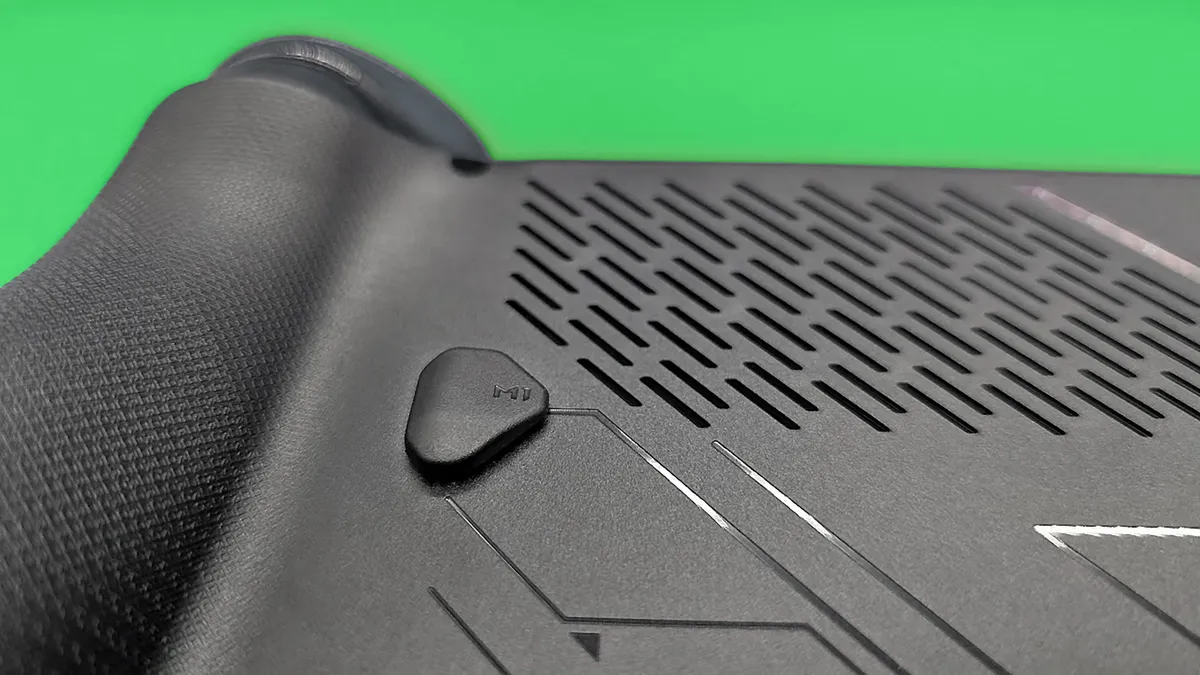
As such, I think Blizzard should probably add the joystick clicks as regular keybinds by default. Right now, the left stick click auto-runs, and the right stick activates the ping system.
But if they were included in the UI as regular keybinds, you could add a total of eight additional buttons via the right trigger, left trigger, double-trigger shift, and the unshifted versions too. These buttons would also not require you to move your finger off the motion joystick, unlike d-pad activations.
On Xbox Ally, you can add additional shift buttons and keybinds to the two back buttons, but they won't show up on the World of Warcraft Forever gamepad interface.
On Microsoft's end, I really wish they would push to standardize back buttons. I was hoping we'd see this with the recently-released Xbox Nano Controller; alas, it was not to be. Right now, back buttons are only optional, and their implementation ranges wildly between manufacturers and games.
On the Xbox Ally handhelds, you can add additional shift buttons and keybinds to the two back buttons manually, but they won't show up on the World of Warcraft Forever gamepad interface. I suppose letting players further customize this is probably the next step there.
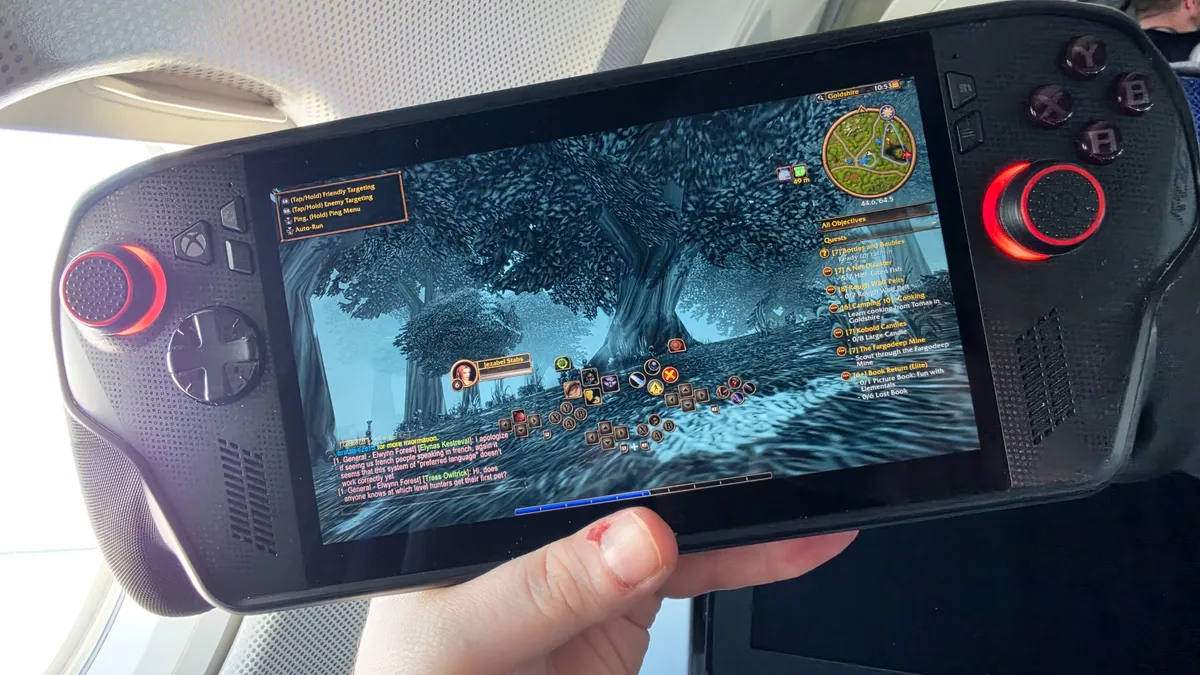
Another major issue with the gamepad system is how it interacts (or rather, doesn't interact) with the Windows on-screen touch keyboard. It's no secret Microsoft was caught with its pants down when PC gaming handhelds started to get popular, rushing gamepad-first systems into the Windows 11 out-of-box installer wizard, lock screen, and other things. But the fact that you can't easily type to other players on the Xbox Ally via World of Warcraft is a major issue.
The chat panel doesn't load the on-screen keyboard consistently for one thing, and the fact that it fully covers up the UI makes it hard to see what you're typing.
Windows 11 does have a powerful voice-to-text feature (fluid dictation), and it is bound to the 'View' key by default when you call up the on-screen keyboard on a device like the Xbox Ally. However, it doesn't interact seamlessly with the chatbox on World of Warcraft. This would be an absolutely ideal way to bridge the communication gap that otherwise exists on devices like this, but the voice-to-text system today is slow and clunky, and definitely needs polish.
World of Warcraft Forever should be a good scenario for Xbox, Windows, and Blizzard to collaborate on a better solution here for all developers wanting to target this form factor. Right now, it's just an abysmal experience, and that's not ideal in a social-first game.
A portent for WoW on Xbox and other consoles?
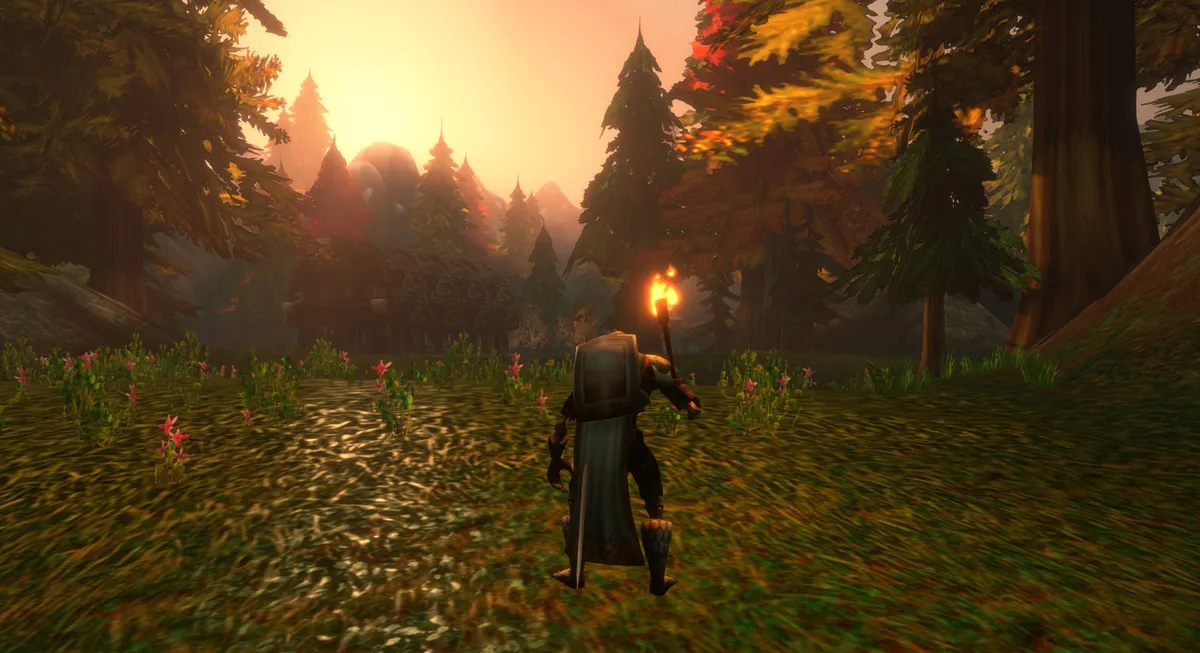
World of Warcraft Forever is an unexpected gem. Blizzard announced the game just a few short weeks ago at BlizzCon, and it has since gone on to dominate the PC gaming conversation, landing a player base the aging MMORPG hasn't seen since its height over 15 years ago.
The sky is well and truly the limit, I think, for this World of Warcraft formula. The slower, more methodical pace, the meditative gameplay, and, indeed, gameplay capabilities prove that the format is utterly timeless and ripe for finding new audiences.
I would expect World of Warcraft is almost certainly destined to arrive on Xbox Series X|S, PlayStation, and Nintendo Switch even in the future. But having adequate gamepad support is an absolute must to meet those users where they are. Today's "beta" implementation is a very good first step, but it's a far cry from where it needs to be ... and I haven't really tested out their solutions for raiding yet. I'm not sure how viable attempting to heal a raid will be without a mouse, but you would expect the goal for Blizzard is to have every part of the experience fully functional without having to grab a keyboard and mouse.
RELATED: World of Warcraft Forever highlights everything wrong with retail
Some of it is on Blizzard, but some of it is on the Windows and Xbox teams too. Improvements to the way Windows games interact with PC gaming handhelds would be great to see, but I also think Blizzard should reconsider its emphasis on the d-pad as a keybind solution given its awkward placement.
Have you tried World of Warcraft Forever with a gamepad? Too busy playing GTA 6? Let me know your thoughts in the comments!

Join us on Reddit at r/WindowsCentral to share your insights and discuss our latest news, reviews, and more.

