


It's no secret that newer Xbox games are getting bigger in terms of file size thanks to rapid advances in technology, content, and graphics.
As a result, it's getting increasingly difficult to fit even just a few AAA titles onto an Xbox Series X's internal 1TB SSD and an Xbox Series S' internal 512GB SSD without forcing you to delete several smaller games to make room.
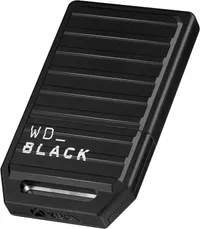
So, in honor of World Backup Day, we have scoured the internet for the best discount deals for storage expansion cards, like this 60% discount for the 2TB WD_Black storage expansion card for $249.99 at Amazon. With these, you will be able to install Xbox games on your consoles and no longer have to worry about constant game file management again.
Alternative discounts
If the above main discounts expire or run out of stock, here are some alternative back-up bargains you can use:
1TB Storage Expansion Cards
- WD_Black 1TB C50 Storage Expansion Card for Xbox Series X|S — was $359.99, now $149.99 at Best Buy.
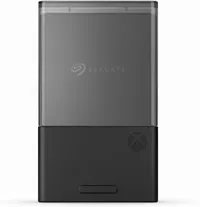
- Seagate 1TB NVMe Storage Expansion Card for Xbox Series X|S — was $199.99, now $161.30 at Walmart.
- Seagate 1TB NVMe Storage Expansion Card for Xbox Series X|S — was $249.99, now $199.99 at Best Buy.
2TB Storage Expansion Cards
- Seagate 2TB NVMe Storage Expansion Card for Xbox Series X|S — was $349.99, now $277.70 at Amazon.
- Seagate 2TB NVMe Storage Expansion Card for Xbox Series X|S — was $349.99, now $277.70 at Best Buy.
- Seagate 2TB NVMe Storage Expansion Card for Xbox Series X|S — was $349.99, now $277.70 at Newegg.
FAQ
What is World Backup Day?
World Backup Day is a global awareness event held every year on March 31 meant to remind people to take better care of their precious data through various backup methods, as they can be easily lost with no chance of recovery.
These methods make backup copies within storage expansion devices like Solid State Drives (both internal or external) and console expansion cards, electronic devices like mobile phones and game consoles, or within cloud storage programs like OneDrive.
Why pick storage expansion cards over external SSDs?
While external SSDs are often cheaper and come in larger storage sizes, you can't play Xbox games directly from them, as they're primarily designed for storing them, not for plug-and-play.
Storage expansion cards, meanwhile, allow you to play Xbox games directly from the cards plugged into the console while reducing the cable management that comes with using external SSDs.
How do I install these cards onto an Xbox Series X|S
All you have to do is insert a WD_Black/Seagate Xbox storage expansion card into an Xbox Series X|S's dedicated storage expansion card slot located on the back of the machine.

Join us on Reddit at r/WindowsCentral to share your insights and discuss our latest news, reviews, and more.

