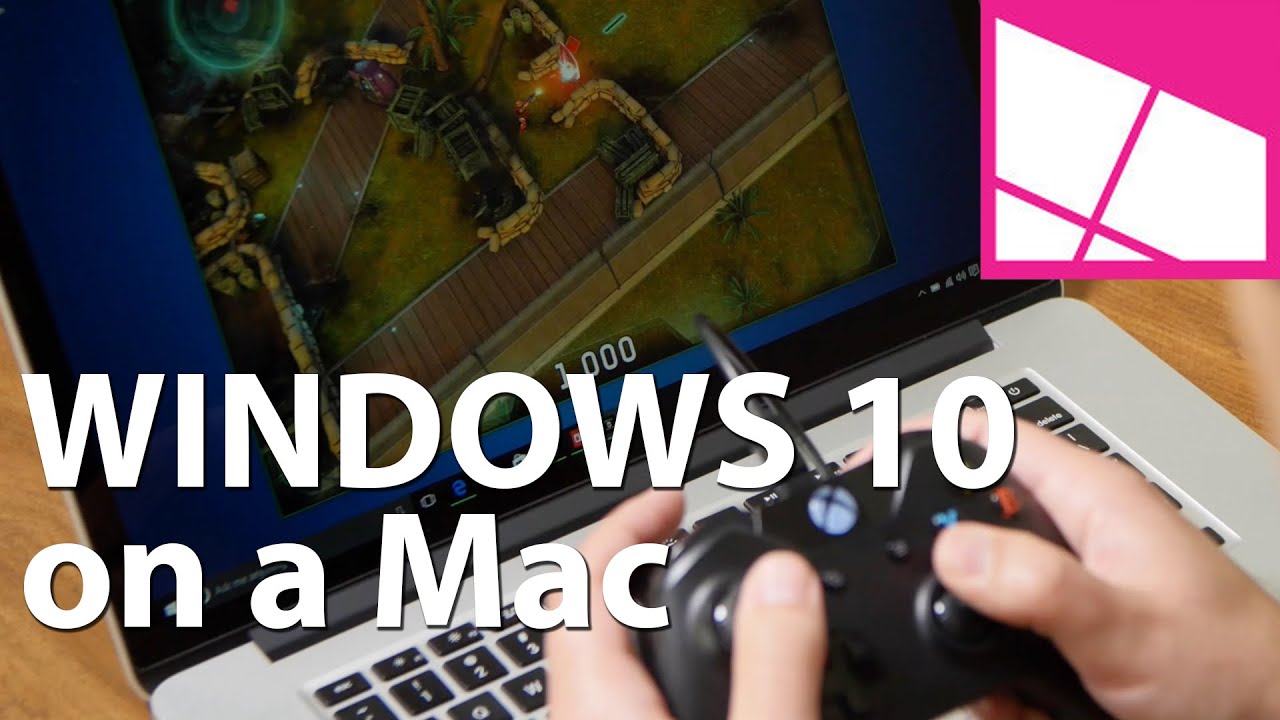
Although the majority of people using Windows 10 are current Windows 7 and Windows 8 users, we cannot forget the Apple brigade using OS X. Indeed, in the U.S. Apple laptops are consistently a best seller, which raises the question: Should they install Windows 10?
The answer is yes, and not just because we think Windows 10 is a superior OS (granted we are biased, so grain of salt). Indeed, the real reason is any Mac user can simply download the Windows 10 ISO file and join the Microsoft world for free. I detailed this ability yesterday, and it was a build up to this article.

Why Windows?
Apple knows the allure of Windows and PCs, which is why they build Boot Camp right into the OS. For those who do not know, Boot Camp lets OS X users create a partition and install Windows directly on a dual-boot system. Seeing as that Apple hardware is just a refined (and pricey) PC, any modern MacBook can run Windows.
One of the main reasons Mac users want to use Windows is for the superior gaming experience. Additionally, there are still many Windows-only desktop apps that some users may want or need to run. Finally, there is just the allure. Windows 10 is making many headlines these days and what better way to nab some Apple fans than with a (virtually) free new operating system?
Apple makes the process of installing Windows 8 or even Windows 10 very comfortable. In this video, I'll show you how in about 45 minutes, you can load Microsoft's latest OS on any modern MacBook.
In this case, we are using a 15-inch mid-2015 MacBook Pro with 256 GB of storage and Intel graphics.
How to Install Windows 10 on a MacBook
Installing Windows 10 on a new MacBook Pro is very easy. You need two things to get started: a USB drive with at least 4 GB of space and the Windows 10 ISO.
Of course, you should also back up OS X just in case.

1. Get the Windows 10 ISO
In OS X, launch your preferred web browser and head to Microsoft's website to download Windows 10 ISO: http://www.microsoft.com/software-download/windows10

You can now pick your version. Most users should pick Windows 10 or Windows 10 Single Language ISOs. ( Note: The KN and N versions just have reduced (non-baked in) media capabilities due to legal challenges in South Korea and the European Commission from a ruling in 2004. They are best to skip.)
2. Open up Boot Camp
Once you have downloaded the Windows 10 ISO, you want to open up Boot Camp. Boot Camp walks you through the process, including formatting the USB drive and installing the ISO files to it.
Remember that USB drive is formatted during the process, so remove any personal files that you do not want to delete.
You can also read iMore's great guide on using Boot Camp for more detailed instructions!
3. Set the partition size
During the process, you are asked to set the partition to where Windows 10 will be installed. You can leave the majority to OS X if that is your primary OS, or give 200 GB to Windows 10. You can also split it evenly.
Recall, you cannot later resize the Windows 10 partition so think this through. Otherwise, you need to use a third party app to adjust the partition or through Boot Camp, delete the Window installation and start all over.
4. Rebooting and Setup
Once you have the partition set, the computer reboots automatically. Very suddenly, in fact. You should hear the famous Apple 'gong' sound and then you will see a black screen for what may seem like an uncomfortably long time.
Do not panic as you soon will see Microsoft's progress indicator on your display.
You'll notice that text is very tiny due to the Windows drivers not yet scaling. We'll fix this later. The OS installer walks you through the rest.
5. Format the Partition
Once the Windows installer loads, you need first to choose the right partition to install the new OS. This step is critical as you could accidently format your OS X partition if you are not careful.
Make sure you choose the Bootcamp partition. In this case, it is easy as it is the last one, and it matches the 200 GB I allocated during the initial setup. There is a small error here as the installer needs to format the partition before it can install Windows. Make sure you are on the right partition, take a deep breath, and hit 'format'. Once completed, you can now hit Next to begin installation of Windows 10.
6. No product key? No problem
Remember, if you do not have a Windows product key, you can skip entering it and still install the OS. You can use Windows 10 without buying it, you just cannot customize the look and you have a watermark on the lower right-hand corner.
You do not need to Activate Windows 10 to install it, but this is how you can activate later
The Windows 10 installer asks for a product key twice. Once before installation, and once after. Both times you can hit 'skip this for now' and proceed with the install.
You can always buy a Windows 10 license later, just see the above article for a how-to.
6. Hands-off
Installation can take upwards of 15-20 minutes, and the computer reboots a few times as it installs drivers and configures the apps. You have to agree to the usual terms and services before the OS installs.
The computer also reboots and continues to install the apps in the background before it loads Windows 10 for the first time.
7. Windows 10 is here!
After a few reboots, Windows 10 loads on the MacBook. Windows Boot Camp should now load and will you have to agree to have it installed. This app unpacks and installs the necessary drivers for Wi-Fi, the trackpad, and keyboard, so let it do its thing.
You can find Boot Camp in the taskbar area for later use. Using this app you can reboot back into OS X and do some minor configurations to the keyboard and trackpad.
8. Fix the Display
The screen scaling is off by default on this installation, so you want to fix that before going any further. Here is how:
- All Settings (tap the text bubble in the taskbar, or just type in Settings in the search bar)
- System
- Display
- Move the slider to 200% (recommended)
- Log out and back in again
Now the Retina display should make Windows 10 viewable.
9. Update the OS
Although you are downloading the latest version of Windows 10, you want to do an immediate update for a few reasons. You get the most recent security updates, and you also get the necessary Intel Iris Pro graphics drivers for the computer. This update fixes any graphics stuttering you may have noticed.
- All Settings
- Update & Security
- Windows Update
- Check for updates
Once installed, you need to reboot the OS for everything to take effect.
10. Update Windows Apps
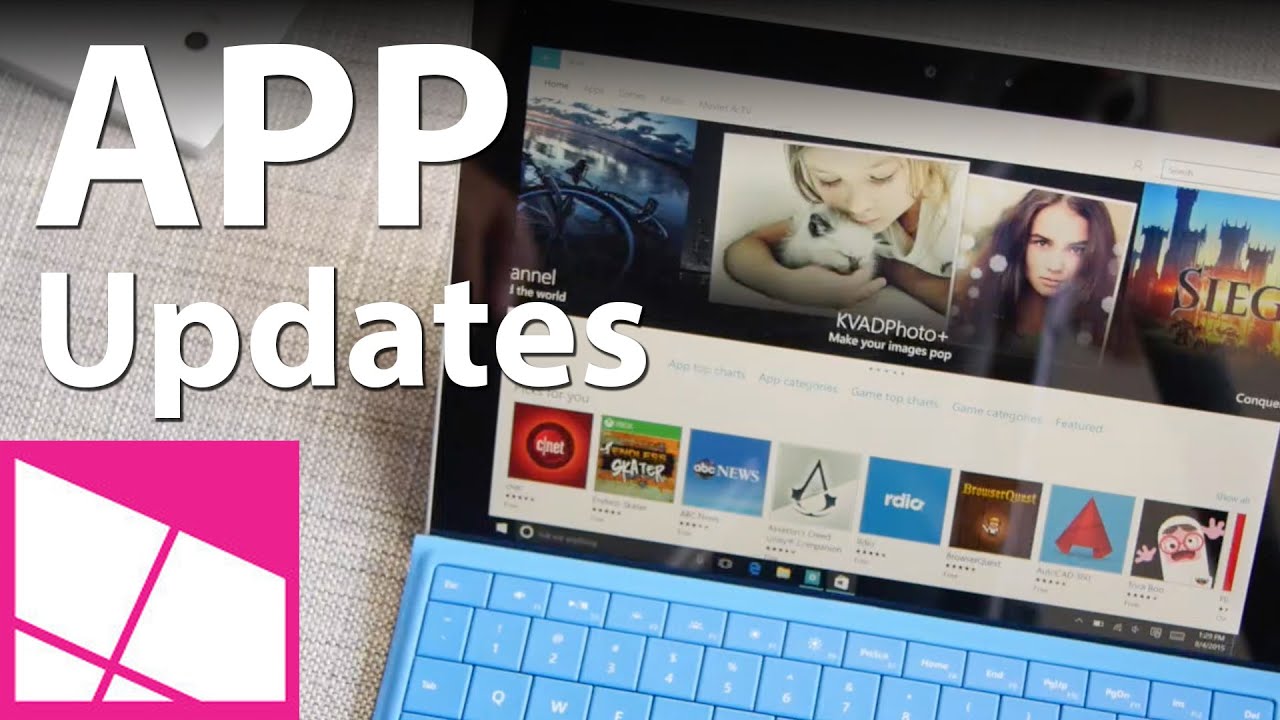
In Windows 10 many of the core apps like Groove Music, MSN News, Weather, and more are Windows Store apps. Just like your smartphone, these get updated through the Windows Store. You can watch the video above to see how to initiate a manual update.
- Open the Store app
- Tap the user icon at the top
- Download
- Check for updates
This step is important as the Store updates around 25 apps, including some behind the scenes ones. The Store app gets an update. This reason is why the Store app may suddenly close. Do not panic, it did not crash. Just reload it and it should continue updating any remaining apps.
11. Reverse trackpad and mouse scrolling
If you use OS X, you are likely accustomed to the way the trackpad scrolls. PCs though typically have reversed scrolling. You can fix that on the MacBook by using a registry modification. Directions originally found on waded.org.
- Type Regedit and press Enter/Return in the search area on the Task Bar (lower left)
- Answer Yes to the security prompt
- In Regedit expand the folders on the left through HKEY_LOCAL_MACHINE \ SYSTEM \ CurrentControlSet \ Enum \HID.
- Under HID , you'll see some folders that start with VID. Expand each VID folder to Device Parameters. (Note: only one VID folder has it, so you have to try them all.)
- Click each Device Parameters. If FlipFlopWheel is shown in the right pane, double-click FlipFlopWheel , change the value from 0 to 1 , and click OK.
- Do the same for FlipFlopHScroll.
- Restart Windows after having changed them all. Logging off and on does not enable this entry.
Alternatively, you can download a free app called flipflop-windows-wheel here from GitHub that automates this task. Just download the file, run it and hit 'Flip'. Once again you need to reboot (not log off) to make the settings work.
12. Disable Auto-brightness for the display?
By default, Windows adjusts the display brightness automatically. It works very well, too. However, if you want to get the max brightness you need to put the display under _manual _control e.g. the keyboard function keys. Here is how to do that:
- All Settings
- System
- Display
- Toggle on or off auto screen brightness.
I leave auto on all the time, however, even at 100% it does not max out the MacBook Pro's display unless you are under dazzling conditions. However, I prefer the aggressive display control to preserve battery life and quite frankly, it works very well.

So How Is It?
Overall, Windows 10 runs fantastic on the MacBook Pro 2015. Battery life is great, performance is outstanding, and there is nothing that doesn't work. Even the trackpad experience is quite solid. Heck, even Cortana and the voice-activated Hey Cortana work as well.
How to enable 'Hey Cortana' in Windows 10
From my experience, if you wanted, you could make this a primary Windows 10 machine, albeit a very expensive one.
However, if you are already a Mac user and are curious about Windows 10, I see no reason to not download the Windows 10 ISO and give this a shot. As a warning, older Apple hardware may have more complications, but newer devices should be A-Okay.
More Info!
If you are an Apple and Mac user make sure you check out our sister site iMore for all of their Windows 10 info. It is the best spot to ease your way into the Microsoft world if you mainly use OS X.
Windows 10 on iMore – All you need to know
Windows 10 on Mac: Help and discussion forum
For more basic info on Windows 10, including some tips and our vast array of how-to articles, make sure you head to our main Windows 10 help page or jump into our forums!
Windows 10 on Windows Central – All you need to know
Reader comments
This is how to install Windows 10 on a MacBook Pro (2015)
I will try this if I feel like leaving Yosemite.
Can you bitlocker the windows 10 c drive?
yes. mine actually displayed a flag that I have not applied bit licker, l folloewed the prompts and it its thing.
Get Macbook pro and install W10, or wait for Dell XPS15?
Tough one. MacBook gets better battery life, by a lot IMO. Also, the build quality is higher with the Mac.
However, you don't get 4K (if that's your thing) or a touchscreen (also, if that's your thing).
In using both and if money was no object (Mac is pricier by a few hundred) then I'd go MacBook Pro. I'll probably write more on this next week, you know, to tick off some people here, lol.
Dan, keep in mind that on Windows (from a Mac) you get about half the battery life due to poor drivers from Apple. So the XPS will be a superior experience in that regard.
If this is the case I definitely have not witnessed it. Quite the opposite, in fact. All the drivers e.g. Iris Pro came from WU and Intel. I have been getting phenomenal battery life.
Not with a Macbook that has discreet graphics like mine as switchable graphics does not work in bootcamp. I have the top spec 15" with nvidia gaphics. It'll use the Nvidia graphics all the time. If you somehow manage to find a fix for this, please let us know.
the discreet graphics is one reason I didn't opt to buy that model as you are correct, it has driver issues. can't help there, sorry.
Does the 3 finger gestures work under bootcamp? I don't see that option in the picture above. My MacBook Air 2012 had horrible battery under Windows 8.1. Might give it a try on Windows 10.
Unfortunately no. Any gestures does not work on the trackpad in bootcamp.
Install Trackpad++ for a wide range of 2+ finger gestures, like three finger side swipe to change desktops, four finger up swipe to open Task View (both very much mimicing OSX features) and three finger tap to open start menu.
Also try SharpKeys for ctrl/cmd key swap and if you're on Bootcamp take a look at rEFInd for easy (and skinnable) boot select on startup.
I've been running W8 and W10 on my early 2011 MacBook Pro and I love the combination. Though battery life is really not as good as under OSX, the hardware runs much hotter too.
These three tools add a lot to the combination:
1. Trackpad++
3+ finger gestures like 3f side swipe to switch desktops and 4f up swipe for task view (both mimicing OSX) but also 3f tap to open start, etc.
2. Sharpkeys
Swap left CTRL and CMD keys so most keyboard combinations are physically the same under both OS installs.
3. rEFInd
Easy and skinnable OS selector menu on bootup.
What's that wallpaper??
So you're saying buy a more expensive MacBook to run Windows 10 instead of a proper Windows PC?
No, I'm saying it's your money, use it as you wish. However, if you like Apple hardware and the MacBook Pro for 2015, feel free to run Windows 10 on it and use it. It's a fine machine.
Whether or not it is worth dropping $2k on it is a personal decision. Clearly, not everyone can afford such hardware, which is what makes the PC market nice.
At least for $2k you are getting a very powerful laptop and two operating systems. For some, that's a big deal (I'm thinking of developers, video editors, or IT).
You are probably right on build quality, but I have to say my sp3 is high up there in build quality. plus I can not imagine myself not having touch anymore and win10 have made using touch, keyborad, trackpad and mouse at the same time a very pleasant experience and don't forget the pen, I write with it naturally now using onenote like you will not believe. I have to say that meft is using win10 to make a strong case for 2 in 1 devices with good build quality like sp3
My rMBP 15" is the best Windows machine I have ever owned. Not sure why I need a PC when I can have the best of both world on one machine.
Wait. All of the buttons along the top have dropped working with Windows 10, including keyboard backlight which is annoying. Even fn+delete doesn't delete anymore, just backspaces. Waiting patiently for Apple to update their drivers... :/
As I show in the video, my brightness and volume keys work just fine.
You need to re-install Bootcamp.
The keys tend to stop working when a new Windows 10 build is released..
Get into osx,reinstall/redownload bootcamp drivers to a usb drive. Switch back to WIndows and find the folder with the bootcamp drivers. Install the drivers manually.
Maybe wait for surface pro 4?
I would say get the Dell XPS15.
Been running win10 TP on my Dec 2013 MBP. Run like a dream but without touch screen in (2013, and now 2015) annoys the hack out of me. Would have gotten the Surface Pro 3 if it had been released early.
I've been using Windows almost exclusively on my Macbook Pro 13 for a year now. I only switch to OSX when I need the battery life (about 10 hours vs 4 in Windows).
Recently upgraded to Windows 10 from 8.1, but found that the keyboard controls for volume and brightness don't work anymore. Anyone have a solution to this?
Wow such battery life difference because of the OS? Interesting
Unfortunately, Apple does not provides access to the non-powerful GPU (Intel HD 4000+).
Therefore, it's like driving your car with 4x4 on all the time, even in situations not required.
Yeah, I avoided the AMD GPU version of this laptop because I heard the drivers aren't there (not sure), so just went with straight Iris Pro, which works great. Gaming on this thing is blast and even Xbox stream works well.
Are you able to switch between discrete and non-discrete GPUs?
Dunno. Just use whatever is there by default. Performance is great, no stutters. Halo: Spartan Strike with Xbox controller is fantastic.
This is by far one of the fastest PC laptops I have used.
The Macbook Pro 13 only has integrated graphics, so graphics switching is not an issue (Iris 5100). It was a big reason why I went with the Macbook at the time, because Windows OEMs that made 13-inch notebooks back in May 2014 were still stuck on Intel HD 4400...
Yup, and the 15-inch is like that too, although there is a higher-end version with an AMD GPU. I'm using the Iris Pro for this video.
That's strange because I get all day use use with my surface pro 3......8.5-9 hours. I work 11 hours a day. I guess I'll have to setup a camera and post it on YouTube for people to believe.
I had said this above, but should be same here.
"You need to re-install Bootcamp.
The keys tend to stop working when a new Windows 10 build is released.."
Same happened to me. I reset my MBP, under setting, recovery, reset... and it's all working now.
It is fast, but you will have to reinstall some apps. Also, try to clean up older versions of windows if you have not done so.
People at work ask for MacBooks all of the time. Say they need it to do their work. Developers and UI designers. Little did IT know, they would just install Windows on them. The lot of them. Sigh, not good for budget when they could have better spent that money if they actually needed a PC.
Haha, that's why our it only supplies touch enabled devices from dell, hp. Macs require leader approvals which are hard to come by. Once used to touch devices ppl stop asking about Macs.
That is a really lousy strategy..
As far I'm concerned, a Dev will work in the platform that has better tool support, and in this case, because almost everyone develops in Macbook (usually with Linux too), the tools available which are not commercial, tend to be better to find for Macbook/OS X.
On the day of release I've done it on a MacBook white (early 2008)
Whahaha
more fun.... we had a few 2007 and 2009 imacs and an older mac pro (xeon based) in office that were retired as OSX ran like garbage (we needed Yosemite due to certain apps)
well, the 09's were cake, BUT bootcamp only gave me a "insert windows 7" disk option. So, i proceded with a windows 7 disk, upon reboot swapped it with windows 10 (insider preview) and it runs GREAT!
the 07's and mac pro needed the windows 10 iso modified in order to boot them (if not, you get a select 1 2 message on screen), but after that, they are both on 10 as well, and the mac pro runs like a beast. now for a #ninjacatmountingapple sticker ( http://i.imgur.com/1P4sX9L.gif ) to stick on them :)
Yes but my MacBook white (early 2008) runs the final builds :)
The only difference, there's no Windows key on its keyboard ;)
Yup, although the Command key acts as a Win key, so it's a superficial complaint ;)
I'd make little Windows stickers to replace the ugly Command icon
lol, will see. I doubt that'd hold up after use.
Command/CMD? The command key logo is great! It is a Swedish symbol that Apple decided to use a long, long time ago ...
"was derived in part from its use in Scandinavian countries to denote places of interest"
https://en.m.wikipedia.org/wiki/Command_key
Disclaimer: Yes, I'm Swedish, so I am biased in liking it, lol.
lol, gtk thanks
Or norwegian ;)
Mac users use windows for superior gaming? Is alienware dead?
Superior gaming compared to OS X, not other laptops. Gaming on a MacBook Pro is the same as gaming on any Intel PC, although the specs on the MacBook (fast SSD and Iris Pro graphics) are slightly better.
I'm actually more curious as to what the wallpaper is in these screenshots.
I'm seriously not going to post any more screenshots since this is all people ask, lol. I understand the request, but I cannot each time put in my wallpaper into an article.
Just do what I and millions of others do and use Deviant Art. Thanks!
Its time you all did a story on your Top 10 Wallpaper for Windows 10 :P
That's actually quite interestibg
Where can i get that wallpaper
I'm doing this as soon as I get home!
Im convinces. This is a damn good site. All these how tos will help grow your userbase. Keep it up windows central
Thanks! We figured what better way to explain this than us as we know the OS pretty well. I'm not sure many Mac users know how easy it is to use this OS, may help Microsoft in the long run.
Having said that, I do like Apple's laptops on occasion ;)
Can you help me out please??
My right click (with my MacBook white early 2008) doesn't work on windows 10... How do I fix that or what are the alternatives for right clicking???
Should be an option in Boot Camp. See the above photo in the article for it.
Nope i searched every where... Can't find it.. Do you know a second opinion?
Madness!!
If you have a Retina Macbook Pro, you should set the zoom setting to 150%.
You can manually change Edge to 200% if preferred.
Eh, it's user preference. I like 200%. Maybe I'm just old.
:-p
It actually looks good tbh but surface still is better
Depends. Not sure I'd compare a 15-inch laptop to a Surface; different beasts for different days. For sure, both are great, but each has their pros/cons.
One thing that they won't notice is the vertical only swipe in tablet mode
I don't like apple at all. My cousin brought one long time back and I took it from first day but after two days I gave it back to him uninterested in it anymore.
But Dan you are making me raise my eyebrows here man. It kinda looks cool would love to check iy out on MacBook pro.
It's a phenomenal piece of hardware. I'm not a fan of OS X, but Windows 10 on here is fantastic.
Apple is all about their hardware everything else is just meh!
Do you think you could provide some more exact figures on the battery life? I'm trying to gauge whether upgrading from windows 8.1 has ruined my battery life and if I should do a clean install of windows 10 because ever since I installed Windows 10 Pro on my 2015 13" Macbook Pro i5, 16GB RAM, 128GB SSD the batery life has just not been very good. I originally had windows 8.1 and the battery life was alright, not as great as OSX but still good, but after upgrading to windows 10 I just feel my battery dies so quickly (i.e. if I play movies for 2-3hrs the battery is already down to 50% with battery saver on the whole time whereas on OSX it would still be in the 70-80% range and windows 8.1 would be in the 60-70% range without any battery saving settings).
I'll see what I can do over the next few days. Did a fresh install of the OS yesterday for this video, so need some time to settle in again.
The problem is apple hasn't updated their drivers to make sure the Mac keyboard keys like volume or brightness work. They're not working on my boot camp. And the bootcamp app is glitched sometimes. (this is happening on different computers.)
I show in the video it's working on my device, volume and brightness.
Would this work the same for an early 2011 13" MacBook Pro? I'm wondering for my friend who likes windows on my SP3
Yes it works;) I've done it on my MacBook white early 2008 so I'm pretty sure it also works on your MacBook!! Have fun!
So long as it has Intel hardware, then sure. Mileage may vary, but Boot Camp will walk you through the process.
The best you can do on a Mac
Oh come on... OS X is a great OS. Just not for everyone...
Would this work on a 2014 macbook air? 8GB ram, 256 GB drive.
I don't see why not.
Might give it a try this weekend and report back if I do.
I installed it on boot camp in my retina 13 inch 2015 MacBook pro.
I wish the force touch trackpad would work better on windows.
Also I've been getting horrible battery life. My battery barely drains on os x, but on windows it gets suck dry
Posted via the Windows Central App for Android on my Oneplus One
But how about smooth scrolling. I installed Windows 10 on Release Day on my MB-Pro 13" Retina. Everything worked fine except the trackpad. Scrolling is awfull. It´s more like scrolling with a mouse than with a trackpad. Does anyone have a solution for that? That´s the only thing holding me back from using Windows 10 primarly.
Great Guide and very handy, man that Orange looks so sexy, can't wait for my Lumia 830 to be on my hands :D
Is it just me that I don't recognized that fonts as Segoe UI or it's just a effect of a high resolution Retina display. Did you changed it Daniel?
If I'm going to drop 2K for a Mac, I'd rather buy the new Razer Blase with QHD display.
Razr's are nice, just not their battery life. I'd like to get one some time, they do look cool. This also has a larger display (14 vs 15) if I recall.
That machine also costs $400 more than a 15-inch MacBook Pro, which is not insignificant.
Gaming laptops are a class of their own, but not sure I could use it for my job due to the battery life.
It's $400.00 more but you get higher resolution than retina, and I can load up game and can handle it without problem. I rather give my money Windows PC makers than the Apple.
Yep... One detrimental things I see often on gaming laptop are mostly size and battery life, well, practicality in a sense... As most people use gaming laptop to plug in to a wall charger, some are only 3-4 hours under normal usage.
Hmm... Maybe ill do it to an old family's MacBook Air... Young sis need a laptop but Yosemite is not the norm used in my country... So this might help her studies. Thanks for the comprehensive steps Dan!
I still haven't seen how to do this on the surface pro 1 yet......
How to install Windows 10? If that's your question, it's pretty easy, it's the same as installing on any other Windows machine. Windows Central has already written numerous articles on the topic.
How about Yosemite on a PC. Don't tell me its not possible. Hp Envy runs it great.
I remember the Deadmoo image days, then the JasMac distros... Such memories... I dropped Hackintosh for real macs after 10.6, it still is a fantastic OS.
I installed 10 on a Macbook 2,1. It works great for such a old laptop, pretty sad that MS OS is supported but Apple dropped support 5 versions ago...
Wrong, you can repartition later, go back to OSX and shrink it, then take the unallocated space for your windows partition
Does it require yosemite bootcamp? Should work fine with mountain lion?
I don't own a MacBook but i always loved their hardware.. I'm comtemplating getting a Surface Pro 4 or a new MacBook Pro. It's nice to know i have this option to load Win 10. Great article.
IMO if windows 10 is free for all Mac users it might not hurt WIN in the long run if they give all the "non genuine windows" users a chance for free upgrade for first 6 months.
Perfect for work and play all in one laptop.
I mean what kind of an idiotic recommendation is that to advice someone who is looking to use Windows, but want a premium Laptop to go buy an Apple?
As I said in my comment below , there isn't a single windows laptop that comes with i7 / 16gb ram and 512 SSD that costs less than MacBook Pro . Show me if you think there is one .
Plus a PCIe SSD is super nice. That Intel Iris Pro for graphics is also not easy to find on a PC.
So yeah, this laptop is one of the best spec'd out PCs on the market.
I have a doubt, right now I'm using a early 2015 MacBook Pro 13, the 128GB one. Should I install Win 10 on it?? I don't know if I should because of low memory :( , and I don't like to carry my HDD around too much, PLS halp M8
It's nice to see people still wanting to use Windows on Mac. Can't resist Windows I guess.
Does the Miracast work on Windows 10 Macbook Pro?
How do you do screen capture with windows on a Mac ?
Snipping Tool.
A lot of people think the MacBook pros are too expensive , but if you look closely they're not. I recently got myself a 15" rMBP with 512 SSD / 16 GB / Intel i7 processor it costs me $2800 ! First thing I did was to install windows 10 on it .
Before I bought it I did a bit of research because I wanted a windows equivalent and there was none ! The closest windows laptop I could find was from HP which cost over $3000 and came with a 1080p screen. If you have the means to buy a $2000+ laptop , your best bet is to get a MacBook Pro .
Didn't you used to be able to reverse scrolling direction for PC settings on 8.1? Did they remove it?
Yeah, just checked: Go to Settings > Devices > Mouse & touchpad > Reverse scrolling direction (On/off, under "Touchpad" section).
No registry edits nor programs required.
lol I mean, I did try that. There is a reason why someone made an app as the method you detailed above is hardware and driver dependent.
Shorter answer: those options are not here, I checked ;)
I've experienced problems because of a lack of drivers for windows 10 from apple so farm Adobe 2015 PhotoShop doesn't work for crap, adobe said it was a problem with apple's drivers, which is quite annoying since photography and graphics is my job.
And once I've done that will I have a touchscreen? :-)
We've been touching our laptop and desktop screens without any results for so long; Microsoft fixed that. (That's a broad term so please understand in context.)
Regardless of how (absurdly expensively; hey, they still break!) beautiful Apple's notebooks are (I've been tempted to buy), not being able to manipulate info directly on a modern computer's screen is regressive.
I know Apple will get there one day; that day is just not in this era.
Yeah, it's personal choice though. I never use my touchscreen on the Dell XPS 15 or X1 Carbon. Smaller displays and the Surface make sense, not so much with large ones.
I've had my MacBook pro since 2010 and have since installed windows 7 using boot camp multiple times. The reason is, after awhile windows starts to slow down and I end up doing a fresh install. I have to say that boot camp works really well and you get the full windows experience. I would recommend, if your MacBook is capable, get two hard drives maybe one ssd (you will have to sacrifice the optical drive) install windows on one drive and save OSX or whatever its called today, for the other drive. It's nice having both OS's on one laptop, REALLY nice, until windows starts to bog down. I gave up having windows for that reason and have been running just OSX for the past year, but a newer MacBook pro and windows 10 might not have this issue.
It doesn't, but I never had an issue with Windows running slow on a Mac. As a developer this has been the best way for me to work without needing to be buy two machines.
Hackbook!
Upgrading win 8 to 10 has not been possible on my macbook pro 13 inch mid 2012 .. Any one having this problem and any solutions?
"has been impossible" typo error
The lock screen doesn't work with two fingers scrolling...
I need help. I dont have the boot camp thing in my notification area in Windows. I also dont have wifi. Have to use a ethernet cord.
There are a lot of people who say some Apple products are the best Windows PC around. After reading this article and knowing the Great quality of Apple products especially their laptops. I am inclined to believe they are right. If you can afford to buy an expensive Apple laptop.Great article keep giving Goodie articles like this
Great tutorial! I've been running W8 and W10 on my early 2011 MacBook Pro and I love the combination. Though battery life is really not as good as under OSX, the hardware runs much hotter too.
Things can be confusing when you're using the same hardware for different operating systems. These three tools add a lot to the combination:
1. Trackpad++
3+ finger gestures like 3f side swipe to switch desktops and 4f up swipe for task view (both mimicing OSX) but also 3f tap to open start, etc.
2. Sharpkeys
Swap left CTRL and CMD keys so most keyboard combinations are physically the same under both OS installs.
3. rEFInd
Easy and skinnable OS selector menu on bootup. I have an edited minimal skin installed, looks very classy, almost like it was designed by Apple themselves. Can be hard to install though.
I'm curious for other tools people are using to improve this combination even more. Any tips?
Hi,
I have a MacBook Air late 2014 version with 4gb ram and Intel i5 and 120 gb space. Will it work on that?
Also if when I uninstall, will I get the allocated space back as it was before installing windows 10?
i own a windows 8 product key and i want to know if can i follow these steps to install windows 8 on an imac and then eventually upgrade to windows 10? also, should i format the 2nd drive to Master Boot Record prior to running boot camp? or let boot camp do it? Thanks!
Decently written procedure. However, there is one thing which I'd like to ask. I read somewhere that OS X like trackpad gestures are now also a part of Windows 10 but it requires that one should have a *precision trackpad*. Unless Windows 10 identifies and accepts your trackpad as a precision trackpad, it won't enable the gestures. Now since I am using a Macbook Pro which of course comes with a precision trackpad, how to force Windows 10 to recognize my trackpad as a precision trackpad?
People might come up with an opinion to install Trackpad++ but somehow I don't have a good feeling (totally personal) about that software and how they force you to install their other softwares. I think a minute tweak in regedit could do the trick but as of now I don't know which one should I change the value of or add one for that matter.
Thanks,
Danish Mustafa
Other softwares?
Can I use the ISO file for as long as I want without buying a copy of Windows 10? I will be buying a Windows 10 license in the future but I will probably be waiting until January to get it.
Simple guide to install Windows 10 on old MacBook running El Capitan http://tsentas.net/install-windows-10-from-iso-on-old-macbook-running-el...
Boot camp says it only accepts 64 bit downloads 8 and later. Which it is, but it won't work? Help?
My new 15 inch retina macbook pro gets delivered soon. I want to do this but I am big on editing videos. Will I still have my Imovie and mac apps along side the windows 10 update? Thanks.
With bootcamp you divide the diskspace into two partitions, one for OSX and one for W10. After every restart you have the option to boot into either one. You can install whatever app you want in the respective operating systems - just like on any other computer - as long as you don't run out of disk space.
You can chose to allocate more disk space to OSX if you need that for many large video files, which of course means that you will have less disk space for Windows games.
I want to because I also like to play games and stream
Hello. I try to install windows 7,8.1, 10 on external ssd drive connected via usb port to my 15" MacBook Pro 2014 and cant select ssd during installation process, it just say that - “You cannot install Windows on a USB flash drive from Setup”.
I replace my ssd inside old pc, install 10 there, and again connected it to macBook and boot from ssd. It works fine.
But i do not have anymore that old pc.
Question: Is there way to install windows to external ssd without using other pc?
Thanks for the writeup, I was just looking for this for almost an hour. Will give windows 8 a shot soon in my mac windows 8.1 key
If you need an activation code to activate your computer, you can go here to see, variety, my key ibought here, wish you good luck www.aakeys.com
So after the installation I format the correct driver but when I click next it says I don't have the necessary drivers. If we format the it seems to erase everything. I've tried this on lame El Captin and even went through the trouble of reinstalling Yosemite due to hearing better results from people. But in the end when I click next the drivers are not detected :( I've had to problem with Windows 7 or 8.1 and my MacBook Air 2013 is capable of running Windows 10. I did how ever delete Windows 8.1 before installing because I never purchased the register key.
Can anyone offer me some advice please. I've searched far and wide and see many people run into the issues but no one has an answer. Thanks in advance guys and girls!
I can't do step 4. Once it's finished, then it just shows a black screen and takes me back to OS X Yosemite. Please help :'(
how good is the performance of windows 10?? (from a developer point of view) actally is it good for programming ?? as i am a developer i love windows but I am getting a very good deal on a macbook and if I bought it I would like to load windows on it . If you could ans soon it would be very helpful.
Windows 10 is running perfectly snappy on my 2011 Macbook Pro, so that's probably not going to be a problem on a newer Macbook either. I'm running dual boot and I notice a lot more cooling noise when running Windows 10 than OSX though. As a default, so unrelated to running processor heavy processes.
Hey man, first of all thanks for the step-by-step guide.
Can i make partitions in the boot camped Windows 10??? or there would be only single partition?
I am afraid that you are unable to activate your Windows 8 product key without a product key. You can just order one from the online site www.Msofficialstore.com/ cooperated with Microsoft. All the product keys are legitimate and official. Then just activate your Windows 8 product key with the purchased product key. The activation process is simple and easy to operate.
I want to thank Sara here, she has won my business and I'll be posting my experience to you and others.
My old computer crashed days ago. I had to buy a new computer. It costed me much.
My budget was not much. To purchase a Windows 8 product key from MS was not enough. Then I went to Tomshardware, and one guy recommended http://www.Gastonfiore.com/ to me. Their price did attract me. So I decided to try after several emails to Sara. She was very patient and answered clearly to all my questions. I receved the key immediately after I sent 35 bucks. It worked perfectly. I was very very satisfied.
I'll be buying from http://www.Gastonfiore.com/ from now on as well.