Call of Duty: Modern Warfare 4 is finally launching on October 23, and the mode that's probably most hyped is DMZ. It's been teased for some time, but as we get closer to launch we're finally getting more information on what it is, how it's going to play, and the mechanics we're going to be experiencing.
One of the key parts of DMZ will be the Forward Operating Base (FOB). This is essentially your command center before and after your runs, and crucially, it will evolve as you play the game and progress further.
The FOB will be made up of a number of different Stations, some more crucial to how well you're going to do than others. You'll start out with some, and as you level up, you'll unlock more, as well as be able to upgrade them.
At a glance
- The FOB is your pre- and post-match hub where you'll manage every aspect of your DMZ deployments.
- It's divided into FOB Stations, some of which are available immediately; others will unlock as you progress.
- The Stations will help you manage loadouts and your stash, craft better gear, track your objectives, and even show off a little.
Modern Warfare 4 DMZ FOB Stations and how to unlock them
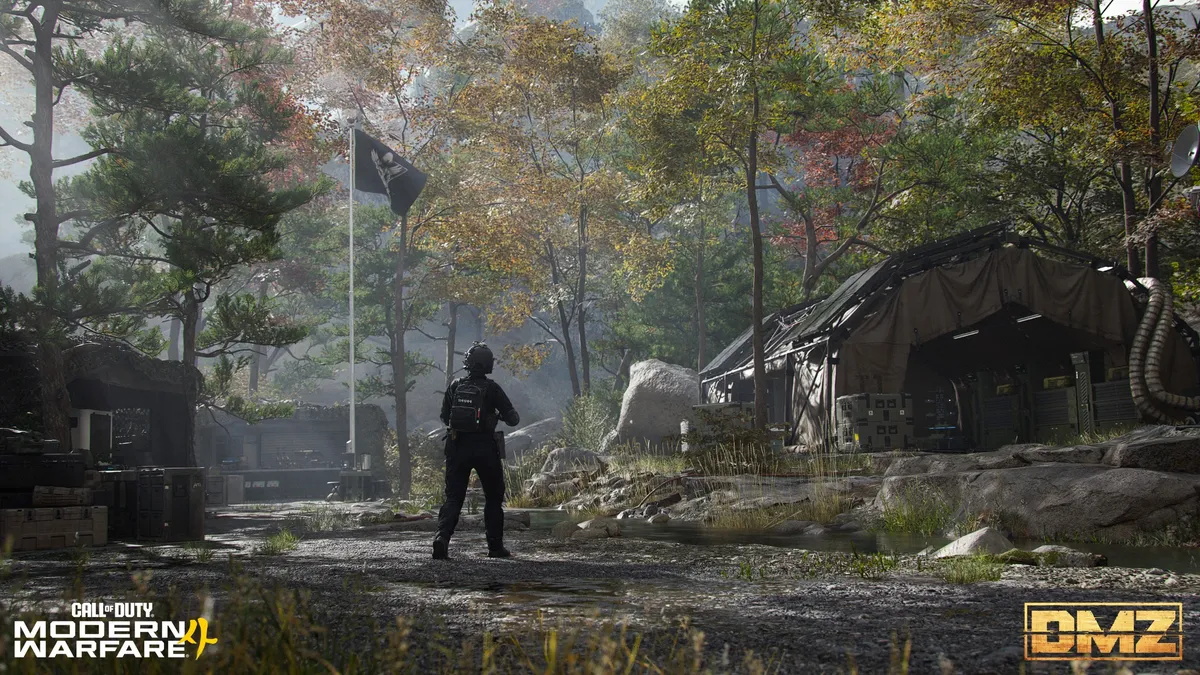
When you begin, your FOB will be far from complete. Some Stations will be available straight away; others you'll need to unlock by leveling up through your DMZ progression.
Some will be essential to success in future runs. Others seem purely for your own vanity. Here is a list of the FOB Stations for Modern Warfare 4 DMZ and how you unlock each of them
Immediately available FOB Stations
- Operators (Active Duty): Manage available operators, their status, upgrade traits, and choose one for deployment.
- Stash/Loadout: The stash allows you to store gear you've looted from previous runs in DMZ, including weapons, gear, crafting materials, and more.
- DMZ Orders: The place to see your Mission Directives that will help guide you through DMZ, tell the story, and help you master the Exclusion Zone.
- Firing Range: A Call of Duty staple for testing your weapons before dropping in for a run.
- Survival Kits: Themed packs of loot that can be used to craft items or as part of your next loadout.
- Bounty Leaderboard: Tracking the most successful PvP players in the Exclusion Zone.
Unlockable FOB Stations and how to unlock them
- 3D Printer (Unlock at DMZ Player Level 2): This is used for crafting items and upgrading other FOB Stations once you have the right items. Printer Resources and Ingredients can be found during deployments in DMZ.
- Boss Board (Unlock after completing your second DMZ Order): Buy intel on Lieutenants, and additional information on Commanders.
- Vendor (Unlock at DMZ Player Level 5): A daily rotation of items you can buy with DMZ Cash.
- Gunsmith (Unlock at DMZ Player Level 10): Spend DMZ Cash to buy attachments for weapons you've looted or craft new ones from scratch. Extracting Weapon Manuals increases the selection of weapons you can craft.
- Dog Tag Case (Unlock at DMZ Player Level 20): Show off the dog tags you've collected from defeating other players during your deployments.
Always available FOB Station
- Deploy: Does what it says on the tin. You'll go here to drop into Hajin for a new DMZ run.
- DMZ Progression: Monitor your DMZ progression track and the rewards unlocked at their corresponding levels.
Modern Warfare 4 DMZ FOB Station overview
The latest DMZ intel drop has given us a better understanding of how each FOB Station will work and what you can do with them.
Operators Station

Operators are largely cosmetic choices, as in multiplayer. You'll earn DMZ Player Level XP across all of them, but each will grow individually as you deploy with them. Whether that's by extracting with better gear or upgrading their abilities with Traits.
Each Operator has a set of Dog Tags that will improve in quality as that Operator progresses from Steel up to Onyx tier, with three levels at each stage. As the Dog Tags improve, you'll be awarded Trait Points, which can be invested into that Operator to develop a unique set of abilities for a specific playstyle. You'll spend the Trait Points across three different skill trees – Warfighter, Scout, and Survivalist – and each Operator can earn up to 18 Trait Points. Eventually you can hit Prestige with an Operator, and they'll be rewarded with permanent Prestige Traits.
DMZ Operator Prestige is not linked to the main Modern Warfare 4 player Prestige system or the DMZ Player Level system. It's a completely separate process and is individually linked to the Operator. So if you have multiple Operators, you'll have multiple Prestige opportunities. To hit Prestige for the first time you'll need 18 Trait Points, Rare or higher-quality weapons, backpack, plate carrier, 3D Printer Ingredients (at least four), and sufficient DMZ Cash. As with traditional Prestige, gear is removed, Traits are reset, and a permanent Prestige Trait is applied. It's randomly assigned, though, so there will be some pot luck involved.
Once you've completed three Prestige tiers, you can keep going indefinitely. This is how you can roll the dice and replace one of your permanent Prestige Traits with a new one. So, if you're not keen on what you get, you can keep Prestiging until you do. Hitting Prestige on multiple Operators will reward special calling cards and "Classified" rewards.
Each Operator is locked to the slot you assign it to unless you dismiss them. You can only assign an Operator to one active slot at a time, and when you start out in DMZ you'll have two active slots. As you level up your DMZ Player Level XP, you'll unlock more. That is unless you buy the Vault Edition of Modern Warfare 4, where you'll start with three active slots.
If you're eliminated during a deployment in DMZ that Operator becomes MIA and you can't deploy them again until they're recovered. You can do this by spending DMZ Cash, but the cost goes up depending on how advanced they are with Trait Points. When recovered, the Operator will be without their gear, so you'll need to equip a fresh loadout. Alternatively, you can dismiss the MIA Operator and start again.
DMZ Orders Station

This is where you'll manage your current missions, which help deliver the narrative but also have their own rewards that you'll want to claim by completing them. They're also important to help you get to grips with DMZ, rather than just dropping in and running around in the blind.
DMZ Orders reward loot and DMZ Cash, so they're going to be important parts of the game to complete.
Stash/Loadout Station

The Stash is your storage of gear extracted, crafted, or earned that you don't want to take into the DMZ with you. Your loadout goes into your backpack, and it sounds like there are increasing tiers of backpack quality to presumably hold more stuff. Just as in the original DMZ and Modern Warfare 3 Zombies.
Essentially the loop is to build a loadout, deploy, do things in the DMZ, exfil, and then offload valuable resources and gear you'd rather keep for another day.
Importantly, resources such as DMZ Cash, 3D Printer Ingredients, and other "content" you manage to extract from the DMZ will be shared across your active Operators. Activision gives an example of using one Operator skilled in finding valuable items to do loot runs, then using other Operators to make use of them.
Firing Range Station
Exactly what it says on the tin. Just like the other modes in Call of Duty games that have a firing range, it's a place to test your weapons before you deploy. That's about it.
Survival Kits Station

Survival Kits are filled with supplies to take into DMZ runs with you. Think armor, tacticals, medical supplies, ammo, all the sundries you're going to need alongside your chosen weapons.
This station in the FOB allows you to unpack Survival Kits and add all the contents to your stash. All unopened Survival Kits will stay at the Station until used, and you can stack them up indefinitely.
Acquiring Survival Kits can be achieved through increasing your DMZ Player Level, completing DMZ Orders and missions, and being given out as event rewards when they begin, presumably from Season 1.
Bounty Leaderboard Station

This Station is all about PvP and will give you a heads-up on who the top 50 most wanted players are at any given time, as well as the top 50 bounty hunters.
If you kill real-world players, you'll eventually earn yourself a bounty and be branded as a "Killer". Keep eliminating, and your bounty goes up, and after four Operator kills you'll become Wanted. If you come close to a Wanted Operator during your deployment, you'll be alerted.
Alternatively, you can become a Hunter, use DMZ Cash to help locate the Wanted, and eliminate them for a fat sack of DMZ Cash. But to collect the reward, you have to exfil with their Dog Tag.
3D Printer Station

This is your crafting station in the FOB, and thankfully you unlock it pretty early on. You'll use resources extracted from the DMZ, and as you progress through the mode you'll be rewarded with new items to craft here.
To craft items, you'll need a combination of recipes, resources, and 3D Printer ingredients. To unlock new recipes, you'll need to increase your DMZ Player Level, extract them from the DMZ, or complete relevant DMZ Orders. If you ever played Modern Warfare 3 Zombies, getting recipes sounds a lot like getting schematics. If you extract with a recipe you found, it will automatically be added to your 3D Printer Station.
You can store all your necessary parts in your stash until you need them, so it'll be a good idea to always try and exfil with as much as you can carry.
Items will have differing rarities and requirements to craft, but you'll also use the 3D Printer Station to upgrade your FOB. These include upgrades to the bank, stash capacity, MIA recovery discounts, and increasingly rare ingredient printing, whatever that means.
Boss Board Station

This Station will give you the necessary intel on High Value Targets in the DMZ. You'll complete the necessary challenges first, then you'll be able to buy the intel with DMZ Cash. Additionally, you can locate Lieutenants in-game by activating an Upload Station.
Lieutenants will all carry a unique loadout with a signature weapon that has a chance to drop after you eliminate them. They can also drop keys to locked locations, which can be a place to find their signature weapon if they didn't drop it. Each intel is only good for a single deployment, so if you miss the chance, you'll have to buy it again. To progress the Boss Board, you'll also want to grab their Dog Tag Case, but if you do, your location will be broadcast to all other players on the map, so you'll want to get out of town as quickly as possible.
Continued elimination of Lieutenants also comes with additional "Classified" rewards, though it doesn't say whether you have to extract with the Dog Tag Case each time to earn these.
Commanders can include tanks, massive drones, and a huge, heavily armored soldier that fires depleted uranium rounds from a minigun. Which sounds terrifying.
Vendor Station

The Vendor Station is your DMZ gear shop where you'll be able to buy a rotating selection of items using DMZ Cash. The higher your DMZ Player Level, the better the gear you can buy, and if you upgrade it with the 3D Printer, you'll have even more, even better choices.
The Vendor is going to be a quick way to get your hands on items you haven't yet been able to craft or extract with, so you'll want to keep some DMZ Cash handy.
Gunsmith Station

Gunsmith works similarly to multiplayer in that it's where you'll build out your weapons and customize them with camos. The difference here is that you unlock attachments by leveling up weapons, but to equip them you'll have to buy them with DMZ Cash. This doesn't apply to cosmetic changes, though.
However, weapon leveling progression is shared between DMZ and multiplayer, so you only have to do it once. Any attachments you unlock in one mode you'll have access to in the other.
Gunsmith weapons have five attachment slots, but weapons you extract can have up to eight attachments. These can also be brought into the Gunsmith as a single-instance weapon, but if you're eliminated in the DMZ, you'll still lose it and any upgrades you made.
You'll also be able to purchase weapons from the Gunsmith Station, but only if you find the relevant Weapon Manual first. Once you've extracted a Weapon Manual you can buy it as often as you like.
An additional nice touch is that any dedicated weapon blueprints you get your hands on, such as the one from the Modern Warfare 4 beta, you get one chance to use it in DMZ for free. If you lose it, it's gone. You can buy it back with DMZ Cash at a reduced rate, but you only get a one-time freebie. This also applies to blueprints from the Vault Edition.
You can also share weapons you've built in your Gunsmith with your squadmates. If you can take it into a deployment using an extra slot in your backpack, you'll be able to drop it for a squadmate to pick up.
Dog Tag Case Station

Show off your PvP wins by displaying the Dog Tags from Operators you eliminated. You need to exfil successfully with their Dog Tag to be able to showcase it, and as you progress, you can upgrade this FOB Station like all the others.
This is just a brief summary of what each FOB Station does and how you unlock each of them. There's a lot more to digest both in the run-up to the launch of Modern Warfare 4 on October 23 and beyond.
It's clear this is a pretty sizeable mode, though, and there are a lot of mechanics that will feel familiar and plenty that won't. But it's shaping up to be something quite promising.
A reminder that Call of Duty: Modern Warfare 4 will not launch on Xbox Game Pass this year. It can be pre-ordered now on the Xbox Store, and it supports Xbox Play Anywhere.

Join us on Reddit at r/WindowsCentral to share your insights and discuss our latest news, reviews, and more.