


Windows Central Verdict
It's like an incredibly comfortable ergonomic keyboard melded with one of Razer's high-end gaming variants, adding an even better wrist rest. The smooth linear keys let me set the exact depth at which commands are activated, and even what might activate on release. It's all very clever, but my thumb feels like it's missing out on those switches. Still, post-launch Synapse app updates have made the TMR thumbstick much more viable.
Reasons to buy
- +
Incredibly comfortable and customizable
- +
Adjustable actuation is genuinely useful
- +
On-board profiles work without Synapse
Reasons to avoid
- -
No analog optical key for your thumb
- -
HyperSpeed button doesn't match the linear keys
Why you can trust Windows Central Our expert reviewers spend hours testing and comparing products and services so you can choose the best for you. Find out more about how we test.
Monday, October 19, 2026: Razer released a firmware update for the Tartarus V2 Pro that enables thumbstick orientation and the option to replicate a controller's left stick instead of the default right stick. I've since updated this review, originally posted on October 3, 2026.
Razer's Tartarus is one of the weirdest 'keyboards' I've ever seen, yet I can't help being drawn to its strangely alluring ergonomic design. I remember seeing the Nostromo and Orbweaver come and go over the years, acting as similarly odd keypads with a niche appeal I assumed only benefited MMORPG nuts. I don't play World of Warcraft. At best, I dip my toes into RuneScape.
So, why did I want to try the Tartarus V2 Pro after its surprise announcement earlier this September? There's just something about its wrist rest, combined with the curved shape, that appeals to my wrists, which spend most of the day attached to a low-profile productivity keyboard. If I'm playing half of my games on a keyboard, I might as well be as comfortable as possible.

I play PC games practically every night, split between handhelds with joypad controls and a traditional mouse-and-keyboard setup for faster-paced titles. My millennial joints yearn for ergonomics.
Razer provided a sample but did not see, nor did it have any input on, the contents of my article before publishing.
How much does the Tartarus V2 Pro cost?
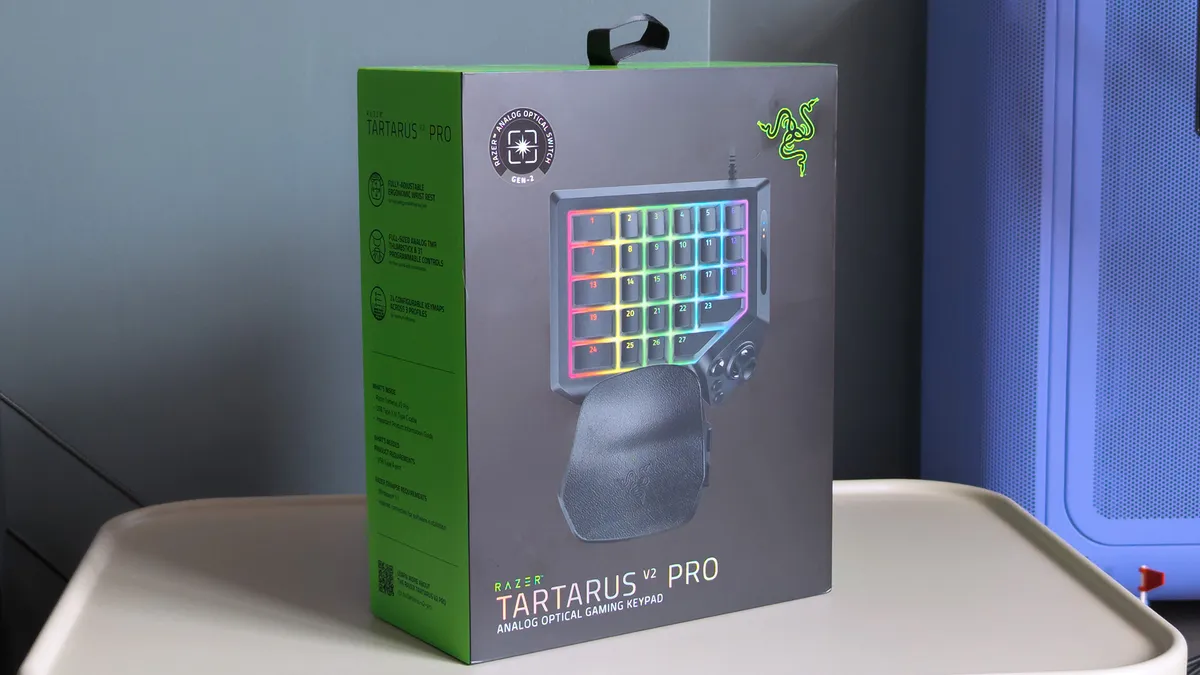
Razer sells the Tartarus V2 Pro for $199.99 MSRP at its official storefront, with a functionally identical variant available for £199.00 at Razer UK. Regional keyboard layouts don't apply to this unique keypad without traditional lettering glyphs, so US imports should work if you can't find one in your country.
As usual, Razer also lists the Tartarus V2 Pro for $199.99 on Amazon, and again, a model for Brits appears for some extra pennies at £199.99 on Amazon UK. At launch, availability seems better if you order directly from Razer itself or head to a physical RazerStore, should you have one nearby.
For comparison, the original Razer Tartarus launched in 2013 for $79.99, followed by the Chroma in 2015 for the same $79.99, then the V2 in 2017 for $99.99, and the Pro in 2019 for $129.99. Years later, we now have the V2 Pro in 2026 for $199.99, or you can still pick up the first Pro for $129.99 on Amazon.
Component |
Spec |
|---|---|
Switch |
Razer Analog Optical Switch Gen-2 (Linear) |
Lighting |
Razer Chroma RGB |
Memory |
Hybrid on-board storage for up to 3 profiles |
Connectivity |
Detachable Type‑C cable |
Extras |
Fully-adjustable ergonomic wrist rest |
What I like about the Tartarus V2 Pro
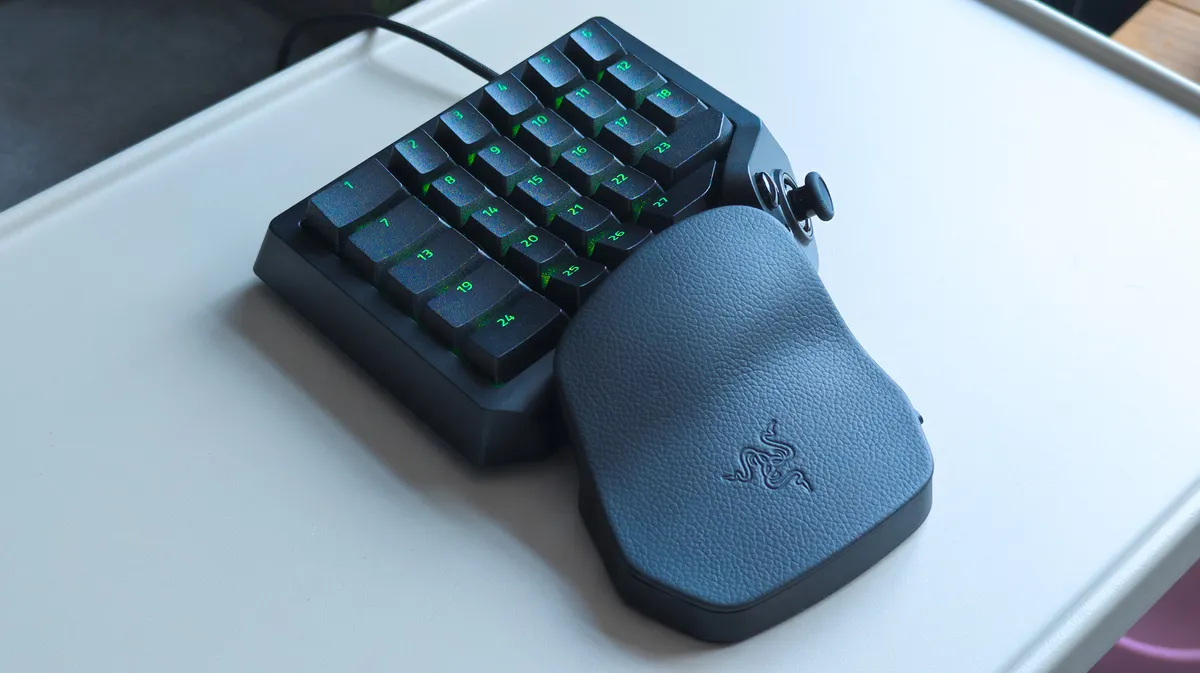
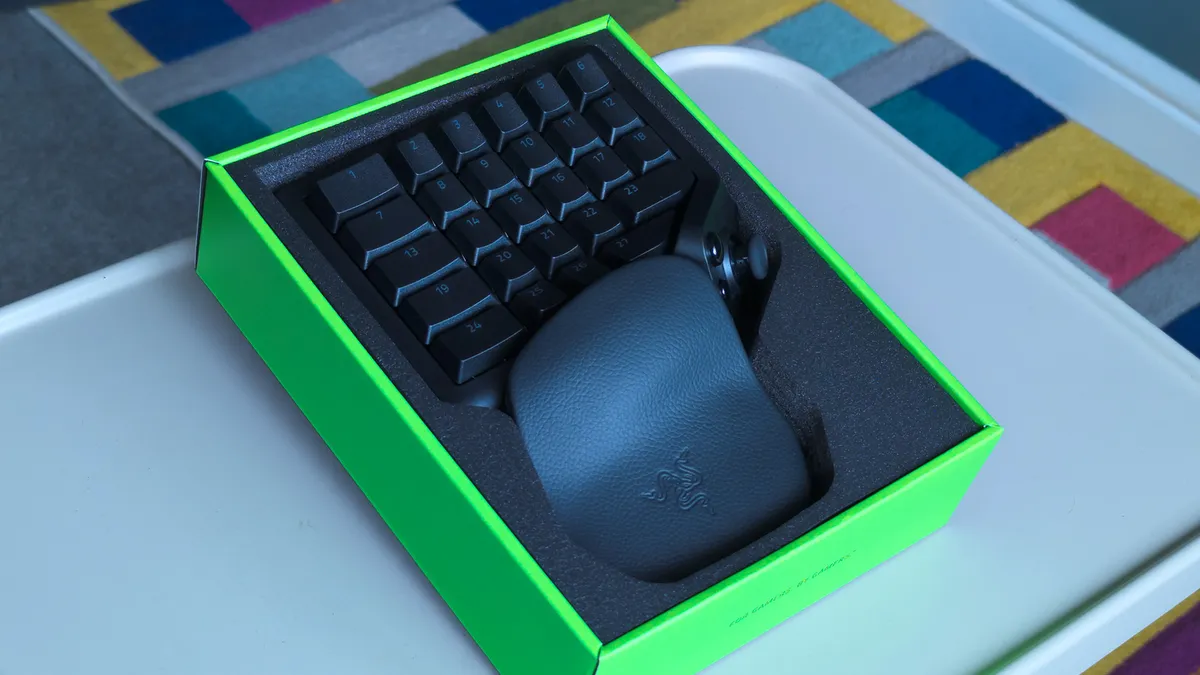
The Tartarus V2 Pro feels like Razer's high-end gaming keyboards, with each linear keypress matching the response of the analog optical switches I've seen in similarly premium examples like the Razer Huntsman V3 TKL 8KHz. That big cluster of 27 keys exhibits smooth travel and defaults to a traditional 'WASD' layout that mostly fits my muscle memory.
Two buttons on the wrist rest let me adjust its distance and angle, though I immediately felt quite comfortable with it at its default, shortest setup. It's significantly more comfortable than any other keyboard-and-wrist-rest arrangement I've used to date, and my fingers fall quite naturally on the textured, double-shot PBT keycaps (they'll never fade).
Similarly, decades of PC gaming mean my thumb naturally rests between the big, shiny 'HyperShift' button — which can trigger a second layer of commands, like a regular keyboard shift key — and the new, drift-proof TMR thumbstick. I can rebind that HyperShift button to any other command I like, and I'm already considering using it as a spacebar replacement. So far, so good.
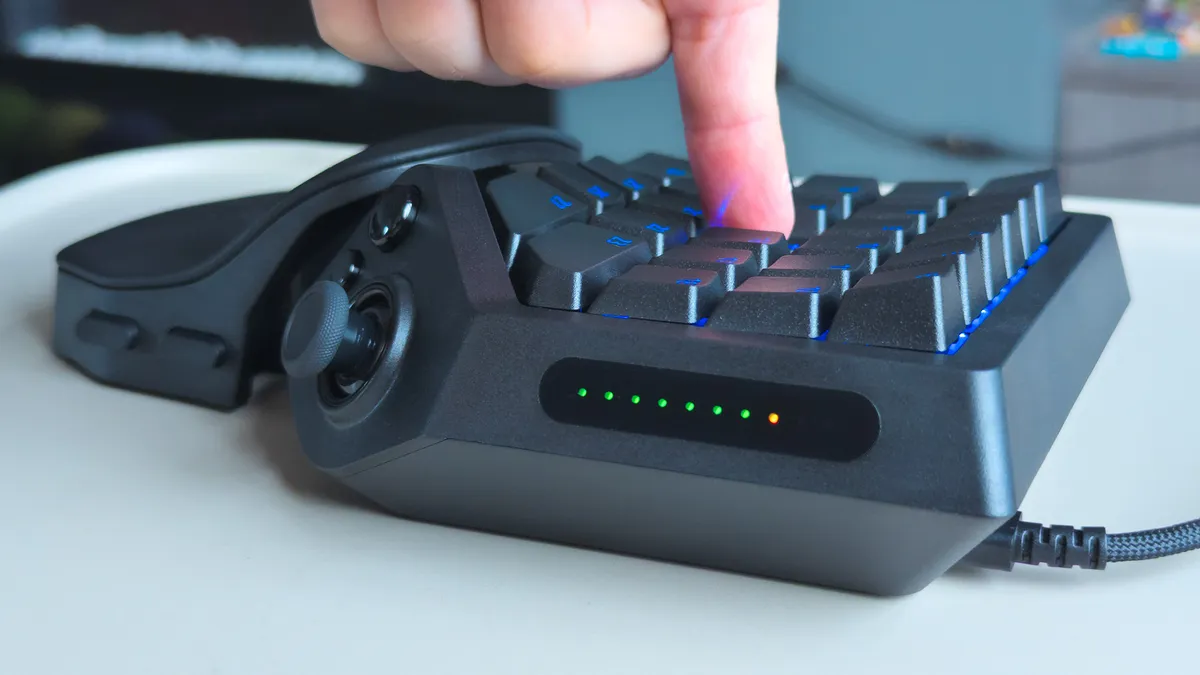
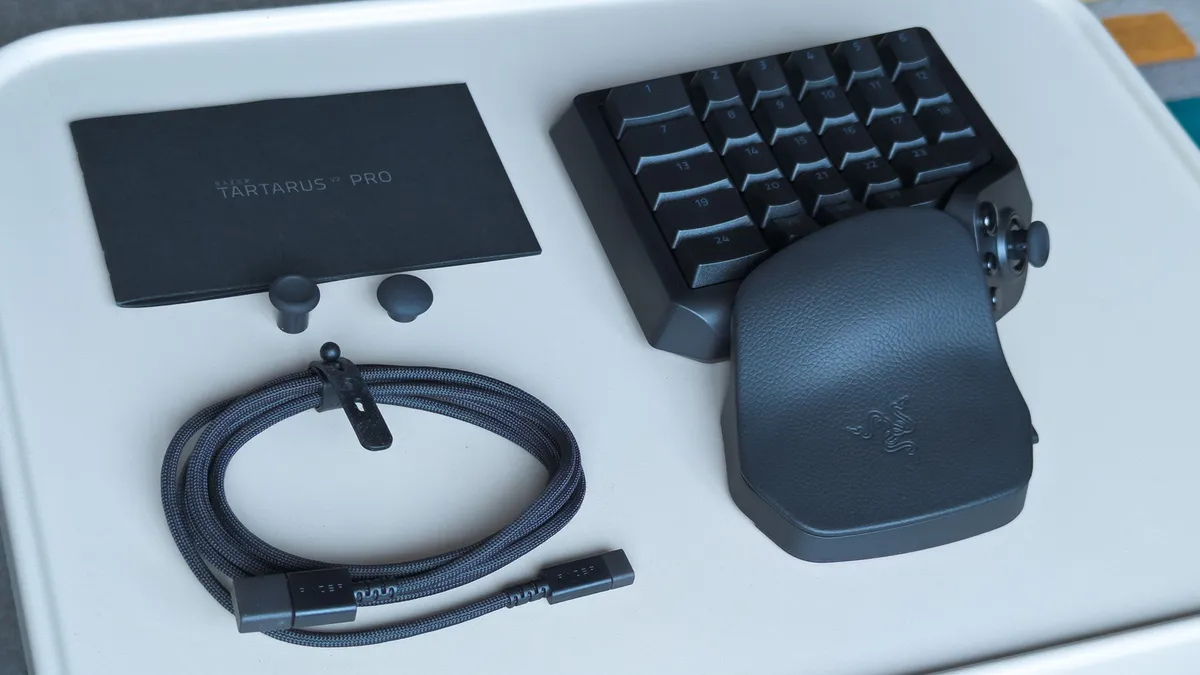
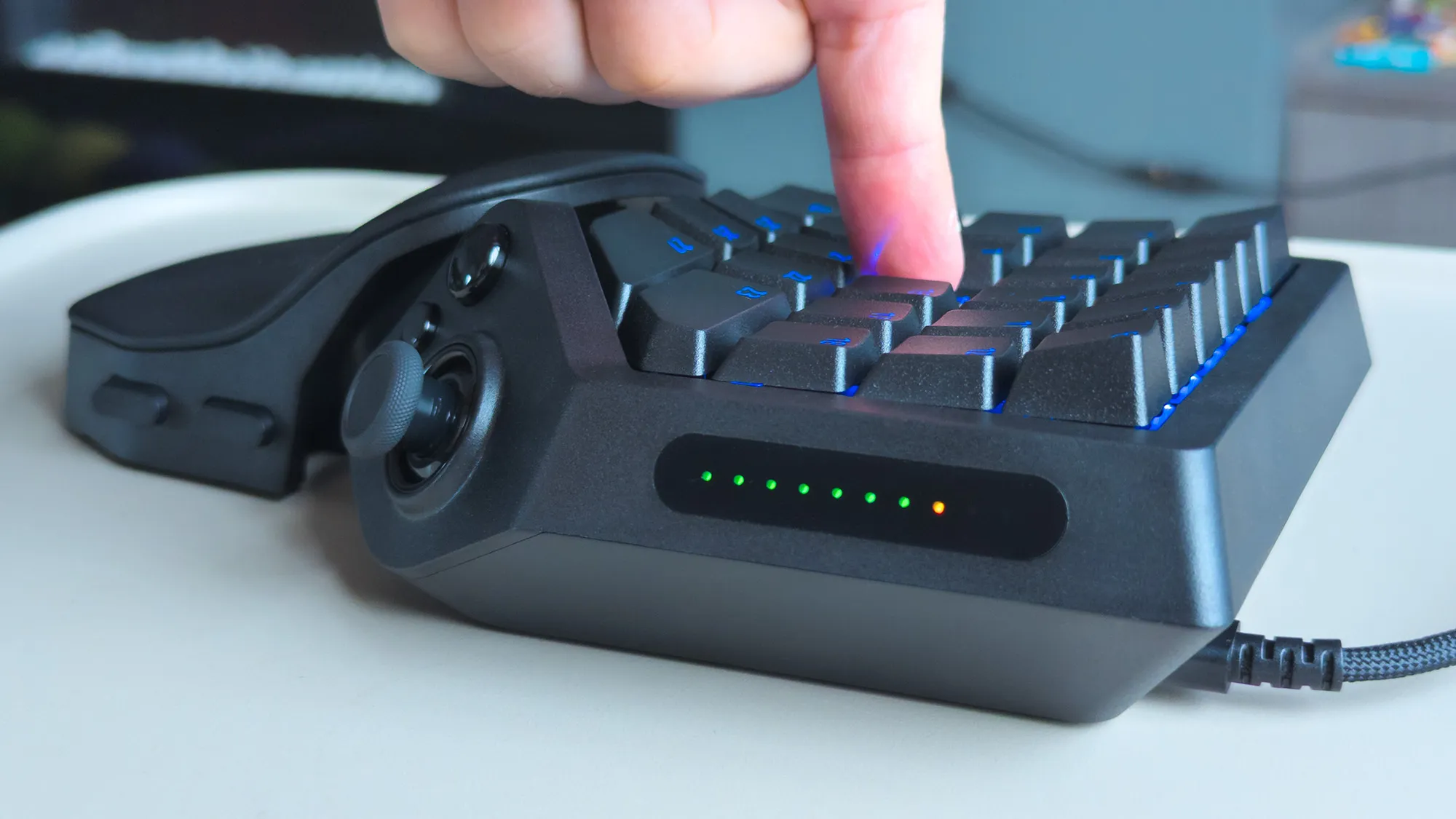
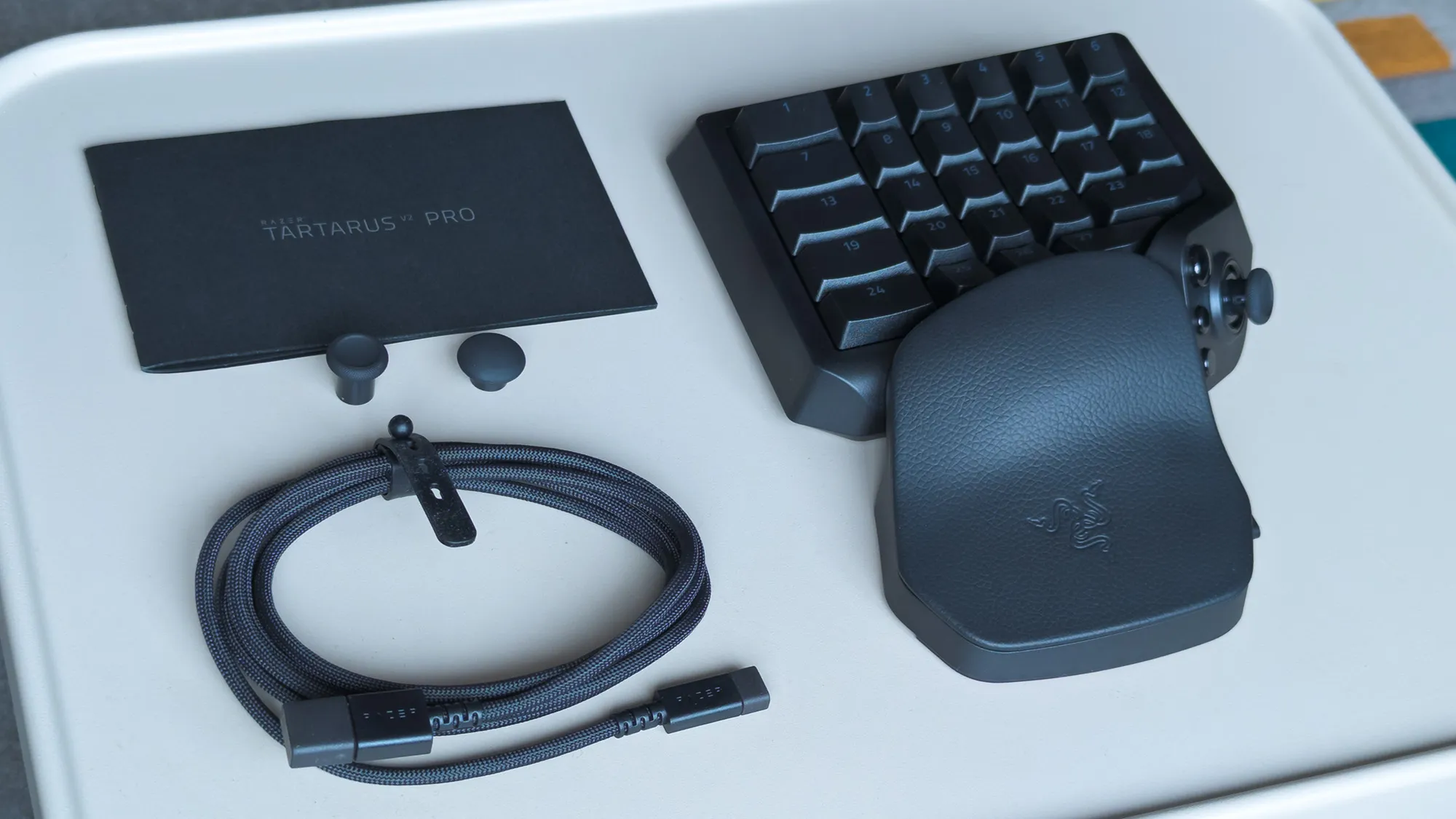
On the right, a strip of LEDs lights up in sequence to show how far I've pressed a key, including its initial actuation point and maximum depth. That adjustable actuation is part of Razer's whole pitch for the Tartarus V2 Pro, meaning I can dictate exactly how sensitive the keys are. Beyond that, 'Snap Flex' lets me bind other inputs to trigger when I release specific keys.
(In Euro Truck Simulator 2) I can bind the W key to an analog accelerator pedal and press it lightly to creep through low-speed areas. Clever.
Indeed, while it's obvious at first glance that this thing offers a lot of keys, it's not quite accurate. In reality, you get a sh—load of keys. Maybe more theoretical keys than I could ever use. Nevertheless, the first hours were quite exciting as I pondered potential keymap layouts for specific games, with space for 24 configurable keymaps across 3 profiles inside Razer's Synapse app.
The more I learned about analog optical switches, the more I like them, particularly because I can bind a controller trigger to a key for a gradual response. Yes, I know the Tartarus was made for MMORPGs first, but there's more fun to be had. For example, building a profile for Euro Truck Simulator 2 means I can bind the W key to an analog accelerator pedal and press it lightly to creep through low-speed areas. Clever.
Does the Tartarus V2 Pro have any issues?
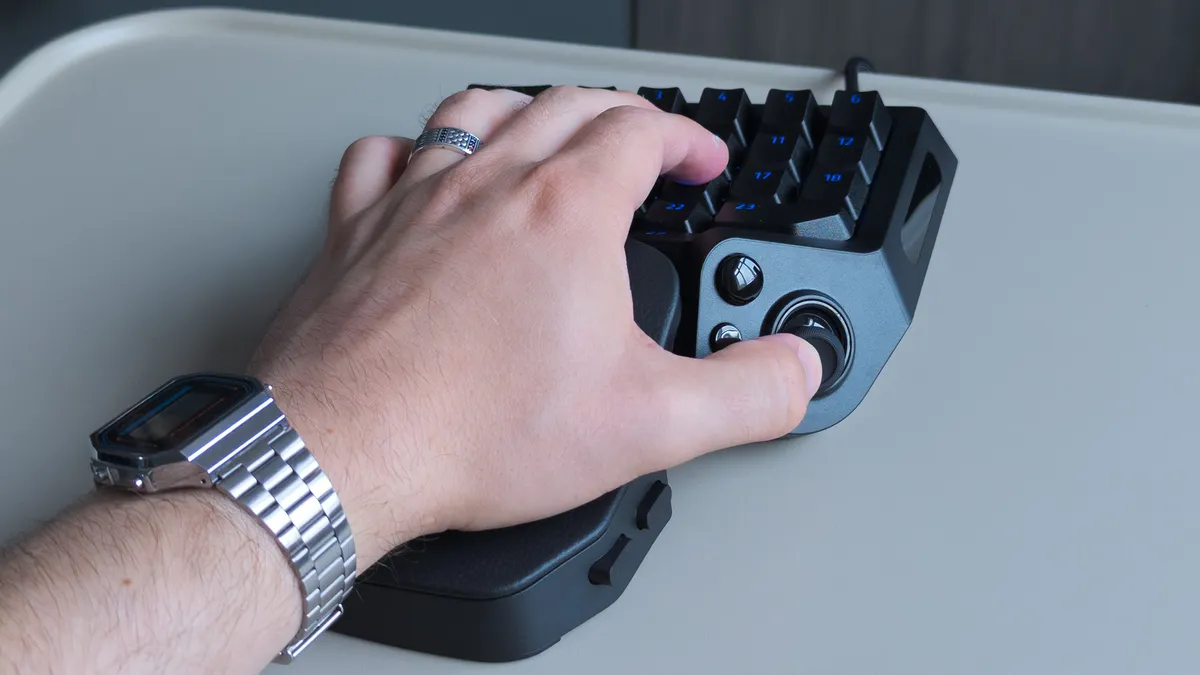
The meat of my grievances relates more to Razer's Synapse software than to the Tartarus V2 Pro's design, but there are a couple of physical oddities worth noting as a first-time user who only saw photographs of its predecessors with a single key under their thumbstick. For most of my testing, it felt like there was nothing for my thumb to do.
Of course, Razer intends to match its high-end keyboard switches by offering the TMR thumbstick, but that doesn't gel with decades of spacebar-mashing habits that my thumb muscles expect. So, even though I mapped the big, round HyperSpeed button to the spacebar for that very reason, it still doesn't feel quite right during gameplay.
It's the clicky response of that HyperSpeed button — which feels more like the shoulder bumpers of your average Xbox controller — that clashes with the ultra-smooth linear action of the keypad. There's a tactile mismatch, and on top of that, I can't stop the Tartarus V2 Pro from switching off the RGB key lights when I press the HyperSpeed button, no matter what it's bound to.

Editor's note: Complaints related to thumbstick orientation and assignment have been fixed in a firmware update released by Razer.
The rest of my concerns with the V2 Pro are solvable through firmware updates and tweaks in Razer Synapse. Easier fixes would include a patch for a bugged 'switch off lighting' timeout function that leaves the keypad illuminated as long as I'm using my PC, because it still detects my primary keyboard in use. Unruly backlighting should be an easy thing to fix.
If I stretch my thumb toward my monitor to mean 'forward,' the Tartarus V2 Pro thinks I'm moving right, so I have to move it literally, vertically upward.
Most egregious of all, and one I hope Razer fixes as quickly as possible, is that I can't realign the inputs for the TMR thumbstick. Right now, if I stretch my thumb toward my monitor to mean 'forward,' the Tartarus V2 Pro thinks I'm moving right, so I have to move it literally, vertically upward to gesture 'forward.' It's bizarre, and something Valve's Steam Input can already solve.
Similarly, the thumbstick is strangely mapped to a controller's right stick by default. Since the Tartarus is built so purposefully around the left hand, traditionally reserved for in-game movement, it feels like a similarly odd decision. I found little use for the thumbstick unless a game offered a 'southpaw' option to switch the left and right sticks. Razer is working on it.
Is the Tartarus V2 Pro good for accessible gaming?
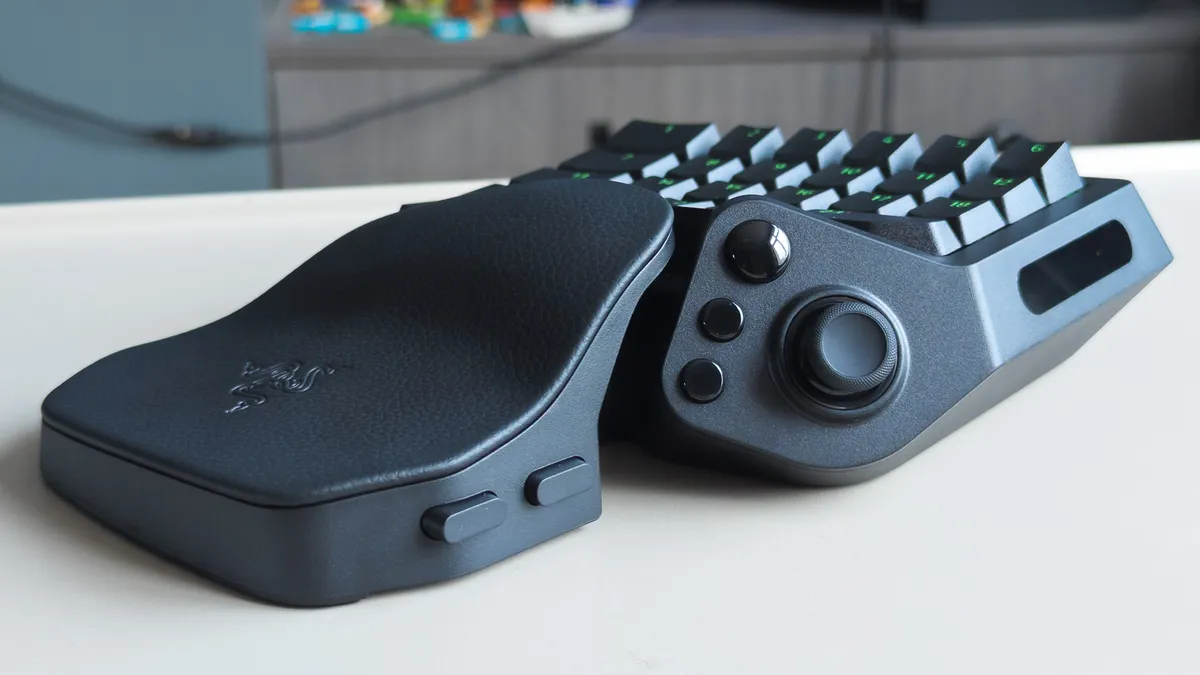
It wouldn't surprise anyone to hear that this alien-looking keypad, polling at 8KHz with custom-designed switches, was built first for hardcore PC gamers. However, the benefits of Razer's esports-centric tech, like Rapid Trigger and Snap Flex, coincidentally appeal to those with accessibility needs, including my wife and her overextendable joints.
She's a newfound World of Warcraft fan who mostly relied on the Xbox Adaptive Joystick for over a year, until Blizzard started improving controller support for WoW. That hasn't stopped her from eyeing up the Tartarus over the years, and after testing how adjustable the smooth analog optical switches are on the V2 Pro, I'm certain she'll find it comfortable.
On top of that, Rapid Trigger means she doesn't have to lift her finger entirely off a key in order to activate it again, and can reset an input with the slightest upward movement. Pair that with Snap Flex to bind commands at the point of a key release, and she'll barely have to move her hand at all. Snap Tap is useful, too, but mostly for me and my love/hate relationship with Counter-Strike 2.
Should you buy the Tartarus V2 Pro?
You should buy this if ...
✅ You play MMORPGs/MOBAs like World of Warcraft/League of Legends
✅ You want a combination joypad/keyboard gaming solution
You should not buy this if ...
❌ You already own a previous model of the Tartarus
My interpretation of the Tartarus V2 Pro is that it's almost immaculate, dulled initially by software-centric gripes that were fixed with app patches, along with relatively small design changes that make me compare it so closely to its predecessors. If you're into games with a huge number of abilities and the rotation orders around them, you'll likely love it.
At launch, I was puzzled by Razer's choice to make the TMR thumbstick default to acting as a right-side thumbstick for looking around in games, and its insistence on pointing the stick up to the sky to move forward was equally strange. Again, both were solved with a firmware update, and now I'm more tempted to incorporate the otherwise excellent thumbstick into my own flow.
Ultimately, the analog optical switches powering the 27 keys are legitimately brilliant, and probably the first time I've genuinely cared about adjustable actuation in a keyboard. Basing it around a command center for your left hand makes the whole prospect far more appealing, though you might miss the lone key that used to sit below your thumb. Still, plenty of other keys remain.
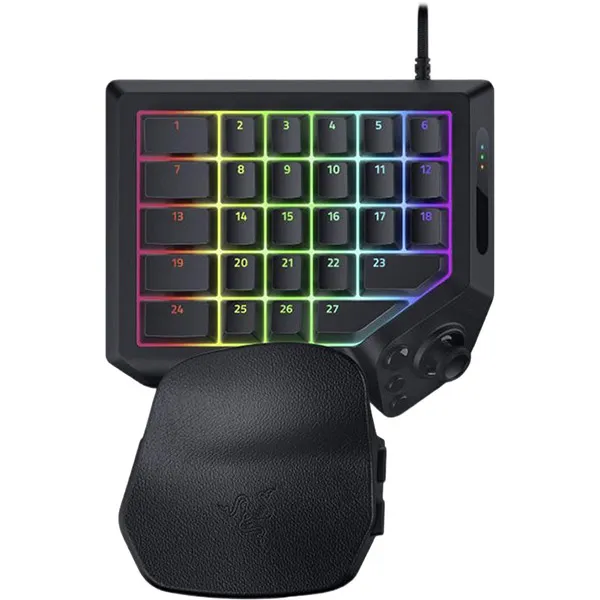

"From its TMR thumbstick and adjustable wrist rest, to Rapid Trigger and adjustable actuation, wield true control and customization over MMOs, FPS, and more."

