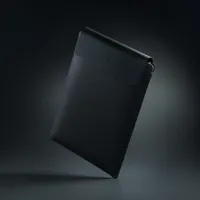
If you’re a Razer fan, you’re used to the brand making everything — or at least a wide range of unique gadgets and accessories. While Razer-branded straws and toasters might feel like memes, the new Razer Laptop Sleeve 16" with Wireless Charging aims to earn a permanent spot in your everyday carry.
At its core, it's a premium protective sleeve with reinforced edges and a microfiber lining designed to cradle a Razer Blade 16, MacBook Pro 16 or other large laptop. But the real hook is in the flap. Razer integrated two MagSafe-compatible charging zones directly into the cover.
The Razer Laptop Sleeve 16" plays triple duty. It protects your laptop when stored away, provides a soft place to rest your PC when out and about, and gives you a convenient place to wirelessly charge up to two devices.
If you charge a single device at a time, the laptop sleeve's charger supports up to 15W. Two connected devices drop the charging down to 5W each.
Tech specs and key facts
- Charging Speeds: 15W for a single device; 5W each if you're charging two simultaneously.
- The Catch: There is no internal battery. To use the charging features, you have to plug the sleeve into a power source via USB-C. Razer recommends a 30W PD charger to hit full speeds.
- The Price: It’ll set you back $129.99, while a "dumb" version without the tech is coming later for $79.99.
Speaking of magnets, the sleeve uses a separate set of magnets to remain closed.
Reinforced edges protect devices held inside the sleeve, though I still wouldn't recommend dropping a device or being careless with your laptop.
It's an interesting accessory. It combines several elements of my desk. On my full-size desk, I have a soft mat to rest my keyboard and mouse or laptop and a wireless charger for my phone.
The Razer Laptop Sleeve 16" costs $129.99. That's quite pricey for a laptop sleeve. But if you consider the pair of built-in wireless charging zones, the price is more palatable.
The lack of a built-in battery would be an issue for me if I were shopping for a laptop sleeve like this. I often carry a power bank, but if I got a sleeve with built-in wireless charging, I'd want to be able to take the bank out of my bag.
If you already carry a high-wattage USB-C power bank for your laptop, this is a sleek way to declutter your mobile workspace. But for everyone else, you're paying a premium for the convenience of not carrying a separate charging pad.