


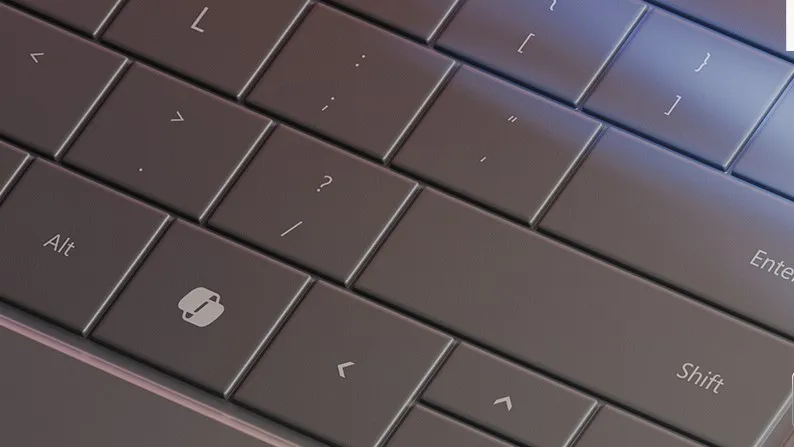
In 2024, Microsoft announced that upcoming Windows PCs will be equipped with a dedicated Copilot key, branding it the "most significant change to the Windows keyboard" in 30 years as part of its then-massive Copilot+ PC campaign. While it was possible to remap the dedicated Copilot key in Windows 11, Microsoft temporarily scrapped that option to avoid bugs.
Now, in the past, I've made it clear that I'm not a big fan of the Copilot key. Though Microsoft is yet to reinstate the option to remap the key, developers are constantly developing utilities like NoCopilotKey, which basically allows you to remap it back to its original purpose — the right‑side CTRL key.
Over the Easter weekend, I bumped into an absurd user-made Windows app on Reddit, which lets you get a bit whimsical with your touchpad and keyboard. TypeFart (seriously) is a small Windows app that plays a fart sound on every keypress and other weird sounds when you use the touchpad — but you aren't going to get this kind of childish comedy for free.
You can either an $2.99 annual subscription or make a lifetime purchase for $4.99. Both plans basically share the same offerings, including full keyboard sounds and new effects. However, the annual subscription ships with more features, including priority for community feature requests, and future sound packs and effects.
The app ships with four different flavors: fart, funny, keyboard, or sexy. You can mix and match the sounds based on your preference. It dwells in Windows 11's system tray, which means you don't have to worry about your Taskbar getting cluttered.
I made my keyboard fart every time I type and now I can’t stop laughingfrom r/windowsapps
And, as highlighted by the app's developer in the FAQ section, TypeFart doesn't drain your laptop's battery because "it uses minimal CPU and RAM. It just listens for input events — no heavy processing involved." Good. I don't want any lag just to have my Copilot key (or any other, for that matter) provide some comic relief.
One downside is you can’t assign a unique sound to a specific key, so it's all absurdity or none at all. Still, it would be interesting if this became possible through future community feature requests.
I haven't subscribed to the app yet, but it's something I'm considering just for the fun of it. I mean, what's life without a little bit of whimsy against all the seriousness?
Copilot isn't "for entertainment purposes only?"
Late last week, Microsoft Copilot gained some traction for all the wrong reasons. Microsoft's terms of use for the AI chatbot indicated that Copilot is meant for entertainment purposes only. "It can make mistakes, and it may not work as intended. Don’t rely on Copilot for important advice. Use Copilot at your own risk," the documentation warned.
However, Microsoft quickly dismissed the controversy that was rapidly building across social media, suggesting that it wasn't confident in its offering.
The phrasing is legacy language from when Copilot originally launched as a search companion service in Bing. As the product has evolved, that language is no longer reflective of how Copilot is used today and will be altered with our next update.
Microsoft
It's worth noting that Microsoft plans to improve the general sentiment around Windows 11 in 2026. Some of these efforts are already in play, including the return of the fan-favorite movable Taskbar. There are also plans underway to reduce where Copilot and its integrations appear in the operating system.

Join us on Reddit at r/WindowsCentral to share your insights and discuss our latest news, reviews, and more.

