


Windows 11 is fun again, and it may finally get the TLC it deserves from Microsoft. An ongoing initiative to improve Windows 11, new features rolling out, and some intriguing mods packed a week full of Windows excitement.

Windows K2 trended this week following a report by our Senior Editor Zac Bowden. It's the codename for Microsoft's big plan to save Windows 11 and regain user trust.
Rather than moving on from Windows 11 and making Windows 12, Microsoft decided to fix the OS. Windows K2 represents a major culture shift, not just a few new features.
Windows K2 will improve reliability, reduce bloat, and reduce bugs, assuming all goes to plan. It will also lower the number of ads people see on Windows 11.
An early result of the shift is that the MSN feed will be hidden by default within the Windows 11 widgets panel. Those widgets are still there if you want them, but they're in a dedicated page. That change is in testing now with Insiders.
Here's a quick rundown of the biggest stories from the week.
Biggest News Stories

Microsoft restructured its Windows team to better position Windows 11 as a platform people should want to use.

A new Windows 11 preview build has confirmed that the OS will soon hide the MSN feed by default.
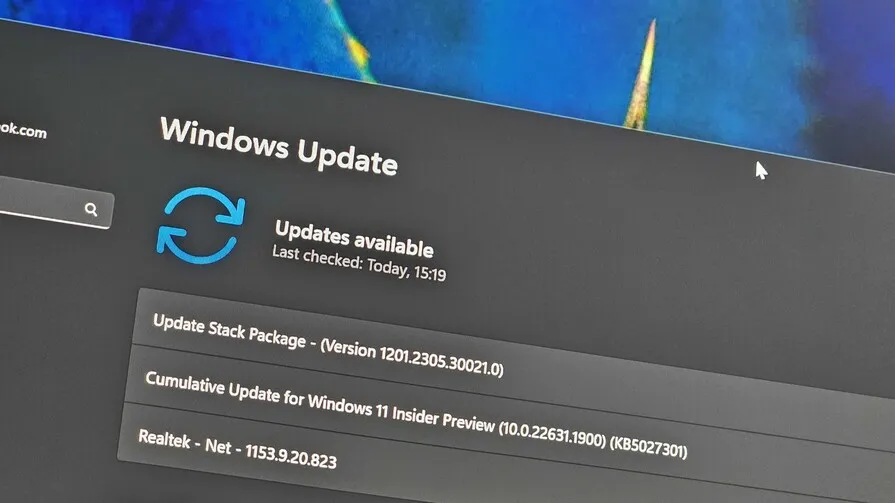
Windows 11's optional non-security preview update includes a number of improvements and changes

Microsoft has begun rolling out Xbox Mode on Windows 11, introducing a full screen, controller friendly interface.

Xbox Series X|S consoles and the Xbox on PC app just got big upgrades to customization and gameplay options.

The original Xbox dashboard has been reverse engineered and rebuilt using retail code, now running on PC as a launcher.

This custom Android launcher returns the feel of Windows Phone 8.1, and it's starting to get attention.

Windows Phone 8 is seeing a surprising revival through community efforts like 8Marketplace.
Windows 11 should improve for gamers, not just those who use PCs for productivity.
Microsoft may have ended its "This is an Xbox" campaign, but the company is still focused on making Windows 11 a premier gaming platform. Xbox Mode rolled out to Windows 11 this week, bringing a console-style experience to PCs.
Originally called Xbox Full Screen Experience, Xbox Mode has evolved into a more mature interface for console-style gaming on PC. It's still a work in progress and will need a lot of work before Project Helix ships, but things are going in the right direction.
As Microsoft works on official changes to Windows 11 to make it gamer-focused, TEAMUIX reverse-engineered and reconstructed the original Xbox dashboard as a launcher for Windows, Linux, and Mac.
The goal is to create a full console experience on PC using the original Xbox dashboard as a base.
Speaking of modders and reviving old operating systems, a passion project called 8Marketplace restores app access for Windows Phone 8.0. Microsoft shut down the Windows Phone 8.1 store in 2019, leaving enthusiasts to fill the gap.
I wouldn't recommend using 8Marketplace and a Windows Phone as a daily driver in 2026 though. But if you miss the interface, METROV could be worth a look. It's an Android launcher fans have called "the closest I've felt to using a Lumia again."
Shopping with Sean
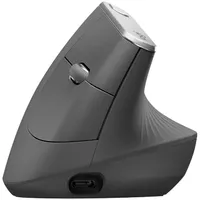
My top shopping recommendation this week is the Logitech MX Vertical. It's been my primary mouse for years, and I struggle to use flat mice because of it. The ergonomic mouse lets your hand and wrist rest at a natural angle, reducing strain and fatigue. Right now, it's on sale for $74.99.
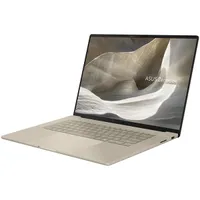
The ASUS Zenbook A16 will remains my laptop recommendation. It's thin, light, gorgeous, and powered by the new Snapdragon X2 Elite Extreme processor from Qualcomm.

Join us on Reddit at r/WindowsCentral to share your insights and discuss our latest news, reviews, and more.

