


Have you ever plugged in your laptop only to see "plugged in, not charging" appear on your screen? If so, there's a good chance your charger or cable wasn't delivering enough power for your laptop.
It's easy to grab the wrong charger for your laptop over Black Friday, especially when so many USB-C chargers are available. But with a few tips and tricks, you can charge your laptop and never have to worry about wattage again.
If you're not sure where to start, a 65W USB-C charger is enough for most everyday laptops. If you have a workstation or gaming laptop, check the wattage of the charger that came with your PC and use that as a starting point.

This compact 65W charger is small enough to toss in a backpack and powerful enough to charge most Surface devices, ThinkPads, XPS 13s, Zenbooks, and similar laptops at full speed.

This cable supports up to 240W through USB Power Delivery 3.1, making it suitable for everything from ultraportables to high-performance laptops.

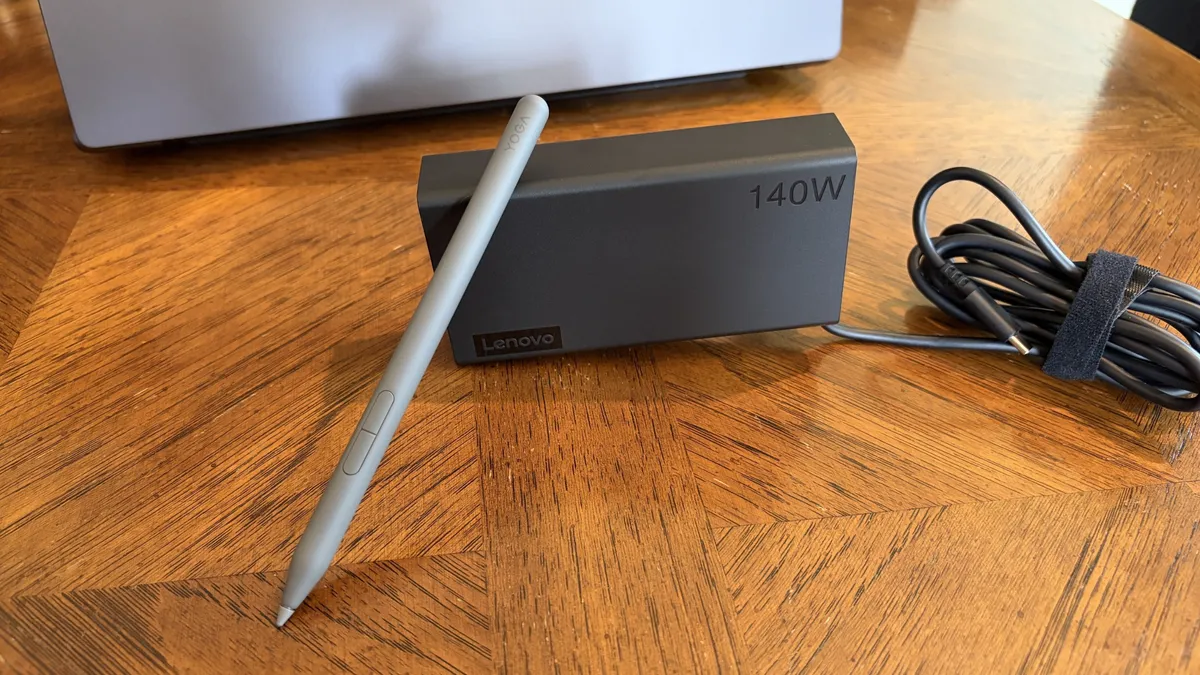
This 140W charger can power demanding laptops and multiple devices simultaneously. The built-in display also makes it easy to check how much power is being delivered in real time.
Why buying a laptop charger is complicated
The "U" in USB-C stands for universal, but that doesn't mean all USB-C chargers are the same. All USB-C chargers use the same connector, but they can differ in wattage and what standards they meet.
USB-C cables can be just as confusing. Two cables may look identical while supporting vastly different charging speeds. One might support 60W charging while another supports 240W.
The labeling of USB-C chargers can create more confusion. For example, a charger being labeled as "100W" could refer to either a single port delivering up to 100W at once or the total wattage of multiple ports in that same charger.
That's why it's worth checking the specifications of each port rather than relying solely on the headline wattage.
Shopping for a charger has led many to ask, why aren't all USB-C chargers the same? I get the frustration and dislike having to dig through spec sheets to ensure a charger will work for a specific device.
The reality is that there are plenty of times that a tiny USB-C charger without Power Delivery or fast charging is fine. You shouldn't have to buy an expensive device to charge your toothbrush or other small accessories.
But manufacturers could absolutely do more to make shopping easier.
What wattage charger does my laptop need?
The easiest way to check what type of charger your laptop needs is to look at the charger it came with. My workstation laptop shipped with a giant 135W charging brick. The label on that brick says 135W right at the top. Thanks, HP!
You may not be so lucky. If you're shopping for a laptop charger because you lost your original one, you can't just look at a label. Or maybe the text wore off your original charger or isn't easy to find. Whatever the case, you can still figure out what type of charger you need.
The manufacturer of your laptop should list its charging requirements online.
Device Type |
Typical Wattage |
|---|---|
Chromebook |
30W-45W |
Thin-and-light Windows laptop |
45W-65W |
Business laptop |
65W-100W |
Creator laptop |
100W-140W |
Gaming laptop |
140W-330W+ |
The table above is a rough guide. As a reminder, you can usually get a charger with higher wattage than what your laptop needs. Most laptops will only take the power they need.
Laptop charger FAQ
Does USB-C mean any USB-C charger will work with my laptop?
No. While USB-C has become the standard connector for many devices, chargers vary in wattage and supported charging standards. A USB-C charger designed for a phone may not provide enough power for a laptop.
What is USB Power Delivery (USB PD)?
USB Power Delivery (USB PD) is a USB-C charging standard that allows devices and chargers to negotiate the amount of power delivered. It enables everything from phones to laptops to charge safely from compatible USB-C chargers and often eliminates the need for device-specific chargers.
What is a GaN charger?
A GaN charger uses gallium nitride instead of traditional silicon components, allowing it to deliver more power in a smaller and more efficient design.
Why does my laptop say "plugged in, not charging"?
A common reason your laptop says, "plugged in, not charging" is that your charger or cable does not support the required wattage for your laptop.
Can I use a higher wattage charger with my laptop?
It is generally safe to use a higher-wattage charger with your laptop. Most modern laptops only take the power they need, but always check your device's manual first.
Can I use a lower wattage charger with my laptop?
It is not advised to use a lower-wattage charger with your laptop. A charger that cannot provide enough power may charge your laptop slowly or fail to keep up when the device is under load.
Can a phone charger charge a laptop?
Some phone chargers can charge laptops, but many do not provide enough power for larger devices. Check that the charger supports USB Power Delivery and can deliver sufficient wattage for your laptop.

Join us on Reddit at r/WindowsCentral to share your insights and discuss our latest news, reviews, and more.

