


Tuesday, Dec. 2 @ 5:50 AM ET: As Cyber Monday ends, the cheapest Surface Pro deal remains the X Plus variant in black for $749.99 at Amazon and Best Buy, but I'll keep an eye out for any changes — Ben Wilson, Senior Editor
Cyber Monday is here, which means there are some incredible deals to be had on some of the latest PCs and tablets in the PC space. Right now, Microsoft's iPad Pro killer, the flagship Surface Pro 11 in black with 16GB of RAM and 512GB of storage, is back for $699.
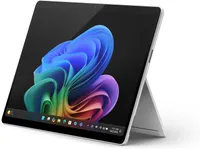
If Black isn't your first choice, or you want some other configuration options from different retailers, we have you covered.
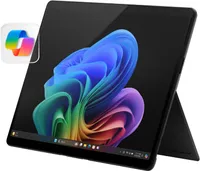
Or go Elite with OLED?
Say you want even more out of your Surface Pro 11 choice. The OLED model with the faster Qualcomm Snapdragon X Elite chip is only $899 (also $500 off). It has 16GB of RAM, that premium OLED panel, and "just" 256GB of storage, but since you can upgrade that yourself, you can always pick up an M2 SSD on eBay and go to 1TB or more.
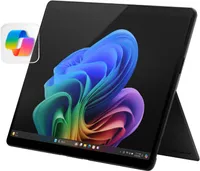
Many say that the Surface Pro set the narrative for the 2-in-1 form factor over 10 years ago. Today, the Surface Pro is in a league of its own, with a design that has been fine-tuned to almost perfection. It's complete with a built-in kickstand that sits flush with the body, an incredible 120Hz display, and now great performance and battery life thanks to the latest Snapdragon chips.
In fact, I'd go so far as to say the Surface Pro was so influential that it eventually forced Apple to change the iPad Pro into something that more resembles a laptop. That's how good the Surface Pro is, and right now it's just $699 $799 for Cyber Monday. This is Microsoft's own iPad Pro, and if people think the iPad Pro is good, the Surface Pro is obviously better, especially at this price.
We also liked it a lot, giving it a rare perfect score in our Surface Pro 13-inch review.
Its 13-inch 120Hz touchscreen panel is simply beautiful to look at. While this specific SKU doesn't include an OLED panel like the iPad Pro, it's still a very high-resolution panel with a high refresh rate, just like the iPad Pro. It also supports touch and pen, and for $749, it's the next best thing to the iPad Pro's (or higher-end SKUs of the Surface Pro 11) OLED panel.
The built-in kickstand is something that Apple has failed to copy, which is just another bonus for the Surface Pro. The kickstand is so useful and versatile, letting you prop the tablet up on any surface (pun intended) whenever you need to go hands-free. Paired with a keyboard, this kickstand transforms the Surface Pro from a tablet into a fully fledged laptop.
It also gets all-day battery life and has incredible performance thanks to the Qualcomm Snapdragon X Plus, which balances performance and efficiency better than any Intel chip in previous Surface Pro devices.
Surface accessories
No doubt you'll need some accessories for your new Surface Pro 11. The top tier keyboard option is the full Flex Keyboard with Surface Slim Pen. That keyboard has Bluetooth built in so it can be used seperated from the Surface Pro, a built-in battery to power that Bluetooth, a wonderful haptic touchpad, and it charges and stows the Surface Slim Pen for quick access.
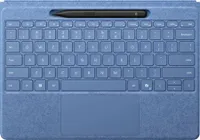
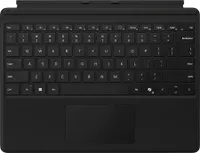
But say you're on a budget and don't want all those frills. Microsoft's basic Surface Pro keyboard is the way to go at just $105.99.
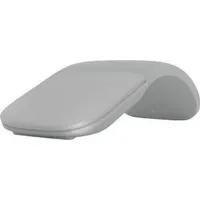
Finally, if you're looking for a good travel mouse that is also Microsoft/Surface branded, the Arc mouse is your best bet. It folds flat for travel, which also turns it off, and when arc it, the power comes on and you're good to go via the built in Bluetooth. Fast, slim, and now more affordable!
Enjoy our content? Make sure to set Windows Central as a preferred source in Google Search, and find out why you should so that you can stay up-to-date on the latest news, reviews, features, and more.
FAQ
Is the Surface Pro 11 13-inch a Copilot+ PC?
Yes, the Surface Pro 11 13-inch features make it a Copilot+ PC thanks to an NPU that outputs 45 TOPS of power, which means it's fully capable of Copilot+ capabilities. In fact, it was the FIRST Copilot+ PC announced by Microsoft.
How does the Surface Pro 13-inch compare to the Surface Pro 12-inch?
The Surface Pro 13-inch is Microsoft's flagship Surface Pro. Unlike the Surface Pro 12-inch, which has a smaller lower resolution screen, the flagship Surface Pro has a more powerful processor, higher RAM and storage configurations, and a higher refresh rate display. It also supports Microsoft's Flex keyboard, which is not available on the Surface Pro 12-inc.
What day is Cyber Monday 2025?
Cyber Monday starts on Monday, December 1, 2025, but, as with Black Friday, it has already begun appearing as the theme for deals at certain retailers. While its discounts are generally restricted to the day itself, some deals may extend into Tuesday and beyond.
When does Cyber Monday start on Amazon?
Cyber Monday has already started on Amazon US, with its promotional messaging shifting away from Black Friday in the early hours of Saturday morning, on November 29, 2025, and is expected to last until the end of Monday, December 1, 2025.
More Cyber Monday 2025 - quick links
- All our TOP recommended Cyber Monday deals: Just the best
- Mini PC deals: up to 47% off tiny PCs
- GPU deals: early price drops on NVIDIA RTX before they go up
- Microsoft Surface deals: save up to $500 on premium PCs
- Xbox accessories: best deals on gadgets for your Xbox Series X|S and PC
- Gaming laptop deals: the best laptops for the best price
- Xbox controllers: our top picks for best controller deals
- ANC headphones: great Cyber Monday deals on the best ANC headphones
Even more Cyber Monday deals: - Dell deals: 13 deals from Dell.com that you shouldn't miss
- Best Buy: 34 hottest discounts on laptops, monitors, gaming, and more
- Walmart: 7 top laptop deals you shouldn't miss
- Samsung monitors: the best Samsung display deals we've found
- Retro gaming: handhelds, arcade machines, old school consoles, and more
- Gamer merch: Blizzard’s Warcraft, Overwatch, and Diablo IV collectibles
- Game keys: 10 PC game codes are even cheaper at Loaded (formerly CDKeys)
- Accessories: Even more PC accessories starting at $17

Follow Windows Central on Google News to keep our latest news, insights, and features at the top of your feeds!

