The new Surface Pro for Business (12th Edition) is a spec bump that adds Intel "Panther Lake" Core Ultra Series 3 chips to the mix. The laptop is otherwise quite similar to the Surface Pro 11 and Surface Pro for Business 11th Edition.
Pros
- Optional 5G available
- Same great Surface design
- New Intel chips are snappy and efficient
Cons
- Starts at a higher price
- Snapdragon models are appealing if you don't absolutely need x86

With a more affordable price and a practically identical design, the Surface Pro 11 with Snapdragon X chips is the right choice for most PC users outside of an enterprise setting.
Pros
- More affordable
- Snapdragon chips are efficient and powerful
- Available at more retailers
- Available in more colors
Cons
- New Snapdragon X2 models are expected soon
- No anti-reflective display option
Microsoft has unveiled its new Surface for Business portfolio for 2026, with three new devices on the way. The 13-inch Surface Pro for Business (12th Edition) joins the Surface Laptop for Business (8th Edition), as well as the smaller 13-inch Surface Laptop for Business (1st Edition).
I'm focusing here on the new Surface Pro for Business (12th Edition) model to see how it compares to the Surface Pro 11 and the Surface Pro for Business (11th Edition). Is it worth an upgrade? Let's find out.
Surface Pro for Business (12th Edition) vs. Surface Pro 11: Specifications
Here's a look at the raw specs of the new Surface Pro for Business (12th Edition) and 2024's Surface Pro 11 with Qualcomm Snapdragon X chips. I've also included the Surface Pro for Business (11th Edition) with Intel chips for a more complete view.
| Header Cell - Column 0 | Surface Pro for Business (12th Edition) |
Surface Pro for Business (11th Edition) |
Surface Pro 11 (2024) |
|---|---|---|---|
CPU |
Intel Core Ultra 5 335, Core Ultra 7 366H |
Intel Core Ultra 5 236V, Core Ultra 5 238V, Core Ultra 5 266V, Core Ultra 5 268V |
Qualcomm Snapdragon X Elite (X1E-80-100), Snapdragon X Plus (X1P-64-100) |
RAM |
16GB, 32GB LPDDR5x |
16GB, 32GB LPDDR5x |
16GB, 32GB LPDDR5x |
GPU |
Intel Graphics (integrated) |
Intel Arc Graphics (integrated) |
Qualcomm Adreno (integrated) |
NPU |
Intel AI Boost (50 TOPS) |
Intel AI Boost (40-48 TOPS) |
Qualcomm Hexagon (45 TOPS) |
Storage |
256GB, 512GB, 1TB M.2 PCIe 4.0 NVMe SSD (upgradeable) |
256GB, 512GB, 1TB M.2 PCIe 4.0 NVMe SSD (upgradeable) |
256GB, 512GB, 1TB M.2 PCIe 4.0 NVMe SSD (upgradeable) |
Camera |
Front-facing 1440p + IR, rear-facing 10MP |
Front-facing 1440p + IR, rear-facing 10MP |
Front-facing 1440p + IR, rear-facing 10MP |
Speakers |
Dual 2W speakers, Dolby Atmos |
Dual 2W speakers, Dolby Atmos |
Dual 2W speakers, Dolby Atmos |
Display |
13 inches, 2880x1920 (2.8K), 267 PPI, OLED or LCD, 3:2 aspect ratio, 120Hz, touch, 600 nits, Dolby Vision IQ, anti-reflective |
13 inches, 2880x1920 (2.8K), 267 PPI, OLED or LCD, 3:2 aspect ratio, 120Hz, touch, 600 nits, Dolby Vision IQ, anti-reflective |
13 inches, 2880x1920 (2.8K), 267 PPI, OLED or LCD, 3:2 aspect ratio, 120Hz, touch, 600 nits, Dolby Vision IQ |
Ports |
2x Thunderbolt 4, Surface Connect, Nano-SIM |
2x Thunderbolt 4, Surface Connect |
2x USB4, Surface Connect, Nano-SIM |
Wireless |
Wi-Fi 7, Bluetooth 5.4, 5G (optional) |
Wi-Fi 7, Bluetooth 5.4 |
Wi-Fi 7, Bluetooth 5.4, 5G (optional) |
Battery |
Up to 17 hours local video playback, up to 11 hours active web usage |
Up to 14 hours local video playback, up to 10 hours active web usage |
Up to 14 hours local video playback, up to 10 hours active web usage |
Dimensions |
11.3 x 8.2 x 0.37 inches (287mm x 208.6mm x 9.3mm) |
11.3 x 8.2 x 0.37 inches (287mm x 208.6mm x 9.3mm) |
11.3 x 8.2 x 0.37 inches (287mm x 208.6mm x 9.3mm) |
Weight |
From 1.97 pounds (895g) |
From 1.92 pounds (872g) |
From 1.97 pounds (895g) |
Colors |
Platinum, Black |
Platinum, Black |
Platinum, Black, Sapphire, Dune |
Price |
From $1,949.99 |
From $1,699.99 |
From $1,499.99 |
Surface Pro for Business (12th Edition) vs. Surface Pro 11: Price & availability

The new Surface Pro for Business (12th Edition) makes its debut at $1,949.99 for a model with Intel Core Ultra 5 335 CPU, 16GB of RAM, 256GB SSD, and LCD display. That price doesn't include a Type Cover or Surface Pen.
Prices climb all the way to $2,799.99 for a model with 5G, 32GB of RAM, and otherwise identical specs. This being a business Surface version, it's available directly from Microsoft.
It appears that the Core Ultra 7 models are not available directly from Microsoft's online store right now. Instead, Microsoft asks you to directly contact its sales team via phone.
The last-gen Surface Pro 11 is quite a bit cheaper, with prices at the time of writing starting at about $1,199 for a model with a Qualcomm Snapdragon X Plus chip, 16GB of RAM, 512GB SSD, and an LCD display.
That price is thanks to a $300 discount, and models usually start at $1,499. If you want to go with the more powerful Snapdragon X Elite chip, OLED display, 16GB RAM, and 512GB SSD, you're looking at $1,799.99.
The last-gen Surface Pro 11 is quite a bit cheaper.
There's also the Surface Pro for Business (11th Edition) with Intel chips starting at $1,699.99. This price gets you a Core Ultra 5 chip, 16GB of RAM, 256GB SSD, and an LCD display.
If you upgrade to a Core Ultra 7 chip, a model with OLED display, 16GB RAM, and 256GB SSD starts at $1,999.99. Prices climb to 2,899.99 for 32GB of RAM and a 1TB SSD.
Surface Pro for Business (12th Edition) vs. Surface Pro 11: Design & features
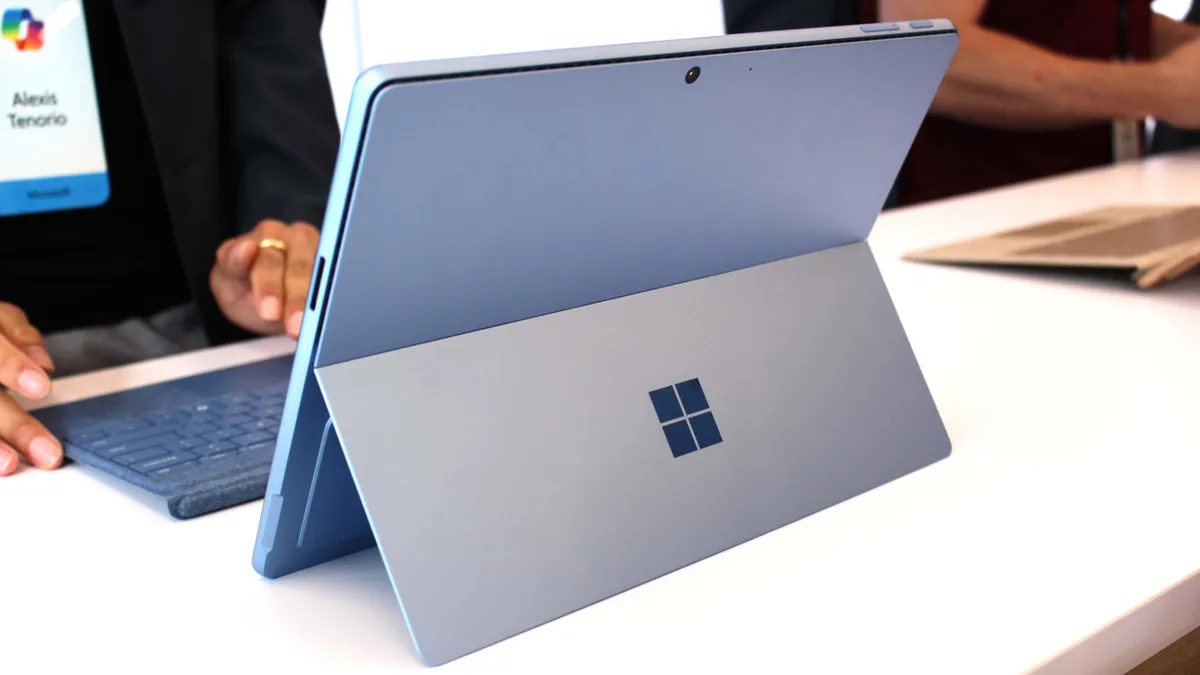
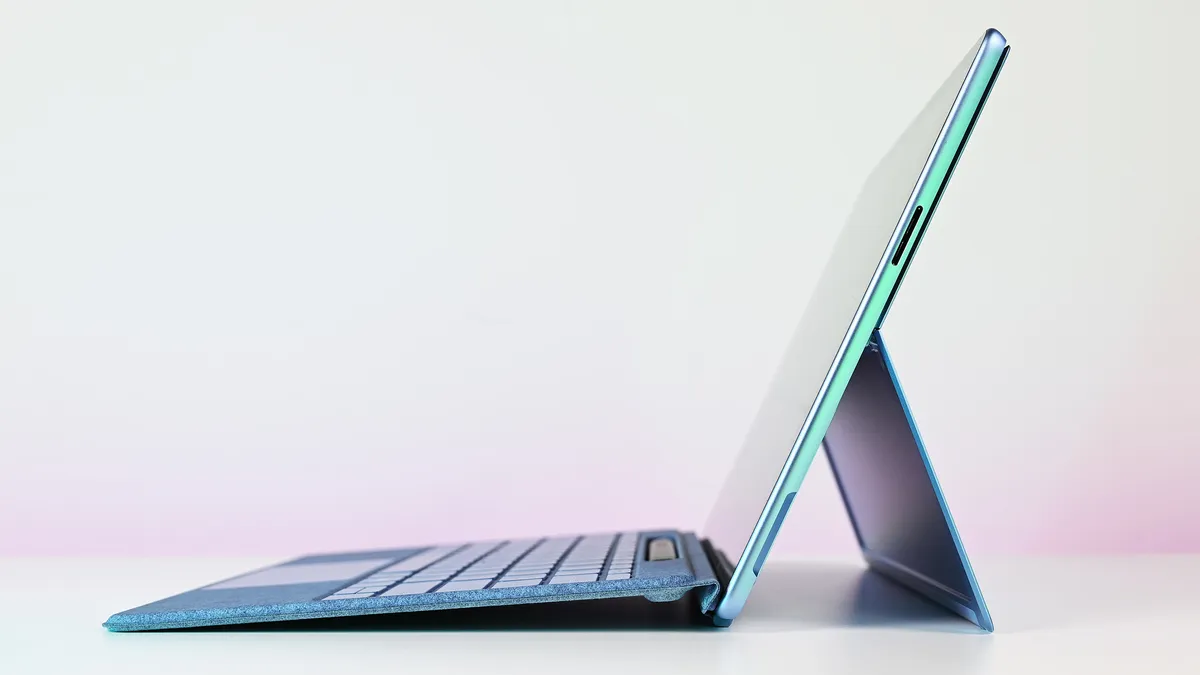
The new Surface Pro for Business (2026) doesn't have any major changes to its design compared to the previous generation. It weighs the same 1.97 pounds (895g) as the Pro 11, which is just slightly heavier than the Pro 11 for Business.
Its dimensions are identical, and it still has the same Surface stand on the back and Surface Connect port for a Type Cover.
Ports haven't changed either, with dual Thunderbolt 4 handling practically everything else. A Nano-SIM slot is available in 5G models; these are restricted to the Surface Pro 11 and the Surface Pro for Business (12th Edition).

Dual 2W speakers continue to offer Dolby Atmos tuning, all models have a 1440p front-facing camera with IR for Windows Hello, as well as a 10MP rear-facing camera.
Wi-Fi 7 handles wireless internet, Bluetooth 5.4 handles wireless accessories, and, as mentioned, some models have optional 5G connectivity. That's a nice pickup considering the Surface Pro for Business (11th Edition) lacked any 5G.
Surface Pro for Business 12th Edition vs. Surface Pro 11: Display
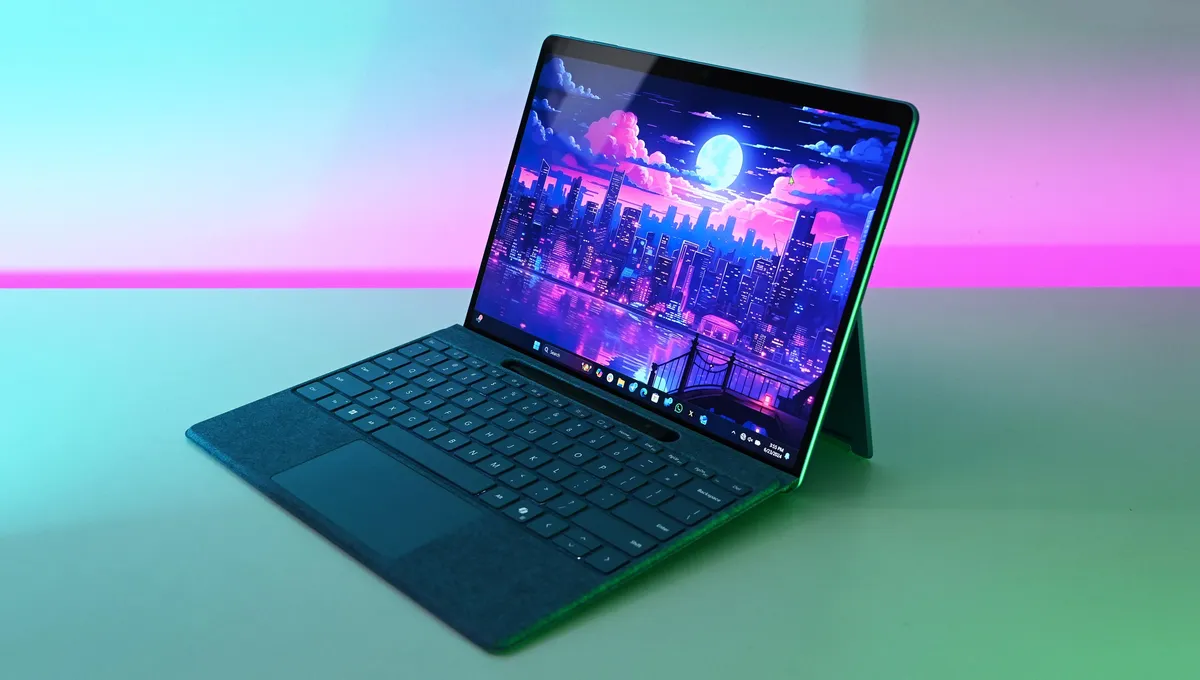
Microsoft added an anti-reflective finish to its Surface Pro for Business (11th Edition), and it's here again for the 12th Edition model. This sets it apart from the standard Surface Pro 11's glossier finish.
Otherwise, you're still getting a 13-inch touch display in either LCD or OLED, with a 2880x1920 resolution (267 PPI), 120Hz dynamic refresh rate, Dolby Vision support, and brightness up to 600 nits.
Surface Pro for Business (12th Edition) vs. Surface Pro 11: Performance and battery
Here's where the new Surface Pro for Business (12th Edition) begins to separate itself from its predecessors.
It arrives with Intel's "Panther Lake" Core Ultra Series 3 chips, including the Core Ultra 5 335 and Core Ultra 7 366H. These are the next generation of chips compared to the Intel Series 2 CPUs found in the Surface Pro for Business (11th Edition).


Although we haven't yet had a chance to directly test the Surface Pro for Business (12th Edition)'s performance, I can make some assumptions based on our Surface Laptop 8 review.
Windows Central Editor-in-Chief Daniel Rubino discovered that the Core Ultra X7 368H chip, which is more powerful than the Surface Pro's Ultra 7 366H, fell behind the Snapdragon X Elite in the Surface Pro 11 Cinebench test.
In Geekbench, the Core Ultra X7 368H came out ahead of the Snapdragon X Elite chip, but keep in mind the new Pro for Business only has the Core Ultra 7 366H, which isn't quite as powerful.
What about efficiency and battery life?

Considering Qualcomm's Snapdragon X/X2 platform continues to offer superior battery life in laptops we test, I don't expect the Surface Pro for Business (12th Edition) to be the more efficient laptop.
I'll update this comparison once we test it first-hand, but for now, I wouldn't recommend buying the new Surface Pro for Business (2026) with the assumption that it will run longer between charges.
Which should you buy?
The new Surface Pro for Business (12th Edition) doesn't reinvent the device, but it does update the performance hardware to the latest Intel "Panther Lake" Core Ultra Series 3 chips.
The hardware update, alongside the usual enterprise security features, makes the new Surface Pro (2026) ideal for professionals who prefer an x86 system.
Microsoft has stated that it plans to release a new Surface Pro with Qualcomm Snapdragon X2 chips in the coming months, and I expect that it will offer superior performance and efficiency.
As it stands now, the best option for regular Windows users remains the Surface Pro 11 with Snapdragon X Systems-on-Chip (SoC). It's the most affordable, it has excellent performance and efficiency, and it's readily available from more retailers.
The new Surface Pro for Business (12th Edition) is a spec bump that adds Intel "Panther Lake" Core Ultra Series 3 chips to the mix. The laptop is otherwise quite similar to the Surface Pro 11 and Surface Pro for Business 11th Edition.
With a more affordable price and a practically identical design, the Surface Pro 11 with Snapdragon X chips is the right choice for most PC users outside of an enterprise setting.

Join us on Reddit at r/WindowsCentral to share your insights and discuss our latest news, reviews, and more.