


Surface Pro 11 for Business owners should rush to their PC to install the latest firmware update. Not out of urgency for a security improvement, but for relief from a frustrating set of bugs that have plagued the Surface Pro 11 for Business since just after the device launched.
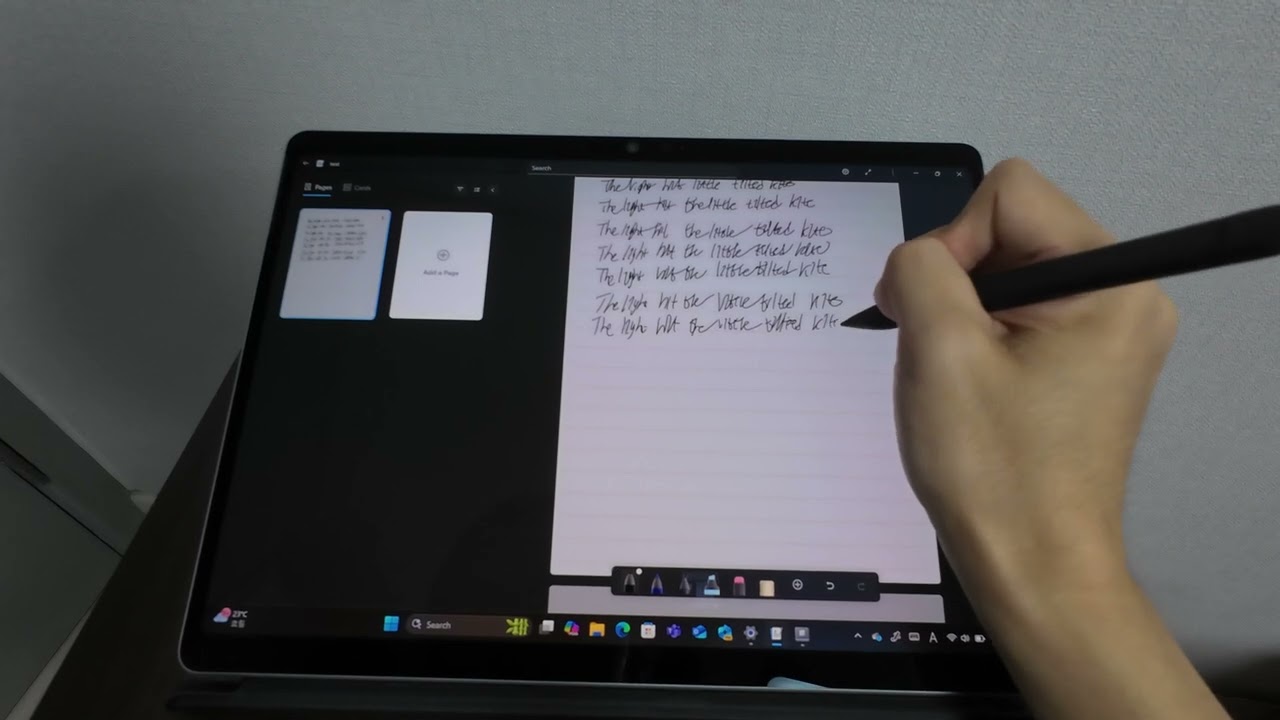
The March 2026 firmware update for the Surface Pro 11 for Business fixes an issue that can cause the Slim Pen 2 to ink while hovering and a separate issue that can cause finger touches to be inaccurate. The update also solved a problem that can stop the screen from responding to touch after the device is idle or asleep.
The improvements and fixes are outlined in a Microsoft support document:
- Reliability:
- Write and draw smoothly with your pen. We’ve fixed issues where Surface Slim Pen 2 inks while hovering, loses tracking at lower pen pressure settings, delays inking after you set the pressure, or uses inaccurate pressure levels.
- Get seamless touchscreen functionality. We’ve resolved an issue where finger touches on the screen aren’t accurate, and we’ve addressed issues with the touchscreen not responding after the device is idle or wakes from sleep.
- Performance and usability:
- Complete your work efficiently. We’ve resolved an issue where the touch response is slow when the device is used on a flat surface with a UAG Workflow Series Industrial-Grade Screen Protector for Surface Pro.
The issues appear to be limited to the Surface Pro 11 for Business, which is powered by an Intel processor. The Surface update history page only lists the fixes under the "Business" category.
That aligns with complaints made on a Tech Community post last year:
"When using the Surface Slim Pen 2, the device begins to register ink input while the pen is still hovering a few millimeters above the screen. It does not require any physical contact or pressure.
This "hover-inking" makes handwriting completely unusable. As I write, any time I lift the pen to start a new letter or stroke, the pen continues to draw a line as it moves through the air to its next position. This results in messy, connected handwriting with unwanted "tails," completely defeating the purpose of having a premium inking device."
The user that reported the issue performed several tests to ensure that their unit was not defective. They also tried a clean install of Windows via Windows Recovery Image, ensured drivers and firmware were up to date, and ran the Surface Diagnostic Toolkit.
They even shared a video of the issue. Their dedication to confirming this issue is impressive, but I doubt a compliment from me will make them feel any better.
Months after that post went live, Microsoft has addressed the issue with a firmware update.
💬 Have you experienced touch or pen issues on your Surface Pro?
Several people responded to that Tech Community post confirming that they have experienced the same issue. Those comments also state that it is the Surface Pro 11 for Business that is affected.
A separate post from April 2023 discusses a similar issue, though that must have referred to an earlier Surface Pro model, since the Surface Pro 11 first shipped in 2024 and the Business model came out in 2025.
Seemingly, there have been issues with the Surface Slim Pen 2 for quite some time.
Have you run into issues with the Surface Slim Pen 2 or touch when using a Surface Pro 11 for Business or another device? Let us know in the comments.

Join us on Reddit at r/WindowsCentral to share your insights and discuss our latest news, reviews, and more.

