


Windows Central Verdict
The 8BitDo Retro 87 Mechanical Keyboard (Xbox Edition) seamlessly blends Xbox nostalgia with everyday practicality. It delivers a genuinely great typing and gaming experience out of the box. This obnoxiously green board is a standout daily driver that's added serious personality to my desk.
Reasons to buy
- +
Unapologetically bold OG Xbox aesthetic and details
- +
Sturdy, durable build with satisfying tactile keys
- +
Included Dual Super Buttons and handy volume/mode dials
- +
Convenient compartment for the 2.4GHz dongle
Reasons to avoid
- -
ABS keycaps tend to pick up finger shine easily
- -
Keyboard and optional numpad require separate USB dongles
Why you can trust Windows Central Our expert reviewers spend hours testing and comparing products and services so you can choose the best for you. Find out more about how we test.
Xbox is about to celebrate its 25th Anniversary, and while there have been numerous brand collaborations to mark the occasion, the 8BitDo Xbox collection has actually been in circulation since November 2024. Inspired by the OG Xbox, the collection is a transparent-green dream consisting of a chunky keyboard, numpad, mouse, and even a controller.
I only got my hands on the set this year, which feels fitting with the Xbox anniversary about to be in full swing. While 8BitDo has just added a gorgeous Gears of War edition to the lineup, I'm firmly sticking with my bleed-green setup, which I've been using every day for around four months now.
The TL;DR of this review is that I absolutely adore this chunky, obnoxiously green keyboard, and I can't see myself using anything else, but read on if you need a little more swaying.
DEAL ALERT: This keyboard is currently 25% off thanks to Amazon Big Deal Days
8BitDo Retro 87 Mechanical Keyboard Xbox Edition: Price, availability and specs
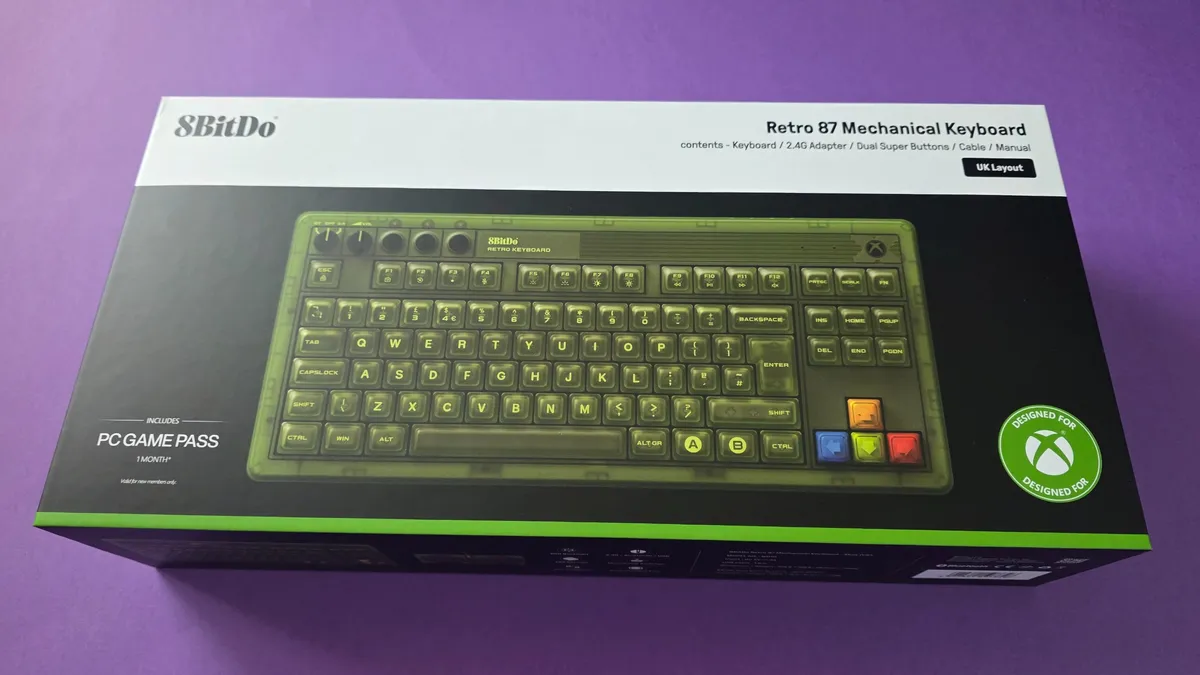
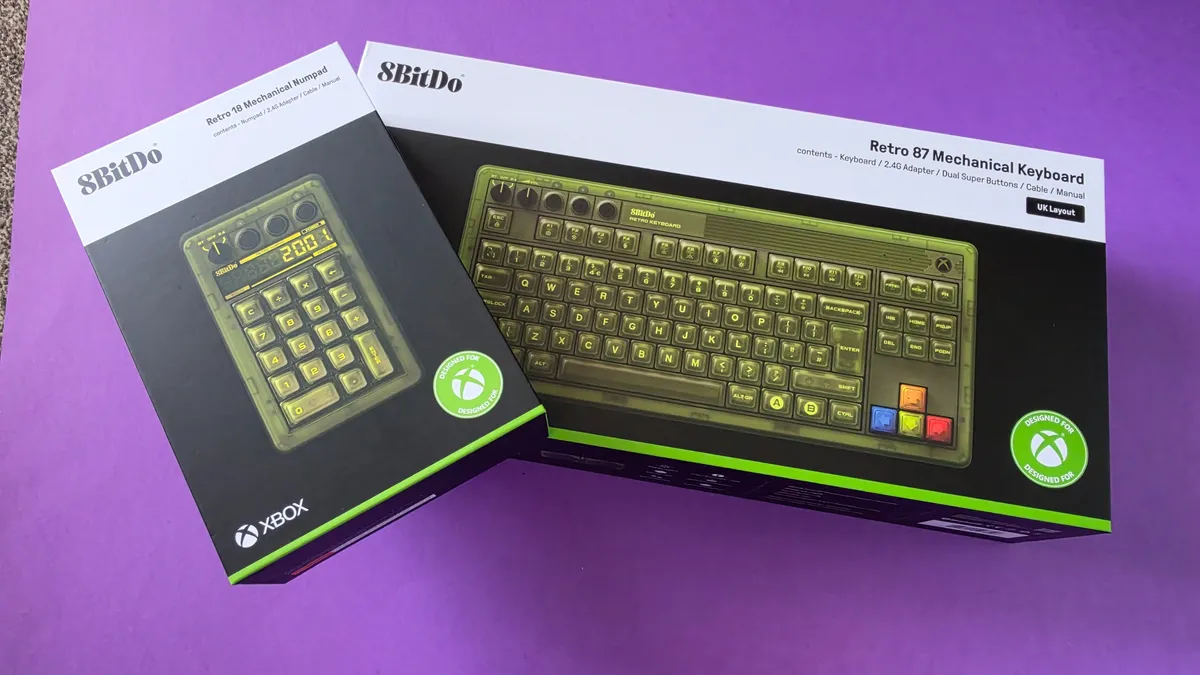
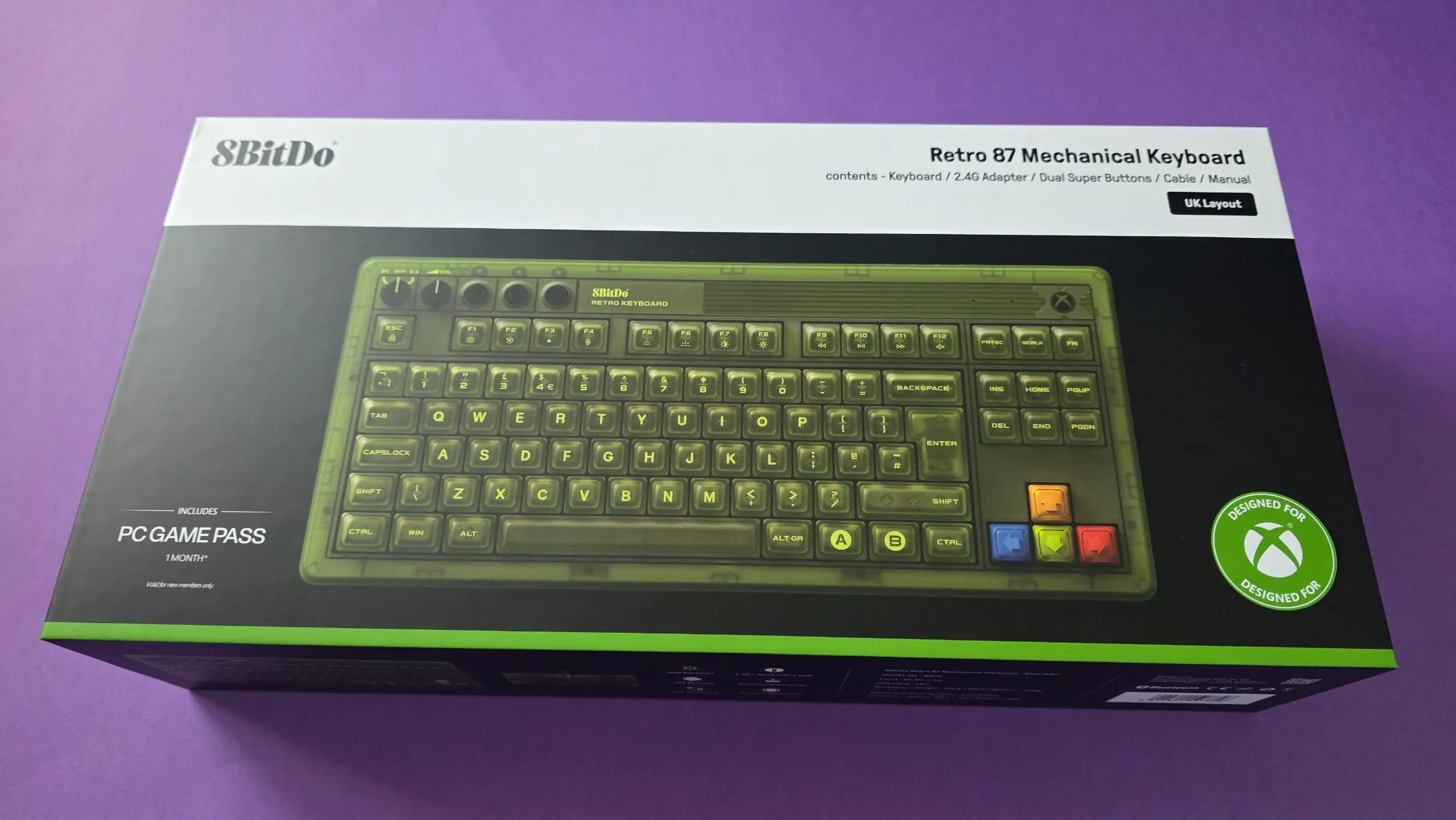
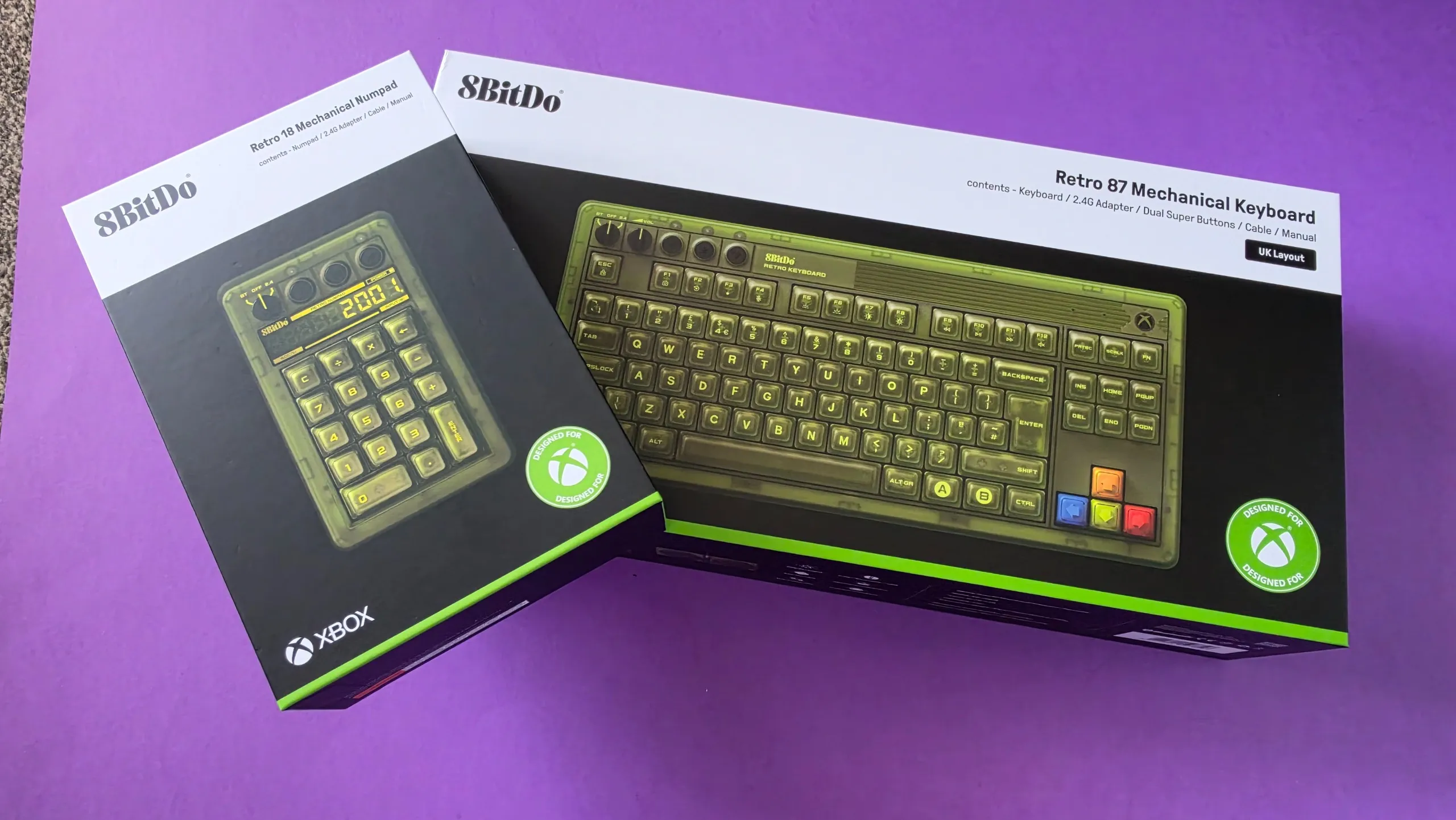
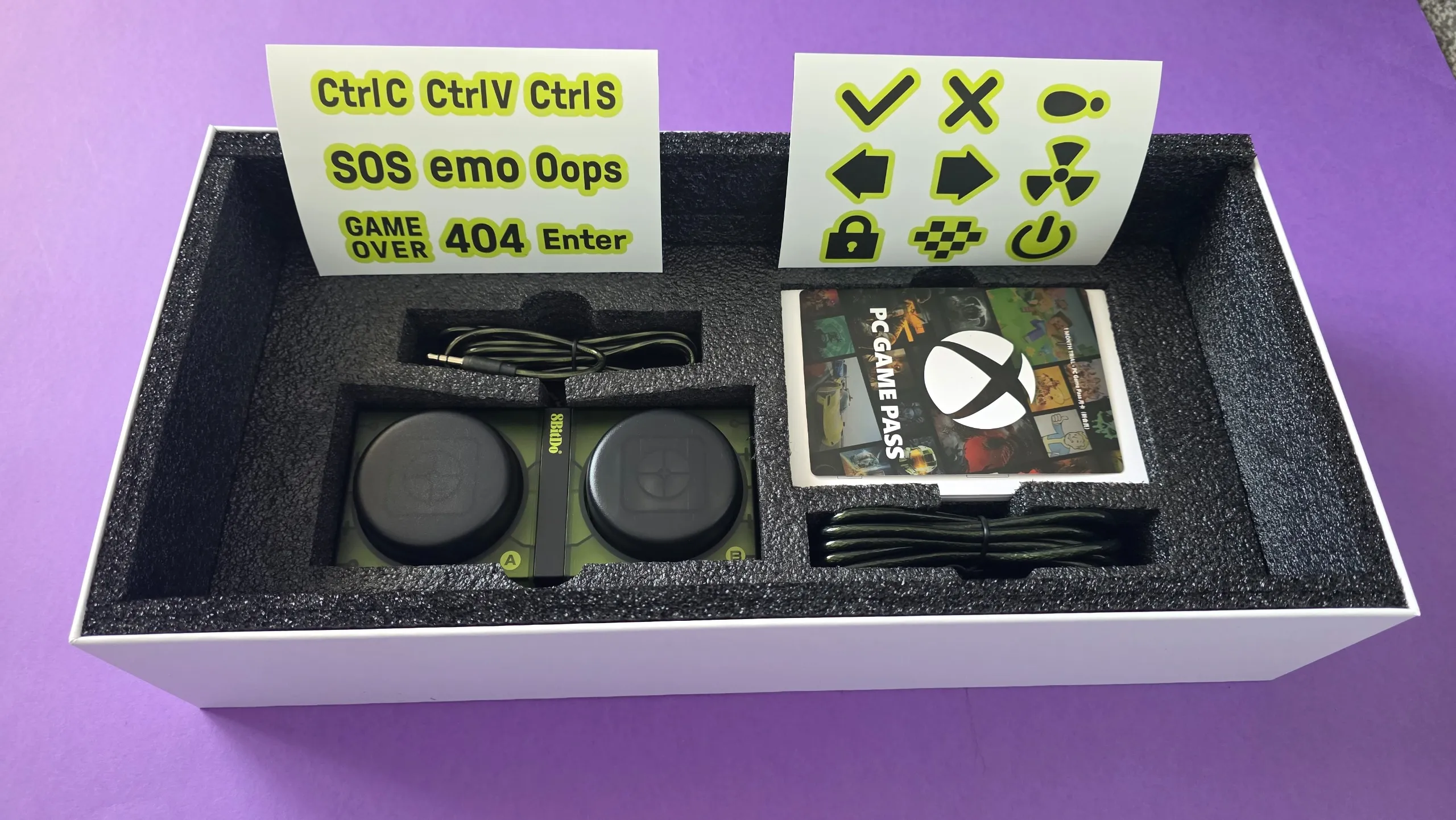
The 8BitDo Retro 87 Mechanical Keyboard (Xbox Edition) retails for $119.99 in the US and £99.99 in the UK. However, it frequently sees discounts and at the time of writing, it is on sale for $89.99 on Amazon US.
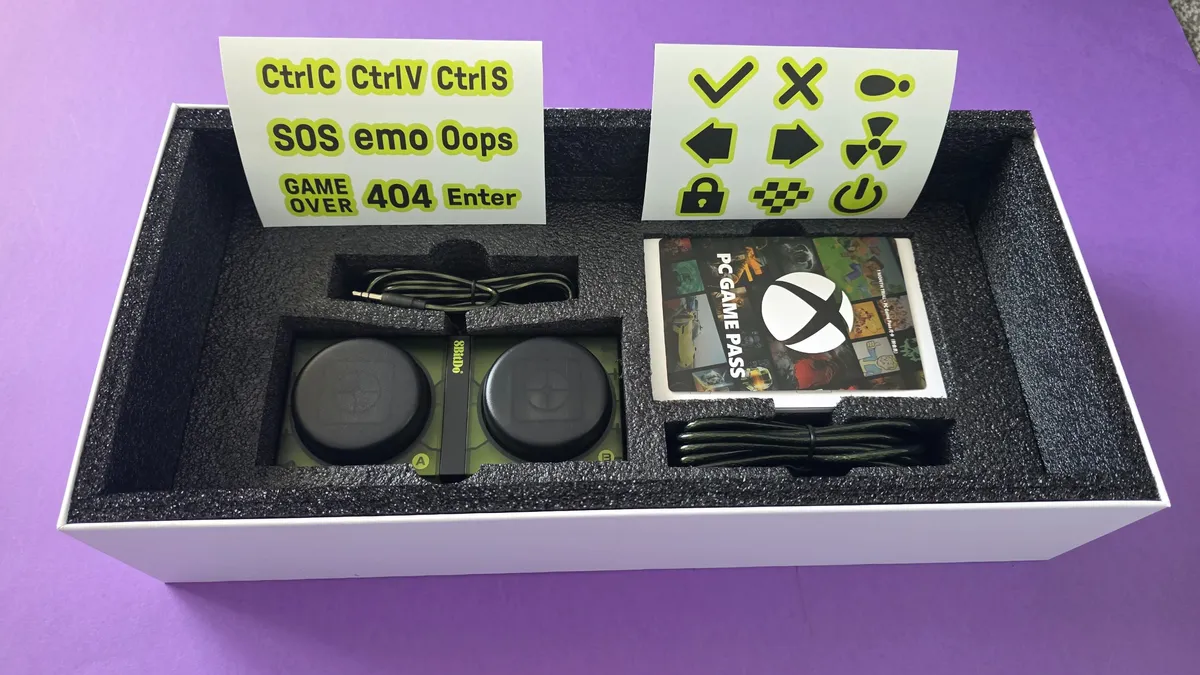
Out of the box, the keyboard includes 8BitDo’s iconic Dual Super Buttons, a pair of massive, programmable arcade-style macro buttons that plug directly into the back of the board via 3.5mm jacks without needing extra software configuration.
If you are a sane person who enjoys using a Numpad, rejecting all minimal keyboard ideology, then 8BitDo also offers a matching standalone Retro 18 Mechanical Numpad (Xbox Edition), which retails separately for $44.99 / £39.99.
The main tech specs you need to know are:
- Layout: 87-key Tenkeyless (TKL) with top-mount design
- Switches: Kailh Jellyfish X linear/clicky switches (Hot-swappable PCB, full N-key rollover)
- Keycaps: Double-layered ABS with a matte UV coating
- Connectivity: Tri-mode (2.4GHz wireless via magnetic dongle, Bluetooth 5.0, wired USB-C)
- Battery: 4,000mAh rechargeable Li-ion (rated for up to 280 hours on 2.4GHz / 300 hours on Bluetooth)
- Lighting & controls: Customisable RGB backlighting, dedicated volume dial, and connection mode knob
- Included extras: Dual Super Buttons module, USB-C charging cable, 2.4GHz dongle, and 1 month of Xbox Game Pass for PC
- Dimensions & weight: 376.6 x 169.6 x 46.8 mm; 1,100 g
- Software support: 8BitDo Ultimate Software V2 (Windows & Android)
8BitDo Retro 87 Mechanical Keyboard Xbox Edition: What's good
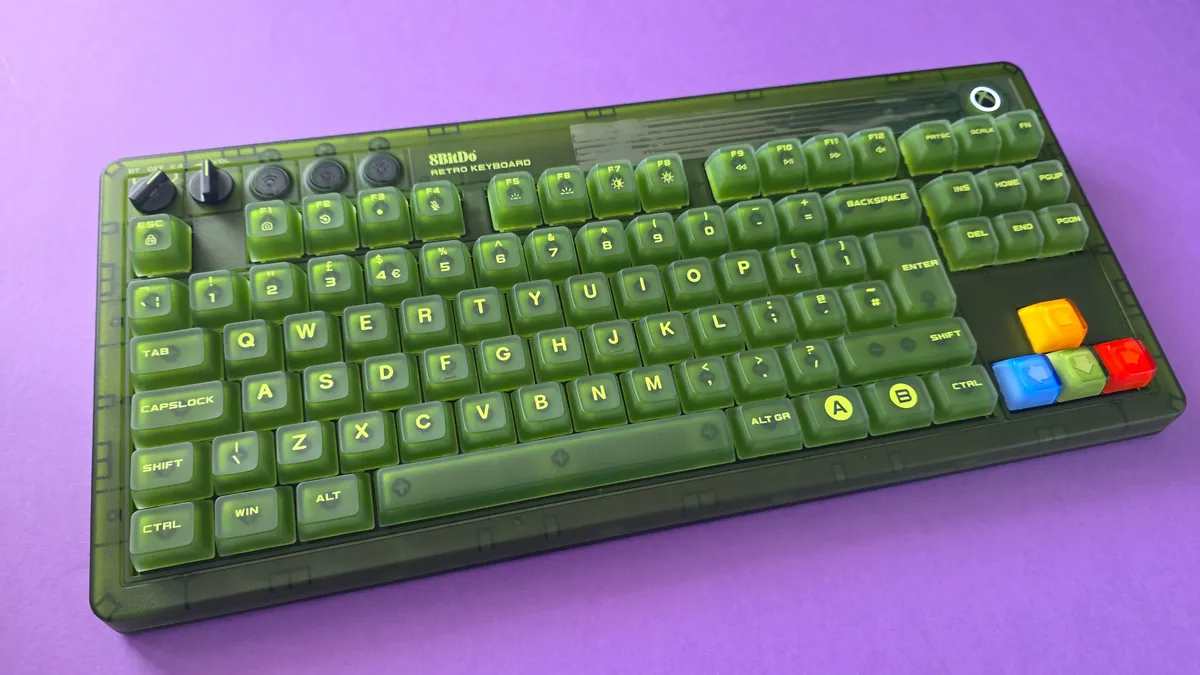
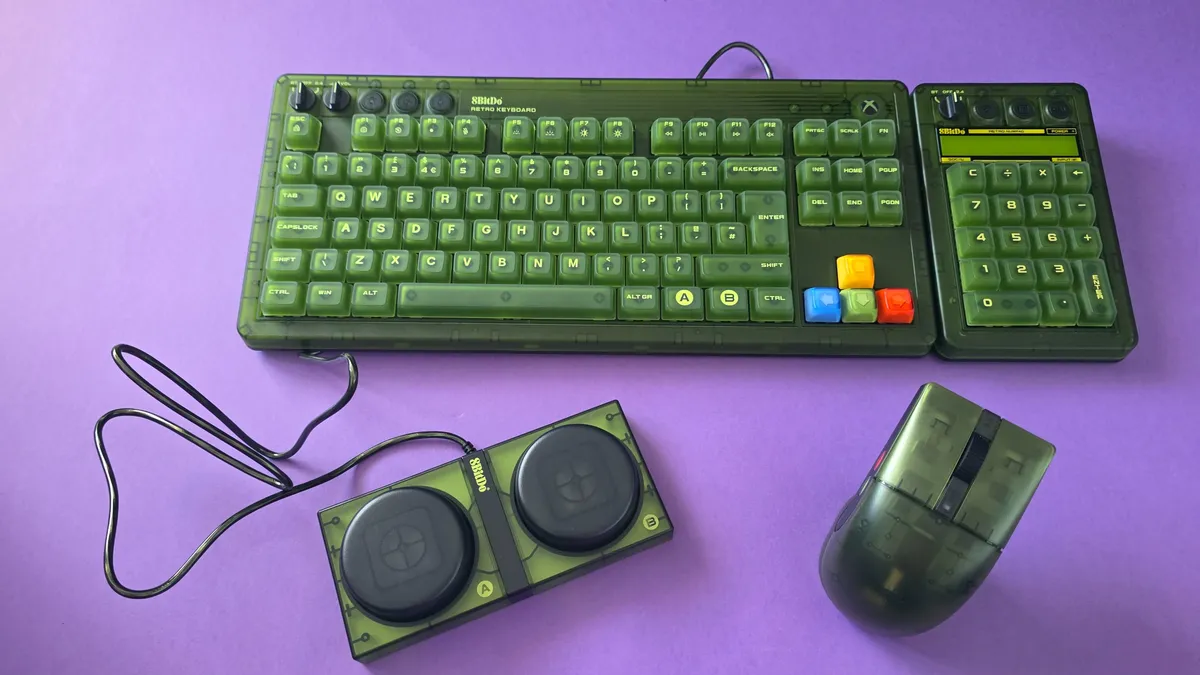
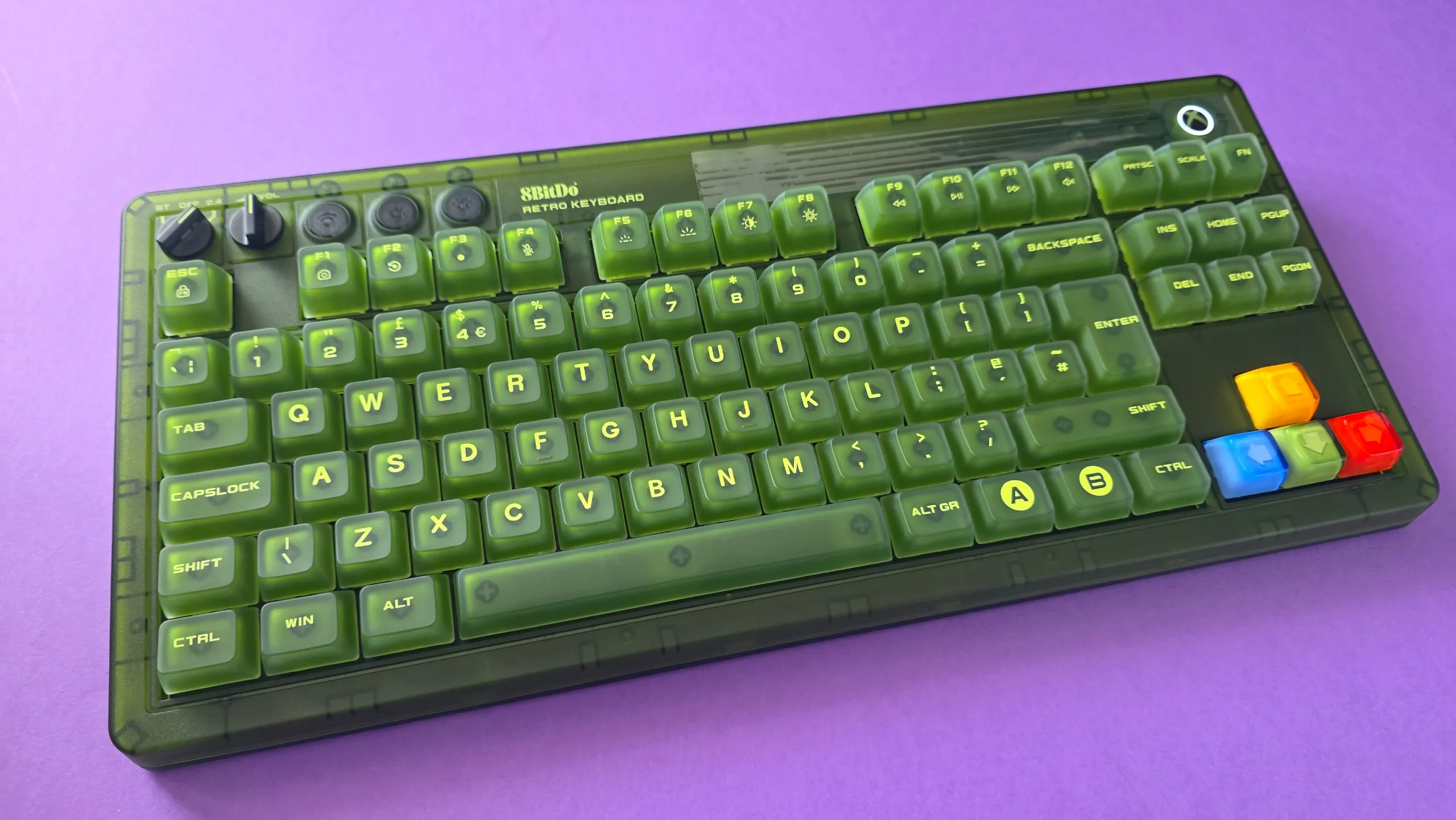
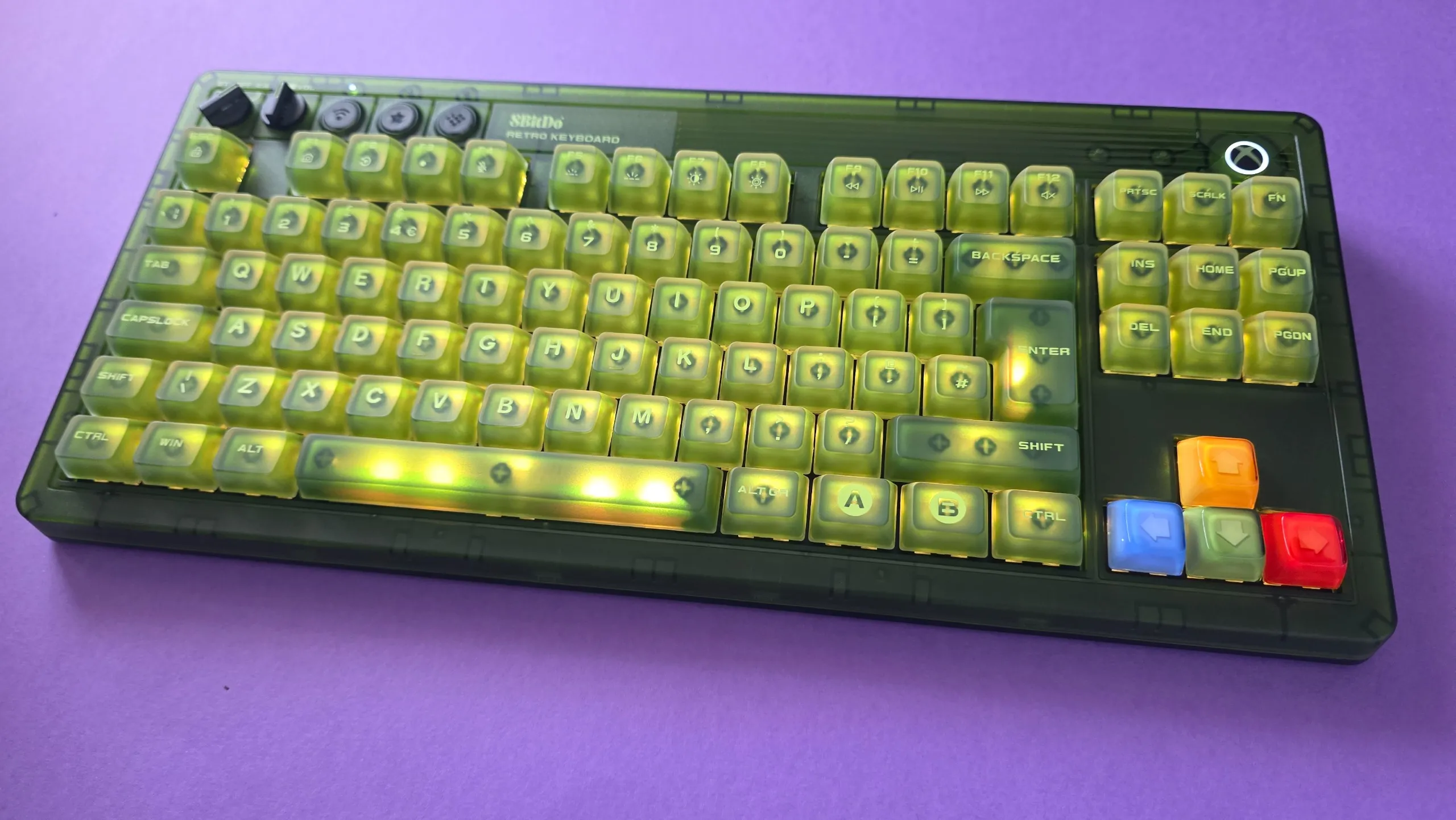
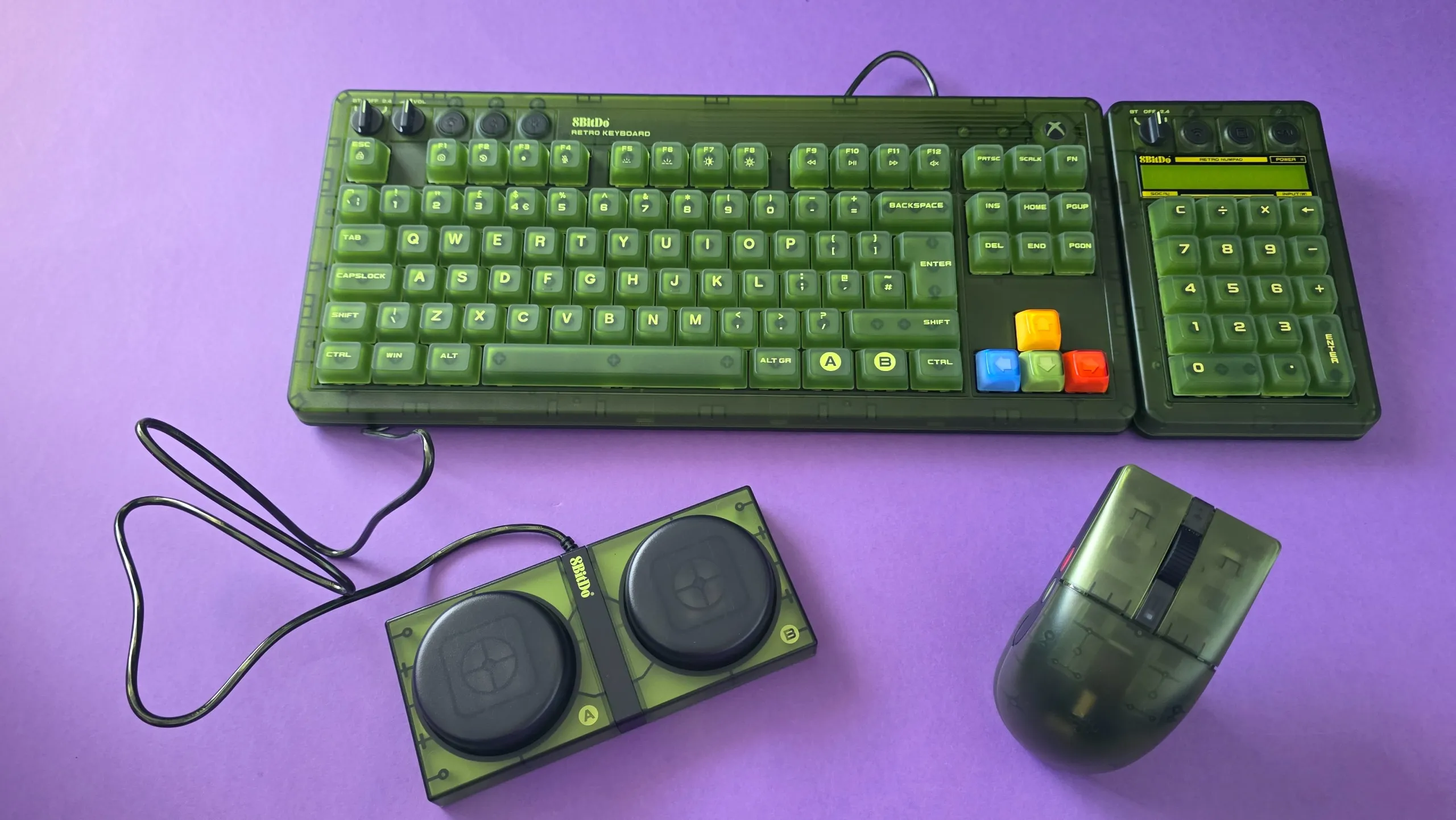
Unboxing this was an experience in itself; the box was roughly twice the size of any keyboard package I’ve opened before. Coming from the Roccat Vulcan I’d been rocking (or should I say Roccing hur hur), I expected it to be chunky, and while it was different for sure, I'm kind of loving that 8BitDo has embraced the maximalist approach. To be honest, as I get older, I’m really appreciating the larger keycaps and moving away from that classic all-black "squint at the keys" aesthetic.
The green design is unabashedly Xbox of course, but with a lot of small, thoughtful touches. Like the A/B/X/Y colored arrow keys that mirror the OG controller and the glowing Xbox home button (which matches the look on the new 25th Anniversary Series X console.) This is a hell of a lot cheaper than that console too!
If the Xbox Duke controller were a keyboard and mouse, this would be it.
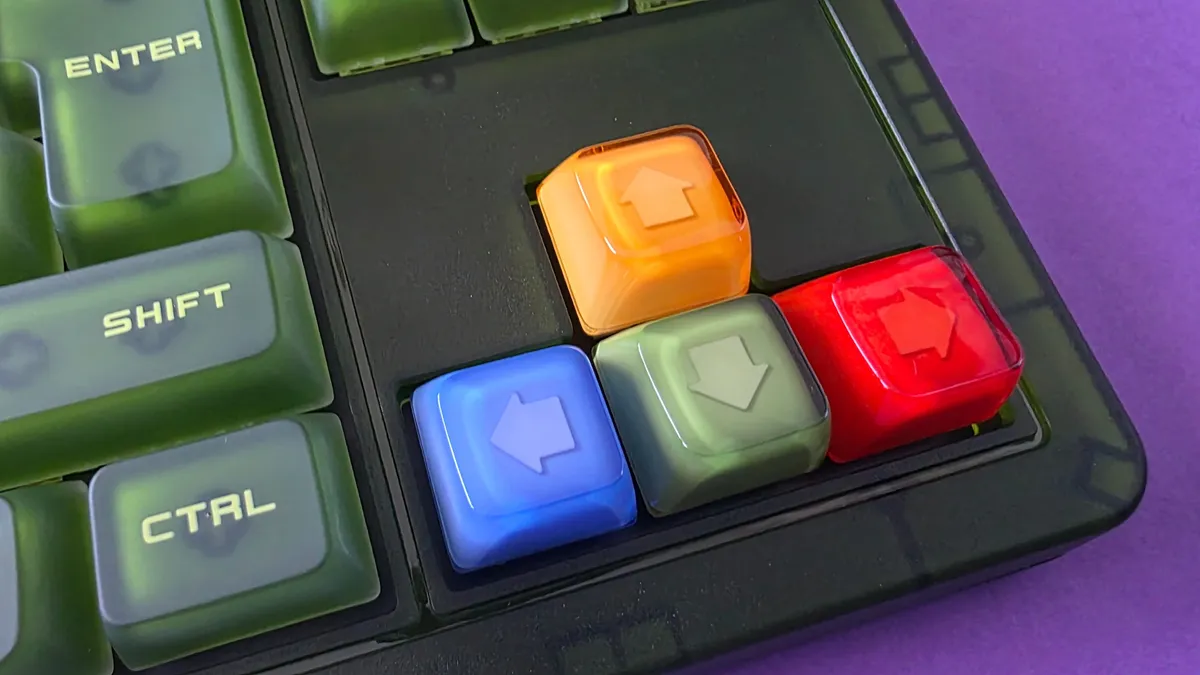
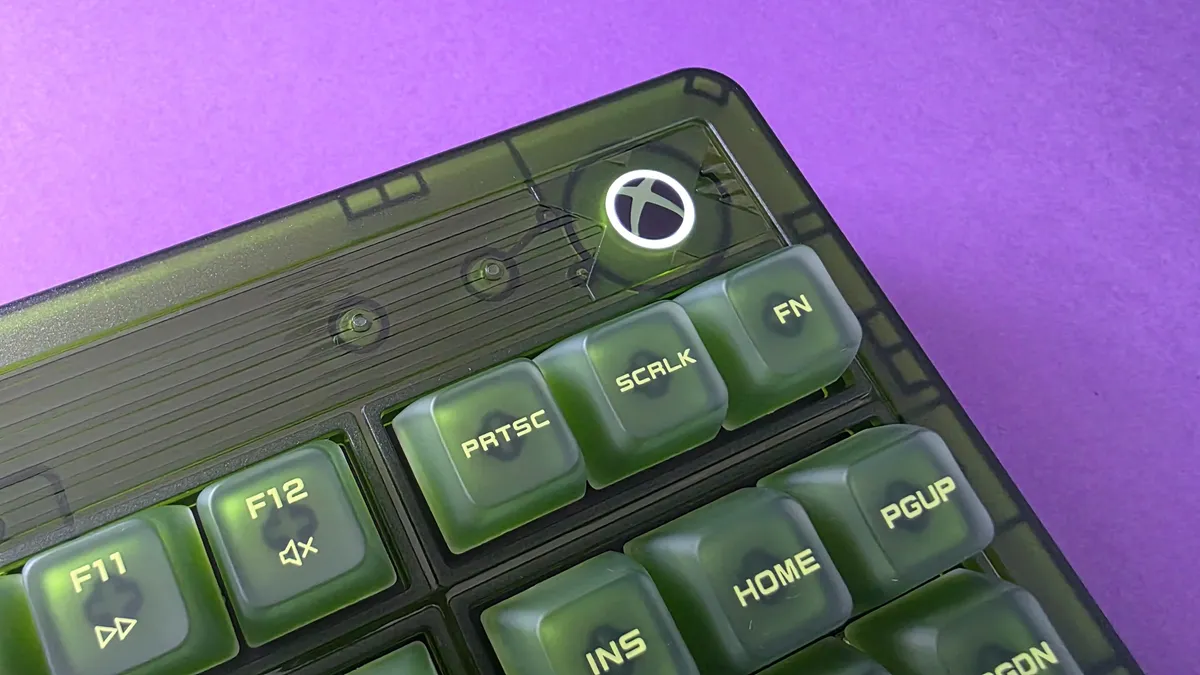
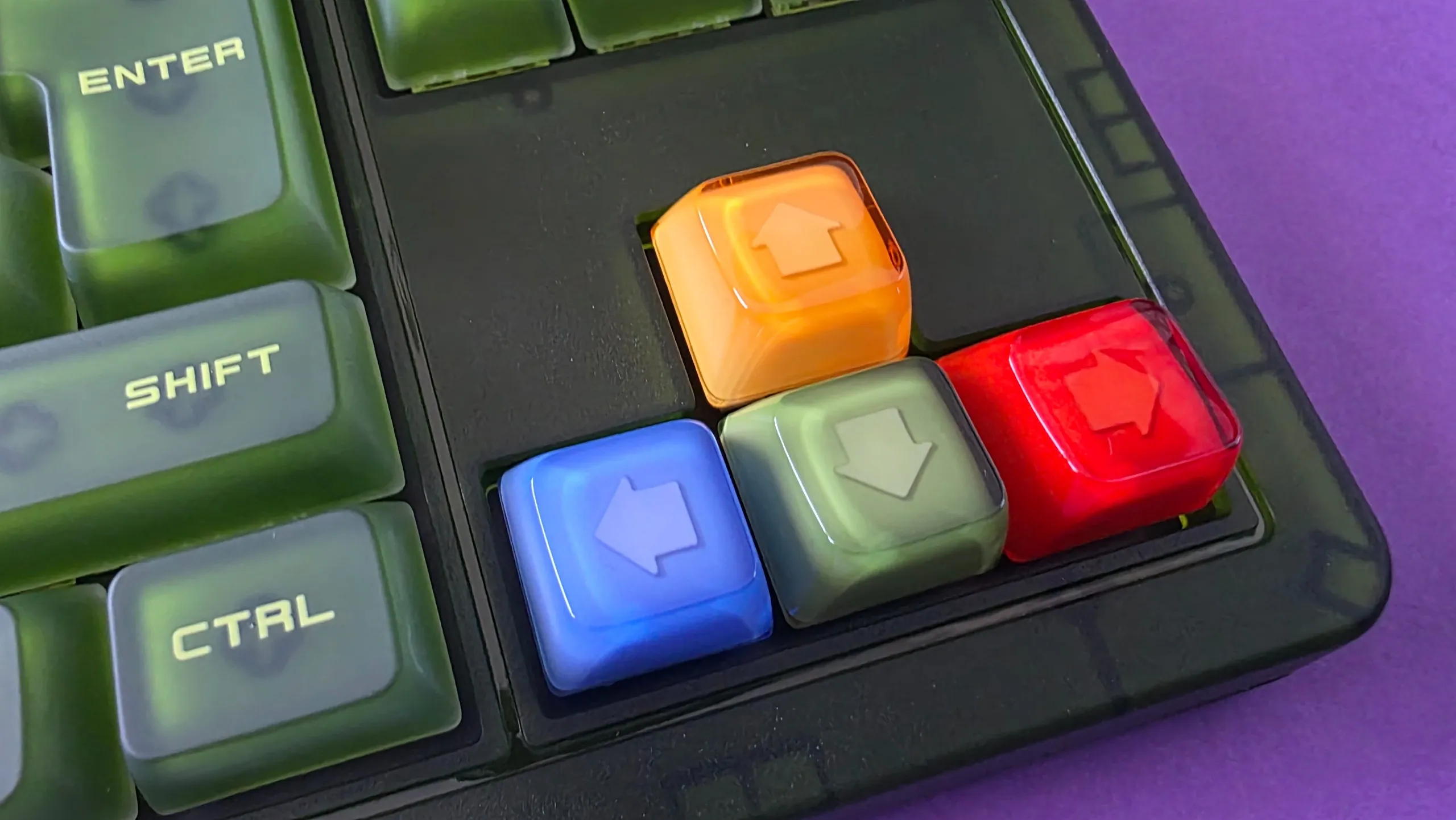
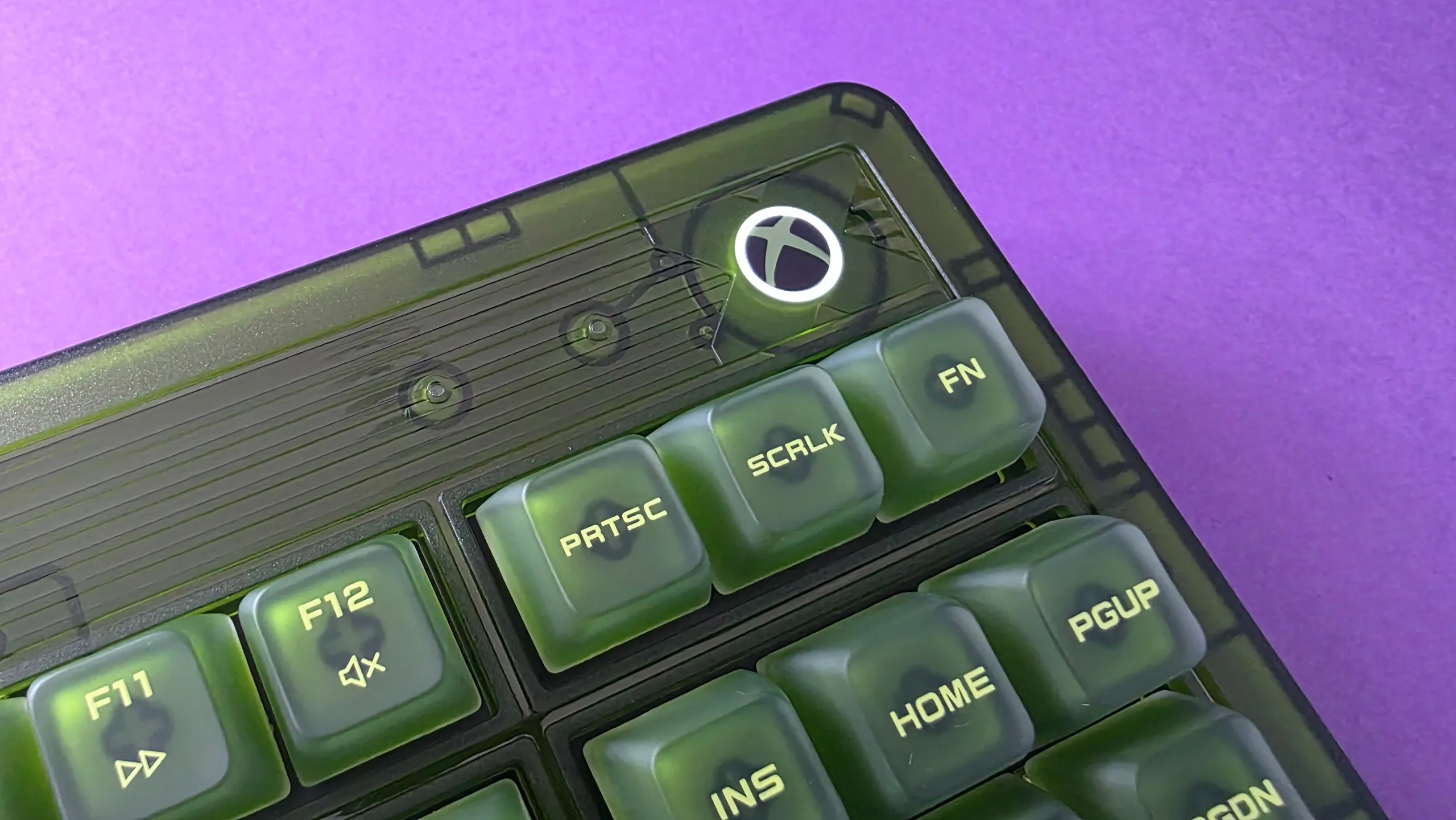
Even before typing a single sentence, the convenient design details impressed me. Having a dedicated magnetic compartment built into the base to store the 2.4GHz receiver is a godsend; I’ve lost count of how many wireless dongles I’ve misplaced over the years.
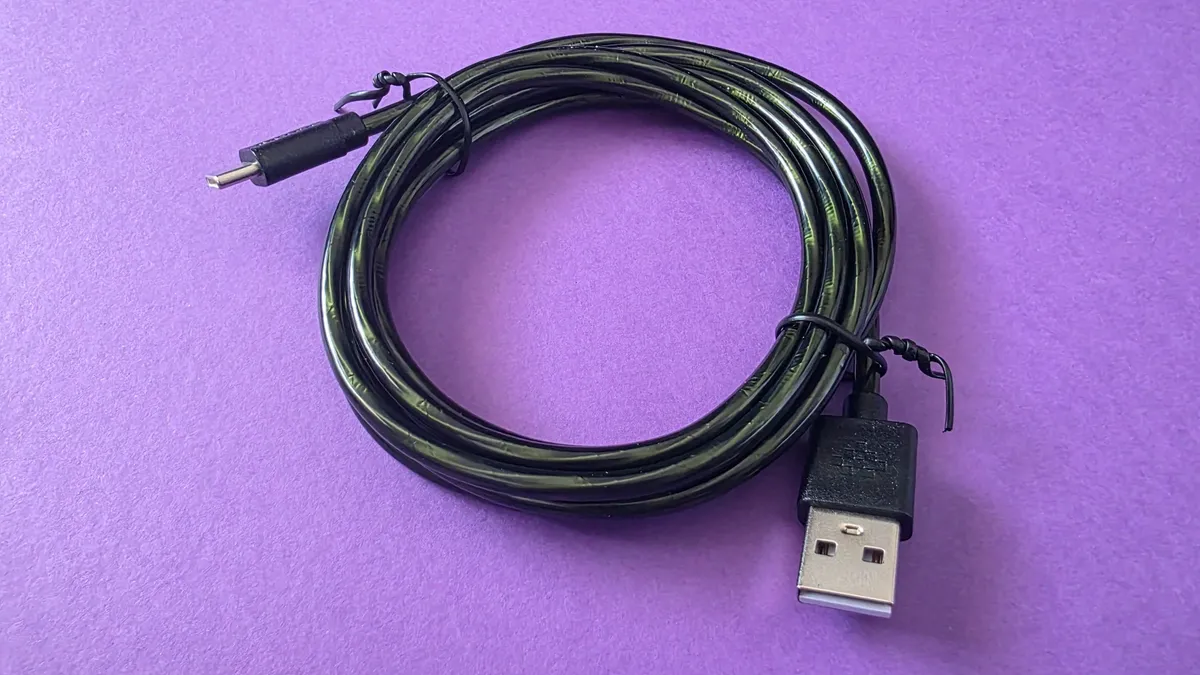
Connectivity is versatile, offering 2.4GHz wireless, Bluetooth, or a wired USB-C connection. I wouldn't normally dedicate a sentence to a cable, but 8BitDo even made the braided wire matching Xbox green. Talk about attention to detail!
The board itself feels incredibly hefty, solid, and durable on the desk. That robust build quality is a major plus for me: regardless of how gentle I may be with the keyboard, my son also loves gaming at my desk and is considerably heavier-handed. This chassis easily withstands the enthusiastic key-slams of a kid navigating mods in Wobbly Life. The physical dials at the top for adjusting volume and switching connection modes feel equally premium and far from flimsy.
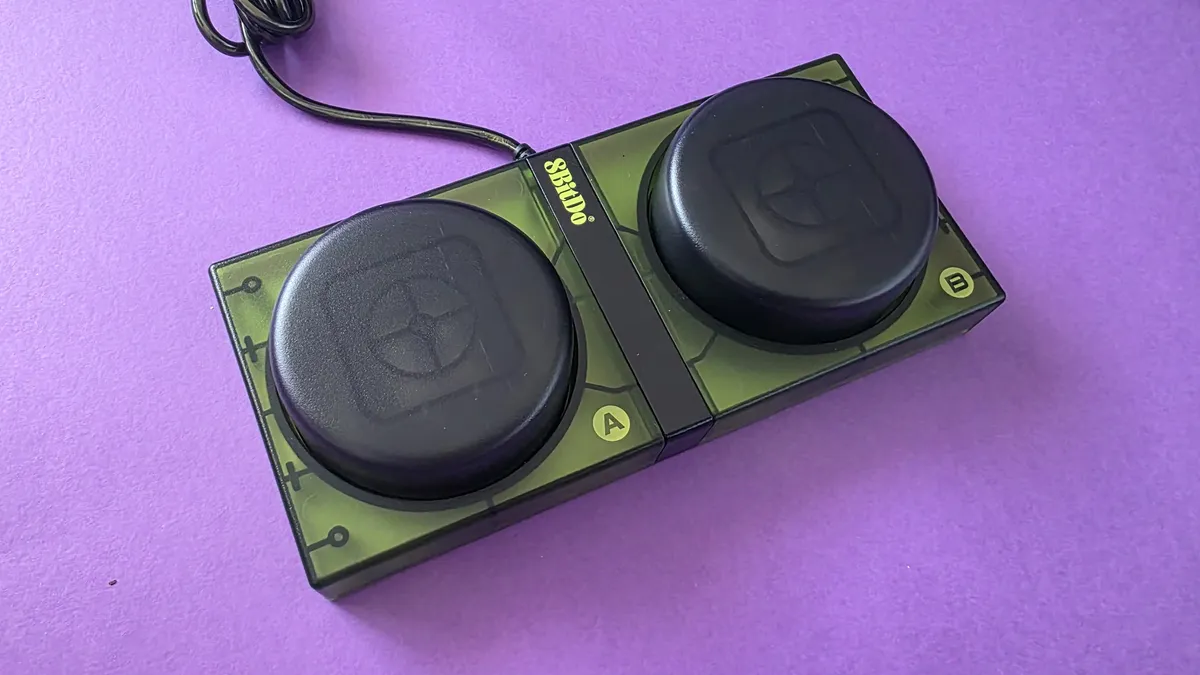
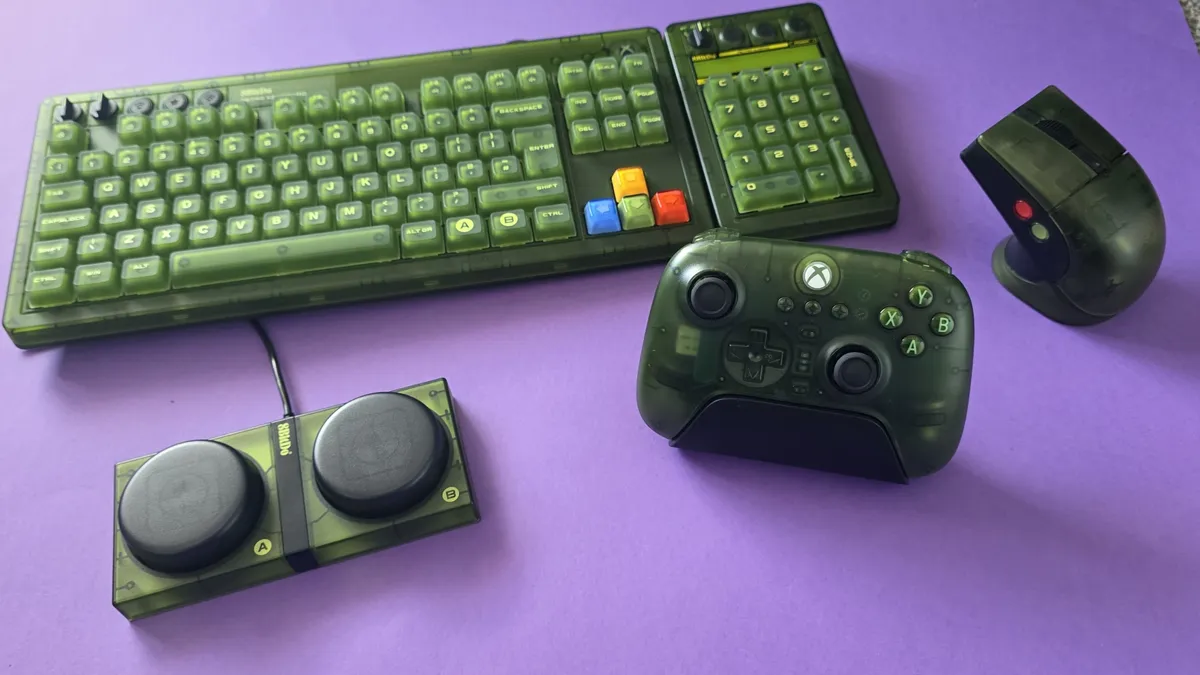


The box includes 8BitDo’s famous Dual Super Buttons. At first, I had no idea what to do with them other than getting my cat to play the bongos, but they plug in via a 3.5mm jack on the rear. You can map them on the fly directly from the board without software, though downloading the 8BitDo Ultimate Software V2 is essential if you want to set up complex macros or multi-key shortcuts.
While I didn't get overly creative with my bindings, mapping the giant "A" button to instantly grab screenshots is super handy during streams.
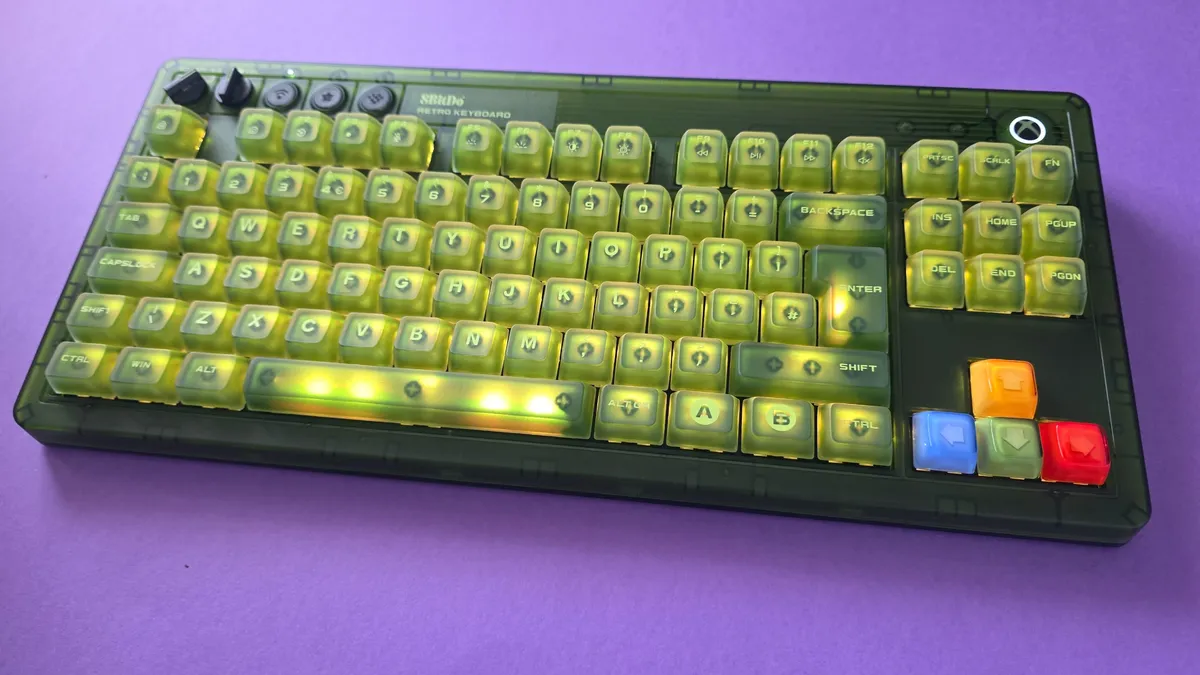
If you love RGB backlighting, the board comes packed with bright lighting modes and a full spectrum of color profiles. I usually keep the backlighting on boring white as I think having multi-colours looks a little 'busy' through the green casing, but the customization options are there if you want a full rainbow light show (I do not, and prefer less visual noise).
The stock switches deliver a wonderfully satisfying clickety-clackety feel (that’s a technical term), offering great audio and tactile feedback. I also didn't note any input lag even over wireless. For tinkerers, the PCB is fully hot-swappable if you ever want to pull the stock switches and experiment with custom ones later on. Finally, if you opt for the matching standalone numpad, it snaps flush against the side of the board with a deeply satisfying magnet click, just another detail that makes this feel pretty premium.
8BitDo Retro 87 Mechanical Keyboard Xbox Edition: What's bad

As I said, I love this keyboard, and I'm hard-pressed to find anything I don't like about it, but if I had any criticisms at all, I'd start with the fact that I have to clean it more often!
The super-matte, double-layered ABS keycaps tend to show finger oils and shine much faster and more noticeably than keycaps on previous boards I’ve used. I find myself wiping the keys down more often, but that's a small price to pay for how good the setup looks on my desk.
Second, while I appreciate that 8BitDo made the matching Numpad an optional extra, it's a bit frustrating that both the keyboard and the numpad require their own separate 2.4GHz USB dongles. USB ports on my dock are always at a premium, so I’ve ended up running the main keyboard wired most of the time. Given that the keyboard sits stationary on my desk anyway, it’s hardly a dealbreaker just a minor setup niggle to keep in mind if you are beholden to getting the Numpad too.
8BitDo Retro 87 Mechanical Keyboard Xbox Edition: The competition
You'll only be reading this if you're already interested in grabbing a very in-your-face Xbox fan-themed keyboard, in which case, it's worth mentioning that Razer have released the Xbox 25th Anniversary Collection just recently, and within that, a Black Widow V4 75% keyboard.
At $209.99 / £199.99, it carries a distinctly "Razer price tag" compared to 8BitDo’s accessible $119.99 MSRP.

However, that higher price tag gets you a sleeker, smaller frame and quieter tactile switches.
If you prefer a more subtle, understated tribute to the original Xbox without the chunky retro footprint (and don't mind waiting for pre-orders to ship on October 20), the Razer option is a gorgeous alternative. But for that loud, unapologetic early-2000s green Duke-style aesthetic at nearly half the price, 8BitDo is a no-brainer for me.
8BitDo Retro 87 Mechanical Keyboard Xbox Edition: Should you buy it?


You should buy this if ...
✅ You want a nostalgia-packed OG Xbox aesthetic
This board is certainly cheaper (and easier to buy) than the Xbox Series X25, and it nails the retro 2000s theme
✅ You love big keycaps and clicky switches
The keyboard is just as loud as the design
✅ You want versatile wireless options and handy extras
With built-in magnetic dongle storage, 2.4GHz/Bluetooth toggles, a dedicated volume dial, and programmable Dual Super Buttons, it’s packed with great quality-of-life details.
You should not buy this if ...
❌ You want a silent, low-profile keyboard
The stock switches are loud and proud, and the chunky retro frame takes up a good chunk of desk space.
❌ You need a built-in numpad without extra dongles
It’s a Tenkeyless layout, and while 8BitDo sells a matching separate numpad, taking up two separate USB ports for two wireless dongles can quickly clutter up your hub or dock.
The 8BitDo Retro 87 Mechanical Keyboard Xbox Edition is just perfect for anyone who holds a soft spot for early 2000s gaming tech, translucent and chunky. I can't wait to sink many hours of WoW Forever on it and live my millennial retirement home dreams.
It looks like a collectors edition item without the price tag you would normally expect, while managing to also be built to last and something I want to keep on using (not just take pretty pictures of for Instagram). If you want a desk setup that brings a smile to your face every time you sit down to type or game, this obnoxiously green and thicc beast is worth every cent.

Level up your desktop setup with this fitting tribute to the original Xbox. The 8BitDo Retro 87 combines a iconic transparent-green aesthetic with high-performance mechanical typing.
Featuring tri-mode connectivity (2.4GHz wireless, Bluetooth 5.0, USB-C wired), tactile clicky Kailh Jellyfish X switches, dedicated volume and mode dials, and a hot-swappable PCB, it’s as versatile as it is striking. Plus, it includes 8BitDo’s programmable Dual Super Buttons for instant macro access right on your desk..

