


Minecraft was officially released about 15 years ago, and as a testament to its lasting power, it remains one of the most popular games around. A key component to its success is its ability to run on just about anything; you certainly don't need a powerful PC to have a great time in the blocky world.
If you're searching for a great Windows laptop, there are countless options available based on your needs and your budget. We've spent hundreds of hours testing the latest laptops (and gaming handhelds) on the market, and I've narrowed the list down to six top PCs for playing Minecraft.
February 3, 2026 — I've added the Alienware 16X Aurora as a new mid-range pick after a positive review. — Cale Hunt
TL;DR: Summarizing our findings
Why you can trust Windows Central Our expert reviewers spend hours testing and comparing products and services so you can choose the best for you. Find out more about how we test.
- Minecraft runs on just about anything, and you can choose between laptops, handhelds, and desktops to better find the perfect PC. But just because it runs on anything doesn't mean you should buy the cheapest PC and expect to have a great experience.
- Best 14-inch — ASUS ROG Zephyrus G14: Gaming laptops are no longer thick and hard to carry around, and the G14 is proof. It's one of our favorite gaming PCs ever, and it'll do a great job running any kind of Minecraft.
- Best 16-inch — Lenovo Legion Pro 7i: This deluxe gaming laptop offers a larger display and exceptional performance. It's overkill if you're only playing vanilla Minecraft, but you'll be able to enjoy any other title, no matter how demanding.
- Best value — ASUS Zenbook 14: For less than $1,000, this PC brings a snappy Core Ultra chip with integrated Arc graphics. Its OLED display is dazzling, and it's super thin.
- Mid-range pick — Alienware 16X Aurora: Mid-range gaming PCs like this are perfect for anyone who wants a discrete GPU and speedy display without overpaying.
- Premium pick — Razer Blade 16: This is a great choice for anyone with deep pockets, and you won't be disappointed no matter what game you're playing.
- Best handheld — ASUS ROG Xbox Ally: Minecraft on a gaming handheld is a smooth experience, and the ROG Xbox Ally is the best option out there right now.
- Desktop PCs are also great for Minecraft, especially if you're into modding, shaders, and ray tracing. Laptops and handhelds make it easy to take Minecraft with you, but a desktop PC can deliver more power at a similar price.
Best 14-inch gaming laptop for playing Minecraft


My recommended ASUS ROG Zephyrus G14 configuration:
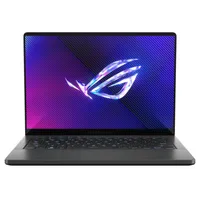
The ASUS ROG Zephyrus G14 (2024) was the best 14-inch gaming laptop of the year, and that continues with the newer model. For 2025, ASUS updated its compact gaming flagship with new AMD Ryzen AI and NVIDIA GeForce RTX 50-series hardware, making this laptop more powerful and intelligent than ever before.
In former Windows Central reviewer Zachary Boddy's ASUS ROG Zephyrus G14 (2025) review, they summarized these upgrades:
"ASUS knows it struck gold, and didn't mess too much with the winning formula of the ROG Zephyrus G14 for 2025. Much of the hardware is identical, but this laptop is now smarter and more powerful... and thicker, heavier, and more expensive. Not everyone will love that added mass, but there's no denying the Zephyrus G14 is still one of the most impressive and premium 14-inch gaming laptops you can buy."
Yes, the highest-end Zephyrus G14 models are thicker and heavier than last year, but the improved performance, superior thermals, and added artificial intelligence features like Copilot+ PC status make up for that added mass.
If you want the latest and greatest ROG Zephyrus G14 model, I recommend checking out the $2,399.99 model at Best Buy. However, there's a new entry-level Zephyrus G14 that uses the same, slimmer design as last year and loses the AI features, but still upgrades to the latest generation of AMD and NVIDIA hardware. It's a lot more affordable, too, and can often be found for as low as $1,799.99 at BestBuy.com. That's a good deal for a stellar machine.
👀 Read our full ASUS ROG Zephyrus G14 (2025) review
Best 16-inch gaming laptop for playing Minecraft

My recommended Legion Pro 7i (Gen 10) configuration:
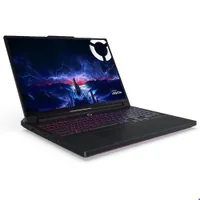
Lenovo has been making quite a name for itself with its Legion brand of gaming hardware, delivering consistently reliable and powerful gaming laptops that deliver exactly what gamers need.
The Lenovo Legion Pro 7i (Gen 10) is the best gaming laptop the company has ever put out, improving over the already-great last-gen model with a complete redesign. That redesign is bolstered by all-new Intel and NVIDIA hardware, too.
In former Windows Central reviewer Zachary Boddy's Lenovo Legion Pro 7i (Gen 10) review, they stated:
"The Lenovo Legion Pro 7i no longer feels like the "flagship killer" deal it was in years prior, but the latest model ushers in a new generation of Intel and NVIDIA hardware with a great redesign, a wonderful OLED display, and some of the best performance you'll find on any mobile machine. This is one of the best gaming laptops we're going to see this year. It is a shame we lost the rear-facing ports, though."
You're looking at one of the most powerful mobile CPUs Intel has ever made, paired with upgradeable memory and SSD storage, as well as your choice of NVIDIA GeForce RTX 5070 Ti, 5080, and 5090 GPUs.
Great thermal performance means this laptop can make short work of anything you throw at it, and handles the latest and greatest games with ease. That makes it overkill for Minecraft, but does give you practically limitless headroom to install mods, shaders, and more.
👀 Read our full Lenovo Legion Pro 7i (Gen 10) review
Best value laptop for playing Minecraft


My recommended ASUS Zenbook 14 configuration:
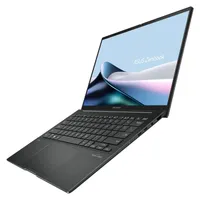
There are honestly plenty of great value laptops nowadays, but if you want you know will truly last (and gives you a taste of luxury without breaking the bank), the ASUS Zenbook 14 always scratches that itch for me.
There are plenty of Zenbook 14 models, but in former reviewer Zachary Boddy's review of the ASUS Zenbook 14 (Q415M), they concluded:
"The ASUS Zenbook 14 (Q415M) sits lower on ASUS' premium ultrabook line, scaling back certain features to achieve a more enticing price point. ASUS compromised in all the right places, as you still get a gorgeous OLED display, plenty of ports, and a solid aluminum design."
This laptop punches above its weight in terms of design, display, and keyboard experience. It also boasts more than enough power to play Minecraft, although you can certainly find the limitations of its RAM if you try to push the game with mods and shaders.
ASUS is also know for relatively frequent sales, too, so you can look out for sweet discounts on this version of the Zenbook 14 or any other (except for the Zenbook A14 — as amazing as that laptop is, Minecraft doesn't currently run on Windows on ARM laptops).
I really like this product family and find ASUS to be remarkably consistent in this price range, but there are quite a few versions of the Zenbook 14. As long as you're buying one of the more recent releases, though, you should be completely set.
👀 Read our full ASUS Zenbook 14 (Q415M) review
Best mid-range laptop for playing Minecraft


My recommended Alienware 16X Aurora configuration:
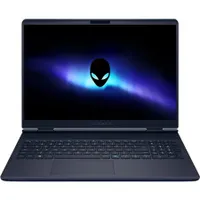
Dell's updated Alienware 16X Aurora might not have as many high-end features as the Legion Pro 7i or the ROG Zephyrus G14, but it does cost quite a bit less. And at its core, you're still getting a relatively slim gaming PC with strong performance and good thermal management.
In my former colleague Zachary Boddy's Alienware 16X Aurora review, they noted:
"The Alienware Aurora laptops target the mid-range with great all-around performance and a practical design, and the more powerful 16X makes some smart upgrades to justify its added cost. For the budget-conscious PC gamers that still want a quality device, the Alienware 16X Aurora is absolutely worth consideration — just don't expect perfection in every category, like the keyboard or speakers."
The IPS display, while lacking an OLED panel available in the costlier laptops, nevertheless delivers a bright and colorful picture with 100% DCI-P3 and sRGB reproduction. It also has a sizzling 240Hz refresh rate.
Dell offers a ton of configuration options at its website, and prices generally start at about $1,599.99. However, frequent sales often drop it quite a bit lower than that, so, as with any of these PCs, it might be worth waiting for a discount.
👀 Read our full Alienware 16X Aurora review
Best premium gaming laptop for playing Minecraft
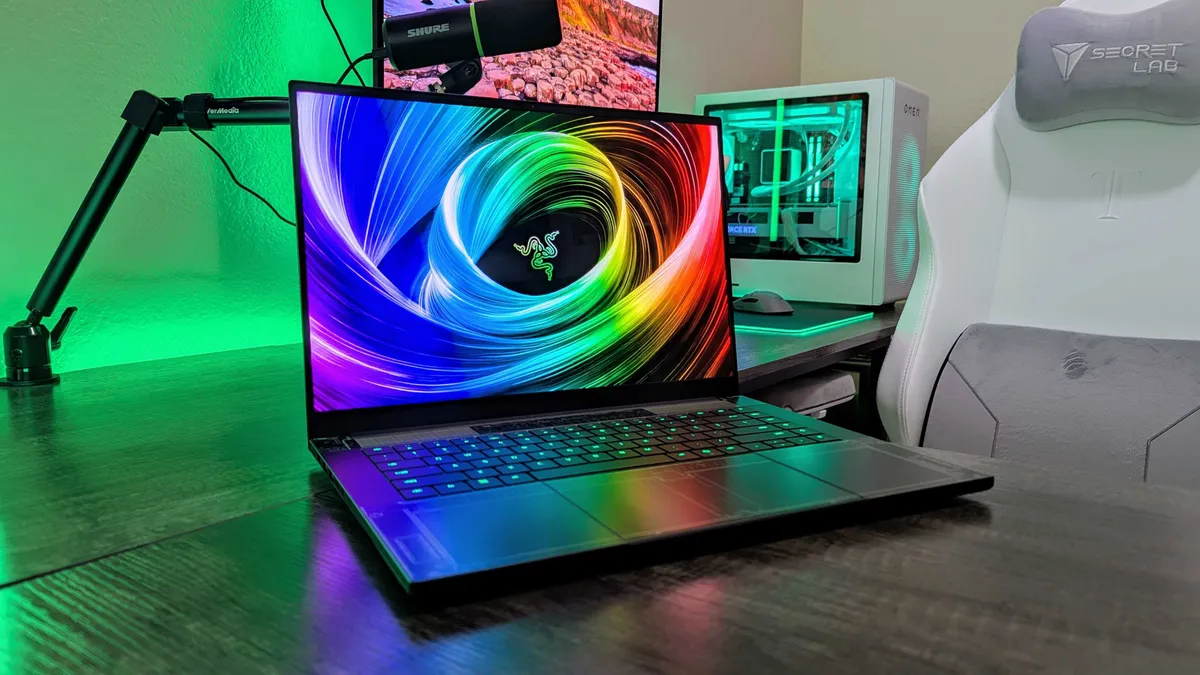

My recommended Razer Blade 16 configuration:
The Razer Blade 16 is one of the most premium gaming laptops every single year, but 2025's model is different.
Razer finally redesigned its flagship laptop, and it's now thinner, lighter, and smarter than ever before. For the first time, Razer also switched to AMD Ryzen AI instead of using Intel's latest and greatest.
My former colleague Zachary Boddy talks about the results of this redesign in their Razer Blade 16 (2025) review, concluding:
"The Razer Blade 16's long-awaited redesign results in a dramatic year-over-year improvement, helping elevate the ultra-premium gaming laptop back to the top. New AMD and NVIDIA hardware also deliver excellent and reliable performance, but the Blade 16 is still consistently outmatched by more affordable laptops — because you're paying a lot just for the design."
This laptop may pack the latest AMD and NVIDIA hardware, but it's not actually all that more powerful than the previous generation. Don't let that fool you, though — this laptop can still handle every version of Minecraft at its most intense, and can do so with better sustained performance over time, thanks to improved thermals.
The Blade 16 is the laptop for those who want the best of everything (except battery life, of course). It's incredibly expensive, of course, but you're paying for the premium fit and finish on top of everything else. It's a lot of laptop, and it really is impressive.
👀 Read our full Razer Blade 16 (2025) review
Best gaming handheld for playing Minecraft

My recommended Xbox Ally configuration:
After much fanfare and months of anticipation, the Xbox Ally is finally here — and it's pretty awesome. This is the successor to the ASUS ROG Ally, made in partnership between ASUS and Xbox. The goal? To make the go-to PC gaming handheld.
The Xbox Ally is more capable and comfortable than its predecessor, but what really sets it apart is its full-screen Xbox experience, which makes it easier to access all of your games and apps (from across storefronts) from one place, all fully accessible with just the controls.
It's as close to a console-like experience as you'll find with a Windows PC, and in our ASUS ROG Xbox Ally review, my former colleague (Rebecca Spear) concluded:
"The ROG Xbox Ally is a modest handheld that offers performance that's more on the level of the Steam Deck, making it one of the most direct competitors to Valve's device. Ergonomic grips, a relatively low cost, silent fans, and a good 7-inch IPS display are all attractive features."
This isn't the most powerful gaming handheld by any means, but it's perfect for playing Minecraft on the go. When you do want a PC, too, you can exit the full-screen Xbox interface and enjoy full Windows, with all the features (and oddities) that come with it.
👀Read our full ASUS ROG Xbox Ally review

I've been playing Minecraft since its early Alpha days, and I've also been testing and building gaming PCs at Windows Central for a decade. If you want to know which laptops are best for playing Minecraft, I can certainly point you in the right direction.
What are the best desktop PCs for playing Minecraft?
Laptops and handhelds might be the most convenient way to play Minecraft anywhere you go, but that doesn't mean you can't enjoy the game on a desktop instead.
Pre-built PCs for playing Minecraft don't need to be particularly powerful. Minecraft, at its core, doesn't require a lot of computing power, and you can play the game on just about anything with a processor. This no doubt adds to its massive appeal, and it also gives you plenty of options when it comes to choosing a new PC.
Of course, if you're interested in Minecraft modding or adding shaders to make it look as lifelike as possible, a more powerful PC with a strong CPU and discrete GPU is recommended.
Don't want to build your own PC? That's no problem. The Windows Central team has tested and reviewed countless Windows PCs, so I've compiled a list of the best pre-built options for playing Minecraft, whether you're looking to save some serious cash or do some major modding.
Our collection of the best pre-built desktop PCs contains a full list of the best systems for a wide variety of users, but I've added three top options right here to consider.

iBuyPower Slate Mesh has clean cable management, it uses mainly non-proprietary parts, and there's no bloatware installed. If you're searching for a value-conscious desktop PC, this is a great way to go.

Not everyone wants a pre-built desktop PC with gaming aesthetics. Dell's Tower Plus steps in with myriad configuration options, including the latest NVIDIA RTX 50-series GPUs.

Lenovo's Legion Tower 7i (Gen 10) is a gorgeous pre-built PC with a ton of high-end features. Many configurations are available at Lenovo's website, allowing you to lock in exactly what you need.
How to choose the best gaming laptop for Minecraft
Minecraft exists in a couple of flavors, with the original Java Edition still offering the most flexibility when it comes to modding and enhancements. It's the way to play if you want to make Minecraft look as realistic as possible or if you want to transform the base game into something almost unrecognizable.
In these Java cases, a more powerful gaming laptop is recommended; a lot of mods, especially those that change the way the game looks, require a lot of power, and a standard laptop running integrated graphics won't be able to keep up.
The Bedrock Edition of Minecraft runs on just about anything with a processor (though it also supports ray tracing), and you can play with friends across platforms. While Java and Bedrock are both available on Windows PCs, Bedrock is much better suited to beginners and younger users who aren't worried about deep customization.
If you'd rather shop on the cheap, a gaming handheld like the Xbox Ally is an easy recommendation. It's one of our favorite gaming handhelds right now, and it allows you to take your games everywhere you go. If mobility is key, the Xbox Ally beats any laptop on this list.
When it comes to gaming laptops that can handle Minecraft with mods and shaders, we love the ASUS ROG Zephyrus G14 (2025) and Lenovo Legion Pro 7i (Gen 10). These laptops have the right performance hardware to handle just about any game on the market, and they offer a modern design that can fit into situations beyond the gaming world.
If you're feeling particularly rich, the Razer Blade 16 (2025) is also a top option. It's dripping in high-end features, and it offers the most powerful mobile hardware on the market today.
How we test laptops at Windows Central
Each laptop we get our hands on undergoes a similar process. We start by analyzing the build quality and design, taking note of port selection, keyboard, camera, speakers, and touchpad.
It's then on to the performance and thermals. Benchmarking software, like Geekbench, PCMark, 3DMark, CrossMark, and Cinebench, are used to get an idea of performance compared to other PCs we've tested, and because we actually use the PCs, we can offer an idea of real-world performance as well.
Thermals are recorded using a FLIR camera, fan noise is recorded using a decibel meter, and we also test the display for color accuracy and brightness using a colorimeter.
Best laptops for Minecraft FAQ
Does Minecraft run on Snapdragon X PCs?
Technically yes, Minecraft runs on Windows on ARM powered by Snapdragon X chips. However, the emulation layer required to run the game often saps performance to a level where you're better off buying an Intel- or AMD-powered PC like the ones I've suggested here.
Is Minecraft free?
Minecraft is a paid game, but you can give it a shot for free via a demo mode on PC.
Is Minecraft cross-platform?
Yes, Minecraft is cross-platform, but there is some nuance. The Bedrock Edition works across PC, Xbox, PlayStation, Switch, iOS, and Android. The Java Edition is limited to crossplay between PC, Linux, and macOS.

Follow Windows Central on Google News to keep our latest news, insights, and features at the top of your feeds!

