


The Lenovo Legion Go S has always felt like Lenovo trying to make handheld PC gaming less experimental. It ditches the original Legion Go’s detachable controllers, focuses on comfort, and leans into a more console-like experience — especially when paired with SteamOS.
Right now, the Legion Go S (SteamOS) with AMD Ryzen Z1 Extreme, 32GB of RAM, and a 1TB SSD is discounted to $749.99, saving $150 off its usual price. That drop matters more than it might seem, as memory and storage prices have been rising rather than falling throughout 2025.
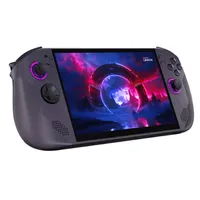
We love Windows 11 for its flexibility, but on an 8-inch screen, it can be a chore. The Legion Go S running SteamOS is an excellent option — and one of the best gaming handhelds — especially if you already have an expansive Steam library.
SteamOS is optimized for gaming handhelds like the Legion Go S. Its user interface feels more natural on these types of devices, even when compared to the full screen Xbox experience on Windows 11.
Battery life and performance are also generally better on SteamOS than Windows 11.
SteamOS has its limits, however. Some popular games cannot work on SteamOS because of anti-cheat limitations. Call of Duty, Battlefield 6, and many multiplayer games don't work on SteamOS. Windows 11 also provides more flexibility when it comes to game launchers and compatibility.
If competitive multiplayer games with anti-cheat are your priority, a Windows-based handheld is a safer choice.
Our Managing Editor and gaming handheld expert Rebecca Spear weighed the pros and cons of putting SteamOS onto a Windows handheld. If you're buying a Legion Go S with SteamOS, it will already have that operating system, but Spear's comparison of the operating systems helps determine which is best for you.
Is this a good deal on the Lenovo Legion Go S?
The Legion Go S has been cheaper before, particularly around Black Friday, but those deals were brief and inconsistent. For Black Friday, the same gaming handheld was on sale for $649.99.
The more affordable Z2 Go version of the Legion Go S was once discounted to $449.99.
The current deal on the more powerful Legion Go S still saves you $150 compared to retail pricing.
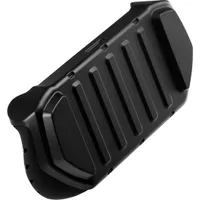
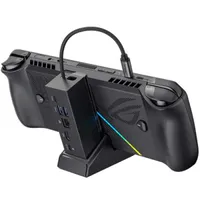
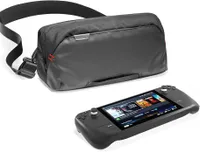
Lenovo Legion Go S accessories
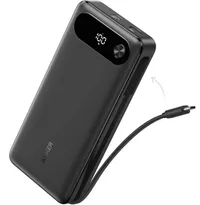
If you want to protect your Legion Go S and get the best experience, a few accessories go a long way. Like the Legion Go S, some of these items are no longer discounted as much as they were a few weeks ago, but they're still a worthwhile investment in your gaming handheld.
Alternative discounts on the Legion Go S
If the highlighted deal on the Legion Go S runs out of stock or you just want another configuration of the device, you have another option:
Best Buy
- $529.99 at Best Buy (was $649.99) for the Ryzen Z2 Go version with 512GB of storage.
FAQs
Is SteamOS better than Windows?
This comes down to personal preference. SteamOS has an optimized interface for gaming, has much less bloat than Windows 11, and frequently delivers better performance and efficiency than Windows 11.
SteamOS does not work with some popular games, such as Call of Duty or Battlefield 6. Windows 11 provides better flexibility than SteamOS.

Follow Windows Central on Google News to keep our latest news, insights, and features at the top of your feeds!

