


The Xbox Ally and Xbox Ally X are amazing handheld consoles for Xbox players, but trying to install games on them can be a pain due to their limited internal SSD sizes (512GB for Xbox Ally and Xbox Ally X) and modern AAA titles costing hundreds of gigabytes of space.
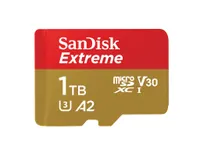
One of the best ways to solve this issue is by upgrading their storage space by adding the SanDisk 1TB Extreme microSD UHS-I Card (SDSQXH9-1T00-GZ6MA), which is now on sale for $219.99 at Amazon.
Why buy the Sandisk 1TB Extreme microSD UHS-I Card?

The SanDisk 1TB Extreme microSD (SDSQXH9-1T00-GZ6MA) card is a pricier version of the previous SDSQXAV-1T00-GN6MN model, which we consider to be one of the best overall microSDs for Xbox Ally/Xbox Ally X.
In exchange for a steeper MSRP ($369.99 vs $299.99), the SDSQXH9-1T00-GZ6MA gains more advanced specs to complement its 1TB install size compared to its predecessor.
These improvements include faster 245MB/s Read Speeds and 170MB/s Write Speeds vs the 190MB/s Read Speed and 130MB/s Write Speed of the SDSQXAV-1T00-GN6MN model, and the ability to capture video footage in 5.3K resolution, not just 4K UHD.
The SanDisk 1TB Extreme microSD is also waterproof, shockproof, temperatureproof, humidityproof, dropproof, magnetproof, X-rayproof, and wear-outproof to keep your precious Xbox games and other data files safe from being damaged.
With these specs in mind, they make this $219.99 discount at Amazon is all the sweeter. Not only will you be getting 1TB's worth of extra space for your Xbox Ally/Xbox Ally X for 41% off, but you will be boosting their performance rates so you don't have to wait forever for loading screens to pass before jumping back into gameplay.
Alternative discounts
If this new version of the SanDisk 1TB Extreme microSD UHS-I Card expires/runs out of stock, or if you desire smaller or bigger versions of it for other purposes, here are some alternative backup discounts to consider:
- 64GB version (was $36.99, now $27.99 at Amazon)
- 128GB version (was $65.99, now $39.99 at Amazon)
- 256GB version (was $99.99, now $64.99 at Amazon)
- 516GB version (was $184.99, now $109.99 at Amazon)
FAQ
What is World Backup Day?
World Backup Day is a global awareness event held every year on March 31 meant to remind people to take better care of their precious data through various backup methods, as they can be easily lost with no chance of recovery.
These methods make backup copies within storage expansion devices like Solid State Drives (both internal or external) and console expansion cards, electronic devices like mobile phones and game consoles, or within cloud storage programs like OneDrive.
How upgradeable is the Xbox Ally and Xbox Ally X's storage?
You can upgrade their storage specs by inserting a compatible UHS-I or UHS-II microSD (up to 2TB) in their dedicated microSD card slots.
Alternatively, you can open up an Xbox Ally/Xbox Ally X's internal workings and replace its internal SSD with a larger one (up to 8TB).
Is upgrading my Xbox Ally/Xbox Ally X with a microSD worth it over replacing the internal SSD?
MicroSDs offer an easy-to-use method of upgrading your Xbox Ally/Xbox Ally X's install space as all you need to go is insert it into the handheld console's dedicated microSD card slot.
If you're skilled with tinkering with a consoles inner workings and want vastly more install space and faster performance rates, you can try your hand at replacing the Xbox Ally/Xbox Ally X's internal SSDs with larger ones.
In the end, it's ultimately up to you.

Join us on Reddit at r/WindowsCentral to share your insights and discuss our latest news, reviews, and more.

