November is finally here, which means it's time for an onslaught of early Black Friday discounts to give your favorite or most desirable laptops a much-needed price cut from all the rising costs caused by AI lately.
One of these lucky devices is the Microsoft Surface Laptop 8, which is currently on sale for $1,249.99 at Amazon (was $1,699.99).
This beauty is Microsoft's latest flagship laptop, equipped with a state-of-the-art Snapdragon X2 Elite CPU for improved performance, all-day battery life, and an exclusive new advanced haptics feature to give you improved feedback, just to name a few features.
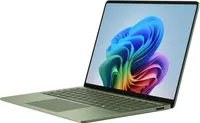
Why buy this laptop?

The Microsoft Surface Laptop 8 is a highly dependable, fast, and durable laptop for IT users and students. This is because it comes equipped with a Snapdragon X2 Elite CPU paired with a turbocharged NPU with 80 TOPS, boosting the laptop's performance significantly when tackling mountains of productivity workloads while multitasking.
It also comes with a 13.8-inch LCD touchscreen display with 600 nits of brightness to fend off annoying daylight glare, Wi-Fi 7 compatibility for strong and stable wireless internet connections, and a massive battery life of 20 hours on a single charge.
On top of that, the Microsoft Surface Laptop 8 features an advanced haptic feedback system, which sends subtle vibrations when using its keyboard, stylus pen, or mouse when performing specific tasks like dragging files in File Explorer or rearranging app windows.
It's a small but enjoyable addition that makes this laptop more polished and responsive to use. Even our Editor-in-Chief Daniel Rubino praised this feature during his Surface Laptop 8 (Business Model) review when he said, "The new advanced haptic touchpad is a joy to use. It provides subtle tactile cues that confirm your actions."
Can I upgrade its RAM and SSD?
No, you can't upgrade the Microsoft Surface 8 laptop's RAM because it's permanently soldered to the motherboard. However, you can swap the SSD for a 1TB or 2TB unit if the default 512GB isn't enough.
Can I use it for gaming?
No, the Microsoft Surface 8 laptop isn't a good laptop for gaming because its integrated graphics and ARM architecture aren't enough to run graphically demanding games or games built with heavy anti-cheat systems without chugging its performance.
Should I wait for Black Friday for a better deal?
It depends on whether you're desperate for a new casual/workhorse laptop and can't wait for a better deal, or if you're willing to wait until Black Friday for a greater discount. Either way, just know that it's a good price for its specs, especially since this is the lowest price drop the Microsoft Surface 8 laptop has had yet (according to CamelCamelCamel).

Join us on Reddit at r/WindowsCentral to share your insights and discuss our latest news, reviews, and more.