The Xbox Ally, Xbox Ally X, and Xbox Ally X20 are great gaming handhelds, but it's getting to be a challenge to install Xbox games on them, as newer titles require hundreds of gigabytes or even over a terabyte's worth of extra space.
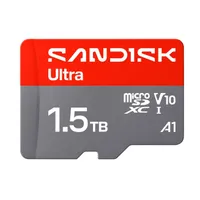
With Black Friday season upon us, we've scoured the web for discounted microSD cards to upgrade the Xbox Ally's 512GB and the Xbox Ally X/Xbox Ally X20's 1TB storage units to help you fit in your favorite Xbox titles more easily for less, like the SanDisk 512GB Ultra that's now 21% off for $94.76 at Amazon (down from $119.99).
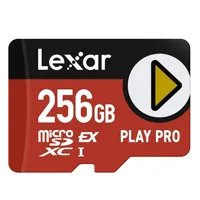
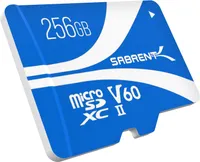
We've also included a couple of cards that prioritize read speed over storage, like the Lexar 256GB PLAY PRO microSD for $69.99 at Amazon (down from $129.99) and the Sabrent Rocket V60 microSD for $89.99 at Amazon (down from $116.99), for those who really want to get loading times and file transfers over with.

Is it best to wait for Black Friday for a killer deal?
It is somewhat unlikely that these discounts will change, as Black Friday is just a week away. So, unless you're in no hurry to add more space for your Xbox Ally handhelds, it's recommended that you take advantage of these deals now before the microSD cards run out of stock.
What is USH-I and USH-II, and why does it matter for Xbox Ally handhelds?
UHS-I and UHS-II refer to a microSD card's transfer speed standard, and they can determine how well it runs on Xbox Ally handhelds depending on their microSD slots.
The Xbox Ally and Xbox Ally X use UHS-II microSD slots, which, when paired with a UHS-II card, will be able to take full advantage of their top read speeds for faster load times and file transfers. You can still use UHS-I cards with these consoles, but their read speeds will be capped at 104MB/s.
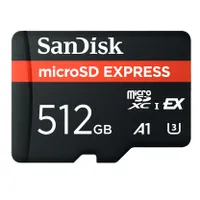
The Xbox Ally X20, however, uses a microSD Express slot instead of a UHS-II slot, so if you use a UHS-II card in it, its read speed will be capped to 104MB/s. So, if you want higher read speeds for the Xbox Ally X20, you will need microSD Express cards, as the handheld will unlock their full speeds.

Join us on Reddit at r/WindowsCentral to share your insights and discuss our latest news, reviews, and more.