


If your wrist hurts at the end of a workday, you need to take a closer look at your setup. Traditional mice force your hand and wrist to rest at an awkward angle, which can make you feel stiff or cause pain.
I've used the Logitech MX Vertical for years and it is one of the simplest ways to reduce wrist pain when working at a desk. I now struggle to use anything else. A deal from Amazon slashes the price of the ergonomic mouse to $74.99, down from $119.99.
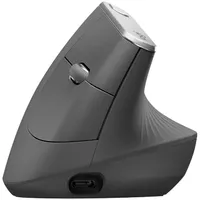
Why buy the Logitech MX Vertical?

The Logitech MX Vertical stands out due to its upright design, but it also has critical features you'd need in any mouse. It has a 4,000 DPI sensor, a pair of buttons near your thumb, the normal left and right-click buttons, and a button on the top that can be set to customized gestures.
The mouse charges through USB-C. I connect it to my PC and other devices through Bluetooth, but it also works when plugged in through USB-C.
The Logitech MX Vertical has sat on my desk for years. It's actually rested on many of my desks, since I take it with me when I travel or need to work away from home. I can't go back to flat mice after getting used to this vertical one.
The mouse has aged well over the years, only showing slight signs of wear from where I touch it the most. The textured grip is still there and helps keep my hand in place.
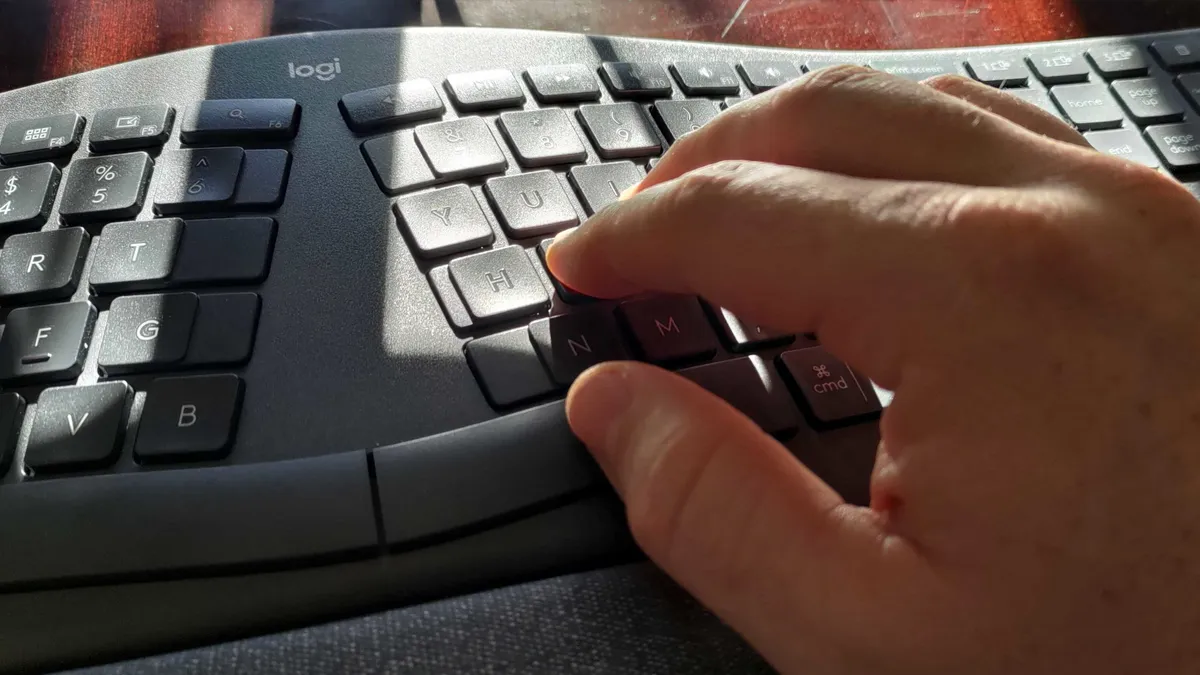
The Logitech MX Vertical is the first ergonomic accessory I recommend to friends and colleagues. To get the best results, you should look at other ways to improve your desk setup.
Having your desk at the correct height, using a wrist rest, and having a split keyboard work together with a vertical mouse to reduce wrist strain. An ergonomic chair goes a long way as well.
A study published on Science Direct focuses on armrest forearm support, but also highlights the difference a vertical mouse can make:
"The slanted or vertical mouse should be favored over a standard mouse due to its more natural wrist posture."
I've built an ergonomic battle station over the years that includes an adjustable standing desk, an anti fatigue rug, and the Logitech MX Vertical and K860 keyboard.
If you want to reduce pain and strain, I suggest starting with the Logitech MX Vertical. Now is the perfect time to grab one since it's on sale.
Alternative discount
The best price I've found for the Logitech MX Vertical is through Amazon. But if Amazon runs out of stock or you prefer to shop elsewhere, Best Buy has the mouse on sale for $79.99.
FAQ
Can I use the Logitech MX Vertical with more than one computer?
Yes. The Logitech MX Vertical supports multi device pairing, allowing you to switch between connected devices by pressing a shortcut key.
Does the Logitech MX Vertical work for left‑handed users?
No. The Logitech MX Vertical is designed for right-handed use. Logitech does not sell a left-handed version of the mouse.
Is the MX Vertical good for gaming?
The Logitech MX Vertical is designed for productivity, not gaming. It's a great choice for creative work and everyday computing, but it is not tuned for fast-paced gaming.

Join us on Reddit at r/WindowsCentral to share your insights and discuss our latest news, reviews, and more.

