


There's no denying that most AAA Xbox games have become voracious for install size due to their insanely detailed graphics and vast wealth of content these days.
However, we do have ways to install these games all at once without being forced to delete most of our library to make room for them, and one such example is the Seagate Storage Expansion Card for Xbox Series X|S.
What's even better is that all storage size versions of this Xbox accessory are now on sale. For a limited time, you can grab the 1TB cards for $139.99 at Amazon, the 2TB cards for $229.99 at Amazon, and the 4TB cards for $429.99 at Amazon.
Tues, Dec. 23 @ 8:08 AM ET: I have checked and confirmed all sizes of the Seagate Expansion Card for Xbox are still in stock, and their discounted prices are still active. — Alexander Cope, Contributor — Gaming
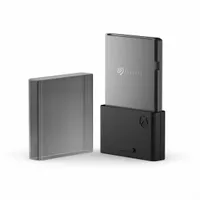
No more will I have to worry about running out of space when downloading all my Xbox games
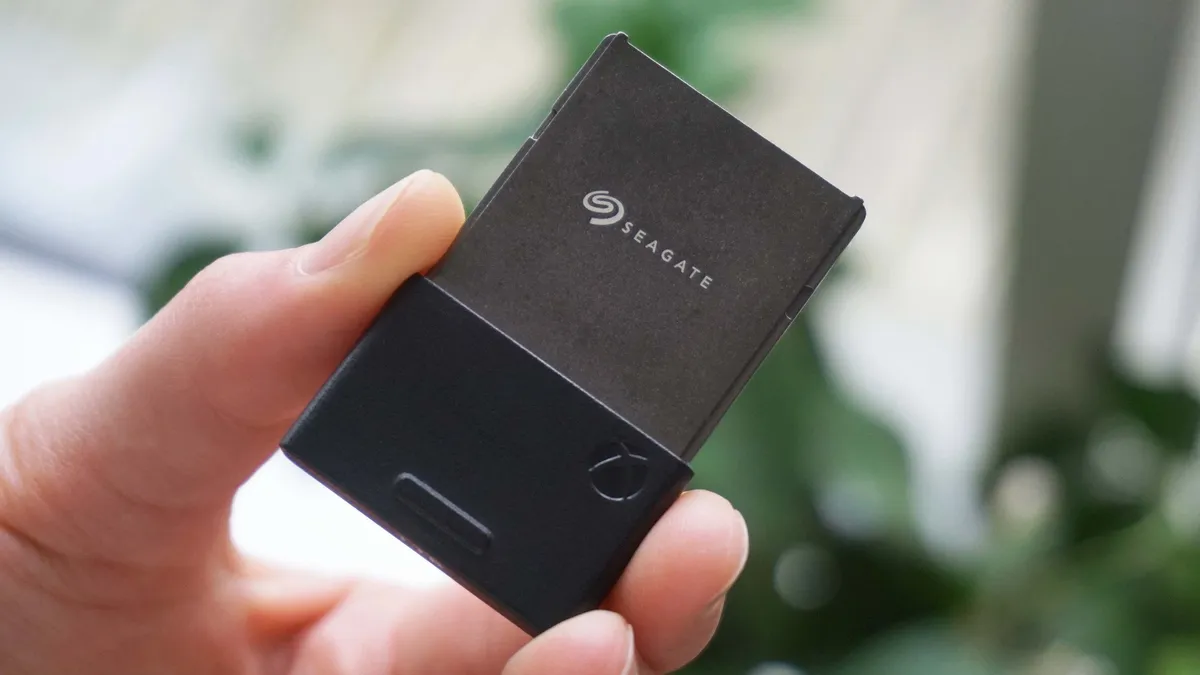
2026 is stacked with all kinds of big-time upcoming AAA Xbox games like Grand Theft Auto VI, Resident Evil Requiem, 007: First Light, and more.
No doubt these games will require dozens, or more likely, hundreds of gigabytes to install, so you're going to need the Seagate Storage Expansion Cards for Xbox Series X|S, as their default internal 1TB SSD isn't going to cut it.
Now granted, these expansion cards are expensive, but, as someone who owns one myself, I can guarantee they're 100% worth the price of admission.
They will save you hours of hassle from deleting old Xbox games to make room for new ones. Plus, these cards will allow you to launch and play games directly from them, as opposed to normal external SSD units where you have to spend time moving games from the SSD into the Xbox console to play them.
So, if you need the best Xbox accessories to upgrade your Xbox Series X|S's storage unit, then the Seagate Storage Expansion Cards are your best bet.
The 1TB cards are available for $139.99 at Amazon, the 2TB cards are available for $229.99 at Amazon, and the 4TB cards are available for $429.99 at Amazon.
Alternative discounts on the Seagate Expansion Card
If Amazon's discounts for the Seagate Storage Expansion Cards for Xbox Series X|S run out of stock or their discounts expire, there are similar discount options available elsewhere that you can use as backup options:
Best Buy
- $139.99 at Best Buy(was $159.99) for the 1TB card.
- $229.99 at Best Buy(was $259.99) for the 2TB card.
- $429.99 at Best Buy(was $499.99) for the 4TB card.
FAQs
How do I install the Seagate Storage Expansion Card into the Xbox Series X|S'?
Install the device into the Xbox Series X|S's dedicated Storage Expansion card slot on the back of the console
What systems is it compatible?
As the name implies, the Seagate Storage Expansion Card is only compatible with Xbox Series X|S. It does not work with any other console, nor does it work on PC.
Can I play any Xbox game on the Seagate Storage Expansion Card?
Yes, you can install current-gen Xbox Series X|S games, Xbox One games, and backwards-compatible titles from the Xbox 360 and original Xbox (including ones "Optimized for Xbox Series X|S") on the Seagate Storage Expansion Card and play them directly from the card.
Arrives after Christmas and need a gift sooner?
If your item won't arrive in time for Christmas or you're looking for a quick and easy add on, buying an Amazon eGift Card is a fast, flexible way to give purchasing power now—send instantly or schedule delivery by email or text, choose any amount from $5 to $2,000, and the balance never expires, making it ideal when a deal’s item won’t ship until after the holidays.
Amazon eGift Cards let you pick a design, set a custom amount, add a personal message, and choose delivery by email or SMS with the option to schedule the exact delivery date—including immediate delivery or a future date up to a year ahead. There are no fees, and gift card balances never expire, so recipients can redeem the code and apply the funds to their Amazon account whenever they’re ready, across millions of eligible items.

Follow Windows Central on Google News to keep our latest news, insights, and features at the top of your feeds!

