


Cyber Monday has been hard on Xbox gamers shopping for a new console, but a discount on the Amazon Fire TV Stick 4K Plus could save the day. The deal drops the price of the Amazon Fire TV Stick 4K Plus by 50%.
On top of supporting the most popular apps for streaming TV shows and movies, the Amazon Fire TV Stick 4K Plus works with Xbox Cloud Gaming. That means with the current discount, you can turn any TV into an Xbox for $25.
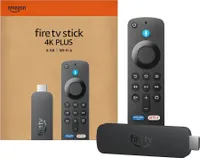
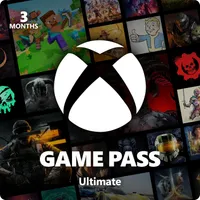
Xbox Cloud Gaming on a Fire TV Stick
Microsoft has invested heavily into cloud gaming for years, and it's starting to pay off. You can now stream a wide library of games through the cloud, expanding access to popular titles to those without an Xbox Series X or Xbox Series S.
Xbox Cloud Gaming is also a great way to extend your gaming experience across other devices, since the service is available on iOS, Android, and now Amazon Fire Stick 4K devices. Some Samsung TVs also have Xbox Cloud Gaming built-in, so make sure to check if you already have a device that turns your TV into an Xbox.
Of course, cloud gaming is not the same as playing games on a console. But Microsoft has closed the gap significantly. Xbox Cloud Gaming got a major upgrade recently, including a bump to 1440p resolution, 60 FPS, and boosted bitrates for Xbox Game Pass Ultimate subscribers.
The number of supported titles for the improved experience will grow gradually, but the future looks bright for cloud gaming.
"The new video encoding is immaculate. Previously, in 3D games, spinning the camera around would result in waves of pixelated artifacting and after-imaging, but now it's as crisp as it would be playing natively," said our Executive Editor Jez Corden. "The frame rate is also totally locked at 60 FPS, and the latency between controller and stream is almost imperceptible."
Corden has a video demoing the improved Xbox Cloud Gaming experience on the Xbox Ally and a phone.
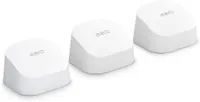
To get the best streaming experience, we recommend a Wi-Fi 6 router. Luckily for anyone looking to upgrade, our Richard Devine has first-hand experience in the area:
"For cloud gaming, a good network is essential. I've been using the eero 6+ mesh kit at home for about a year now, and it's been superb. The coverage is excellent, and even at the furthest points away from the main node, speeds are more than good enough for game streaming on any device. The 6+ kit is good for connections up to gigabit, but if you're below 500 Mbps, you can save a little more and get the regular eero 6. It's all controlled by a smartphone app, too, so even the network novice (like myself) can handle it with ease." — Richard Devine, Managing Editor.
FAQ
Does the Fire TV Stick 4K Plus support Xbox Cloud Gaming?
Yes, you can stream through Xbox Cloud Gaming on the Fire TV Stick 4K Plus.
Which Xbox Game Pass subscription do I need to stream games?
Xbox Game Pass Essential and Premium plans now support Xbox Cloud Gaming. The improved Xbox Cloud Gaming experience with up to 1440p resolution and 60 FPS requires Xbox Game Pass Ultimate.
What type of internet connection do I need to stream games?
While you can stream games on a less than optimal setup, we recommend using Wi-Fi 6 or higher through a 5GHz network. You should have a connection that provides at least 50 Mbps to stream games at 1080p and should have a faster connection to play at 1440p at higher frame rates.
More Cyber Monday 2025 - quick links
- All our TOP recommended Cyber Monday deals: Just the best
- Mini PC deals: up to 47% off tiny PCs
- GPU deals: early price drops on NVIDIA RTX before they go up
- Microsoft Surface deals: save up to $500 on premium PCs
- Xbox accessories: best deals on gadgets for your Xbox Series X|S and PC
- Gaming laptop deals: the best laptops for the best price
- Xbox controllers: our top picks for best controller deals
- ANC headphones: great Cyber Monday deals on the best ANC headphones
Even more Cyber Monday deals: - Dell deals: 13 deals from Dell.com that you shouldn't miss
- Best Buy: 34 hottest discounts on laptops, monitors, gaming, and more
- Walmart: 7 top laptop deals you shouldn't miss
- Samsung monitors: the best Samsung display deals we've found
- Retro gaming: handhelds, arcade machines, old school consoles, and more
- Gamer merch: Blizzard’s Warcraft, Overwatch, and Diablo IV collectibles
- Game keys: 10 PC game codes are even cheaper at Loaded (formerly CDKeys)
- Accessories: Even more PC accessories starting at $17

Follow Windows Central on Google News to keep our latest news, insights, and features at the top of your feeds!

