


You're running out of time to buy a gift and have it arrive before Christmas. Physical stores are likely to be packed to the brim or shut soon as well. But with a handy Amazon feature and a massive sale, you can get a Surface Laptop 7 at a discount just in time for the holidays.
Of course, you can also just buy the laptop for almost $200 off, regardless of the calendar or any upcoming events. Right now, the Surface Laptop 7 is $699.99. Quite frankly, that's a ludicrous price for a Surface Laptop 7 with a Snapdragon X Elite, 16GB of RAM, and 256GB of storage.
Update 10 AM ET December 21: As we expected, this deal was a one-day only for "Super Saturday," before Christmas. As such, the price has reverted back to a still-decent $901.60, but still far from the $699 we saw yesterday. - Daniel Rubino, Editor-in-Chief
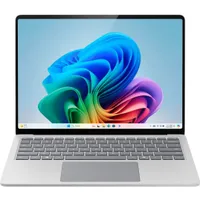
Get a Surface Laptop 7 before Christmas
The discounted price on the Surface Laptop 7 only went live today, December 20. It was $926 before that. Its price now matches the best-ever deal on this specific Surface Laptop 7 (there's a chance a model of a different color has sold for less, but I haven't seen it).
Right below the current price, you'll see a note from Amazon that says, "Arrives before Christmas" (assuming you've found the deal in time).
That section will detail the delivery date depending on what you choose. For example, if my brother in the United States ordered a Surface Laptop 7, it would arrive this afternoon or the next day. Delivery times will vary based on your area and whether you have Amazon Prime.
I don't recommend buying something because a deal ending or a deadline makes you feel anxious. But if you already know you want a Surface Laptop 7 and have a budget set aside for it, don't leave the PC in your cart or wish list. Order it in time for it to be delivered when you'd like.
Need more? The 15-inch Surface Laptop 7 with a whopping 32GB of RAM and 1TB SSD is also 30% off, bringing it down to a much more affordable price.
Why get a Surface Laptop 7?
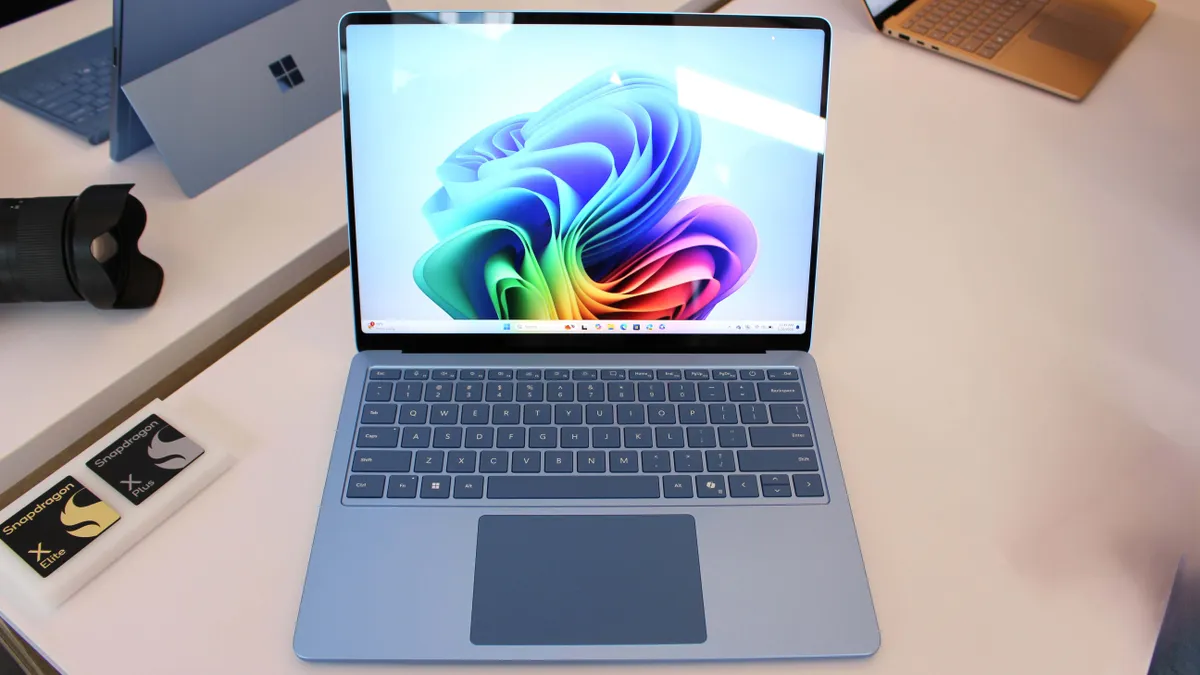
We're big fans of the Surface Laptop 7 around here. We've followed the lineup from it being announced on stage to Microsoft revamping the design of its flagship laptop. The latest iteration earned 5/5 stars in our Surface Laptop 7 review.
The Surface Laptop 7 is known as the "MacBook Air Killer," "the clamshell form factor perfected," and the best Windows on ARM laptop. Much of that praise is thanks to the design of the PC.
The Surface Laptop 5 and Surface Laptop 6 looked dated at launch and sported the same general design as the first Surface Laptop. Things changed with the Surface Laptop 7.
The Surface Laptop 7 has thinner bezels, rounded display corners, and a large haptic trackpad. In some ways, Microsoft caught up to the industry with the Surface Laptop 7. In other ways, it passed the competition.
Physically, the Surface Laptop 7 is most like the MacBook Air. It also competes with Lenovo's Yoga Slim 7x, ASUS VivoBook S 15, and Dell XPS 14.
The Surface Laptop 7 blends together a modern design, an attractive 120Hz display, a haptic touchpad, and AI features to create an excellent experience.
If you love the design and feature set of the Surface Laptop 7 but use it for everyday computing, you should avoid overpaying for a model that's overkill.
Electing to have more RAM and storage in a laptop is one of the quickest ways to drive up the cost of that PC. If you only use your laptop for general productivity and streaming media, you may not need extra RAM or storage.
This Surface Laptop 7 still runs on the snappy and efficient Snapdragon X Elite. Its 16GB of RAM and 256GB of storage are plenty for everyday computing. If you use a cloud service like OneDrive, Dropbox, or iCloud, you likely won't feel the squeeze of a 256GB SSD.
Alternative discounted configurations
While 256GB is enough storage for some users, you may need more storage if you handle large files or a lot of files. Luckily, there are some other Surface Laptop 7 models on sale, including one with 1TB of storage:
- Snapdragon X Elite, 16GB RAM, 1TB SSD — $968.42 at Amazon (was $1,699.99).
- Snapdragon X Elite, 32GB RAM, 1TB SSD — $1,599 at Walmart (was $2,099.99).
FAQ
How much storage do you need in a laptop?
How much storage you need in a laptop depends on your usage. For web browsing, streaming media, and studying, 256GB is enough, though you may need to rely on a cloud storage solution such as OneDrive or iCloud.
If you handle larger files or a lot of photos, videos, and big documents, you should look at getting a laptop with at least 512GB of storage.
Can you upgrade the storage of the Surface Laptop 7?
Yes, it is possible to upgrade the storage of the Surface Laptop 7. The PC has a removable M.2 2230 drive. You could purchase an affordable Surface Laptop 7 with less storage and later upgrade to add capacity, but it's worth noting that storage prices are expected to go up in 2026. It may be more economical to purchase a Surface Laptop 7 with more storage or fit the 256GB model into your workflow.
Can you upgrade the RAM of the Surface Laptop 7?
No, you cannot upgrade the RAM of the Surface Laptop 7. 16GB is the minimum amount of RAM I'd suggest for a Windows laptop right now.

Follow Windows Central on Google News to keep our latest news, insights, and features at the top of your feeds!

