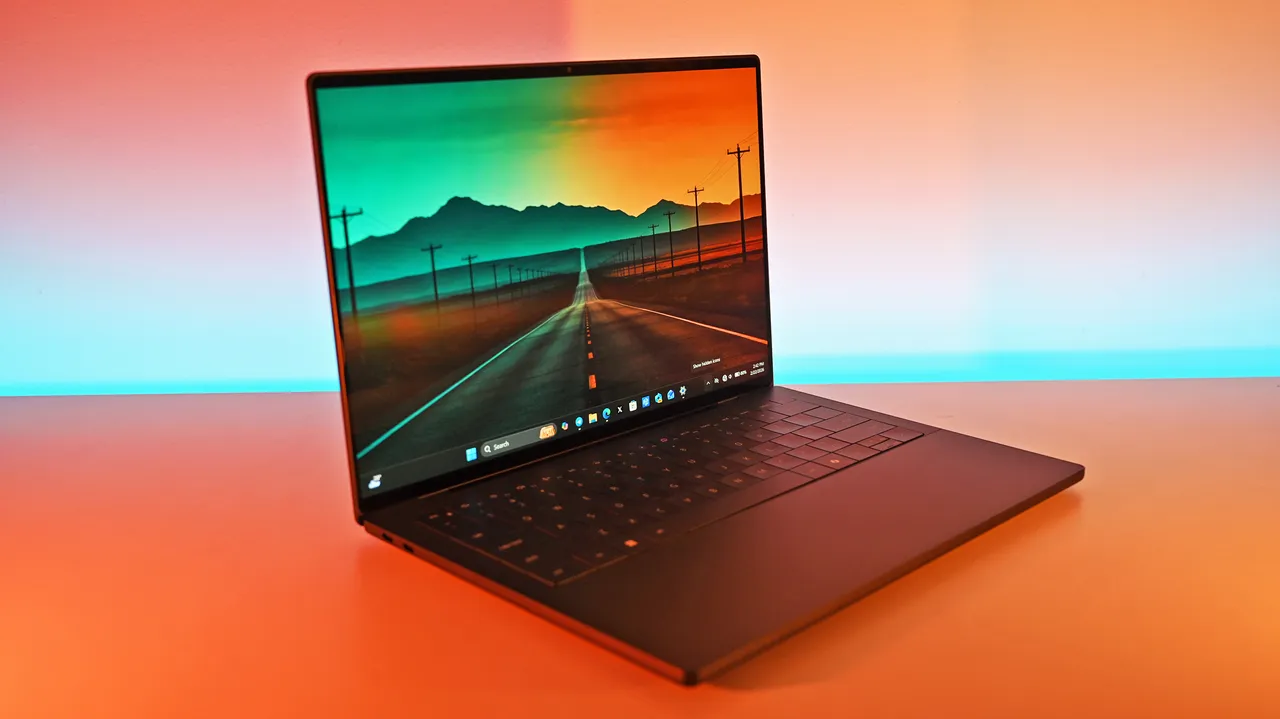
Panasonic just rolled out the Toughbook 56, an evolution of the Toughbook 55 MK3 (see my Toughbook 55 review) that leans hard into modularity, real-world performance, and security. This is the first major overhaul of this laptop since the Toughbook 55 was originally introduced in 2019 (with 3 mid-cycle upgrades for new CPUs).
If you have spent time around first responders, utilities, or field service teams, you know those users do not care about marketing copy. They care about whether a laptop will survive a shift, connect where they need it to, and keep data safe. The 56 answers those questions with a long list of practical upgrades and a few industry firsts.
I saw the 56 in person at the launch briefing on the flight deck of the Intrepid Museum in New York City. That felt right to me. Toughbooks have a long history with military and defense customers, and standing on a carrier surrounded by aircraft and naval history made the product feel like it belonged there. The setting underscored the point that these machines are built for work in demanding environments, including use by the US military and other defense organizations.
Confession: I'm also a huge engineering nerd and love rugged laptops like the Toughbook 56. These are the laptops that cops, EMTs, firefighters, military, and CIA use, which make them particularly cool, especially since you see them in every movie!
What’s new and why it matters
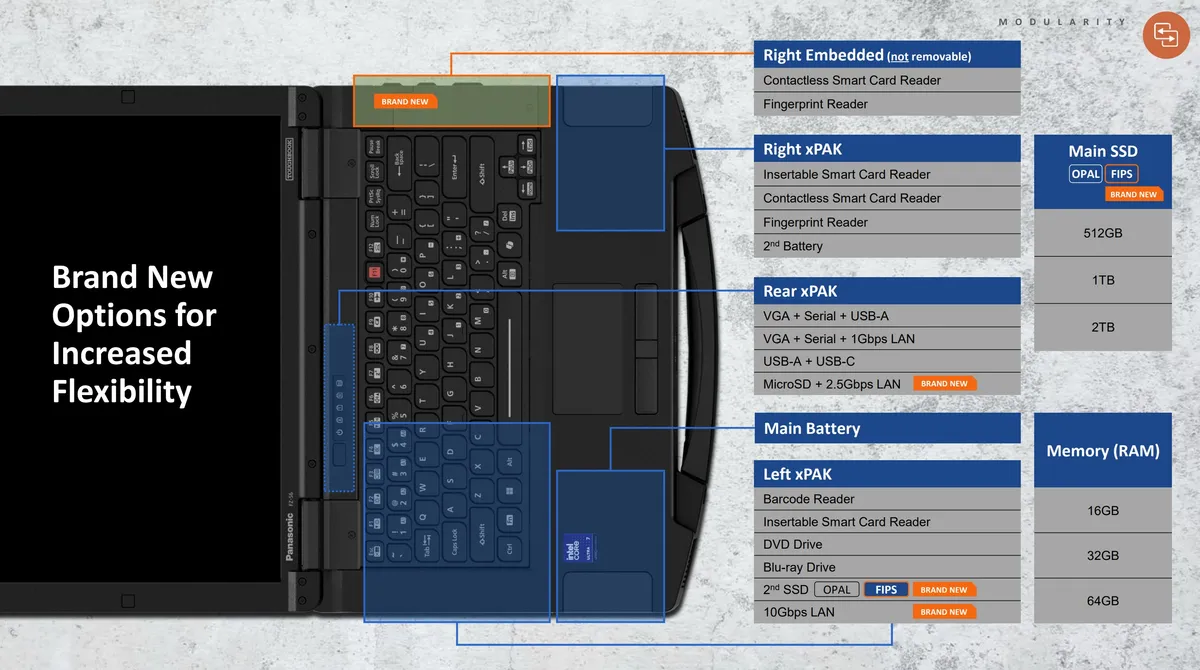
The Toughbook 56 keeps the xPAK modular philosophy (swappable components) that made the 55 MK3 so useful, but expands the options and tightens up the details that matter in the field.
xPak is a game changer for Panasonic and its customers. It allows on-the-fly adaptations and upgrades without tools and in the field. Previously, companies would have to send in their laptops for servicing to get a new card scanner or add a fingerprint reader. Now, the laptop owner could do it in about 30 seconds.
Here's a quick summary of what's new with the Toughbook 56 (especially compared to the previous Toughbook 55 model).
- Modularity and expandability: The 56 offers six modular areas and thousands of possible configurations (5,700+ by Panasonic's count!). You can mix barcode readers, optical drives, extra SSDs, authentication modules, and a second battery. Main SSD and memory remain user accessible, so upgrades can happen in the field. That flexibility is not a gimmick. For organizations that keep devices for years, being able to swap a module or add storage without replacing the whole unit saves time and money.
- Faster wired networking: This is a big one for IT teams. The 56 supports 10 Gbps Ethernet and can run up to three Ethernet ports simultaneously. If you image hundreds or thousands of units, faster wired transfers cut hours off deployments. That matters when you are staging fleets for police, utilities, or enterprise rollouts.
- Modern compute and graphics: The 56 moves to Intel Core Ultra Series 2 processors (Ultra 5 and Ultra 7; H-series) with DDR5 memory and offers an optional 8 GB discrete AMD GPU. That brings on device AI and better graphics performance for mapping, video review, and other heavy tasks that used to require a workstation.
- Battery life and thermal design: Panasonic says battery life improved by about 36 percent over the previous model under MobileMark testing. The design uses custom fans, copper heat pipes, and new battery vents to manage heat and to isolate thermal events. For people who work long shifts away from power, that extra runtime and safer battery behavior are meaningful.
- Connectivity tuned for the field: The 56 adds Wi‑Fi 7, built-in 5G (previously it was an add-on), expanded carrier support including T‑Mobile and Anterix private cellular bands, and a dedicated GPS antenna that was repositioned to improve reception when the lid is closed. That last change is small on paper and huge in practice. If an officer or technician closes the lid while driving, the laptop reconnects faster and gets a location fix sooner.
- Security and manageability: OPAL-encrypted drives are standard, and FIPS-certified options are available for customers with strict compliance needs. Panasonic layers BIOS asset tagging, Intel Hardware Shield, firmware integrity checks, and endpoint protections under a Total Defense approach to reduce supply chain and firmware risks. Those features are aimed at agencies that need to prove chain of custody and device integrity.
Design and usability

Panasonic refined a lot of small things that add up. The display moves to a 16:10 aspect ratio for more vertical workspace. The touchscreen gains an auto touch mode that adapts to gloves, pens, and bare fingers. The power port now uses a slide cover that is more durable than a hinged door. The handle has been reshaped and retextured for a better grip and to stay cool in direct sun. Backward compatibility with vehicle docks and many existing accessories remains a priority, so organizations can upgrade laptops without reworking vehicle installations.

Compared with the Toughbook 55 MK3, the 56 feels like a focused set of improvements rather than a radical redesign. The 55 MK3 earned praise for its modularity, long service life, and field-friendly features. The 56 keeps those strengths and adds faster networking, newer CPUs, Wi‑Fi 7, and a stronger security stack. If you already run 55 MK3 units, the 56 gives you clear upgrade paths for networking and compute-heavy tasks while preserving accessory investments.
And AI is here

Interestingly, this laptop does have a Copilot key (everyone has to do it!), and this is the first rugged PC to support AI directly on the device.
Now, AI has a lot of flak from consumers, but in enterprise, professional, and governmental spaces, AI is a legit tool. Case in point, I was told by some representatives of Pansonic that AI is a big deal as customers like the Department of War (previously Department of Defense), use local, proprietary LLMs in various tasks for military purposes. Cloud AI is a no-go for such sensitive information, but the Toughbook 56 (with its OPAL and FIPS storage) can run these AI models now directly on the laptop, which is secure, often faster, and customized for specific tasks.
Service and lifecycle

Panasonic is selling the 56 as a platform you will keep in the field for years. The company offers staging and imaging services, and a new streamlined warranty program called ToughCare to reduce IT overhead during rollouts and repairs. That combination of hardware modularity and lifecycle services is aimed at organizations that want predictable, long-term value from each device.
Who should consider it

If you manage fleets for public safety, utilities, transportation, or field service, the Toughbook 56 is built for your constraints. It is for teams that need long device lifecycles, legacy peripheral support, secure data handling, and reliable connectivity in challenging environments. The 10 Gbps Ethernet option and modular I/O choices will be especially useful for IT teams that image and deploy many units.
If you already run Toughbook 55 MK3 hardware, the decision comes down to whether you need the newer CPU, faster wired networking, Wi‑Fi 7, or the optional dGPU. For many customers, the 55 MK3 will remain a solid choice. For organizations that need faster imaging, on-device AI, or expanded carrier support, the 56 is worth a look.
Toughbook 56 pricing and availability

Early retailer listings show base configurations starting around $3,800 with lead times and first ship dates in late May for some SKUs. European pricing appears in the €2,700–€3,000 range depending on configuration.
Bottom line

The Toughbook 56 is a practical, field-focused upgrade that emphasizes flexibility, durability, and security. Panasonic refined many details that matter to people who use laptops outside the office and added a few industry firsts that will help IT teams move faster. If you care about keeping devices working in the real world, the 56 is a thoughtful step forward.
Hopefully, I'll get my hands on one for review, and I'll take it out on an adventure.

Join us on Reddit at r/WindowsCentral to share your insights and discuss our latest news, reviews, and more.