


This piece has been updated with additional information from Microsoft's blog. We will continue to add more details as they become available.
Microsoft just unveiled the new Windows Search experience at its Windows and Surface event. The new Search is more than just a search feature; it's a system composer. That means it can be used to control your PC. Microsoft's Windows lead Pavan Davuluri discussed the new Search experience on stage.
Starting this fall on Windows 11 PCs, users can take thousands of quick actions directly from Search in the Taskbar. For example, you could enable dark mode or switch your PC to Do Not Disturb. You can also adjust your microphone slider through the new Search experience.
You can even use the new Search experience to send a text message through Phone Link.
Microsoft detailed the new Search in a blog post. It also shared some examples of actions you can perform:
- Turn something on or off. Try phrases such as “switch to dark mode”, “turn on night light,” or “turn on Bluetooth.”
- Make a quick adjustment. Try “dim my screen” or “mute.”
- Manage your workspace. Try “minimize all my windows,” or “arrange windows on screen.”
Copilot can be summoned through the new Search as well, showing responses directly within the user interface. You won't have to jump into a separate app to interact with Copilot. If you do want to jump to the full Copilot app, there's a shortcut to do so.
As you'd expect, the new Search experience can also be used to search for things on Windows 11. "At its core, the new Windows search experience is quicker, more efficient, so you can find your files, settings, and apps faster," said Davuluri.
The new Windows Search experience is faster and more efficient with resources because it is built on WinUI 3
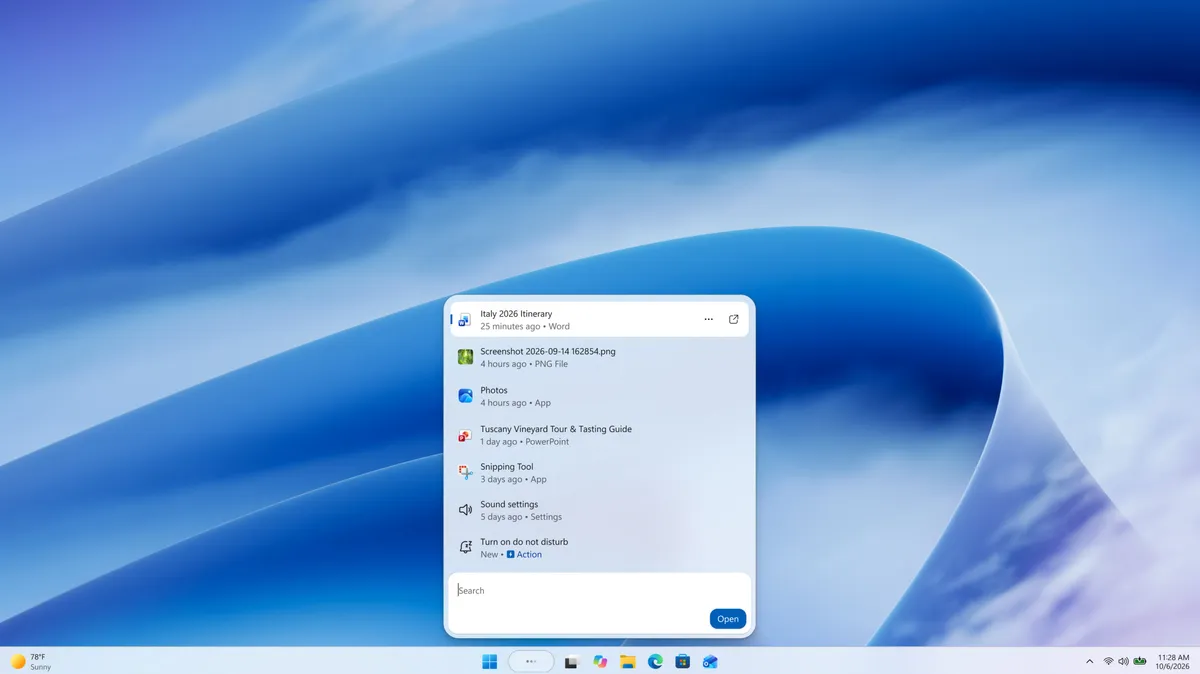
Windows Search will better understand what you're searching for. For example, it will still be able to find items even if your input has a typo.
Microsoft will start testing the new Search experience with Windows Insiders today, October 7, 2026. It will appear first through the Experimental channel.
This piece was written during the live stream of the Windows and Surface event. Microsoft is expected to share more details about the new Search experience and other items discussed at the event. We will update this piece with more information as it becomes available.

