Windows Central Verdict
The Dell Ultrasharp 52 isn’t just another big monitor—it’s a full‑blown command center disguised as a single display. Across a few weeks of use, it proved itself to be a productivity powerhouse: razor‑sharp 6K resolution, and a surprisingly smooth 120Hz refresh rate.
Reasons to buy
- +
Replaces multi-monitor setups
- +
6K and 129 PPI
- +
120Hz refresh
- +
Thunderbolt 4 hub + KVM
- +
TÜV 5‑Star eye comfort
Reasons to avoid
- -
Expensive
- -
Might be too big for some
- -
Niche audience
Why you can trust Windows Central Our expert reviewers spend hours testing and comparing products and services so you can choose the best for you. Find out more about how we test.
Dell has a habit of building monitors that make other “pro displays” look like toys, but the new Ultrasharp 52 Thunderbolt Hub Monitor (U5226KW) still managed to surprise me. When a 52‑inch, 6K panel showed up in my home office, it brought genuine shock and awe with it (and I had to help the FedEx guy carry it).
The specs alone read like a dare. A sprawling 52‑inch canvas at 6K resolution (129 PPI) is something no other company even sells, and just when I thought Dell was done flexing, I saw the 120Hz refresh rate. That’s the moment my jaw hit the desk. A monitor this big, this sharp, and this fast shouldn’t exist—and yet here we are. Yes, you can technically game on it. Or you can simply enjoy Windows 11 animations so smooth they feel illegal, but that's not the target audience here.
At $2,899.99 with the stand (or $2,799.99 without), this isn’t a monitor for casual shoppers. But honestly? I expected it to cost more. Dell charged $5,000 for a 30‑inch 4K 60Hz OLED back in 2016, and this thing makes that look quaint (and Dell still sells the awesome Ultrasharp 32 6K, which I reviewed, with a soundbar for $2,999).
So after a few weeks of living with this absurdly ambitious display, what’s the verdict—and who is this monster actually for? Let’s get into it.
Dell Ultrasharp 52 specs and features

I already spoiled the main specifications of the Ultrasharp 52, but let’s dive a bit deeper.
The panel is not OLED, but it is IPS Black Technology, which is LG’s fancy term for making IPS more OLED-like by knocking contrast up to 2,000:1 and making blacks less washed out. Bonus in not being OLED is that there is no risk for burn-in, which is still a thing when you leave static images on for long periods — and I’d argue the person who needs this monitor is that user.
Resolution is 6144 x 2560 with a 21:9 aspect ratio for the full 51.5-inch 4200R curved panel, with 8.0ms response or 5.0ms in Fast Mode. That 5.0ms is the minimum for a decent gaming sesh, so have at it.
• Display: 51.5-inch IPS Black, 21:9 aspect, 4200R curve, 6K (6144 x 2560) resolution, 120Hz refresh rate, 5ms response time (Fast Mode), 129 PPI, 2,000:1 contrast ratio, anti-glare low reflectance coating (AGLR), TÜV 5-Star Eye Comfort certifie
• Features: Thunderbolt 4 hub, ambient light sensor (auto brightness & color temp), Auto USB KVM with Ethernet Switch Mode, Picture-by-Picture (up to 4 inputs), Picture-in-Picture (up to 2 partitions), Dell Display & Peripheral Manager support, 2x 9W down-firing speaker
• Color Gamut: 99% DCI-P3, 99% Display P3, 100% BT.709, 100% sRGB
• Ports: 2x HDMI 2.1 (HDCP 2.2, 6K@120Hz, VRR), 2x DisplayPort 1.4, 4x USB-A 10Gbps, 3x USB-C 10Gbps upstream, 2x USB-C 10Gbps downstream (27W PD), 1x Thunderbolt 4 upstream (40Gbps), 1x RJ45 Ethernet, 1x USB-A w/ Battery Charging 1.2, front-facing dropdown hub (2x USB-C, 1x USB-A)
• Weight: 18.23kg (40.19lbs) w/ stand, VESA mount compatible
Eye comfort is also a big deal here, so it’s flicker-free and earns 5 stars for the TÜV Rheinland Eye Comfort Certification. Indeed, Dell points out that the Ultrasharp 52 is the “world’s first monitor to achieve TÜV category one hardware low blue light certification … [with] up to 60% less exposure than competitors.” And I was so happy to see it has an Anti-Glare Low Reflectance (AGLR) with hard-coating 3H, making this a glare-free monitor.
Bonus feature that I rarely see? The Ultrasharp 52 has an ambient light sensor on top to auto-adjust brightness and/or color temperature, which is entirely optional if you don’t like how it performs. That's good as it is aggressive in keeping the display dimmer than you expect, but I think it's actually better for reducing eye-strain once you adjust (and I did).
The color gamut is 99% DCI-P3, Display P3 99%, BT.709 100%, and 100% for sRGB, so there are no complaints there, and these checked out during my calibration.
There are plenty of ports, including 2 x HDMI (HDCP 2.2; up to 6144 x 2560, 120 Hz, VRR), 2 x DisplayPort 1.4 (HDCP 2.2), 4 x USB Type-A 10Gbps downstream, 3 x USB-C 10Gbps upstream, 1 x Thunderbolt 4 40Gbps upstream port, 1 x RJ45 Ethernet, 1 x USB Type-A 10Gbps downstream port/s with Battery Charging 1.2, and 2 x USB-C 10Gbps downstream port/s, Power Delivery up to 27 W.

To make things more accessible, you have two Type-C and one Type-A in a push/dropdown hub in the front, which is a unique feature that Dell likes to do. It’s great for thumb drives or charging your phone with easy access.
For real power users, the Ultrasharp 52 also includes a built in Thunderbolt 4 hub and KVM switch to connect multiple PCs up to it (like a laptop or two in addition to a desktop), Picture by Picture (PbP) supporting up to 4 input sources, Picture in Picture (PiP) supporting up to 2 screen partitions, and Auto USB KVM with Ethernet Switch Mode control supporting up to 4 input sources.

A concern I had was that it wouldn't offer audio, but luckily, Dell did include it as you get two 9-watt speakers, which are down-firing, running the bottom of the monitor.
Included in the box is the monitor, stand (which is height adjustable), power cable, DisplayPort 1.4 cable, HDMI 2.1 cable, USB-C to USB Type-A 10Gbps cable, Thunderbolt 4, and a 40 Gbps active cable.
The whole thing with the base stand weighs 18.23 kg (40.19 lbs.), and yes, it’s VESA compatible.
Dell Ultrasharp 52, what is it like to use?

No lie, putting this behemoth on my desk was comical. It’s soooo massive that when you first turn on your PC, your first thought is no way can I get used to it.
Then I used it for 24 hours, and I can’t see going back.
But let’s step back for a second. Setup was a breeze. In the box, which basically has a sled to carry the monitor to your office (I do advise having someone help you), you also get the stand and the cables. The stand has two parts and is toolless, simply clicking into the monitor’s back.

Being a 4200R curved monitor (which isn’t super dramatic), I really advise being careful, as I find these types really easy to damage, especially if you have the monitor display down.
Like all sane people, I also suggest using the DisplayPort cable over HDMI, but both worked with my NVIDIA RTX 4070 GPU. Setting up the auxiliary wires to power the other ports is a bit tricky, but it all worked well enough.

To get the most out of the Ultrasharp 52, you need to install Dell Display and Peripheral Manager, which lets you change brightness, color profile, auto brightness, KVM controls, and even custom Windows snapping schema. It’s a good app, and I have no complaints about it.

Once it’s all set up, what can I say? You can see my screen from the street where you walk by my house!
But if you spend all day looking at data, charts, Slack, etc., there’s nothing like the Ultrasharp 52. At 129PPI, the text is sharp, but not too small as to be a problem (Dell claims that the ideal PPI range is between 110 and 140). That said, I did set Windows scaling to 175%, which is over the 125% recommended range, but I’m getting old, so that’s what happens.

Regular Windows snapping works just fine, but Dell’s custom snapping option, which has preset defaults and the ability to design your own, is pretty awesome.
For size reference, Dell says using the Ultrasharp 52 is equivalent to using one 43” 4K monitor with two vertical 27” QHD ones flanking it (which is already a serious battle station), OR using two 49” DQHD (32:9) monitors stacked on top of each other.
Yeah, it's a lot of screen.

Finally, for the speakers, I was worried I would have to bust out some external ones, but nope, those two 9W ones do the trick for me, being great for watching video just as much as doing video calls. They sound great to me, being relatively rich in sound and being very “center focused,” which is excellent for my frequent online meetings.
Who is the Dell Ultrasharp 52 for, and is it worth $2,899?

Make no mistake, this is a serious monitor for professionals.
Dell claims the Ultrasharp 52 is for “traders, financial analysts, engineers, designers, and executives who demand precision, clarity, and efficiency,” which makes sense. This monitor is no different than the stereotypical setups you see with financial analysts who have multi-monitor arrangements, usually running at various resolutions, and some of them running vertically.
In that sense, the $2,899 is a bargain for those people who, at minimum, are pulling in six figures, but likely much more. For them, this is a necessary work expense. Why? Well, as someone who runs multi-monitor setups and who stares at charts, data, Slack, etc., all day, I can say multi-monitor kind of sucks. You often get different resolutions, you can have cable and video card connectivity issues, not to mention varying color calibrations or refresh rates.
With one monitor, you get 100% awesome all the time.
Indeed, I didn’t have a single bug in my time with the Ultrasharp 52.
Of course, if you’re a regular consumer with some money to burn, I can say you won’t be disappointed if the idea of near-life-size faces during video calls is on your bucket list. I definitely wouldn’t buy it for gamers, but if you do game on it on occasion, it’s also totally fine.
But are there other options?
This isn’t the first 6K monitor from Dell I’ve reviewed; in fact, the one I swapped out for the Ultrasharp 52 is the Ultrasharp 32 6K, which has a built-in sound bar and an excellent web camera. It’s more office-oriented, but arguably one of my favorite monitors of all time (though the webcam has crashed on me numerous occasions).
But there is one other contender that is technically much cheaper and higher spec’d.
The Samsung 57-inch Odyssey Neo G9 sets the bar with its dramatically curved (1000R) dual 4K resolution (7,680 x 2,160), mini-LED, 2,500:1 contrast, and 240Hz refresh rate at 140 PPI. It’s on sale right now for just $1,499 (if you can find one), which is nearly half the price (hey, buy two! And stack ‘em!).
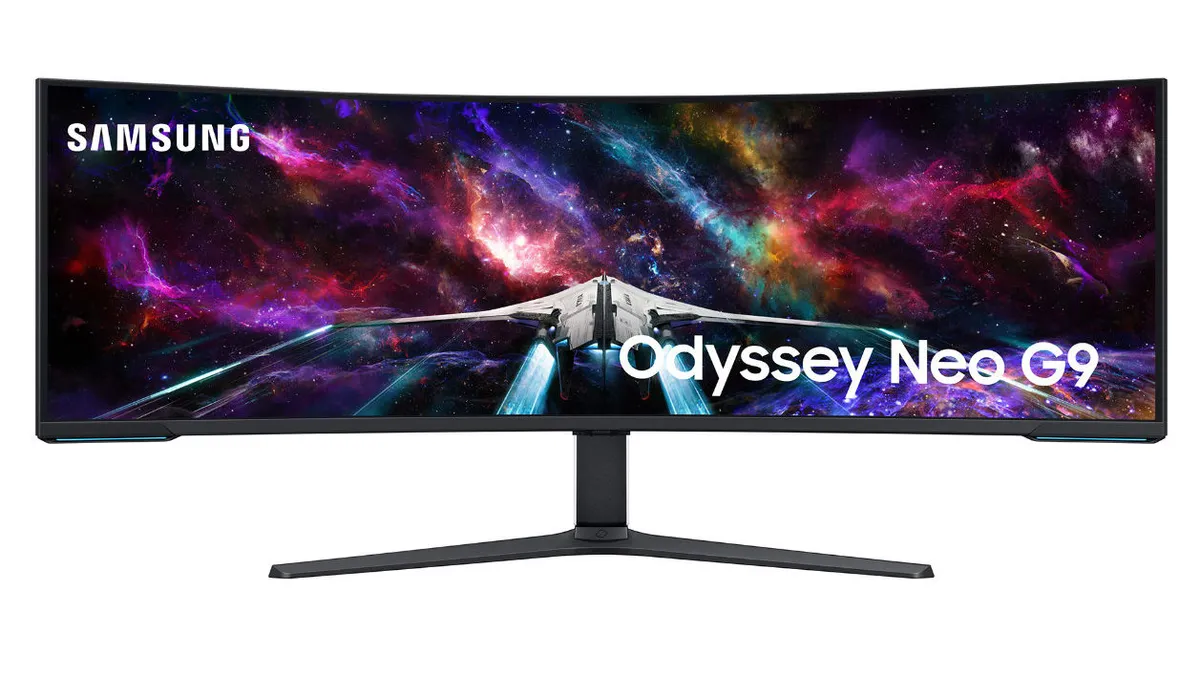
Of course, you lose out on some things, like Dell’s IPS Black is better for work, reading, and color accuracy, and 6K 21:9 is more natural for multitasking (plus, Mac support). Dell has a Thunderbolt 4 Hub and 140W charging, which is better for laptop‑first workflows (one cable to do it all), or those using PiP for a secondary device (or even up to four) via KVM. While Samsung does have a basic KVM, it doesn’t offer a Thunderbolt 4 hub. Finally, even though Samsung’s mini-LED is very bright and punchy, it’s not built for 10‑hour workdays and lacks that TÜV 5‑Star and hardware Low Blue Light certification.
Basically, Samsung is great for gamers and some office work. Dell is the better choice for those “traders, financial analysts, engineers, designers, and executives” who are staring at their monitors for 8 to 10 hours a day, with multi-device workflows.
It's eye comfort versus eye candy, if you get me.
Dell Ultrasharp 52: Final thoughts
✅You should buy this if ...
- You're looking to consolidate your multi-monitor setup
- You need the biggest display with no compromise
- You have a multi-PC workflow or shared workstations
- You're a trader, a financial analyst, an engineer, a designer, or an executive
❌You should not buy this if ...
- You're primarily a gamer
- You have a small desk
So yes — the Ultrasharp 52 is spectacular. It’s overkill in the best possible way, impeccably engineered, and genuinely delightful to use. But it’s also a tool with a very specific mission. If you’re a trader, analyst, engineer, designer, or executive who lives inside charts, timelines, dashboards, and multi‑device workflows, this thing is a productivity multiplier that pays for itself.
If you’re a regular consumer with deep pockets and a desire to experience video calls at near‑life‑size, you’ll love it too.
For everyone else? The price, the size, and the sheer ambition of this display will be more than you need. But for the right audience, the Dell Ultrasharp 52 is the new gold standard for single‑monitor workstations. It’s big, it’s bold, and it’s unlike anything else on the planet.
Needless to say, it's going on our list for the best computer monitors for 2026.

The Dell Ultrasharp 52 is a full‑blown command center disguised as a single display. It proved itself to be a productivity powerhouse: razor‑sharp 6K resolution, a smooth 120Hz refresh rate, IPS Black contrast that punches far above typical IPS, and a connectivity suite that feels like Dell stapled a docking station, a KVM, and an IT department directly onto the back.

Follow Windows Central on Google News to keep our latest news, insights, and features at the top of your feeds!