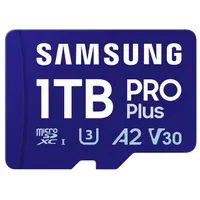
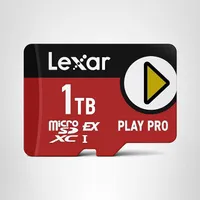
Monday, Dec. 1 @ 3:44 PM ET: And like that, as we warned, Valve has ended the sale, returning the price to $400 instead of $320. I've added your next best option (besides the full-priced Steam Deck) with the Legion Go S, which is a better system with a more powerful processor. I've also added the Lexar microSD card for the fastest, most premium option. - Daniel Rubino, Editor-in-Chief
For the first time in Valve's history, it is launching its own sales event just before Cyber Monday, slashing prices for hundreds of games for PC gamers to enjoy.
The main attraction of this event is that Valve is hosting a 20% discount for the entry-level model of its iconic Steam Deck gaming handheld for $319.20, instead of $400.
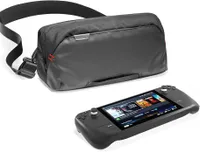
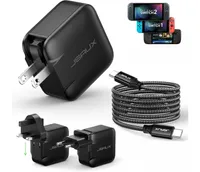
In celebration of this rare discount, we have scoured the internet for discounted deals on various accessories to upgrade the entry-level Steam Deck's storage space, recharge its batteries, store it safely while travelling, and other gadgets to make it more fun for you to play with.
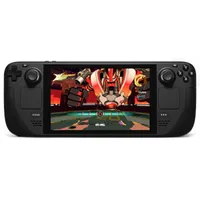
OK, so now that the sale is over for the LCD Steam Deck, what about something else? Best Buy has the outstanding Lenovo Legion Go S, which also runs SteamOS, for $449.99 (usually $649).
Why pay $50 more than the Steam Deck's full price? For one, you get 512GB of storage instead of 256GB. The Legion Go S's display is also larger (8-inch vs 7) and higher resolution (1920x1200 instead of 1280x800) with a higher refresh rate (120Hz instead of 60).
More importantly, you're getting a beefier processor with the Legion Go S and AMD Ryzen Z2 Go, often adding 20-40% more FPS on many popular games. In some games, like Monster Hunter Wilds, the Legion Go S will be satisfactory, whereas the Steam Deck will struggle. If the Steam Deck runs a title at ~40 FPS, the Z2 Go could push ~50–55 FPS.
While the battery is bigger on the Legion Go S (55.5WHr vs 40WHr), both get basically the same on endurance tests, which says something since the Legion Go S is a much more powerful system.
If you do go with the Legion Go S, nearly all the accessories below are either compatible or those companies make a compatible version for Lenovo's device, making it an easy switch.
Indeed, check out our best Lenovo Legion Go S accessories guide for more ideas.
![iVoler Steam Deck Screen Protector [2-Pack]](https://cdn.mos.cms.futurecdn.net/sxd7LBVpkMZhwiRkwjrPLL-200-80.jpg.webp "iVoler Steam Deck Screen Protector [2-Pack]")
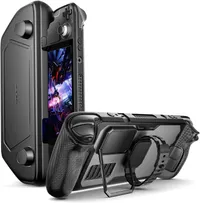
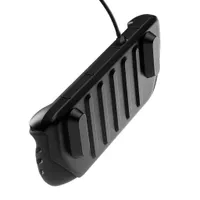
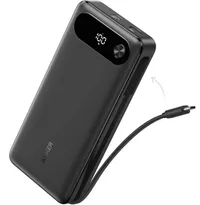
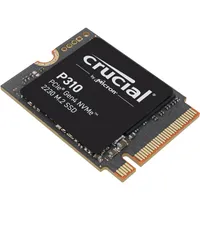
![Syntech USB-C to USB-A adapters [2-Pack]](https://cdn.mos.cms.futurecdn.net/kygBwbtnKjA9jtwn8SjpCH-200-80.jpg.webp "Syntech USB-C to USB-A adapters [2-Pack]")
Is the entry-level Steam Deck worth the investment?

While the original base model of the Steam Deck may not be as advanced as its modern OLED-display counterparts, it's still one of the best gaming handhelds around, and it has not let me down in the three years I've owned it.
Its SteamOS operating system is extremely user-friendly, its controls are responsive, it's able to run most PC games with smooth performance framerates of 60fps at 1280x800 resolution. It can even run hardware-hungry games like Cyberpunk 2077 and Forza Horizon 5 at consistent 30 to 40 FPS if you lock the handheld's refresh rate to 40Hz.
The Steam Deck is also fairly durable, comfy to hold (especially for gamers with big hands like mine), and is compatible with various cloud apps to stream games like NVIDIA GeForce NOW and Xbox Cloud Gaming.
What's more is that the Steam Deck is easily upgradeable as you can outfit it with third-party shells, enhanced display screens, hall-effect sticks, custom face buttons, and larger SSDs. You can even pair it up with wireless controllers, keyboards, and mice while it's in dock mode to play games with your preferred controller method.
So, if you end up getting the OG Steam Deck through Valve's sales event and fancy some extra accessories to recharge its batteries, make certain games easier to play, or keep it safe while travelling, then check out these discounted peripherals today to enrich your Steam Deck.
We also have dedicated round-ups for microSD cards, screen protectors, Docking Stations, power banks, and chargers for your perusal, should you wish to upgrade your Steam Deck further.
Enjoy our content? Make sure to set Windows Central as a preferred source in Google Search, and find out why you should so that you can stay up-to-date on the latest news, reviews, features, and more.
FAQ
What does the entry-level Steam Deck come with?
The entry-level Steam Deck features a 1280 x 800 LCD display, 7" Diagonal display size, 60Hz refresh rate, Wi-Fi 5, 40Whr battery with 2-8 hours of gameplay battery life, 45W Power supply with 1.5m cable, a carrying case, and a Steam profile bundle.
Is it possible to run non-Steam games on the Steam Deck?
Yes, Valve has confirmed you can run non-Steam games on it via the Steam Deck's Proton software.
Can the Steam Deck launch games offline?
Once a game has been installed onto the Steam Deck's internal SSD or microSD card, you can play games offline unless certain games require an internet connection.
However, you will need to be connected to the internet to download games, download their DLC and patch updates, and play their online multiplayer modes.
When is Cyber Monday?
Cyber Monday will start on December 1, 2025 and will last for the full day. Retailers will host electronic-focused discounts throughout the day and possibly have them last a couple of days after Cyber Monday is over.
More Cyber Monday 2025 - quick links
- All our TOP recommended Cyber Monday deals: Just the best
- Mini PC deals: up to 47% off tiny PCs
- GPU deals: early price drops on NVIDIA RTX before they go up
- Microsoft Surface deals: save up to $500 on premium PCs
- Xbox accessories: best deals on gadgets for your Xbox Series X|S and PC
- Gaming laptop deals: the best laptops for the best price
- Xbox controllers: our top picks for best controller deals
- ANC headphones: great Cyber Monday deals on the best ANC headphones
Even more Cyber Monday deals: - Steam Deck: Best screen protectors
- Steam Deck: Best docking station deals
- Dell deals: 13 deals from Dell.com that you shouldn't miss
- Best Buy: 34 hottest discounts on laptops, monitors, gaming, and more
- Walmart: 7 top laptop deals you shouldn't miss
- Samsung monitors: the best Samsung display deals we've found
- Retro gaming: handhelds, arcade machines, old school consoles, and more
- Gamer merch: Blizzard’s Warcraft, Overwatch, and Diablo IV collectibles
- Game keys: 10 PC game codes are even cheaper at Loaded (formerly CDKeys)
- Accessories: Even more PC accessories starting at $17

Follow Windows Central on Google News to keep our latest news, insights, and features at the top of your feeds!