


The Surface Laptop Ultra with NVIDIA RTX Spark is now available to preorder following the October 7 Surface event in San Francisco. It arrives as a suped-up Surface Laptop 8 with a 15-inch mini-LED display, tons of ports, a sleek design, and, of course, NVIDIA's N1x chip with support for up to 128GB of unified memory.
It's a laptop that's marketed as the ultimate PC for creators, AI specialists, engineers, scientists, and developers who don't want to be tied down to a bulky workstation on a desk.
That's all fine and good, but having had the opportunity alongside my colleague Zac Bowden to use the Surface Laptop Ultra a couple of times, I can say that NVIDIA was not shy about showing off the PC's gaming prowess in closed demos.
I can also say that the gaming experience was super smooth, even in games with ray tracing, path tracing, and DLSS support. Indiana Jones and the Great Circle ran flawlessly when I tried it, and every other title seemed to be an easy task for the Laptop Ultra.
What's more impressive is that many of these demo games were run through Microsoft's Prism emulation layer due to the RTX Spark's ARM architecture (the same used by Qualcomm's Snapdragon X and X2 chips).
That begs the question: Is the Surface Laptop Ultra the ultimate laptop for PC gaming?
At the risk of breaking some pixelated hearts, I'll say that dedicated PC gamers should look elsewhere. Here's why.
The Surface Laptop Ultra's specs look ideal for gaming ... what gives?

It's well established that NVIDIA's RTX platform is the preferred way to play on PC for most gamers, mainly due to the excellent performance and additional support for features like ray tracing, path tracing, and DLSS.
Considering the Surface Laptop Ultra's RTX Blackwell GPU supports all of the latest features, wouldn't that make it a capable PC for gaming?
Well, yes. But there's more to the story.
The Surface Laptop Ultra was not designed to be a gaming PC. It was made to handle intricate AI workloads locally and to be the centerpiece of a professional's arsenal, and the fact that it can run plenty of games smoothly is simply a convenient effect of using NVIDIA's technology. Its starting price of $2,599 reflects that reality.
Sure, that cost is inflated due to the ongoing RAM and storage crisis, but in any case, you can buy a quality laptop made specifically for gaming purposes (suffering from the same RAM and memory squeeze) for considerably less money.
For my PC gaming money, I'd much rather buy a PC running standard Windows 11 rather than Windows on ARM (despite serious advancements in emulation and support). That way, you're guaranteed not to experience any compatibility issues with the games or their anti-cheat methods.
Gaming laptops also come tuned for gaming right out of the box, and their hardware is designed to support that initiative. Sure, you could tune the Surface Laptop Ultra to focus more on gaming, but that's really not what it was meant for.
The bottom line regarding the Surface Laptop Ultra and PC gaming
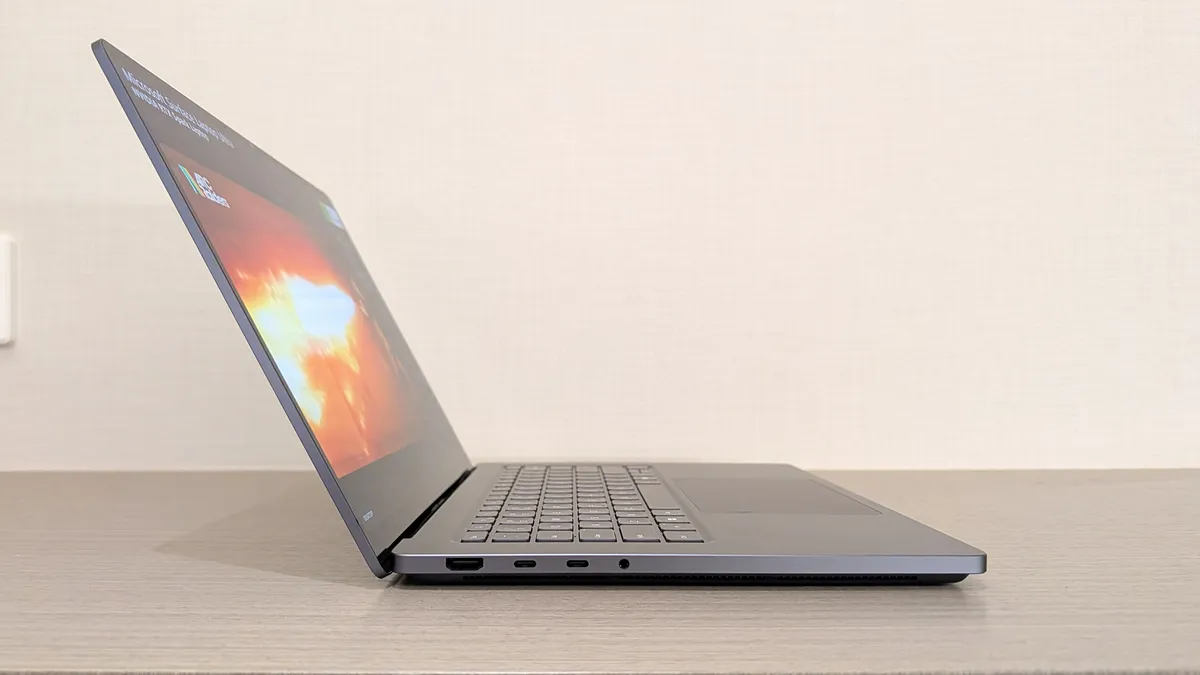
The Surface Laptop Ultra should be treated as a pro-grade laptop that happens to have some more-than-decent gaming chops.
I know there are plenty of pros out there who love the idea of tackling AI workloads during the day and gaming at night, all from the same machine, and the Surface Laptop Ultra should be a hot ticket for those users.
For gamers at heart, however, I recommend taking a look at the host of quality dedicated gaming laptops before ever considering the Surface Laptop Ultra.

Join us on Reddit at r/WindowsCentral to share your insights and discuss our latest news, reviews, and more.

