


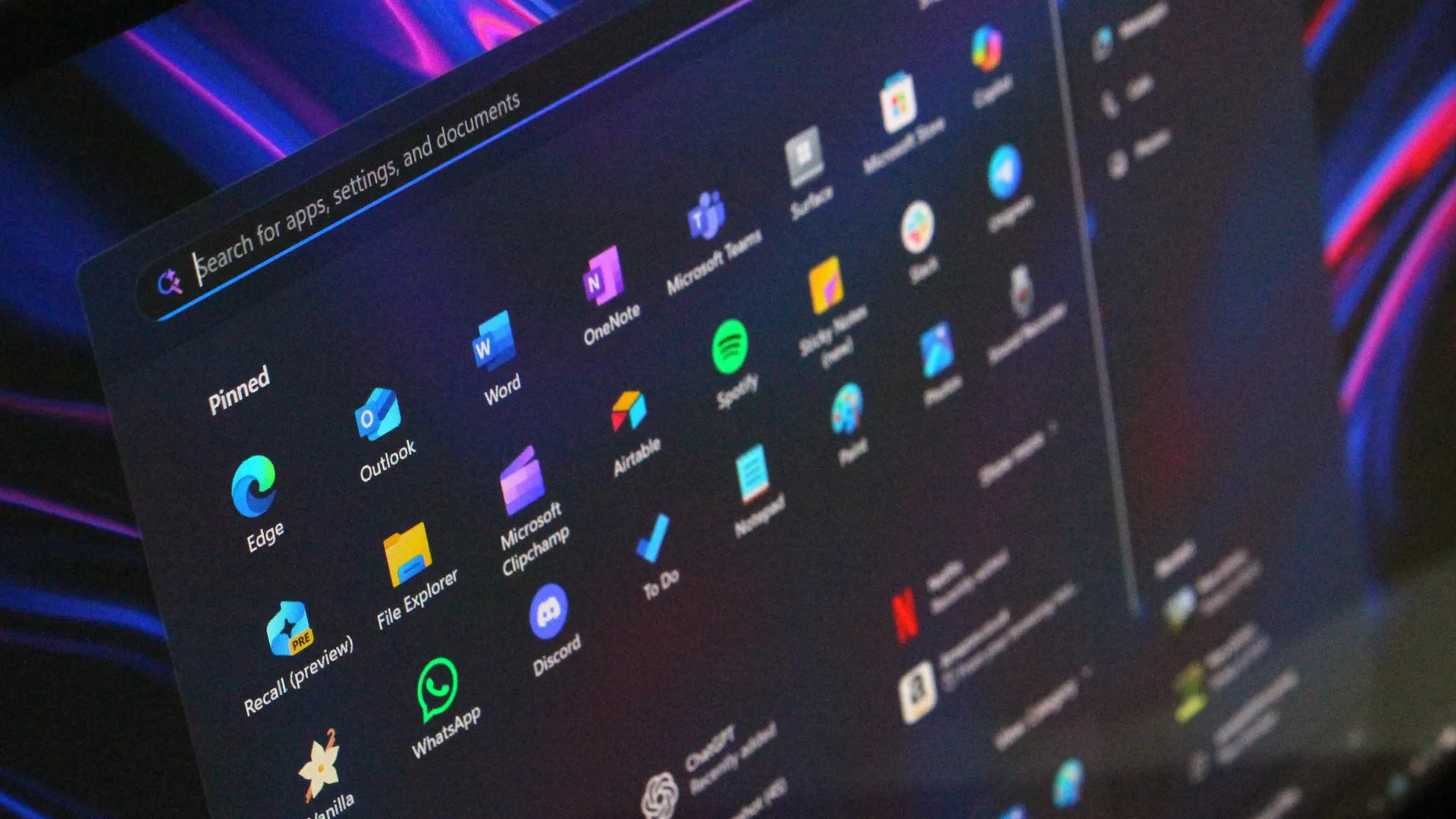
When you booted up your PC recently, you may have been met with an unfamiliar Start menu. There's a good chance that some of your apps have moved and the Start menu itself has a different size and layout than before.
The good news is that this is not a bug. A new Start menu is rolling out to Windows 11. Since the rollout is happening in waves, some people just received it despite the redesign initially shipping in October 2025.
The new Start menu will arrive on your PC after installing the KB5067036 update. If you want the new Start menu right away and don't see it yet, you can toggle the option to "Get the latest updates as soon as they're available" in the Windows 11 Settings app.
You can also enable the new Start menu through ViVeTool.
I've seen several posts about the new Start menu on social media, including a Reddit post asking, "What happened to my start menu?" The change can be a bit jarring if you didn't know about it in advance.


The new Start menu is better in some ways than its predecessor. The overall design is more adaptable and customizable than before, at least in some ways.
Somewhat surprisingly, some of the new features cannot be customized. For example, the Start menu will now adapt to a larger layout based on your screen resolution, but you cannot set the size of the Start menu.
Windows 11 now splits the Start menu into three sections: "Pinned," "Recommended," and "All."
The Pinned section shows two rows of apps by default and each of its rows can hold up to eight pins.
The Recommended section displays recent files and applications, but it can also show promoted apps from the Microsoft Store. It's possible to disable the Recommended section entirely.
Unlike the previous Start menu, the upgraded version shows the "All" menu without requiring extra clicks. Windows 11 groups apps automatically into categories, such as "Productivity" or "Developer Tools." That experience should feel familiar to people using an iPhone or certain Android devices.
You can switch the "All" section of the Start menu to Grid View instead of Category View. Doing so will present apps in an alphabetical list.
Of course, even if the Start menu were better in every way, the new one would still take some getting used to.
Microsoft played around with several designs before settling on the current layout. Our Mauro Huculak breaks those down in his guide on the revamped Start menu. He also has a piece on how the Start menu has evolved over 40 years.
The Windows 11 Start menu has improved in recent years, but some remain frustrated by its layout and lack of customization options. Third-party apps like Start11 have gained new users, while other prefer tools such as PowerToys.

What do you think of the new Start menu? Is it an improvement, a regression, or a mix of both? Let us know in the comments.

Follow Windows Central on Google News to keep our latest news, insights, and features at the top of your feeds!

