Rumored for a hot minute, Xbox Cloud Gaming now has a shiny new interface, but it could be hiding an even bigger secret.
Revealed by dataminers a short while back, Xbox Cloud Gaming has a new preview dashboard you can access via play.xbox.com, to help Microsoft test the next phase for the service.
Xbox Cloud Gaming shed its beta tag a few weeks back, expanding to new markets, and gaining new capabilities with Xbox Game Pass. Now, users on any tier can access Xbox Cloud Gaming with supported games they own, and Xbox Cloud Gaming Ultimate users get access to 1440p streams on top.
Microsoft is also gearing up for an ad-supported "free" tier of Xbox Cloud Gaming, set to launch in the first half of this year according to our sources. The service represents a big effort on Microsoft's part to find new users, in a world where tariffs and RAM shortages have made traditional console gaming less attractive than far-cheaper, more accessible alternatives. Games like Roblox and Fortnite have become utterly dominant, partially because they're free, but also because they're ubiquitous. Xbox and other traditional console experiences require a beefy upfront cost. Xbox Cloud Gaming is aiming to eliminate that barrier.
Whether or not the strategy works (or indeed, is even viable economically) wholly remains to be seen, but it won't be for lack of trying.
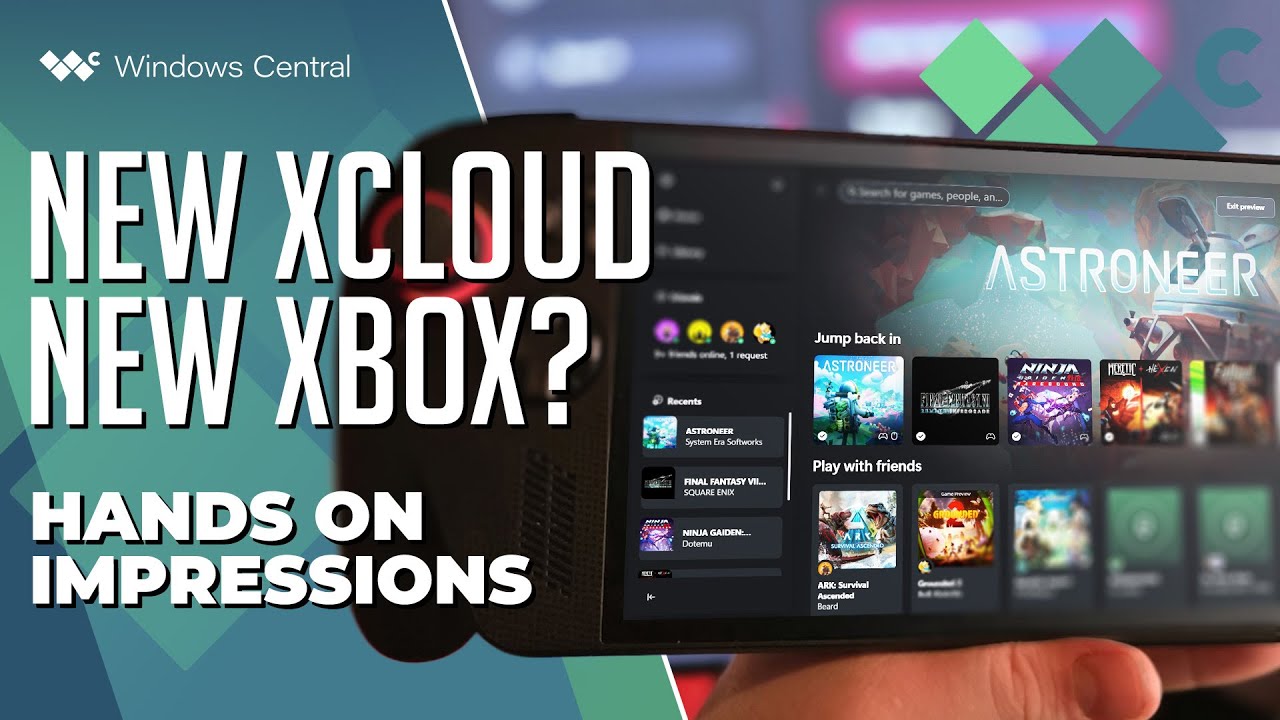
To that end, Microsoft just debuted its shiny new interface for Xbox Cloud Gaming, and it's rather good.

The new interface is very close to a traditional Xbox Series X|S console experience, complete with modern Windows 11 fluent design elements. It has icons across the top just like on console, and the library, filters, sorting options, and guide menu all are impressively familiar for anyone who has used the console experience.
The new Xbox Cloud Gaming experience comes in two flavors. There's a TV and handheld-optimized mode, with large UI elements ideal for smaller screens or sofa play. There's also a desktop-optimized mode, which makes use of the screen real estate more effectively.
I have to say, I'm very impressed by what's on offer here. I find it to be much better and more usable than the current Xbox PC app all up, owing to its boosted speed and cleaner interface. The UI is arranged in a more controller-friendly way, making it much better than the Xbox Full Screen Experience on devices like the Xbox Ally. Unlike the Xbox Full Screen Experience, the Xbox Cloud Gaming dashboard doesn't lock up either, with inputs rubber banding your cursor off the screen.

I suppose a big design challenge Xbox is facing right now is unifying its disparate experiences. Xbox PC, Xbox Cloud Gaming, and Xbox Series X|S all have slightly different interfaces, which can make it frustrating for users trying to navigate Microsoft's "Xbox Everywhere" strategy. The new Xbox Cloud Gaming interface is a lot closer to the console experience while also retaining some of the cleanliness of the PC app, which is a step in the right direction.
I hope Microsoft brings some of this design direction to the Xbox PC app and Xbox Ally in the future, because as powerful as the Xbox Ally X is, its the Xbox PC app that primarily still lets it down in some ways.
Let me know what you think in the comments!

Follow Windows Central on Google News to keep our latest news, insights, and features at the top of your feeds!