


Amazon's Fallout TV show is back in full swing with the ongoing weekly episodic release of Season 2, and it's already set some noteworthy Rotten Tomatoes records with its first few episodes. Indeed, the Fallout hype is real — and that means the games the show is an adaptation of are back in the limelight, too.
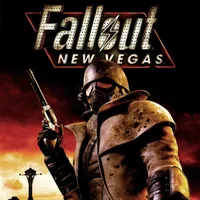
One title that's particularly relevant to the events of the show in Season 2 is Fallout: New Vegas. Like most of the second season, New Vegas is set in and around the post-apocalyptic remains of Las Vegas and the Mojave Desert. And while it takes place a full 15 years before the show does, several of its characters and factions feature prominently in the TV series.
Thus, playing (or replaying) New Vegas is a good idea if you're watching the show, as it will give you significant context for Season 2's setting and conflicts. Notably, it's also widely regarded as the best Fallout game by many (including yours truly), with fans lauding its complete player freedom and crunchy, deep RPG systems that stand tall as some of the best in gaming, even 15 years post-release.
But while Obsidian Entertainment's 2010 entry in the franchise is an incredible game, it's not a perfect one — especially on the technical side of things. In fact, the PC version of New Vegas is notorious for its glitches and bugs, and issues like crashing and stuttering can be annoyingly common. You can't even Alt+Tab out of fullscreen without the client seizing up.
Players have valiantly worked to address these problems with mods over the years, but many are now outdated and can actually make your experience worse. Because of that, it's hard to know which you should actually use — or at least, it was, before the Viva New Vegas modding guide came along.

Put simply, if you're playing Fallout: New Vegas on PC in 2026, you're shooting yourself in the foot if you're not using Viva New Vegas. This community-written guide goes over the step-by-step process of setting up modding tools like Mod Organizer 2 for New Vegas, then shows which mods you should install to stabilize the RPG and how to do so.
Everything is explained in clear, concise detail, with plenty of icons and images interspersed throughout the text to show you things to look for when they're relevant to the process. You can also jump to any section of the guide you need easily by selecting its title on the left side of the webpage.
While guides like these don't always give the best advice, pretty much the entire New Vegas community agrees that Viva New Vegas is the quintessential guide for patching the game's various performance issues with mods. And whether you want to extensively mod the RPG further or just enjoy it vanilla without technical problems, Viva New Vegas is the foundation you should begin with.
It's worth noting that there's also a VNV Extended section of the guide that recommends mods to use that offer more of a "Vanilla+" experience. With these, you can keep New Vegas feeling relatively vanilla but enhance it with modern gameplay amenities like sprinting, higher-quality visuals, and more.
Note that if you'd prefer not to manually install mods yourself, there's also a section of the guide that explains how to use the Wabbajack modding tool to install the VNV Extended modlist automatically. This is a quicker way to get everything up and running, though following the guide manually to learn how to use Mod Organizer 2 is a good idea if you plan to do some additional modding.
Ultimately, following the Viva New Vegas instructions is the easiest, problem-free way to get New Vegas running well on a modern PC, and I'll never play the RPG without this modlist ever again. Notably, the $19.99 Ultimate Edition of the game itself is actually just $7.09 at Loaded right now, and if you're on Xbox, you can play through Xbox Game Pass.

Follow Windows Central on Google News to keep our latest news, insights, and features at the top of your feeds!

