


This SteamOS handheld comes with up to an AMD Ryzen Z2 Extreme, 32GB RAM, and 2TB SSD. The design is more ergonomic than the Steam Deck, but it only features one touchpad, where the Steam Deck has two. Additionally, the Legion Go 2 has a much nicer OLED display that is 8.8 inches, offers up to WUXGA (1920x1200) resolution, up to 144Hz, supports VRR, and has a better color range. On top of that, this handheld has detachable controllers (one of which can be used like a mouse) and a built-in kickstand.
Pros
- Larger screen with 144Hz, 1920x1200p, and VRR support
- Has two Thunderbolt 4 ports
- More powerful configuration options up to Z2 Extreme
- Features detachable controllers, FPS mode, and kickstand
- Hall Effect joysticks won't drift
Cons
- More expensive
- Has a fingerprint reader, but SteamOS doesn't support it
- Only one touchpad

The Steam Deck was the SteamOS device that started the handheld gaming PC craze a few years back. Its custom AMD APU isn't as powerful as the Legion Go 2's AMD Ryzen Z2 Extreme chip, so it cannot play as wide a range of games. However, it is built for battery efficiency and tends to last longer than most other handhelds before needing a recharge. It's available with either a 7-inch LCD display that reaches 60Hz or a more costly 7.4-inch OLED display that reaches 90Hz. It's a more budget-friendly alternative to the Legion Go 2.
Pros
- More affordable
- Has two touchpads
- LCD or OLED display options
- Designed around customization and upgrades
Cons
- Not as ergonomic and no Hall Effect joysticks
- Older and less powerful
- Screen is smaller with lower resolution, lower refresh rate, and no VRR
The Steam Deck was the only official SteamOS PC gaming handheld for several years, until the Lenovo Legion Go S — Powered by SteamOS entered the ring. Now, Lenovo has announced that its flagship handheld is also getting a new version, the Legion Go 2 — Powered by SteamOS.
Once this device launches, buyers will have the choice of going with either a Windows 11 Legion Go 2 or a SteamOS one.
RELATED: Legion Go 2 (Windows) review | Steam Deck review
But how does the new Legion Go 2 (SteamOS) actually stack up against the Steam Deck? I've compared these two devices in a number of different categories, based on available specs, to find out.
TL:DR: Look for the TL;DR sections to get the highlights for each section.
Legion Go 2 (SteamOS) vs Steam Deck: Specs

| Header Cell - Column 0 | Legion Go 2 (SteamOS) |
Steam Deck (OLED) |
|---|---|---|
Starting price |
$1,199.00 |
$549.00 | $649.00 |
Release date |
June 2026 |
Nov. 16, 2023 |
OS |
SteamOS |
SteamOS |
Display |
8.8-inch 1920x1200 OLED touch |
7.4-inch 1280 x 800 OLED touch |
Refresh rate / VRR |
144Hz / Yes |
90Hz / No |
Processor |
Up to AMD Ryzen Z2 Extreme 8c/16t 4nm |
AMD Zen 2 CPU 4c/8t 6nm process |
Graphics |
Up to AMD APU RDNA 3.5 16c 4nm |
AMD APU RDNA 2 8c 6nm process |
Memory |
Up to 32GB LPDDR5X |
16GB LPDDR5 6400MHz |
Storage |
Up to 2TB |
512GB, 1TB |
Connectivity |
Wi-Fi 6E and Bluetooth 5.3 |
Wi-Fi 6E and Bluetooth 5.3 (OLED) |
Ports |
2x USB4 Type-C (DisplayPort 1.4, Power Delivery 3.0), 1x microSD card reader (up to 2TB), 1x audio jack, |
1x USB-C 3.2 Gen 2 (DisplayPort 1.4, Power Delivery 3.0, 1x microSD card reader (up to 2TB), 1x audio jack |
Fingerprint reader |
Yes, but unsupported |
No |
Touchpad |
Yes (one) |
Yes (two) |
Detachable controllers |
Yes |
No |
Color |
Black |
Black |
Dimensions |
295.6 x 136.7 x 42.25mm (11.64 x 5.38 x 1.66in) |
297.18 x 116.84 x 48.26mm (11.7 x 4.6 x 1.9 in) |
Weight |
920g (2.2 lbs) |
639.56g (1.41 lbs) |
Battery |
74Whr |
50Whr |
TL;DR SPECS WINNER: There's no doubt about it. The Legion Go 2 (SteamOS) offers far more impressive specs. However, its starting price isn't at all budget-friendly, unlike the Steam Deck OLED.
Legion Go 2 (SteamOS) vs Steam Deck: Price & value
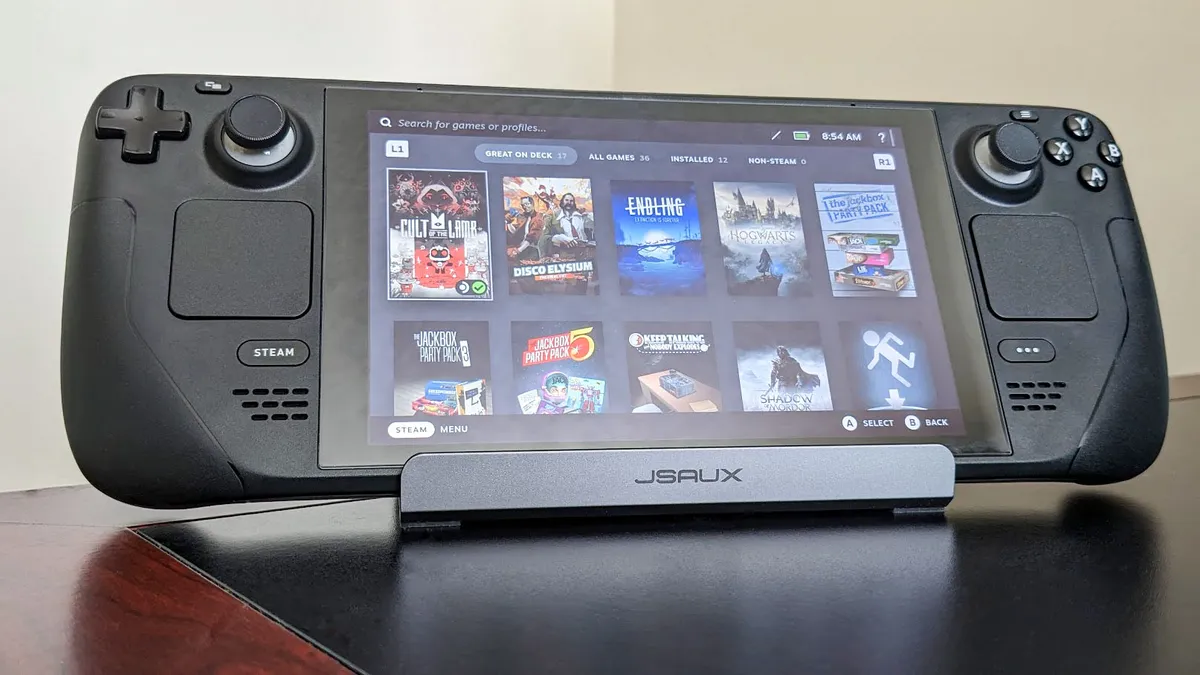
Recently, the Steam Deck LCD 256GB (2022) was discontinued (like the Steam Deck LCD 64GB before it) — its $399.00 starting price had made it Valve's most affordable handheld for a while. But even with Valve removing this entry-level option, the Steam Deck OLED is still more affordable than the Legion Go 2 (SteamOS).
You can get the Steam Deck OLED with either 512GB of storage for $549.00 at Steam or 1TB of storage for $649.00 at Steam. Meanwhile, the Legion Go 2 (SteamOS) has a starting price of $1,199.00 — that's more than double the starting price of the Steam Deck OLED.
Additionally, the Steam Deck OLEDs are currently available for purchase, while the Legion Go 2 (SteamOS) isn't expected to ship until June 2026. As such, you'll have to wait a while before you can get your hands on this new official SteamOS handheld.
TL;DR: PRICE WINNER: In terms of affordability, the Steam Deck OLED is by far the better budget buy. Its starting price is less than double the starting price of the Legion Go 2 (SteamOS). The Legion Go 2 is more costly, but it does give you more features.
Legion Go 2 (SteamOS) vs Steam Deck: Performance

NOTE: I will conduct performance benchmark testing on the Legion Go 2 (SteamOS) when I get my hands on it and will update this section as soon as possible. For now, this section utilizes official spec information for educated analysis.
Now, some of you are far more interested in the performance of a handheld than its price, so let's dive into how the Legion Go 2 (SteamOS) performs versus the Steam Deck OLED.
Performance is a tricky thing, especially when it comes to handhelds. It's determined, not only by how powerful the internals are, but by how well the system of hardware works with the software it's running.
On paper, the Legion Go 2 (SteamOS) offers a much, much more powerful APU (Accelerated Processing Unit) — an AMD SoC (system on chip) that combines a CPU (central processing unit) and GPU (graphics processing unit) for better efficiency to fit a smaller form factor.
| Row 0 - Cell 0 | Legion Go 2 (SteamOS) - AMD Ryzen Z2 Extreme |
Steam Deck OLED - Custom AMD APU |
CPU Cores & Threads |
8 cores, 16 threads (Zen 5) |
4 cores, 8 threads (Zen 2) |
Graphics |
16 GPU Cores (RDNA3.5) |
8 GPU Cores |
TDP |
15-35W |
4-15W |
The Legion Go 2 (SteamOS)'s Ryzen Z2 Extreme's CPU utilizes eight cores and 16 threads using the latest Zen 5 architecture, while the GPU has 16 cores and utilizes RDNA3.5, which is the latest architecture for integrated GPUs.
In comparison, the Steam Deck OLED only has half of the CPU threads and cores (4C, 8T) and half the GPU cores (8C), while using older architecture for both. Having more cores and threads allows a processor to work more efficiently and take on more work at once, which is important for gaming performance.
RELATED: All AMD handheld chips and how they compare
Then there's also the fact that the Legion Go 2 (SteamOS) with 32GB RAM and 2TB SSD can have up to double the memory and storage space of the Steam Deck OLED with 16GB RAM and 1TB SSD. This not only gives the Legion Go 2 room for more games but also allows the system to access data quickly, theoretically resulting in faster loading and saving times.
One last thing to note is that the Legion Go 2 (SteamOS) supports VRR (variable refresh rate) while the Steam Deck does not. This is an important distinction since VRR reduces screen tearing and helps games play more smoothly. So even motion clarity is likely better on the Lenovo's handheld.

What this all means is that the Legion Go 2 (SteamOS) can take on more graphically intensive tasks than the Steam Deck can handle. As an example, some AAA games might not run well on Steam Deck or might not boot at all, but it's possible that those same games could run well on Legion Go 2 (SteamOS), depending on system requirements.
That all said, we'll have to see how well the Legion Go 2 specifically plays with SteamOS. My guess is that it will be a major performance improvement over the Legion Go 2 (Windows), given that SteamOS has a lot less bloatware and extra processes going on in the background.
What's more, previous benchmarks showed that the rival Xbox Ally X offered better performance with SteamOS than it did with its shipped Windows 11, so it stands to reason the Legion Go 2 will perform better with SteamOS as well.
As far as upgradability goes, I'm willing to bet that the Steam Deck is easier to upgrade than the Legion Go 2 (SteamOS). When I reviewed the Windows version of the Legion Go 2, I took a look inside of it and noted that it hadn't really been designed with easy upgradability in mind, so I'm guessing the same is true of the SteamOS option.
TL;DR: PERFORMANCE WINNER: The Legion Go 2's AMD Ryzen Z2 Extreme chip is far more powerful than the Steam Deck's custom AMD chip. Lenovo's handheld also offers more memory and storage. All of this together means that the Legion Go 2 should be able to run games that the Steam Deck cannot.
Legion Go 2 (SteamOS) vs Steam Deck: Display
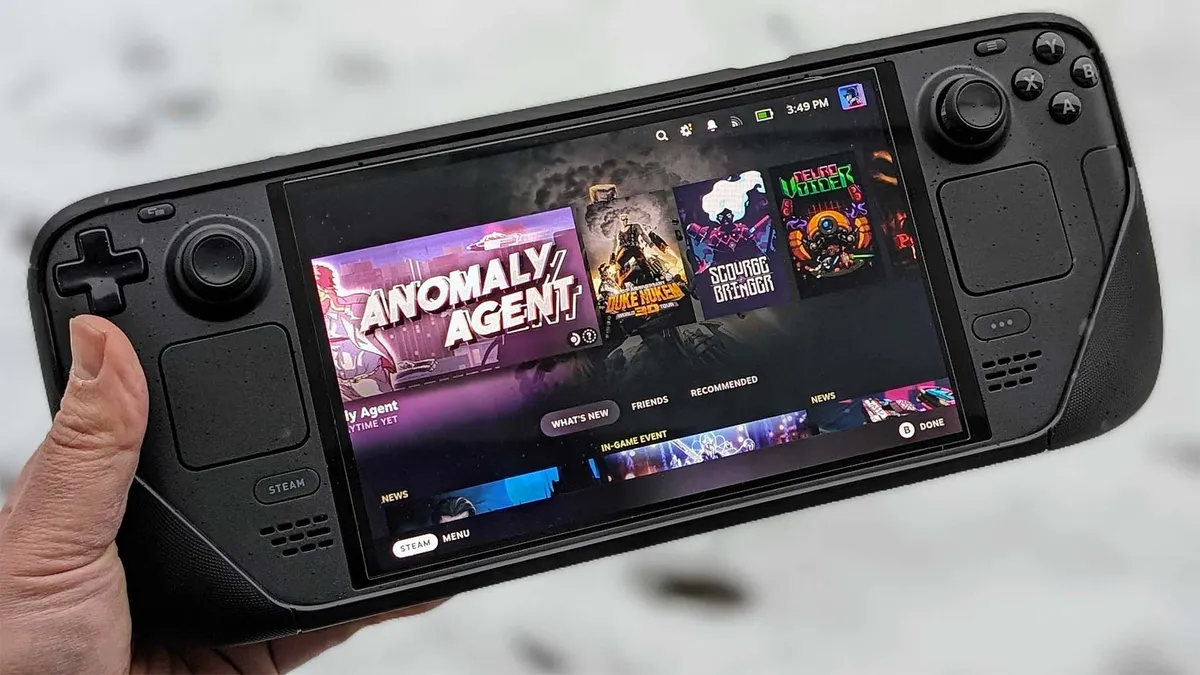
This is another area where the Legion Go 2 (SteamOS) absolutely dominates.
The Steam Deck OLED has a 7.4-inch OLED touchscreen, but it tops out at 1280x800 resolution and a 90Hz refresh rate, which is pretty limited by today's handheld standards.
Meanwhile, the Legion Go 2 (SteamOS) has a notably larger OLED display that measures in at 8.8 inches. When side-by-side with a Steam Deck OLED, this screen size difference feels massive and allows you to make out more details in your games.

On top of that, the Legion Go 2 (SteamOS) has a wider color gamut for richer hues and better contrast. It can also hit a higher resolution of up to 1920x1200, providing much crisper imagery for you to view, while a 144Hz refresh rate and the previously mentioned VRR support reduce motion blur and provide smoother visuals.
It's worth noting that the Legion Go 2's display isn't just better than the Steam Deck's display; it's also the best handheld display to date.
TL;DR: DISPLAY WINNER: There is no debate here. The Legion Go 2 (SteamOS) OLED display is better than the Steam Deck OLED in every way, including higher resolution, refresh rate, color range, size, and VRR support.
Legion Go 2 (SteamOS) vs Steam Deck: Controls and ports

Controls and ports are where the Steam Deck and Legion Go 2 really show their physical differences.
They have the same general layout with joysticks on either side, ABXY buttons on the right, D-Pad on the left, bumpers, triggers, four back buttons, and a smattering of system and game buttons.
These controls mostly all function the same. In fact, the SteamOS version of the Legion Go 2 shows the same symbols on the buttons that the Steam Deck OLED does. So there shouldn't be any confusion on that score.
Now for the differences.
Perhaps the most important difference here is that the Legion Go 2 has offset Hall Effect joysticks and triggers, while the Steam Deck has inline analog joysticks. This means that the Legion Go 2 won't experience stick drift, but the Steam Deck might.

Another thing to note is that the Steam Deck OLED offers two touchpads, one under each joystick, while the Legion Go 2 (SteamOS) only has one slightly smaller touchpad under the right joystick. To be fair, many people only end up using the right touchpad, but you might be an outlier with your preferences, so it's something to consider.
The biggest control difference between these handhelds is that the Legion Go 2 offers detachable controllers (Legion TrueStrike controllers), like the Nintendo Switch 2. You simply press a button on the back of the controllers and pull them down to remove them. Since the Legion Go 2 has a built-in kickstand, you can take the controllers in hand and play while the tablet part is propped up on its own on a table.
But wait, there's more; another feature the Steam Deck doesn't offer.
The Legion Go 2's right controller has an FPS (first-person shooter) switch on the bottom and comes with a magnetic stand. When this switch is toggled, and the controller is placed in that stand, the right gamepad can be moved around on a surface, a lot like a mouse, to navigate game menus or even be used for first-person shooters.
Both of the Legion Go 2's controllers also feature USB-C ports so they can be charged separately, if desired. But they also charge if they're connected to the Legion Go 2 while it's plugged in and charging.
Something to note is that the Legion Go 2 (SteamOS)'s power button also doubles as a fingerprint reader. However, SteamOS does not natively support this biometric login feature, so it's unusable on this handheld. Of course, this also explains why the Steam Deck doesn't have a fingerprint reader.
What about ports?

When it comes to ports, the Steam Deck OLED is modest, but it gives you all the basics you need. There's one USB-C 3.2 Gen 2 port, one microSD card reader, and one audio jack.
In comparison, the Legion Go 2 also has an audio jack and a microSD card reader. It differs in that it has two USB4 Type-C ports, which are more than twice as fast and support higher resolutions. Additionally, having two ports is more convenient since you can charge your device with one connection while having an accessory plugged into the other port at the same time.
Since both the Steam Deck and Legion Go 2's USB-Cs support DisplayPort, both handhelds can be connected to a docking station and displayed on a TV or monitor. However, the Steam Deck only needs a 45W docking station while the Legion Go 2 needs 65W or higher for it to work.
TL;DR: CONTROLS WINNER: There are a lot of differences here, but the Legion Go 2's Hall Effect joysticks, detachable controllers, FPS mode, and dual USB4 ports make it the more convenient handheld in terms of controls and ports.
Legion Go 2 (SteamOS) vs Steam Deck: Software and games

There isn't too much to get into in this section, given that both the Legion Go 2 (SteamOS) and the Steam Deck run the Linux-based SteamOS as their operating system. This means the menus and user interface are the same.
Out of the box, both devices are intended to only access your Steam library of games. But you can access other gaming services like Epic Games, Battle.net, and more using certain plug-ins and programs.
If you're interested in something like that, check out my guide on how to install Decky Loader on SteamOS handhelds.
As I mentioned previously, the Legion Go 2 configuration with a Z2 Extreme chip will be able to run more AAA games than the Steam Deck OLED since it has stronger internal hardware.
TL;DR: SOFTWARE & GAMES WINNER: Both handhelds might offer the same SteamOS operating system and interface; however, the Legion Go 2 is the winner here since it is powerful enough to run more AAA games than the Steam Deck OLED can handle.
Legion Go 2 (SteamOS) vs Steam Deck: Battery life
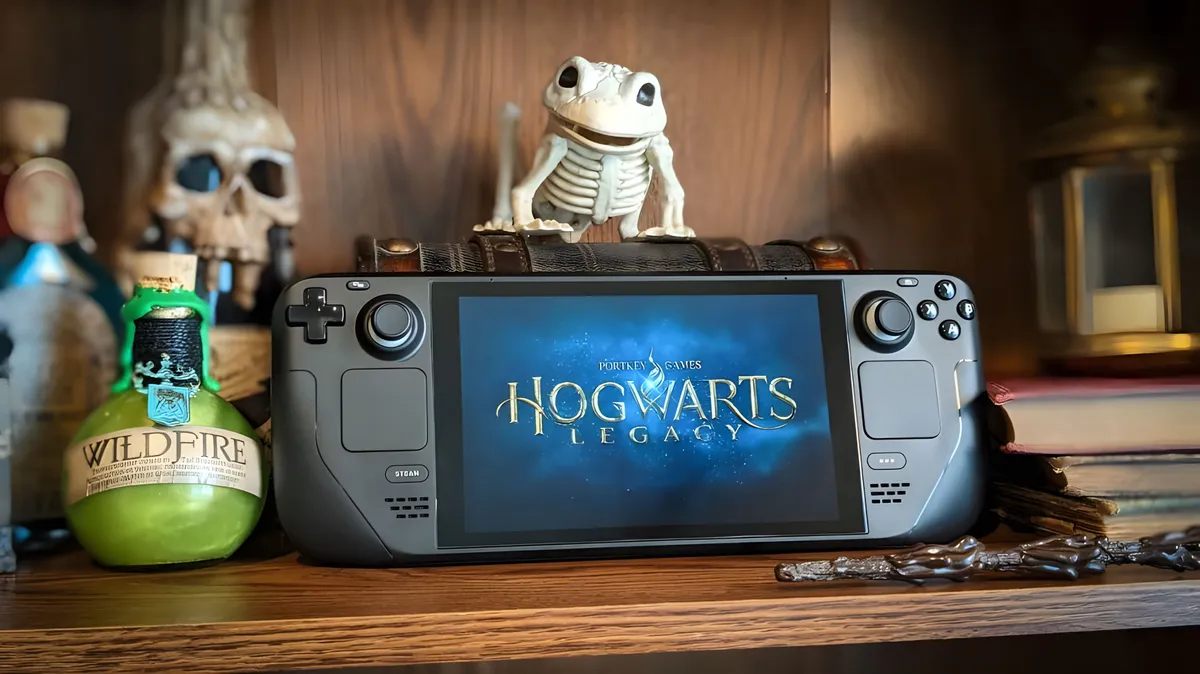
Simply by looking at the specs, it might appear as though the Steam Deck OLED's 50Whr battery has a shorter battery life than the Legion Go 2 (SteamOS)'s 74Wh battery, but that's probably not the case.
A battery drains faster if it has to support more power-hungry processors and displays, like those in the Legion Go 2. This being the case, it's very possible that the Steam Deck OLED has a longer battery life.
Typically, the Steam Deck OLED can last between three and 12 hours, depending on the settings it's running at. I won't know for sure how long the Legion Go 2 (SteamOS) lasts until I run my own battery life tests on it.
However, I know from previous testing that the Legion Go 2 (Windows) tends to only last between 1.5 and slightly more than five hours. Considering that SteamOS lets handhelds run more efficiently than Windows 11, I expect the Legion Go 2 (SteamOS) to have a longer battery life than the Windows version, but probably not by a ton.
TL;DR: BATTERY LIFE WINNER: Due to its more power-efficient system, the Steam Deck tends to last longer than the Legion Go 2.
Legion Go 2 (SteamOS) vs Steam Deck: Grip ergonomics and comfort

There's a lot of debate over whether or not the Steam Deck OLED is comfortable to hold. While certainly a beloved handheld, the Steam Deck isn't nearly as ergonomically shaped as the Legion Go 2, but it isn't as heavy either.
Valve's Steam Deck OLED weighs in at 1.41 pounds while being 11.7 inches long, 4.6 inches tall, and 1.9 inches thick. Meanwhile, the Legion Go 2 (SteamOS) is much heavier at 2.2 pounds while being 11.64 inches long, 5.38 inches tall, and 1.66 inches thick.
Of course, one huge difference here is that you don't have to hold the entire Legion Go 2 in your hands if you don't want to. Those detachable controllers only weigh 0.46 pounds and won't strain your hands nearly as much as a whole Steam Deck OLED.
TL;DR: COMFORT WINNER: The Steam Deck might weigh less than the Legion Go 2, but Lenovo's handheld is more ergonomically shaped and has detachable controllers that won't strain your wrists as much.
Legion Go 2 (SteamOS) vs Steam Deck: Comparison chart
Category |
Winner |
|---|---|
Price |
Steam Deck OLED is more budget friendly. |
Performance |
Legion Go 2 offers more power and can play more AAA games. |
Display |
Legion Go 2's OLED has a better color range, higher resolution, higher refresh rate, and supports VRR. |
Controls & ports |
Legion Go 2 offers two USB4 ports and detachable controllers with additional features. |
Software & games |
Legion Go 2 has the same OS, but has the internals to play more games. |
Battery life |
Steam Deck OLED likely offers a longer battery life. |
Grip |
Legion Go 2 has a better ergonomic shape and the detachable controllers reduce wrist strain. |
Best overall |
Legion Go 2 is definitely more expensive, but it has a better OLED display and can play more games, even if that battery probably doesn't last as long. |
Legion Go 2 (SteamOS) vs Steam Deck: Which should I buy?

I've compared just about every aspect of these handhelds, and it's time to declare one the winner. The thing is, they are both good options. What this final decision really comes down to is your preferred playing experience.
• Best Xbox / PC headsets
• Best upcoming Xbox / PC games
• Best Xbox controllers
• Best Xbox accessories
• Best gaming handhelds
If you're specifically wanting a handheld so you can play the latest and greatest AAA games, then the Legion Go 2 (SteamOS) is the device you want. Just remember, not all games are compatible with handhelds, so you'll need to check system requirements on a case-by-case basis.
I also recommend the Legion Go 2 (SteamOS) if you want a larger display that will be easier to see details on. Or if you deal with hand fatigue and want a handheld that will reduce discomfort.
But while the Legion Go 2 is undeniably the more impressive handheld here, you might not need the very best handheld to meet your gaming needs.
At the end of it all, the Steam Deck OLED remains the best budget-friendly handheld, even if it is older and not nearly as powerful. It can still be used to access a wide range of games, and it has a large community that is eager to share tips with newcomers.
Before you purchase either the Steam Deck OLED or the Legion Go 2 (SteamOS), think about what you want to do with your handheld, what types of games you want to play, how much money you're willing to spend, and any features you know you don't want to go without. Then choose the handheld based on that.
Those who want the very best gaming experience on a handheld to date should consider getting the Legion Go 2 (SteamOS). Its processors are far more powerful than the Steam Deck's and it has a much better OLED display and additional features too.

The Steam Deck has two touchpads, a USB-C port, a microSD card reader. You have the choice of getting the more affordable 7-inch LCD screen version or the higher-tier 7.4-inch OLED version.

