


What you need to know
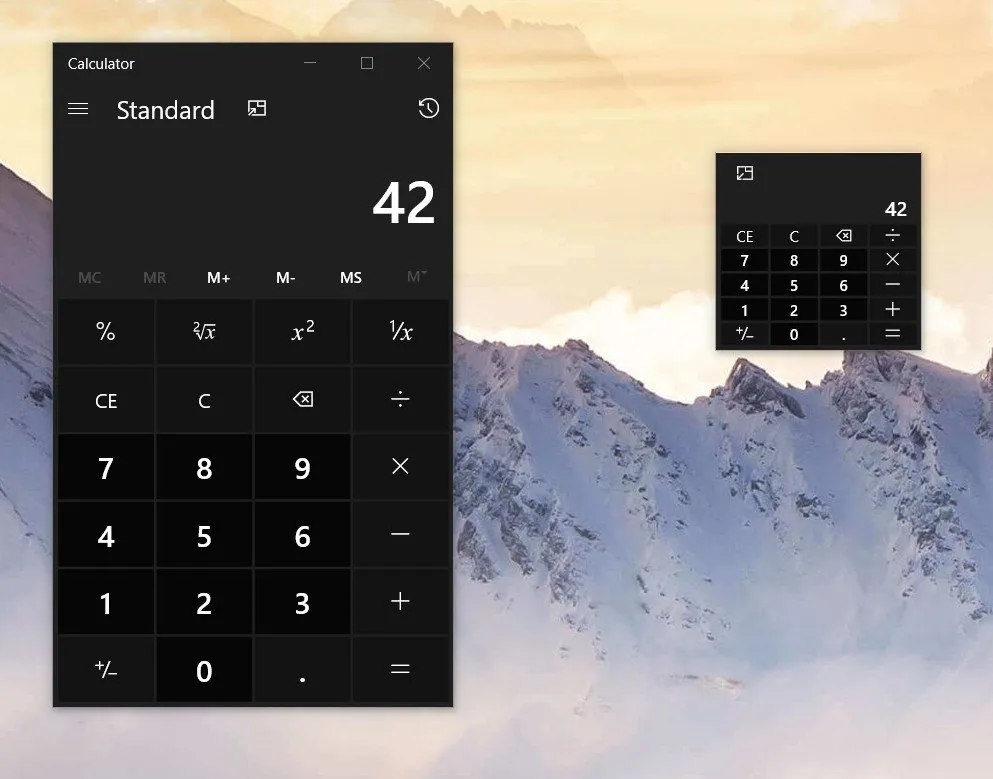
- The Windows Calculator will soon gain an Always-on-Top mode.
- The feature showcases a unique use of the Compact Overlay mode.
- Microsoft open sourced the Windows Calculator earlier this year.
The Windows Calculator will soon have an Always-on-Top feature. The new feature will allow users to pop the calculator into a mini-mode that can stay on top of all apps and windows. The feature addition is thanks to several contributors helping improve the concept and implementation of the feature on GitHub.
Microsoft open sourced the Windows Calculator earlier this year. At the time, Microsoft stated that the calculator was open sourced to "[encourage] your fresh perspectives and increased participation to help define the future of Calculator." This new feature certainly qualifies as a fresh perspective, as it relies on the Compact Overlay mode which is usually reserved for playing videos.
The feature was teased on Twitter by Dave Grochocki, a Senior Project Manager at Microsoft who works on the Windows Calculator.
One of our top requested #WindowsCalculator features is the ability to keep Calculator on top of other windows as you work—you'll soon be able to do just that! 😁 Also, tiny calculator!! https://t.co/AEqu4nkhb4 #BuildTogether pic.twitter.com/TJpkXrRIL4One of our top requested #WindowsCalculator features is the ability to keep Calculator on top of other windows as you work—you'll soon be able to do just that! 😁 Also, tiny calculator!! https://t.co/AEqu4nkhb4 #BuildTogether pic.twitter.com/TJpkXrRIL4— Dave Grochocki (@dgrochocki) July 30, 2019July 30, 2019
Grochocki did not include a release date of the feature, but the GitHub log shows that the feature was moved to "Completed" earlier today. The feature will probably roll out in the near future.
Portable (and affordable) power accessories we love
Each and every one of these charging gadgets will keep your favorite gear and gadgets going for longer, and none of them costs more than $30.

VisionTek 8,000 mAh micro-USB power bank ($13 at Dell)
This compact dual-output powerbank can speedily recharge any and all your devices, thanks to a two-amp "fast charge feature," using its micro-USB out port. Its simple design includes an LED indicator, and it costs about as much as a single ticket to the movies.

Panasonic eneloop AA batteries (From $13 at Dell)
Panasonic's rechargeable batteries are among the best available, and just a couple of them will keep your favorite remote, mice or other peripherals powered up when you need them. They're also eco. And the company's affordable charger fits and charges both AA and AAA batteries at the same time.

Belkin Qi Wireless Charging Pad ($30 at Dell)
This unobtrusive Qi wireless charging pad looks good (and kind of like a UFO …) and easily charges all your Qi-compatible device up to 5W. Its LED indicator lights up when you're charging. And it costs just $30.

