


Gaming laptops were at one time far behind desktops in terms of performance, but advances from Intel, NVIDIA, AMD, and top manufacturers have closed the gap considerably. Leading the charge is the Lenovo Legion Pro 7i (Gen 10), thanks to its elite mix of powerful hardware options, premium design, and gorgeous display.
It’s definitely not the only gaming laptop in the running. The experts here at Windows Central highlight a range of top-rated alternatives — spanning budget-friendly picks, premium powerhouses, and different form factors — so whether you want value, portability, or cutting-edge performance, you’ll find it in this curated list.
February 2, 2026: Based on our most recent gaming laptop reviews, I've added the Alienware 16X Aurora as a mid-range pick. — Cale Hunt
TL;DR: Summarizing our findings
Why you can trust Windows Central Our expert reviewers spend hours testing and comparing products and services so you can choose the best for you. Find out more about how we test.
- Gaming laptops have closed the gap with desktops: Thanks to NVIDIA and AMD innovations, modern laptops now deliver near-desktop performance, though cooling and battery life remain challenges.
- Top overall pick — Lenovo Legion Pro 7i (Gen 10): A redesigned 16-inch gaming laptop with impressive cooling abilities for up to an RTX 5090 Laptop GPU. Hard to beat the build quality and the OLED display, but watch out for the price.
- Best compact — ASUS ROG Zephyrus G14 (2025): A refreshed model that's slightly larger than its predecessor due to a ton of extra performance potential inside. Highlights include a great keyboard, speakers, and display, making it great for multi-use computing.
- Best with AMD — ASUS ROG Strix G16 (2025): A 16-inch gaming laptop that makes use of AMD's most powerful mobile CPUs paired with up to an NVIDIA RTX 5070 Ti. It has a plasticky design, but don't let that stop you from cashing in on an excellent value.
- Best for creators — Razer Blade 18 (2025): A massive 18-inch powerhouse with up to RTX 5090, UHD+ or QHD+ high-refresh displays, and Thunderbolt 5. Excellent for gaming and creative work, but heavy, loud, and very costly.
- Best value — Acer Nitro V 15: Affordable sub-$1,000 option with Intel i5-13420H, RTX 5050, and 165Hz FHD display. Great entry-level choice, though webcam and speakers are basic.
- Best mid-range — Alienware 16X Aurora: Models start at $1,649.99, and you can get up to an Intel Core Ultra 9 275HX CPU, RTX 5070 Laptop GPU, and 240Hz QHD+ display with G-Sync support.

I spend way too much time gaming on desktop and laptop PCs, and when I'm not having some fun I'm usually testing or writing about the same subject. My own decades of experience combined with the expert reviews on Windows Central allows me to give informed buying advice to help you land the perfect gaming laptop.
Best overall gaming laptop


My recommended Legion Pro 7i (Gen 10) configuration:
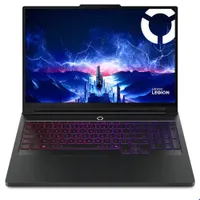
Lenovo's Legion Pro 7i has been a good gaming laptop for a long time, and its tenth-gen model is the most enticing of the lot.
It now features a 16-inch OLED display with a 2560x1600 (QHD+) resolution, 240Hz refresh rate, 0.5ms response time, and all sorts of additional tuning tools, including NVIDIA G-Sync, Advanced Optimus, and Dolby Vision HDR.
The laptop is powered by an Intel Core Ultra 9 275HX CPU with 24 cores, and it can be paired up with up to an NVIDIA RTX 5090 Laptop GPU. I still recommend stopping at the RTX 5080 Laptop GPU, as the 5090 mobile version loses about 50% of its power compared to the desktop card.
Part of the redesign to accommodate the latest performance hardware means larger vents on the back of the PC, which forced Lenovo to relocate the convenient rear ports. It's not a big deal, and it's one of the only flaws spotted in our review (alongside a lack of Windows Hello support).
Former Windows Central reviewer Zachary Boddy noted in their Legion Pro 7i (Gen 10) review:
"The Lenovo Legion Pro 7i no longer feels like the "flagship killer" deal it was in years prior, but the latest model ushers in a new generation of Intel and NVIDIA hardware with a great redesign, a wonderful OLED display, and some of the best performance you'll find on any mobile machine. This is one of the best gaming laptops we're going to see this year. It is a shame we lost the rear-facing ports, though."
👀 Read our full Lenovo Legion Pro 7i (Gen 10) review
Best compact gaming laptop


My recommended ASUS ROG Zephyrus G14 (2025) configuration:
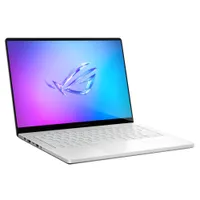
The 2024 version of the ASUS ROG Zephyrus G14 was an easy recommendation for anyone searching for a more compact gaming PC, and although the refreshed model is slightly thicker and heavier, it's still a laptop well worth your money.
Why the size difference? It all comes down to the performance hardware inside. ASUS had to do some internal reorganization to fit NVIDIA's latest RTX 5000 Laptop GPUs and their cooling systems (much like Lenovo did with its Legion Pro 7i), so it's not quite as trim as the previous generation.
Reviewer Zachary Boddy remarked:
"ASUS took the winning formula of last year's redesigned ROG Zephyrus G14 and made it more powerful and intelligent than ever before — at the expense of added cost and a few millimeters of added thickness, which does noticeably impact the design."
The tradeoff, of course, is more power than ever. ASUS offers up to an AMD Ryzen AI 9 HX 370 CPU and an NVIDIA RTX 5080 Laptop GPU, which is frankly kind of nuts to consider when you're holding the small laptop.
Our testing revealed that the laptop has reliable thermal management despite its size, so you can worry less about throttling and more about what's on the screen. Speaking of the screen, it's a 14-inch OLED option with a 2.8K resolution and a 120Hz refresh rate. Thanks to perfect color, deep contrast, and Dolby Vision, it's ideal for working, creating, playing, or watching.
👀 Read our full ASUS Zephyrus G14 (2025) review
Best AMD gaming laptop

My recommended ASUS ROG Strix G16 (2025) configuration:
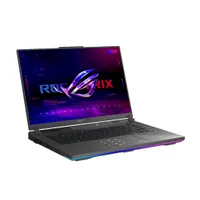
AMD's 3D V-Cache desktop processors have long been considered the very best options for full-size PCs. That's thanks to a unique design that sees an oversized cache stacked vertically, allowing the chip to access data stored there quickly.
AMD has now created mobile CPUs with the same feature, and the ASUS ROG Strix G16 for 2025 is one of the first laptops to receive the Ryzen 9 9955HX3D chip. It's the top offering that ASUS has for this laptop, and it can be paired with up to an NVIDIA RTX 5070 Ti Laptop GPU for outstanding performance.
Laptop expert Zachary Boddy reviewed the ROG Strix G16 for 2025, stating:
"The ROG Strix G16 isn't trying to compete with the most premium devices from Razer or Lenovo, and instead offers a lot of power in a solidly built chassis, paired with a fantastic keyboard and a comfortable display. It could be the underdog of the premium gaming laptop segment."
The 16-inch display that comes with all models has a 2560x1600 resolution, a 240Hz refresh rate, NVIDIA G-Sync, Advanced Optimus, Dolby Vision support, and 100% DCI-P3 color. The only thing it's lacking is an OLED panel, but the IPS choice here will nevertheless look crisp.
If you prefer to stick with AMD and its 3D V-Cache tech, this is a great way to go.
👀 Read our full ASUS ROG Strix G16 (2025) review
Best for creators

My recommended Razer Blade 18 (2025) configuration:
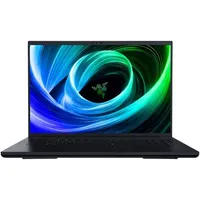
Razer's Blade 18 continues to be a top option for anyone with deep pockets. In Windows Central Senior Editor Ben Wilson's Blade 18 review, he calls it "an all-out showcase of the world's most powerful gaming laptop hardware" and says that it's "still the best gaming laptop" in his eyes.
It's the price that really stands in the way of mass adoption, with models starting at around $3,499 before any discounts. Nevertheless, for those who can afford it, it's going to be one great system for gaming, creation, and even specialized workloads.
Razer offers up to an NVIDIA RTX 5090 Laptop GPU inside, but, as always, it's not something I recommend the average gamer splurges on. Thankfully, Razer also has RTX 5070 Ti and RTX 5080 Laptop GPUs available.
The CPU across all models is an Intel Core Ultra 9 275HX, and you can get plenty of RAM and storage at checkout.
Razer's Blade 18 is one of the few gaming laptops that offers a dual display. It can be quickly switched from UHD+ at 240Hz to FHD+ at 440Hz, depending on your preference, making it suited to practically every type of game on the market.
👀 Read our full Razer Blade 18 (2025) review
Best value gaming laptop

My recommended Acer Nitro V 15 configuration:
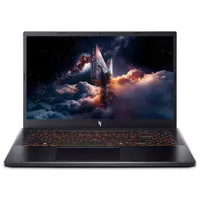
Although I haven't reviewed this specific Acer Nitro model, I have tested older versions and come out the other side with an overall positive opinion. Acer didn't design this gaming laptop to compete with the heavy hitters; instead, it balances price, performance, and features to arrive at a cost that is considerably less than $1,000.
The model I'm highlighting, on sale at the time of writing for $729, includes a 13th Gen Intel Core i5-13420H CPU, NVIDIA RTX 5050 Laptop GPU, 16GB of DDR5 RAM, and a 512GB M.2 PCIe 4.0 NVMe SSD. The storage and memory can be upgraded after purchase.
This gets you in the door for NVIDIA's latest DLSS 4 improvements, including Multi Frame Generation, allowing you to play any title you want at an acceptable frame rate.
The CPU/GPU combo here is a great match for the 15.6-inch display. It has a 1920x1080 (FHD) resolution and a 165Hz refresh rate, allowing the system to raise frame rates further than with a QHD display.
Extra features might be lacking, but the system has lots of ports and a full keyboard with a number pad. If you'd like to step into PC gaming without spending $1,000 or more, this is a great option.
6. Best mid-range gaming laptop


My recommended Alienware 16X Aurora configuration:
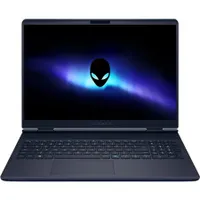
Dell's Alienware 16X Aurora launched as a mid-range alternative to higher-spec and more expensive models, and we found that it hits several key metrics in our testing.
Performance does not disappoint thanks to the Core Ultra 9 275HX CPU and RTX 5070 Laptop GPU, delivering full DLSS 4.5 enhancements in modern games. Battery life isn't amazing, but when you aren't gaming, you can expect up to five hours of runtime. Not bad.
The 16-inch display stands out thanks to its QHD+ resolution and speedy 240Hz refresh rate, and it's a perfect match for the performance hardware. It's all built into a sleek aluminum chassis with plenty of ports, including Thunderbolt 4.
Former Windows Central Editor Rebecca Spear reviewed the Alienware 16X Aurora, noting:
"The Alienware 16X Aurora gives you more premium build quality and better ports, a faster and brighter display, superior CPU performance and greater memory/storage options, and a better camera with Windows Hello facial recognition — straightforward upgrades that pick up right where the standard 16 Aurora's pricing leaves off."
👀 Read our full Alienware 16X Aurora review
Honorable mentions

We review a lot of laptops here at Windows Central, and although I'm keeping my main list to the top six options, there are a few others I'd like to offer as honorable mentions.
- Lenovo Legion 7i 16" (Gen 10): This stylish 16-inch gaming laptop has a vivid OLED display and can be configured with up to an RTX 5070 Laptop GPU and Core Ultra 9 275HX CPU. Prices start at about $1,495.99. 👉 Read our full Lenovo Legion 7i 16 (Gen 10) review
- MSI Raider A18 HX: If you want the most powerful mobile hardware possible and a gorgeous 18-inch display, this is a great option. Prices start at about $2,999. 👉 Read our full MSI Raider A18 HX review
- HP OMEN MAX 16 (2025): With the right performance hardware to keep up with any gaming laptop, the OMEN MAX 16 is a great alternative with some truly premium features. Prices start at about $2,199 at HP.👉 Read our full HP OMEN MAX 16 (2025) review
- ASUS ROG Zephyrus G16 (2025): The bigger sibling of my favorite 14-inch gaming laptop offers some extra power in a sleek design that can fit in anywhere. Prices start at about $2,149 at Best Buy. 👉 Read our full ASUS ROG Zephyrus G16 (2025) review
- Razer Blade 14 (2025): The Blade 14 for 2025 represents the pinnacle of laptop design, and it's available with a wide range of performance hardware. Prices start at about $2,299 at Razer.👉 Read our full Razer Blade 14 (2025) review
- Lenovo Legion 9i (Gen 10): We last tested this lineup with the Gen 8 model, and the Gen 10 model is certainly still worth consideration. I'll consider moving it back into the regular rotation once we've had a chance to test the latest model. Check it out starting at $3,578 at Lenovo.
Choosing the best gaming laptop

Buying a gaming laptop makes a lot of sense. A desktop PC is glued to one location, while a gaming laptop can go anywhere you go. For the majority of gamers, the performance from today's best gaming laptops is so good that you won't miss having a desktop, either. Of course, battery life will be a problem with any gaming clamshell out there, but it's usually not too hard to find a place to plug in, anyway.
My top pick, based on a combination of review score, performance hardware, design, and pricing, is the Lenovo Legion Pro 7i (Gen 10). While it usually starts at about $2,775, frequent discounts drop it as low as $2,039.
If you're in search of a more compact PC, the ROG Zephyrus G14 (2025) from ASUS is an easy recommendation. It's powerful, it's beautiful, and it's priced competitively. You can usually find a high-power model with RTX 5070 Ti Laptop GPU for about $2,399 at Best Buy.
The Razer Blade 18 is a premium laptop with a high price, but it's ideal for enthusiasts, designers, and creators who need desktop-class performance in a mobile platform.
Want to spend less than $1,000? The Acer Nitro V 15 has long been a top choice in the budget market, allowing you to get an RTX 5050 Laptop GPU and 165Hz display for a lot less. And for a great mid-range pick, I urge you to check out Alienware's 16X Aurora that starts at $1,649.99.
Handheld PCs: The gaming laptop alternative
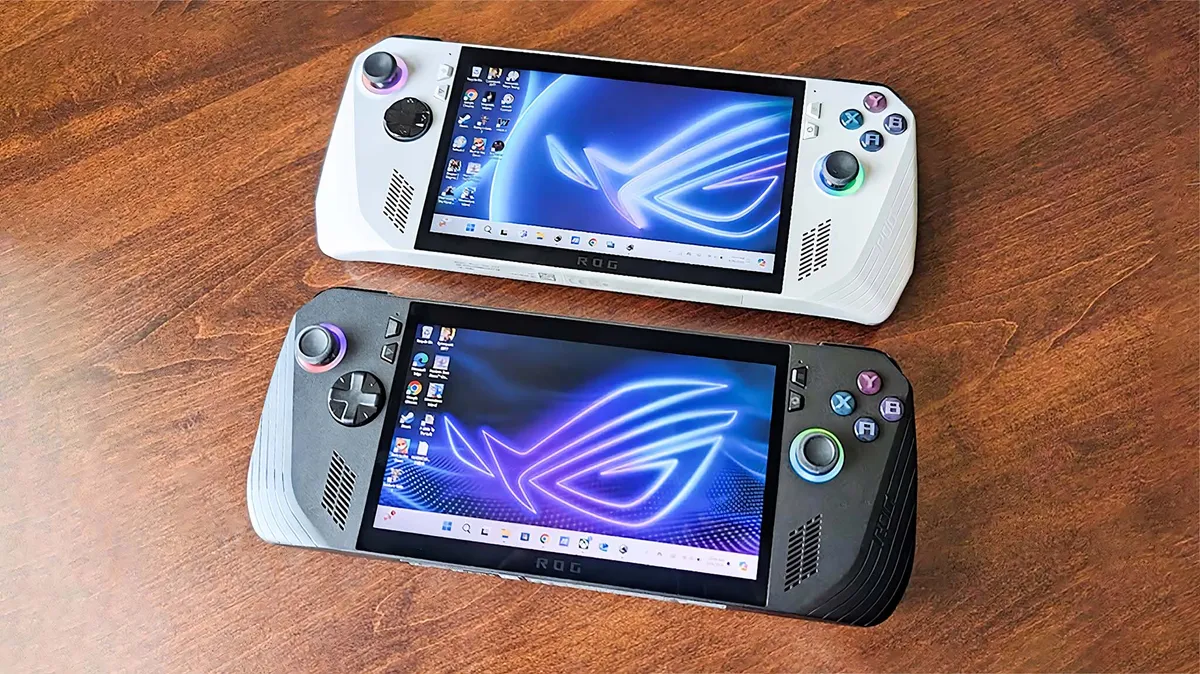
The best gaming handhelds are finally becoming a viable alternative to carrying around a gaming laptop if your priorities are to, well, game. They're purposely designed to be a console-like experience but able to play your PC games in the palms of your hands. They also cost much less than high-end gaming laptops, easing the burden on your wallet as well as your bag space.
What you lose, of course, is a built-in keyboard and a display big enough to do anything resembling work on, along with all the fancy and advanced screen tech you'd get with a clamshell. But make no mistake, these portable PCs can be hooked up to an external display, a mouse, and a keyboard, and if you do so, you'll have yourself a fully capable PC that can also fit in (some) pockets.
There are two handheld PCs that we can easily recommend right now if you're interested in going this route over a traditional gaming laptop.

Microsoft partnered with ASUS ROG to create the Xbox Ally X, the next-gen handheld gaming PC with an AI processor that offers improved performance over the original Xbox Ally X. It's the powerful handheld to beat right now.

The Steam Deck is a brilliantly designed and remarkably capable portable gaming device that redefines the way players can enjoy their Steam libraries. It's a great choice for anyone with a massive amount of Steam games, and it can also do so much more with a little tweaking.
Buy at: Steam
How we test gaming laptops
It won't come as a surprise that most of our testing process for gaming laptops primarily relies on stress testing a series of AAA games.

Specific titles, like Far Cry 6, Cyberpunk 2077, and Shadow of the Tomb Raider, have built-in benchmarking modes that simulate various moments of intense CPU and GPU utilization, which can be analyzed afterward to see which settings make the most impact.
Of course, we run each model through a gauntlet of broader tests to see which components are worth the cash. Some high-end parts might sound great on paper, but if they're housed inside a gaming laptop that hasn't been adequately optimized for cooling, they'll likely suffer from performance throttling to prevent overheating. King of the castle in every respect, the Razer Blade 18 is a loud machine when it's under stress, but the vapor chamber cooling system keeps its hardware nice and cool.
Compared to pre-built gaming desktop PCs, the laptop equivalents are often short in raw performance numbers, despite displaying the same model numbers as their full-size companions. A laptop variant of the NVIDIA GeForce RTX 4090 won't perform as well as its desktop version, as it's smaller and doesn't have the same level of horsepower. Still, each gaming laptop is compared against those in its category and beyond, so we'll always provide benchmark graphs to show how each performs in testing.
Picking up a gaming laptop won't net you the same across-the-board performance as the best Windows laptops, notably taking the biggest hits in the battery department. Still, thanks to the dedicated GPUs, they generally double up as excellent choices for creative types, pushing for faster video rendering and real-time image editing.
Gaming laptop FAQ
Do gaming laptops have bad battery life?
Gaming laptops usually don't offer great battery life due to their higher tier of performance hardware. Efficiency has come a long way in recent years, but if you're gaming, you'll most likely want to be near AC power.
Do gaming laptops overheat?
Gaming laptops get hot due to how much performance hardware is built into the system, but recent advances allow for better power balancing to help prevent throttling. If you plan on running particularly demanding games, you might want to consider a desktop gaming PC instead.
Do gaming laptops last as long as regular laptops?
Gaming laptops might not last as long as regular laptops for two reasons. First, the extra heat and power degrades components faster, though modern advances in cooling have helped to reduce this issue. Second, gaming hardware tends to become irrelevant faster than standard components.

Follow Windows Central on Google News to keep our latest news, insights, and features at the top of your feeds!

